Short answer: explore the calculator and runtime
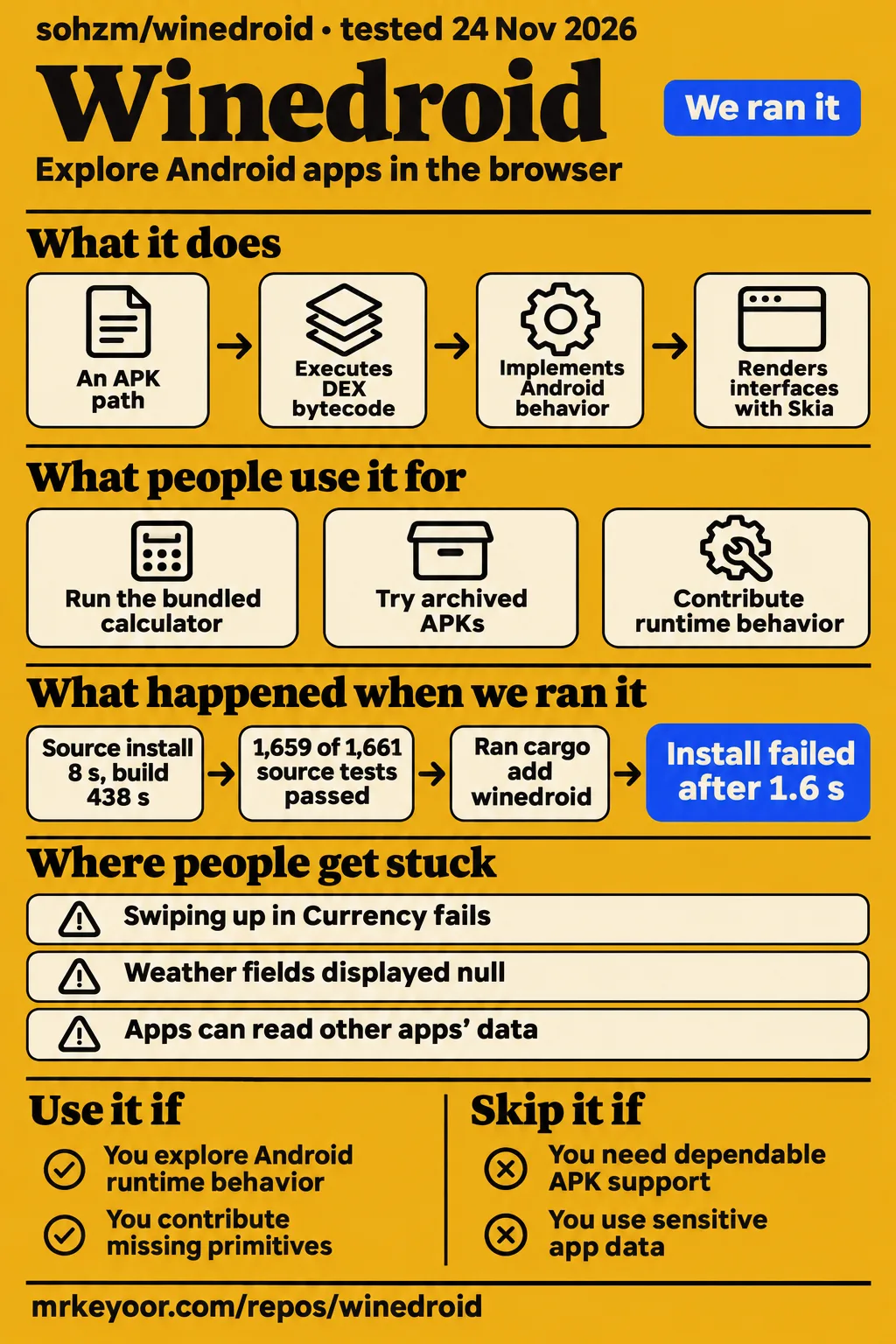
Our Winedroid source build succeeded in 438 seconds, then the test command exited 101 with two failures. Use it to explore Android compatibility or contribute runtime behavior. Skip it for dependable everyday APK use or sensitive app data. The author describes the browser demonstration as a tech demo, while the README calls development very early and warns about missing APIs and broken apps.
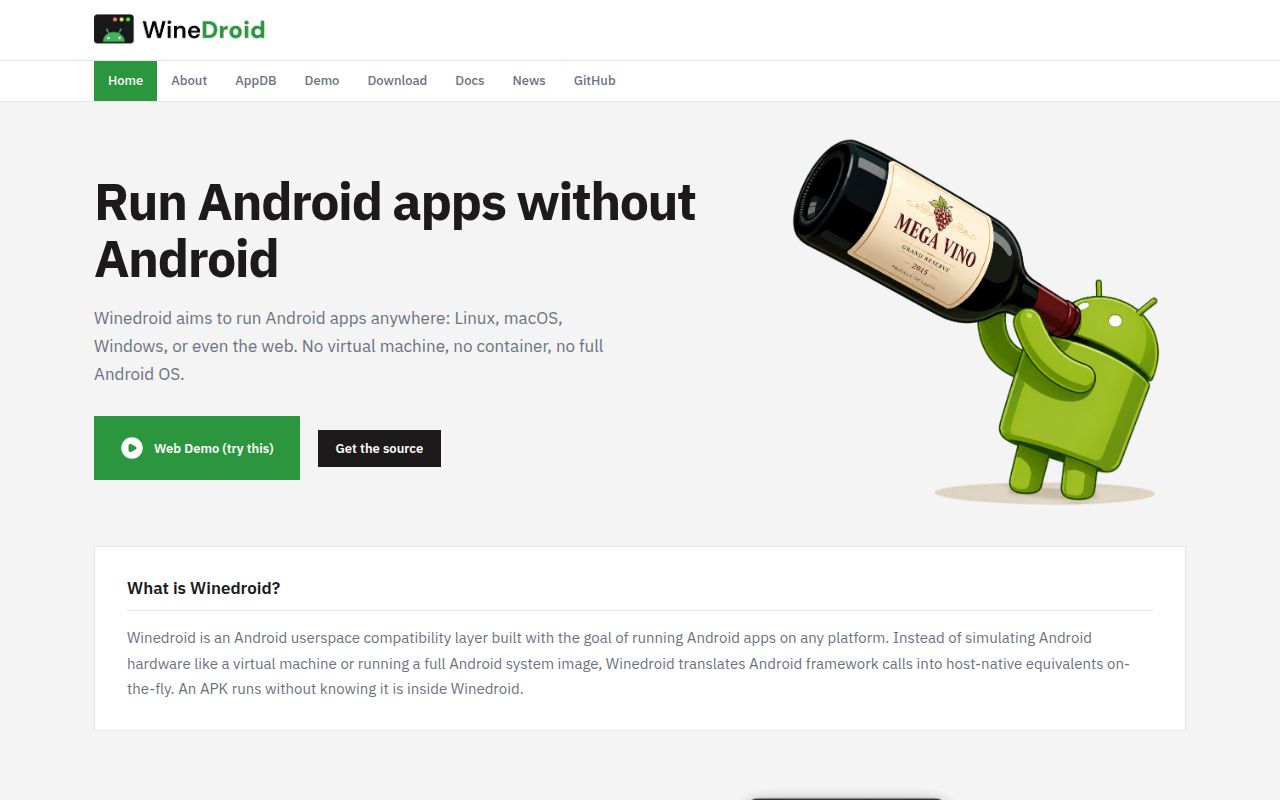
Winedroid is an experimental Android compatibility layer for macOS, Linux and the browser. An APK is an Android app's installation package. Winedroid executes its DEX bytecode and implements Android framework behavior rather than starting a complete Android operating system. This review concerns sohzm/winedroid, the Rust project that renders app interfaces with Skia. Its direction is Android apps running on other platforms; similarly named Windows-on-Android projects describe a different job.
The useful distinction is between opening an app and completing its task. Calculator arithmetic has a definite expected answer. Weather information needs actual readings. Winedroid's default execution mode adds another distinction: it can continue after explicitly reported missing calls by substituting return values. Those mechanics make the app's visible result more informative than the mere presence of a window, especially when deciding whether to spend time investigating a particular APK.
What people use winedroid for
OpenCalc has reported working interactions, while users also describe failed launches of personal APKs. The project's June 18, 2026 news entry reports that OpenCalc boots and basic interactions work. Other reports cover browser arithmetic, weather information and older saved apps. Keeping the reporter and task beside each result makes the difference between those experiences clear.
| Who tried it | What they did | What happened |
|---|---|---|
| X user kforris_w | Entered 27 × 37 in a browser calculator | Identified it afterward as the bundled OpenCalc sample; the report states the input rather than a numerical answer. |
| X user acheng_ai | Tried calculator arithmetic and Weather in a desktop browser | Reported correct calculation of 1314 × 520, then null temperature, humidity and wind speed. |
| Project author Soham | Booted OpenCalc | Reported working basic interactions on June 18, 2026. |
| Hacker News user wingmanjd | Tried archived APKs, including Humble Bundle games and apps saved from an older phone | Reported that none of those APKs worked. |
| Hacker News user auraham | Tried NewPipe | Reported that the APK did not work. |
The acheng_ai report describes two distinct outcomes in one browser session: arithmetic worked, while three weather fields displayed null. The README's AppDB list provides versioned starting points, including Weather Overview 0.1 and OpenCalc 3.2.0. The README lists OpenCalc as Bronze; check the individual compatibility report before choosing it for everyday use. The project's AppDB and ratings page is the relevant reference for interpreting its own labels.
What happened when we ran it
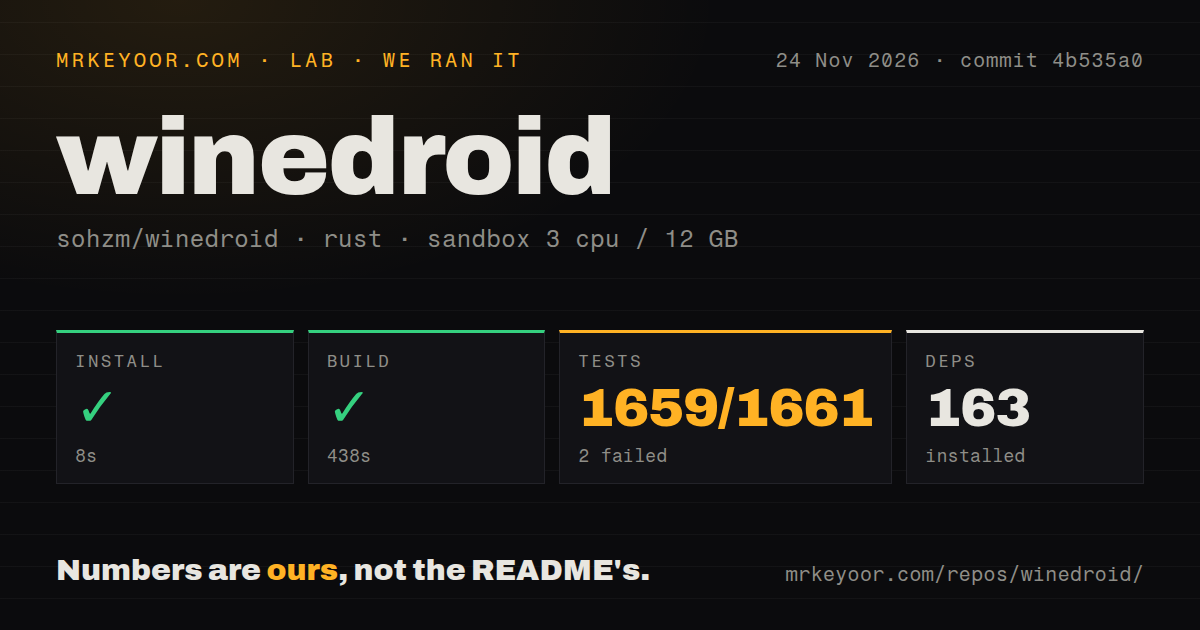
Our November 24, 2026 run at commit 4b535a0 installed dependencies in 8 seconds and built successfully in 438 seconds. Tests then failed after 137 seconds. The configured sandbox had 3 CPUs, 12 GB RAM and image label lab-rust:1. The following results describe source acquisition, compilation, test execution and repository inspection, with the aggregate harness count separated from the final library-suite summary.
| Step or observation | Recorded result |
|---|---|
| Dependency installation | Succeeded in 8 seconds; 163 dependencies recorded |
| Build | Succeeded in 438 seconds |
| Test command | Failed, exit 101, after 137 seconds |
| Harness test summary | 1,659 passed and 2 failed of 1,661 |
| Final library-suite summary | 1,657 passed and 2 failed; two earlier filtered summaries each show one pass |
| Repository scan | 261 files, approximately 230,491 source lines, 8.9 MB checked out |
| Automation files | No CI workflow files or Dockerfile detected; a tests directory was present |
The drawable test panicked at src/launch/projection.rs:1996:10. Its message says unavailable framework drawable should fail, but displays an ActivityImage with source winedroid:missing-framework-drawable and empty data and resources. The failing test is launch::projection::tests::resources_impl_unavailable_framework_drawable_is_an_explicit_error. The recorded log therefore identifies a test expecting an explicit error and receiving an image object; compilation had already succeeded.
The second failure was dex_run::tests::android_context_services::builtin_context_get_system_service_returns_named_reference. The final library summary reports 1,657 passes and two failures. Two earlier filtered invocations each report one pass, while the harness records 1,659 passes overall. Those are separate reported totals. The command's outcome is unambiguous: exit 101, followed by Cargo's instruction to rerun with --lib.
A separate quickstart-lib experiment recorded a clone step in 1 second. Its registry installation step failed after 1.6 seconds with exit 101: cargo add winedroid in a new binary crate returned the crate winedroid could not be found in registry index. The finding records that installation stopped there, and teardown completed.
The run header identifies commit 4b535a045dae, a fresh unprivileged lab-rust:1 container with 2 CPUs, 4 GB RAM, no published ports and no secrets. Its wording says it installed Winedroid from crates.io at the latest version, but the subsequent step records failed acquisition. The step result controls the outcome: this experiment stopped at installation. The successful source-build harness used the separate 3-CPU, 12-GB configuration above.
Source setup uses Rust and native build tools
The README requires recent stable Rust and native C/C++ build tools. macOS users need Xcode Command Line Tools; Linux users also need pkg-config and FreeType and Fontconfig development packages. A desktop launch requires an X11 or Wayland session. The documented source route clones the repository, builds the named binary and passes it an APK path, which differs from adding a library dependency through Cargo's registry.
The documented build command is cargo build --release --locked --bin winedroid, followed by ./target/release/winedroid /path/to/app.apk. The README places app data in ~/.winedroid/default and documents WINEDROID_PREFIX for another directory. Its browser-build route requires Emscripten's emcc and Python 3. Browser app data is lost on reload, and that build excludes Android native .so libraries and the Cranelift JIT.
Where people get stuck: input and startup fail separately
WhatsApp 2.26.44.71 has reported blockers before its first screen, while Currency's issue concerns a swipe after launch. The GitHub reports distinguish resource parsing, lifecycle execution, touch dispatch and native compilation. Those distinctions help a contributor identify the failing operation instead of treating every error as the same launch problem or applying one reporter's workaround to unrelated apps.
| Report | What failed | Resolution shown |
|---|---|---|
| Issue #1, Currency swipe | Swiping up produced Browser pointer input failed and runtime touch dispatch has no runtime View root. |
Open. In the HN discussion, refreshing helped one person; patrakov still reproduced horizontal dragging errors. |
| Issue #2, QField for QGIS | The reporter's QField v4.3.8 ARM64 APK failed. | Open, with zero comments; the diagnostic is an image. |
| Issue #3, WhatsApp | WhatsApp 2.26.44.71 encountered resource-parsing and Application lifecycle blockers before UI; missing ConditionVariable support was a side finding. |
Open. The reporter describes a local parsing fallback and identifies lifecycle handling as the launch stopper. |
| Issue #5, DocumentsUI Shortcut | Version 1.0.8 failed during MainActivity.onCreate with a DEX execution error. |
Open, with zero comments. |
| Issue #7, Olauncher and Supernova | Both launcher apps were reported as not working. | Closed after the author said launcher apps were outside the current focus and described integration with desktop launchers. |
| Issue #8, Windows | The reporter attributes native compilation failure to Unix-only APIs. | Open; the download instructions cover macOS and Linux. |
The WhatsApp reporter used Winedroid 4b535a0, Rust 1.100.0, macOS 27.2.1 and an Apple M1 Pro, with headless execution and a fresh prefix. These are the issue reporter's environment details. WhatsApp was version 2.26.44.71, versionCode 264407138, targetSdk 36, in a single base.apk. The report says no account or phone number was used and distinguishes the parsing problem from the lifecycle blocker.
The README requests app version, host OS, reproduction steps and error output in bug reports. That format fits the differences already visible in these issues: an APK can fail while parsing resources, executing onCreate or resolving a touch target. Issue #1 also includes a comment extending the swipe report to other apps, while the HN thread names Weather and Firefox Android interactions.
Strict mode stops on missing support
WINEDROID_STRICT=1 makes missing support fatal, according to the contributor instructions. Default execution instead logs FIXME and substitutes void, numeric zero or null at guest call boundaries. The instructions call those values diagnostic substitutions. The README also states that existing side effects stay in place and substituted values are not tracked through later execution, so a later null error is not automatically attached to an earlier missing call.
The README documents WINEDROID_STRICT=1 cargo run -- /path/to/app.apk to stop on missing support and says scripts/validate.sh forces strict mode. Its direct conformance command is WINEDROID_STRICT=1 cargo test --offline. For a future app investigation, the contributor guidance pairs a fresh WINEDROID_PREFIX with a specific expected result. Its calculator automation example asserts 15 after entering 7 + 8, making task completion an explicit checkpoint.
App isolation is incomplete
The author acknowledged that apps can read other apps' data when asked about filesystem permissions. The reply places basic primitives ahead of better sandboxing. That is the concrete reason this review recommends disposable app experiments and excludes sensitive data from its intended use. A separate prefix gives an experiment another data directory; the README documents it as storage configuration.
Browser persistence is a separate behavior: the README says app data is lost on reload. For an exploratory calculator session, the useful artifact is the input and resulting answer. For a contributor investigating another APK, the useful record includes the app version, steps, expected result and error output. Those records also match the project's request for reproducible bug reports rather than depending on retained browser state.
Winedroid vs Waydroid, Lepton and Android Translation Layer
Waydroid boots a full Android system in a Linux container. Its README describes that architecture, while Winedroid executes DEX bytecode and implements Android framework behavior, including in a browser. Lepton x86_64's README describes Android games launched through Steam on Steam Deck. The practical choice starts with the host and task: browser exploration, a GNU/Linux Android environment or Steam-based gaming.
| Alternative | What the comparison rests on | When to investigate it |
|---|---|---|
| Waydroid | Its README describes a complete Android system in a GNU/Linux container; HN user tomrod reports successful existing use. | You want an Android environment on Linux. |
| Lepton x86_64 | Its README targets Android games through Steam on Steam Deck; other computers are experimental. HN user __aru reports working Android utilities and values Podman and possible per-app containers. | You want to investigate Steam Deck Android games. |
| Android Translation Layer | An HN commenter asks about the similar approach; Winedroid's author says they considered a fork and continued independently. | You want to study separate translation implementations. |
| droidloom and innkeeper | HN commenters request a broader comparison; innkeeper's author describes quick Android development checks on Linux. | Your task is Android app-development testing on Linux. |
The Lepton x86_64 README calls the port unofficial and experimental and describes Android 14 starting in a container. The utility-app and Steam-dependency observations come from HN user __aru. In the same discussion, another commenter suggests FreeTube after auraham's NewPipe failure. That suggestion addresses watching YouTube rather than executing NewPipe's APK, so it answers a narrower task question.
Outdated claims, corrected
Winedroid's news page dates the project's start to June 16, 2026, followed by working OpenCalc interactions on June 18. The acheng_ai X post instead uses a November 20 GitHub repository-creation claim to describe the project's age. These are different events. The project-start date belongs to the news entry; the repository-creation wording belongs to the X post and should not replace it.
XiaoAnLab's post says to drop in an APK and have it run, then narrows that description to a few small F-Droid apps. The narrower statement fits the README's early-development warning and the reported calculator interactions. Wingmanjd's archived APK failures and auraham's NewPipe failure belong alongside those successes. The useful correction is to retain the named working tasks rather than turn the opening slogan into a general compatibility promise.
The README lists Weather Overview 0.1 as Gold, while acheng_ai reports null weather fields. The rating is the project's label; the null readings are a user's reported result. Neither should silently replace the other. For the reader's decision, the concrete task is whether the chosen Weather version returns temperature, humidity and wind speed, which is more specific than asking whether its screen opens.
FAQ
OpenCalc 3.2.0 appears in the README's compatibility list, and the author reports working basic interactions. The README also lists five other apps with versions and ratings. Readers in the HN discussion asked about their own APKs, the runtime's architecture, native code, isolation, Back navigation and alternatives. The answers below separate documented controls from reported app behavior and proposed features.
Which Android apps actually work in Winedroid, and will my APK run?
The README lists Weather Overview 0.1, Candle 1.7.1, Open Notes 1.4.0, Currency 1.58, OpenCalc 3.2.0 and Meditation Timer 1.2.0. Each has an individual AppDB report and rating. The author describes the demo's F-Droid apps as tested to work somewhat, while wingmanjd reports failed archived APKs and auraham reports a failed NewPipe launch. Start with the individual report for the app and version you want.
Is Winedroid an emulator, a container or an Android compatibility layer?
Winedroid is an Android userspace compatibility layer, according to its getting-started documentation. It translates Android framework calls into host equivalents instead of booting an Android system image or virtual machine. The README describes DEX execution and framework behavior implemented in Rust. This architecture explains why its implementation work centers on Android primitives rather than configuring a full Android installation.
How does Winedroid execute Android apps without running Android?
The README describes DEX bytecode execution, Android framework behavior and Skia rendering. DEX is the instruction format used by Android applications. Desktop builds include Cranelift JIT compilation, while the WebAssembly browser build uses the interpreter with the same runtime and renderer. Missing behavior is reported through the runtime's diagnostic mechanism, and strict mode stops execution when it reaches missing support.
Does Winedroid support native libraries, NDK code and Linux syscalls, or only DEX bytecode?
The browser build excludes Android native .so libraries and the Cranelift JIT, according to the README. Desktop builds include Cranelift, and the contributor instructions discuss a Bionic-compatible native runtime in their reference-source guidance. These are distinct implementation details: a JIT compiles executed instructions, while an APK's native libraries introduce their own runtime requirements. The browser restriction is explicit.
How does Winedroid compare with Waydroid, Lepton, droidloom and Android Translation Layer?
Winedroid has a browser runtime, Waydroid boots Android in a Linux container, and Lepton x86_64 targets Steam Deck Android games. The HN discussion also names droidloom, innkeeper and Android Translation Layer. Its comparisons include architecture, individual experiences and requests for broader testing. The comparison table above keeps each candidate attached to the task and source that introduced it.
What practical use does Winedroid offer when Waydroid already works on Linux?
Browser execution is one of the Winedroid author's stated reasons for the translation approach. The author describes wanting Android apps to run like websites and experimenting with what is possible. That makes the browser demonstration relevant to someone exploring runtime behavior without replacing an existing Linux Android environment. HN user tomrod separately reports successful Waydroid use, which answers their own existing app needs.
Can Winedroid run headlessly in CI or cloud sandboxes without hardware virtualization?
The contributor instructions document WINEDROID_HEADLESS=1 for execution without a host window, together with automation scripts, screenshots and dumps. The automation vocabulary includes taps, swipes, keys, text, assertions and UI dumps. An HN reader asks about CI without hardware virtualization and reports an emulator taking 13.5 minutes to its first screen. That timing belongs to the commenter's emulator run.
Can Winedroid run old 32-bit Android APKs?
HN user jrdres asks about old 32-bit APKs, and wingmanjd reports failed archived apps in the same discussion. The reports name an intended use and failed attempts rather than a shared ABI diagnosis. The README's AppDB instead organizes compatibility by app and version. For an old APK investigation, that distinction keeps the package's age separate from the precise runtime operation that fails.
Does Winedroid enforce filesystem permissions and isolate one app's data from another?
The author says apps can read other apps' data. That answer came directly after a question about filesystem access without permission. The reply says better sandboxing follows basic primitives, so this review excludes sensitive app data from its recommendation. The documented WINEDROID_PREFIX selects the directory used for installs and app data; it is useful for resetting an experiment's state.
How do you press Android's Back button in Winedroid?
The author answered that Back was not added yet, then proposed Cmd + Backspace and an on-screen button. Those were proposals in the discussion. The contributor instructions separately document a key automation verb, but that general input control is a different statement from the proposed Back bindings. A reader following the discussion should read the author's answer as feature status at that point.
Why do browser swipes trigger a runtime ViewRoot touch-target error?
Issue #1 reports an empty runtime_view_roots collection during touch-target resolution. The displayed error says touch dispatch has no runtime View root and names runtime ViewRoot touch target as the next missing primitive. The issue concerns swiping up in Currency; a comment extends it to other apps. In the HN thread, refreshing helped one person, while patrakov still reproduced horizontal dragging errors.
Why does Winedroid fail to build on Windows?
The issue #8 reporter attributes the native build failure to Unix-only APIs. The getting-started page names Windows among the project's aims, while the download page's source instructions cover macOS and Linux. That difference separates the stated platform goal from the native build report. Browser execution on a Windows host and compiling a Windows binary are separate workflows.
What we have not tested yet
Our run measured source installation, compilation and a failing test command at commit 4b535a0. It did not exercise an APK task, browser responsiveness, desktop rendering or a deployed CI job. App login, messaging, useful weather retrieval, desktop persistence and recovery remain outside those measurements. The separate registry experiment stopped at dependency acquisition. Its contradictory successful-install wording is not evidence of an installed crate or a resolved release version.
The image label lab-rust:1 does not identify actual Rust or operating-system versions. Full raw logs are needed to reconcile unique test cases across the filtered invocations. We have not measured startup latency against an emulator, Waydroid, Lepton, droidloom, innkeeper or Android Translation Layer. Desktop native-library coverage, NDK behavior, Linux syscalls and old 32-bit ABIs need a versioned task matrix; architecture alone supplies no performance ranking.
The readable WhatsApp issue extract stops before the detailed parsing workaround, so its implementation and a later successful launch are outside this review. QField's image-only diagnostic supplies no readable cause. Weather's Gold label and null readings lack matching versions and conditions. The Back proposals and closed launcher issue supply no completed compatibility fix, and the isolation reply supplies no completed sandboxing fix. The ratings-page extract also omits Bronze's definition.
The YouTube entries have no usable transcripts, and the Reddit entry redirects readers to Hacker News. They add no independent app result here. There are no lab screenshot records to reproduce. Rendered layout, resolved links, related links and recommendation modules were not tested in this text review. A useful next app run would pin one APK, use a fresh prefix and strict mode, and record an expected task result plus the first missing primitive.