Windhawk changes Windows programs through shared mod infrastructure
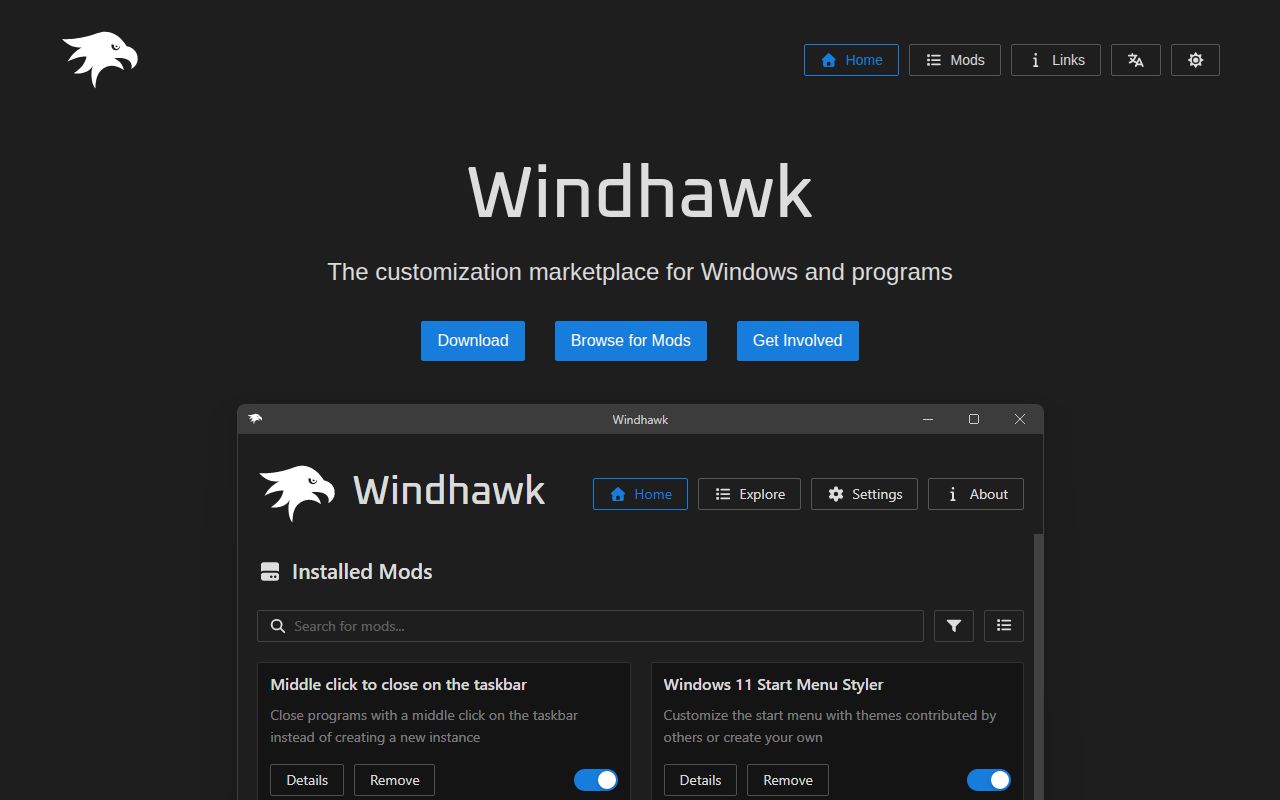
Windhawk is a host and marketplace for Windows customizations. Its engine uses global injection and hooking, allowing a mod to alter behavior inside another process instead of replacing the whole application. That makes small, targeted changes practical across the desktop. It also raises the trust level: installing a mod means allowing code to interact closely with programs you use, so the source, scope, and compatibility notes matter more than a screenshot.
The repository contains the main windhawk.exe, 32-bit and 64-bit engine libraries, a VS Code extension responsible for operations such as installing and listing mods, and a separate UI package. Mod discussion and source live in another repository, so this checkout is the platform rather than the entire catalog. The high-level diagram and linked technical article explain the injection design, while the README itself keeps contributor setup to a short paragraph.
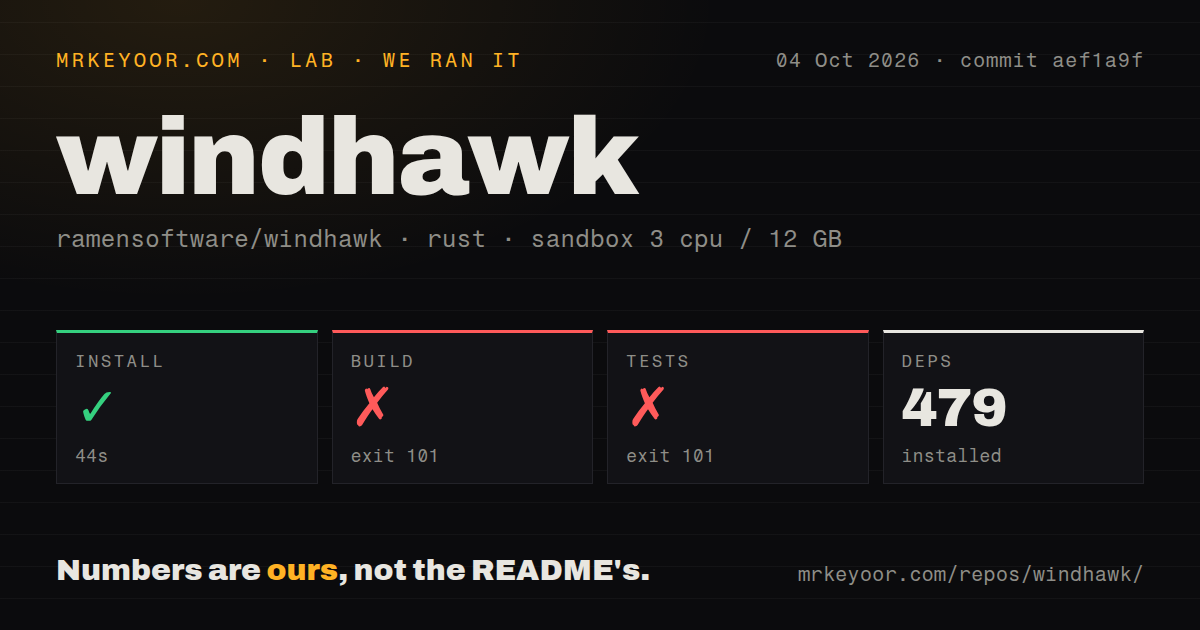
The 461-package install did not produce a build
Our lab worked from commit e25b66a in a fresh unprivileged Debian container with 3 CPUs and 12 GB of RAM. The Rust project was detected under src/windhawk-core/. Dependency installation completed in 45 seconds and added 461 packages. The checkout held 840 files, about 442,617 source lines, and 43.1 MB before that install. This is a sizable native application with several interface layers, not a small mod loader library.
The build then ran for 142 seconds and exited with code 101. Compilation stopped in windows-future after 12 errors. The tail says windows_core::imp lacks items expected by generated bindings, including the IMarshal type and marshaler function. Those messages identify the compiler boundary that failed. They do not prove whether the cause is Debian, a dependency combination, a missing target configuration, or another setup detail.
What happened when we ran it
Our test step failed after 34 seconds with the same exit code 101 and the same windows-future compiler errors. Because compilation did not finish, the result supplies no passing or failing test count. It would be misleading to treat the repeated failure as an application-test result; the suite never reached a state where it could exercise Windhawk behavior.
The repository scan found no GitHub CI workflow files, no Dockerfile, and no tests directory. Those signals do not establish that the maintainers run no private or external checks. They mean a contributor cannot point to a visible repository workflow or container recipe as the answer to our failed Debian build. For source adoption, reproduce the intended Windows environment and record the exact toolchain before evaluating code changes.
Source contributors start from the portable Windows package
The README's simplest development route is unusual but candid. Extract Windhawk's portable version with the official installer, build the component you want to change, then replace the matching file in that extracted copy. That advice acknowledges that the source tree is only one part of a runnable environment. It also leaves a new contributor to discover the detailed prerequisites for native code, both engine architectures, the extension, and the interface.
A Linux container was a poor match for a product built around Windows processes, yet the failed run remains useful. A portable project would usually reject an unsupported host clearly or document the required target. Here, compilation progressed into Windows crates before failing on missing implementation items. Teams planning regular contributions should create a clean Windows build image or machine, pin its compiler and SDK, and verify every component they intend to replace. Our 142-second result cannot certify that route.
Injection policy decides whether Windhawk belongs on the machine
Global injection and hooking are central architecture, according to the README and linked technical write-up. On a personal PC, that trade can be reasonable when a trusted mod fixes a daily annoyance. Corporate endpoints, game machines, and systems with strict integrity controls may reject the technique regardless of source availability. Each mod also deserves separate review because the platform's reputation cannot guarantee every customization's behavior.
Current issues show concrete compatibility edges. Issue 1061 describes repeated attempts to inject into processes protected by signed-image mitigation, producing Code Integrity Event 3033 entries, and is labeled planned. Issue 969 reports interference involving World of Warcraft and is also labeled planned. Issue 389 says Windows Search remained broken after uninstalling Windhawk, though it is marked info-needed. These reports are user cases, not proof that every installation will reproduce them.
Windows on ARM needs its own check. Issue 1060 reports that the service fails to start on Windows 11 26H1 Arm64 and currently carries an info-needed label. A buyer on that exact platform should wait for confirmation or test on a disposable system. Compatibility with one Windows release, processor architecture, protected process, or game does not establish compatibility with another, which is inherent to software that modifies processes below their normal extension points.
August 2026 activity outweighs the older release tag
GitHub showed 8,823 stars, 157 combined open issues and pull requests, and a last source push on August 18, 2026. The issue list was still receiving updates through August 29. Latest release v1.7.3 dates to December 8, 2025 and fixed a regression where Windhawk loaded and immediately unloaded for sandboxed processes. The older tag does not indicate abandonment because source and issue activity continued in 2026.
For end users, Windhawk's value depends on one specific mod being worth the injection trade. For contributors, our 45-second dependency install followed by build and test compilation failures makes the source path harder to recommend without a proven Windows environment. Choose the packaged application carefully for personal customization, audit each mod, and keep it off systems whose integrity policy or workload cannot tolerate hooking.