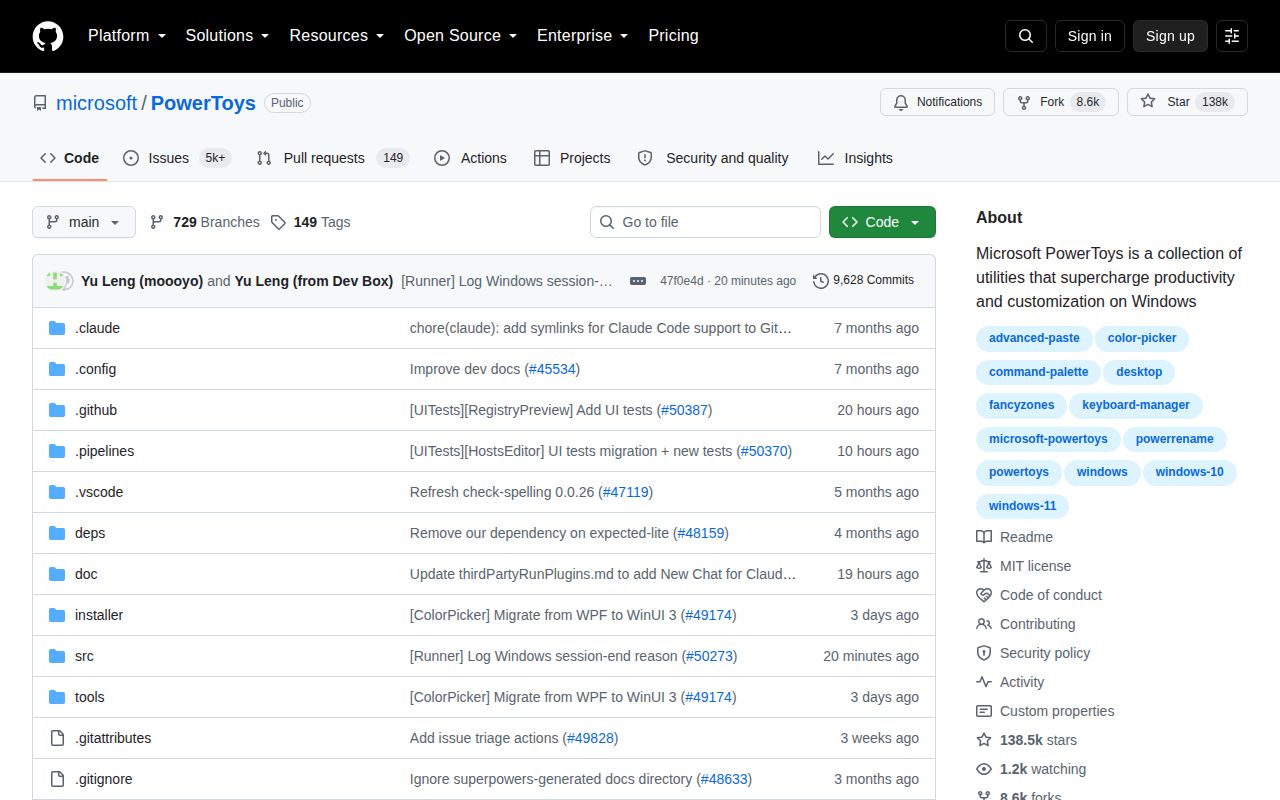
More than 30 utilities replace a folder of one-off Windows tools
PowerToys bundles over 30 utilities behind one settings app, and the range is the point. FancyZones creates repeatable window layouts, Keyboard Manager remaps keys, PowerRename handles batch renaming, Text Extractor copies words from the screen, and File Locksmith identifies processes holding a file open. Color Picker, Image Resizer, Awake, Mouse utilities, and the Hosts File Editor cover smaller jobs that otherwise send a Windows user hunting for separate downloads.
The bundle works best when several modules earn a hotkey or context-menu slot. A developer might use PowerToys Run or Command Palette every hour, grab colors during UI work, preview unfamiliar files, and pin a reference window above an editor. Each utility can be enabled according to need, so the 30-plus list does not have to become 30 resident habits. If only one function matters, a focused project is easier to understand and replace.
Windows 10 build 19041 is the minimum, and 32-bit PCs are excluded
Microsoft's installation guide requires Windows 11 or Windows 10 version 2004, build 19041, on an x64 or ARM64 processor. Setup installs the current stable Edge WebView2 Runtime when needed. GitHub offers per-user and machine-wide executables, while Microsoft Store and WinGet cover managed or repeatable installation. That is a friendly path for users; there is no supported macOS or Linux edition in the project documentation.
Most tools work without credentials or a server. Advanced Paste is the exception worth checking before adoption because its AI actions can involve OpenAI or Azure OpenAI configuration. Release 0.101 added on-device Phi Silica transformations for supported Windows hardware, with a model download initiated from settings. Teams can hide the AI paste area when unused. The README also says the application records basic diagnostic data, so privacy-sensitive organizations should review Microsoft's linked collection policy before rollout.
What happened when we ran it
Our sandbox cloned commit 6703073 and found the runnable Node project under tools/mcp/github-artifacts/. Its npm install completed in 13 seconds, adding 110 packages and 28 MB on disk. There was no build script or target, so we skipped that step rather than treating it as a failure. The available tests passed in 127 seconds, and npm audit reported 0 known vulnerabilities across critical, high, moderate, and low severities.
The result covers a repository helper, not the PowerToys desktop binaries. Our fresh unprivileged container had 3 CPUs, 8 GB of RAM, no secrets, and the lab-node:22 image. The checkout itself contained 8,842 files, about 811,483 source lines, and 202.9 MB. We counted 10 CI workflow files, no Dockerfile, and no tests directory. A successful helper test cannot substitute for compiling or exercising the Windows UI, Explorer hooks, installer, or elevated behavior.
A 202.9 MB checkout requires a full Windows development machine
The developer path is much more demanding than installing the app. Microsoft's guide recommends Visual Studio 2026, or Visual Studio 2022 version 17.4 or newer, with Desktop Development with C++, WinUI application development, and .NET desktop development. It also names two Windows 11 SDK versions, .NET 8, long-path support, Developer Mode, and Git submodules. The setup PowerShell script can prepare much of that environment, and some steps require administrator rights.
Building PowerToys.slnx produces binaries that can run from the output folder, but several Explorer-integrated modules remain unavailable until the installer is built and installed. The installer itself spans an EXE bootstrapper and MSI, and its documented build is Release-only. For a first contribution, the issue-first workflow and module-specific developer pages are useful. For a quick Linux patch, this 811,483-line Windows codebase is a poor candidate.
Version 0.101 adds Window Hopper, compact search, and local AI paste
Release v0.101.2362.0 was published on August 25, 2026. Window Hopper cycles among windows belonging to the current application. Command Palette gained a compact mode, PowerDisplay added linked monitor controls and a command-line interface, and Shortcut Guide added Windows-key activation plus search. ZoomIt gained DemoMirror and more recording controls. These are practical additions, though the release note also warned that an update-rollout issue could delay delivery to some users.
The same release shows the maintenance cost of a broad desktop suite. Quick Accent and Mouse Jump continued their WinUI 3 moves, while fixes touched FancyZones, Keyboard Manager, Peek, PowerToys Run, File Explorer add-ons, Image Resizer, and Mouse Without Borders. A user can leave unwanted modules disabled. An IT owner still needs to test the enabled set, global shortcuts, shell integration, updates, and policy behavior against the organization's Windows image.
September 7 activity outweighs the queue of 7,667 issues and PRs
GitHub reported 138,458 stars and 7,667 open issues and pull requests when fetched. That combined queue is huge and should never be presented as 7,667 bugs. Activity is equally plain: the repository was pushed on September 7, 2026, and new issue 50430 plus pull request 50433 arrived that day. The latest stable release had landed 13 days earlier. This is an actively maintained project with a large support surface, not a quiet utility with a tidy backlog.
PowerToys is easiest to recommend as a signed Windows download, then judged module by module. Start with two or three recurring problems, disable the rest, and check for shortcut conflicts during a normal workday. AutoHotkey is better for scripted automation, Flow Launcher for a dedicated launcher, and GlazeWM for automatic tiling. Compiling the suite is a separate commitment that needs the Windows toolchain described above, regardless of how cleanly its small Node helper ran in our container.