The 12-week core is strongest before frameworks
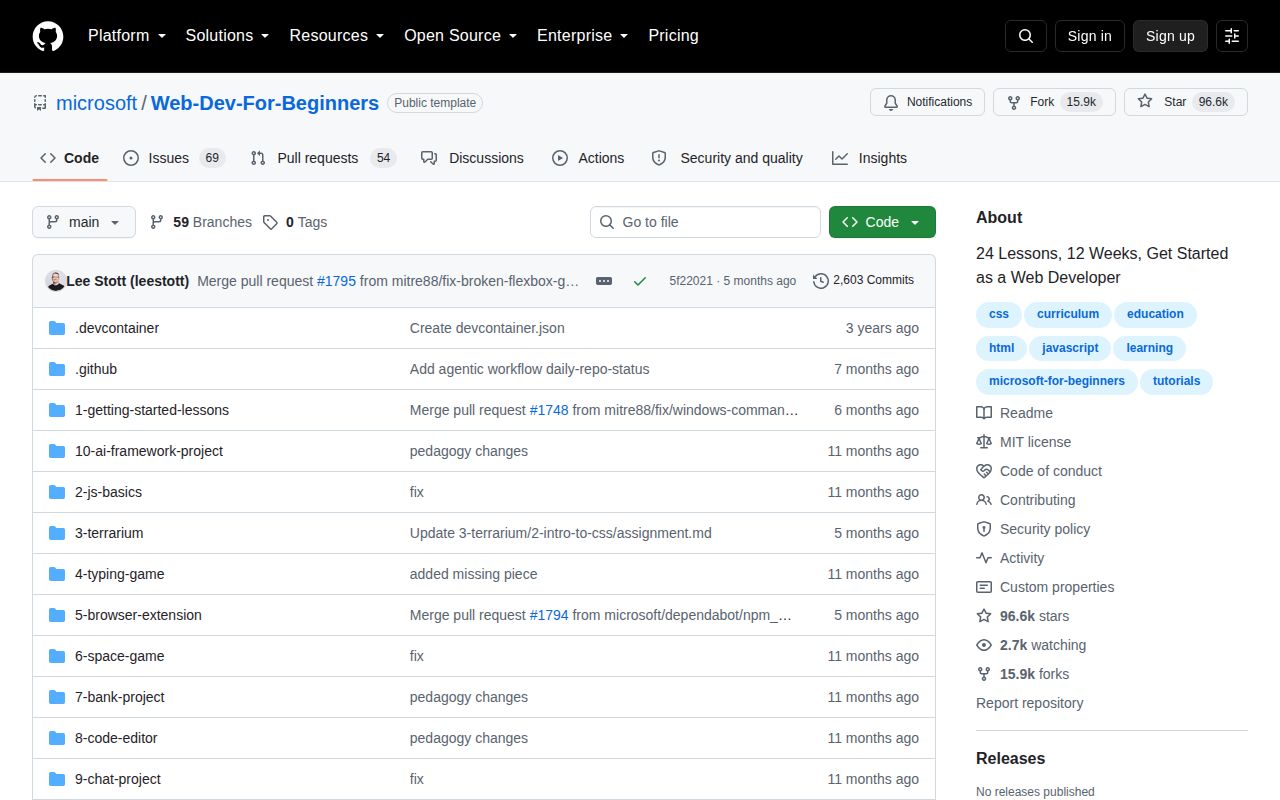
The README presents 24 lessons over 12 weeks, centered on HTML, CSS, JavaScript, accessibility, browser APIs, and GitHub. Projects include a terrarium for the DOM, a typing game for events, a browser extension for APIs, a canvas game, and a banking interface. Each lesson pairs reading with a knowledge check, challenge, assignment, and solution material.
That scope has a deliberate ceiling. The curriculum avoids JavaScript frameworks so students learn the browser platform first, and it points to a separate Node.js series afterward. This makes sense for someone who still needs to understand events, forms, state, and HTTP. A learner trying to become job-ready in React or full-stack JavaScript will need another course after week 12 rather than finding those subjects in later modules here.
Six projects give the reading something concrete to do
The lesson table now reaches 26 entries even though the opening description still says 24. Five established projects cover the classic browser path, and a newer AI assistant section adds prompting and an application exercise. The repository has grown faster than its summary copy. Follow the numbered table and folder links instead of planning a class solely from the opening count.
The README says the quiz application contains 48 quizzes with 3 questions each, split across pre-lesson and post-lesson checks. Solutions and starter folders let independent learners compare their work. Teachers still need checkpoints or altered requirements that reveal whether a student understood the exercise instead of copying the finished code.
What happened when we ran it
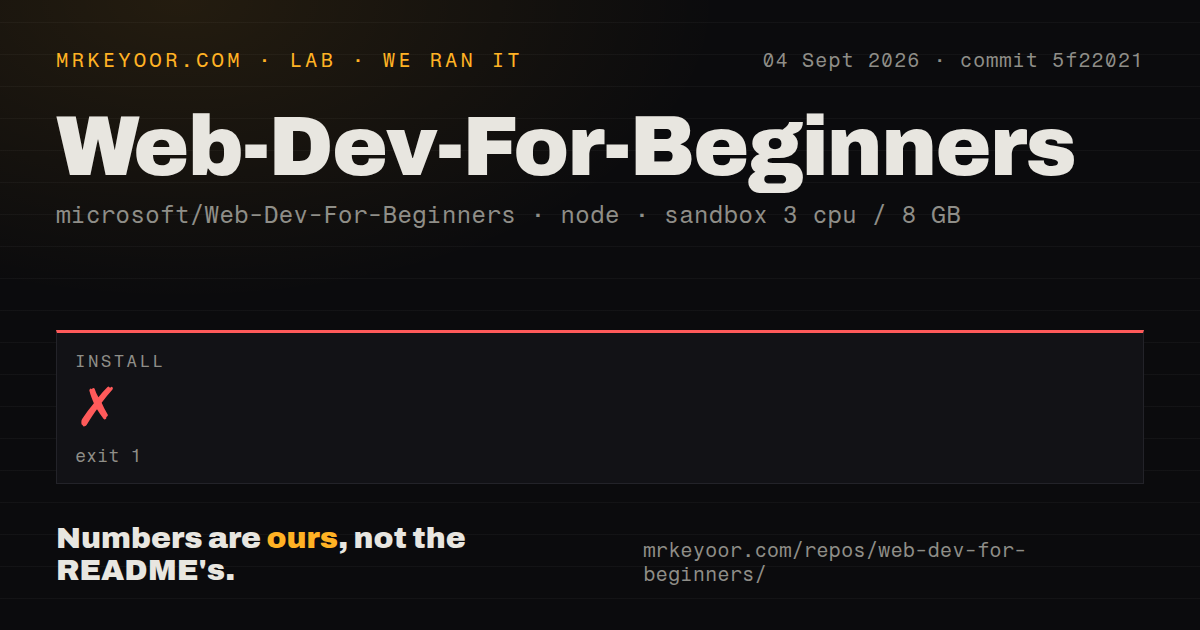
Our fresh Debian sandbox tried the repository at commit 5f22021 with 3 CPUs, 8 GB of RAM, Node 22, and no secrets. The npm install failed after 20 seconds. npm identified got@11.8.5 and raised EINTEGRITY, saying the downloaded tarball did not match the SHA-512 value it expected. A forced retry ended with the same integrity error.
The log also printed a deprecation warning for docsify-server-renderer@4.13.1, but that warning was not the reported failure. The checksum mismatch is the only cause the log states, and it does not tell us whether the bad bytes came from a cache, transfer, registry response, or something else. The recorded run did not produce a successful build or test result. It established that the root dependency path was not reproducible in that fresh container.
A 572 MB checkout makes the sparse path tempting
commit 5f22021 occupied 572 MB and contained 13,864 files, despite only about 4,885 lines being classified as source by the lab scan. The gap reflects a teaching repository full of Markdown, images, PDFs, starter material, solutions, and translations. Microsoft warns that 50+ language translations increase download size and documents a sparse clone that excludes translation directories and translated images.
Open issue 1820 says those sparse-checkout instructions can remove assets needed by the default hands-on work. Its report names the terrarium, typing game, and browser extension, where lesson links can point into excluded image or starter directories. The issue remained open after an August 27 update. Learners with enough disk space should favor the full 572 MB checkout; everyone else should verify each project before class.
Fifty-four lesson languages do not mean 54 quiz languages
The main README links more than 50 automated translations, a useful feature for a beginner course. Coverage is uneven across components. Open issue 1681 says the main curriculum supports 54 languages while the quiz application supports 17, leaving 37 without matching quiz localization. A student may read a lesson in their preferred language and then encounter an English quiz or interface. Teachers should inspect the exact language path before assigning it.
Issue 1850's automated report checked 55,618 links and recorded 3,365 errors, alongside 121 timeouts and 598 redirects. That total is noisy because entries repeat across translations and some failures are 403 responses rather than dead pages. The report still includes specific 404s and missing local files. A lesson's external reading and images deserve a quick click-through before a scheduled session.
GitHub Classroom still needs one repository per lesson
The educator guide recommends creating 1 repository per lesson so GitHub Classroom can attach assignments separately. It also ships Moodle and Common Cartridge packages, with advice to review modules, due dates, and quiz settings after import. Tests and autograding are instructor work rather than a course-wide system. For a 24-lesson term, that setup can be substantial, though freezing repositories per cohort gives teachers a stable copy.
Self-learners face less administration. A browser, editor, and command line are enough for the local path, and a Codespace avoids local setup. Offline documentation can run through Docsify on port 3000. The failed 20-second npm install matters if you need the repository's root dependency path, but it does not prevent opening lesson Markdown or static HTML files.
August code and September discussions show continuing maintenance
GitHub listed 96,599 stars and 123 combined issues and pull requests. The repository was pushed on August 5, 2026, while issue and pull request activity continued into September 4. Recent entries include translation changes, dependency work, link-check reports, and documentation proposals. There is no latest GitHub release, which matters less for a curriculum because teachers can pin a commit or freeze a fork per term.
Web Development for Beginners works best as a first structured pass through browser programming. Its 12-week frame, projects, quizzes, and solutions are easier to follow than a loose list of tutorials. The failed install, stale links, sparse-checkout report, and partial quiz localization require supervision. Choose a longer alternative if you want frameworks and backend work in the same path.