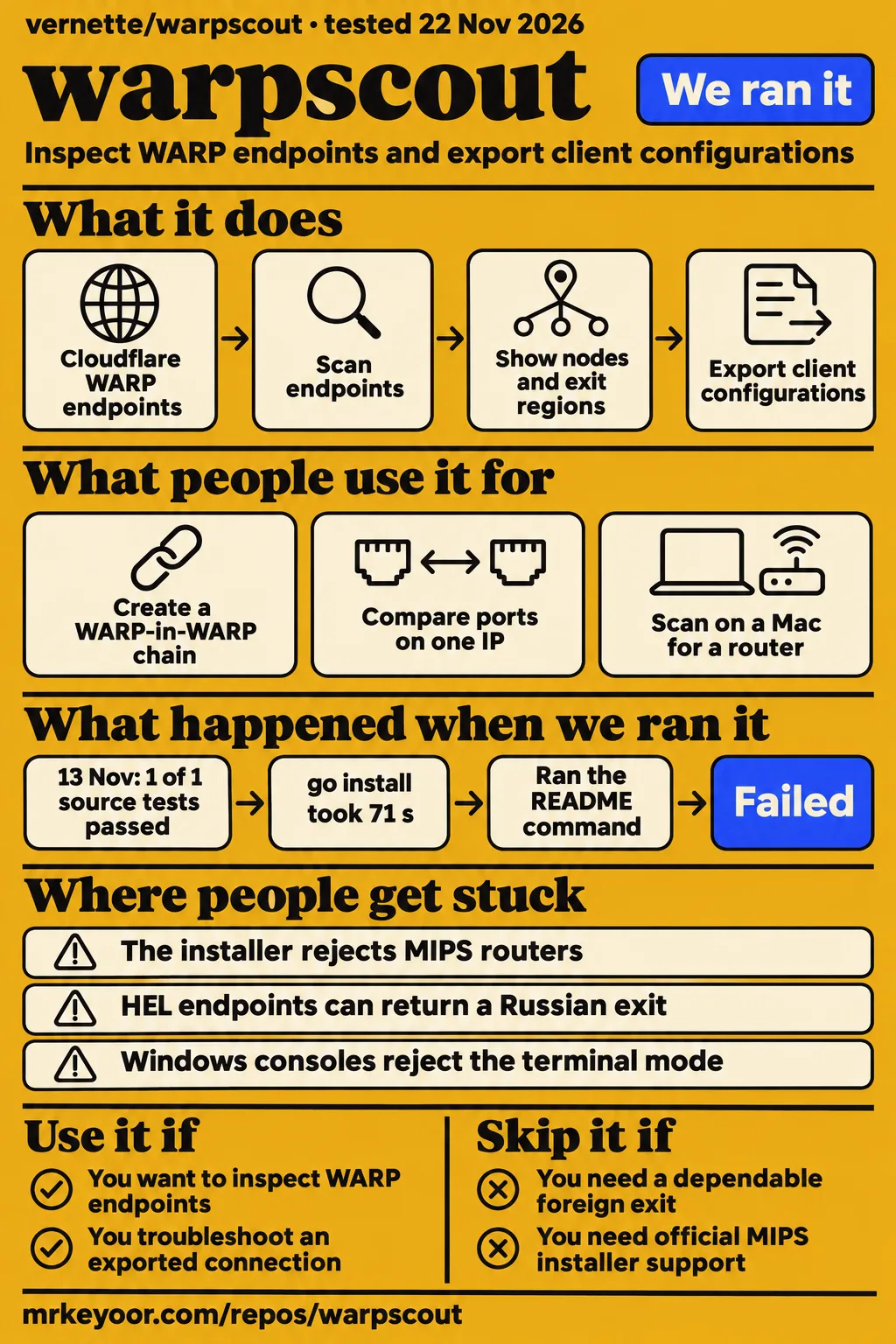
Warpscout scans Cloudflare WARP endpoints, reports their edge nodes and exit regions, and exports client configurations. Endpoint selection is useful, but the node name and observed exit country can differ: issue #17 reports NODE = HEL alongside SEEN AS = RU. Use warpscout to investigate endpoints and troubleshoot an exported connection. Skip it if your deployment depends on a dependable country-specific exit.
Our source checks completed, while a later quickstart stopped before scanning. The November 13 run checked installation, build and the recorded test command; the November 22 quickstart exercised installation and command startup. The review's central question is what happens between selecting an endpoint and using its exported configuration. Windows console failures, router architecture errors and reports of changing exits all affect that decision.
What people use warpscout for
Warpscout users have generated nested WARP configurations, compared endpoint ports and transferred configurations from a Mac to a router. The examples below come from a tutorial and GitHub reports. Their authors describe both successful connections and results that differed from their intended country. Each row identifies the person or report behind the result so readers can distinguish a demonstrated workflow from our installation checks.
| Who used it | What they did | What happened |
|---|---|---|
| WARP-in-WARP tutorial creator | Generated a chain and imported it into Clash Verge Rev | Demonstrated Finland and warned about speed loss and later IP rotation |
| Issue #17 reporter, using warpscout 0.14.0 on Windows 10 | Tried different HEL outer endpoints | Reported Finland and Working = 70 / 70 twice with one outer endpoint; other HEL endpoints returned Russia |
| Issue #23 reporter | Scanned on a Mac, then transferred a RIX configuration to a router | Reported Cloudflare Moscow on 2ip.io |
| flawrist in issue #16 | Scanned with AWG in Windows console hosts | Confirmed plain output worked, then confirmed scanning continued with automatic fallback |
| Issue #15 participants | Compared ports and repeated connections | Reported different nodes on different ports and between repeated tests |
The tutorial creator said plain WireGuard was blocked in their country and switched to AmneziaWG, described in the WARP-in-WARP demonstration as obfuscated WireGuard. That is a network-specific reason for the transport choice. The same demonstration uses Clash Verge Rev for the connection, so the complete workflow includes both endpoint scanning and configuration inside a separate client.
What happened when we ran it
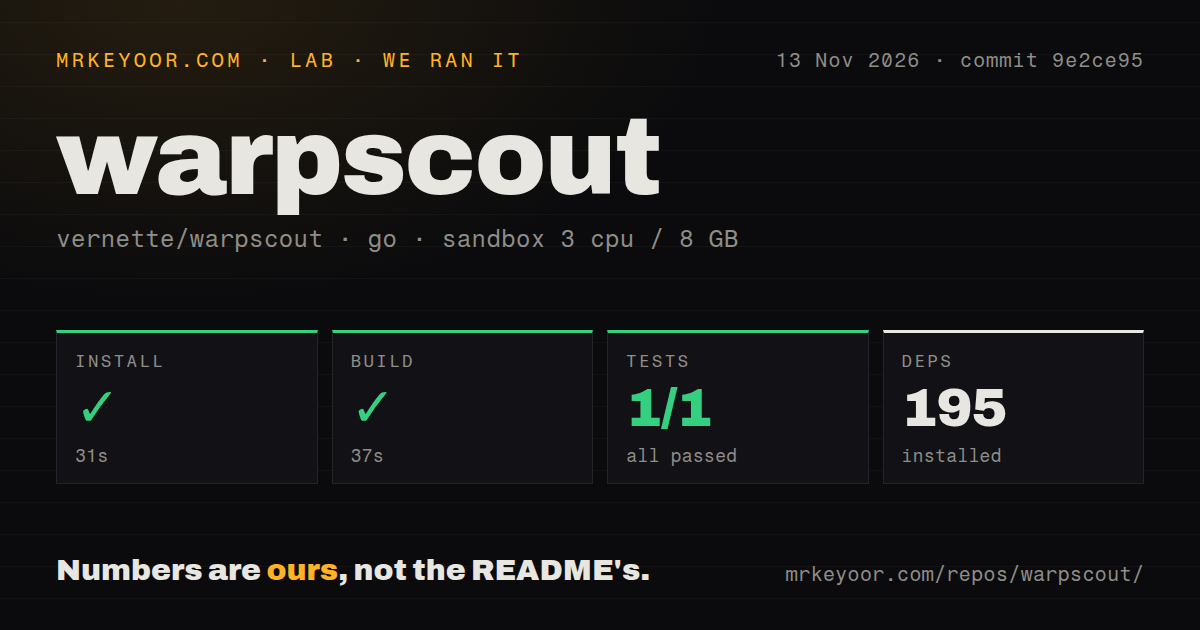
Our November 13 source run installed in 31 seconds, built in 37 seconds and completed its recorded test check in 10 seconds. We measured those results at commit 9e2ce95 in a sandbox configured with 3 CPUs, 8 GB RAM and image golang:1.24-bookworm. The source-run measurement recorded 195 dependencies and 1 passing test result out of 1, with 0 failures.
| Source check | Our recorded result |
|---|---|
| Install | Succeeded in 31 seconds; 195 dependencies recorded |
| Build | Succeeded in 37 seconds |
| Tests | Succeeded in 10 seconds; go test: 1 passed, 0 failed out of 1 |
The November 22 quickstart used a fresh unprivileged container configured with 2 CPUs, 4 GB RAM, no published ports and no secrets. It cloned checkout 9e2ce9570625, then separately installed with go install github.com/vernette/warpscout@latest, recording 18.6 MB in 71.4 seconds. The installation command selected @latest rather than building the executable directly from that checkout.
| Question | Answer | Verdict | Why |
|---|---|---|---|
| Did the clone step finish? | The clone step recorded 1 second | Completed | The checkout was obtained |
| Did installation finish? | 18.6 MB installed in 71.4 seconds | Completed | The runner used the README's @latest installation command |
| Did the version invocation succeed? | warpscout --version exited 2 in 0.1 seconds with unknown command "--version" | Failed | The invocation used a flag instead of the documented subcommand |
| Could the executable display help? | warpscout --help exited 0 in 0.1 seconds | Passed | It printed the command list |
| Did the usage task reach scanning? | FAILED; no runnable warpscout command in the README's usage/examples sections | Stopped | The automated recipe produced no scan result |
| Did cleanup finish? | teardown: ok | Completed | The cleanup record reports success |
The README's Windows startup command is .\warpscout.exe version. The failed flag also printed usage, as the version finding records. The usage-step message is the runner's result: the README contains registration and scan examples. The automated recipe stopped before selecting and running one, rather than demonstrating that warpscout lacked a scan command.
The source checkout contained 75 files, approximately 9,397 source lines and occupied 3 MB. Our source inspection recorded three CI workflow files, a Dockerfile and no tests directory. The test command returned the recorded passing result. These observations describe the inspected checkout, while the quickstart table records what happened when the separately installed CLI received its startup commands.
Where people get stuck: Windows consoles and router installers
Issue #16 records a working Windows plain-output workaround, while issues #22 and #24 record installer failures on router systems. The Windows error concerns the terminal mode used by the live interface. The Padavan report first encounters downloader detection and then an architecture rejection. The error text determines which troubleshooting path applies; changing terminal output cannot address an unsupported router architecture.
| Symptom | Recorded explanation or action | Recorded outcome |
|---|---|---|
| error making raw: The parameter is incorrect. | Issue #16 documents warpscout.exe scan -p awg -plain |
flawrist confirmed it worked; a later automatic fallback also continued scanning while retaining the warning |
| Error: Need curl or wget. | Issue #22's reporter changed downloader detection from command -v to type | Installation progressed to unsupported MIPS |
| Error: Unsupported architecture: mips. | Issue #24 requests MIPS and MIPSel builds | The open thread includes a community mipsle attachment |
| Malformed Windows output | Issue #1 reports Windows 10, Windows 11 and PowerShell | Closed with 0 comments |
The Windows workaround report names Windows 7 x64, Far v3.0.6731 and ConEmu v230724. For router selection, the README's archive table lists OpenWrt x86_64 and ARM64 routes. A device's processor architecture therefore belongs in the installation decision alongside its operating system. Issue #24's MIPS rejection is a concrete reason to avoid assuming every OpenWrt router can use the official installer.
A foreign node can produce a Russian exit
Issue #17 reports HEL with a Russian exit, alongside a specific outer endpoint that returned Finland twice with 70 working endpoints out of 70. The reporter tried different HEL endpoints, fresh accounts, inner WireGuard and AmneziaWG connections, and checks through SOCKS plus ifconfig.co. The issue #17 report identifies warpscout 0.14.0 on Windows 10, tying those outcomes to the reporter's stated environment.
WARP-in-WARP sends one WARP connection through another. The tutorial creator demonstrated Finland after configuring the chain in Clash Verge Rev, while issue #21 records participants getting Russian results and asking for a workaround. NODE identifies the node shown by the scanner; SEEN AS describes the reported exit country. The HEL label alone did not predict the result in issue #17.
Speed ranking compares a ping-selected subset
The configuration guide says -best-by speed selects the fastest among endpoints already chosen for measurement by ping. Adding -speed alone leaves ordering based on loss and ping. The configuration guide distinguishes measuring speed from ranking by speed, so a reader seeking throughput ordering needs the ranking option. Its candidate set still comes from the earlier ping selection rather than every scanned address.
The documented throughput figure is single-stream, and the guide says a browser test opening multiple streams can show more. It describes measuring endpoints sequentially to avoid dividing the user's uplink among simultaneous tunnels, with approximately three seconds per endpoint. Those documentation figures explain the measurement method. The timings in our run tables concern installation, build, tests and command startup.
Registration creates required account state
The README says registration writes warpscout-account.json next to the binary and scanning requires that file. Its quick-start sequence registers an account before running an AWG scan with in-tunnel measurements. Moving the executable or recreating a container therefore involves account state as well as the program file. The account file is part of the documented setup sequence before endpoint selection begins.
The HysenLabs analysis recommends persistent storage for container account state, describing the account file as required state that needs a persistent home. The upstream README describes scanning without administrator rights or a TUN device. In the separate Clash Verge Rev connection workflow, the tutorial creator installs the TUN service and enables TUN mode after importing the configuration.
English documentation and a separate Android application
Warpscout's README includes English documentation, links Russian documentation and recommends OpenWarpKit's application for Android. It also retains the CLI installation route through Termux. The upstream Android instructions name OpenWarpKit's repository, while the Android README identifies an independent project based on the WARPSCOUT CLI. Android users have a choice between that application and the command-line installation route.
The Android README names Nikita S. (@vernette) as the original CLI author and OpenWarpKit as the maintainer of the Android application and Android-specific changes. Desktop users asking for an interface are directed by issue #14 to HattabbI4's community GUI. The repository and maintainer names help readers find installation instructions and direct a problem report to the application they actually use.
Warpscout vs the official WARP client and OpenWarpKit Android
Warpscout's README says the official WARP client gives users no way to pick the node. That is upstream's stated reason for using the scanner. The Android choice concerns a different interface to the project, while WireGuard and MASQUE are transport choices within the connection workflow. The table gives the documented reason for each option without assigning a comparative performance score.
| Option | Reason to choose it | Source basis |
|---|---|---|
| Official Cloudflare WARP client | You want the official client workflow | Warpscout's README says the official client gives no way to pick the node |
| OpenWarpKit WarpScout for Android | You want the Android application recommended upstream | The Android README identifies independent OpenWarpKit maintenance |
| Plain WireGuard | You want to try that transport on your network | The tutorial creator switched from blocked WireGuard to AmneziaWG |
| MASQUE | You are following upstream's fallback after AWG fails | The README describes MASQUE over TCP as resembling ordinary HTTPS |
The README documents MASQUE HTTP/2 commands using masque-h2, including SNI discovery and scanning with an explicit SNI. For Android, it recommends the ready-made OpenWarpKit application and also documents Termux installation. For desktop endpoint investigation, warpscout's stated purpose is to show the node and exit region and write an importable configuration for a selected endpoint.
What the other reviews get wrong
HysenLabs calls avoiding DME, zero loss and low ping the entire endpoint-selection rule, but the configuration guide also documents throughput ranking. The HysenLabs passage describes manual table selection; the configuration guide adds -best-by speed. The correction is specific: throughput ranking exists, and it operates on endpoints selected for measurement by ping rather than every scanned address.
The toolchain descriptions also differ. The README introduces source installation as requiring Go 1.25 or newer, while HysenLabs reports a go 1.26.3 module declaration and a Go 1.26 Alpine container build. These are claims from two named documents. Our sandbox's golang:1.24-bookworm image label records the configured image and is separate from either document's statement about source requirements.
FAQ
Issue #24 records the official installer's unsupported-MIPS error, making processor architecture the first question for MIPS router owners. The questions below come from GitHub discussions and the WARP-in-WARP tutorial. They cover installation, Windows output, endpoint behavior and configuration controls. Each answer identifies the command, documentation or reported outcome that addresses the question, including the difference between selecting an endpoint and observing an imported connection.
Does warpscout support MIPS and MIPSel routers?
The official installer rejects MIPS in issue #24, where participants request MIPS and MIPSel builds. A commenter attached a community mipsle binary. The README's archive table lists x86_64 and ARM64 OpenWrt routes. The Padavan case in issue #22 also reaches the MIPS rejection after its downloader-detection change, so resolving downloader detection alone did not complete that installation.
Why does the Padavan installer say it needs curl or wget when they are already installed?
The issue #22 reporter changed downloader detection from command -v to type, then reached the unsupported-MIPS error. The report shows curl installed and wget responding while the installer still asked for a downloader. The reported edit addressed detection; the next error concerned binary architecture. Those are two successive failures in the same installation attempt.
Does WARP-in-WARP still provide a foreign exit, and is there a workaround when every result shows Russia?
The issue #17 reporter obtained Finland twice with one outer endpoint, while other HEL endpoints returned Russia. The tutorial also demonstrates Finland after configuring a chain in Clash Verge Rev. Trying another outer endpoint appears in the issue report, but the outcome varied among endpoints sharing the HEL node name. Issue #21 records users asking what to do when their results show Russia.
How do I create a WARP-in-WARP chain with warpscout and Clash Verge Rev?
The tutorial registers an account, scans an outer endpoint and scans through it using the through parameter. It selects a protocol, best endpoint and Mihomo configuration output, then imports the result into Clash Verge Rev. The creator sets the outer profile first and WARP-in-WARP as the exit profile, connects, installs the TUN service and enables TUN mode. These are the tutorial's steps.
How long does a WARP-in-WARP configuration keep working, and what speed penalty should I expect?
The tutorial warns that chaining consumes connection speed and IP rotation can require recreating the configuration. Its demonstrated Finland result comes with those maintenance warnings. The speed-ranking guide describes single-stream download measurement for selected endpoints, which is a different figure from the overhead of a complete nested connection. The tutorial's practical advice is to expect configuration rebuilding after IP rotation.
Why does a scan show RIX while a website identifies the router connection as Cloudflare Moscow?
The issue #23 reporter scanned on a Mac, transferred the configuration to a router and saw Cloudflare Moscow on 2ip.io. The single reply suggested check-host.net. The report identifies both devices and the observation service, making the transfer between scanning and connection use explicit. Its recorded troubleshooting action was to compare the result with another service.
How do I fix 'error making raw: The parameter is incorrect' on Windows?
The confirmed issue #16 workaround is warpscout.exe scan -p awg -plain. The option skips the live view and prints plain lines. The same reporter later confirmed that automatic fallback allowed scanning to continue while the error message remained visible. Issue #16 attributes the error to the console rejecting the terminal mode needed by the live view.
Why is scan output malformed in PowerShell on Windows 10 or Windows 11?
The issue #1 reporter lists Windows 10, Windows 11 and PowerShell, and the issue is marked closed with 0 comments. Issue #16 concerns a different error, explicitly named 'error making raw: The parameter is incorrect', and records a plain-output workaround. Matching the reported error text to its thread is the first distinction between these two Windows output reports.
How do I add or customize DNS resolvers in the generated configuration?
The configuration guide documents -dns A,B for a custom resolver list and -no-dns to omit the DNS line. Its default resolvers are 1.1.1.1 and 1.0.0.1. This updates the earlier issue #2 answer that described editing the generated configuration by hand. According to the guide, omitting the DNS line lets the client keep the system resolvers.
Can warpscout scan different ports on a single IP address?
The maintainer in issue #15 documents port sweeping with open and all modes. The discussion arose from users observing different nodes on different ports; participants also reported changing nodes between repeated tests of the same address and port. The maintainer said both requested features were implemented for the next release and described how port sweeping changes endpoint selection.
Can I test latency through different endpoints to a host such as 1.1.1.1?
The README documents -P for latency and packet loss inside the tunnel. It describes the additional measurement as a way to weed out endpoints that connect and then pass no traffic. The troubleshooting text also describes connections cut mid-stream and says torn-down endpoints are excluded from best-endpoint and configuration selection. This adds a traffic check after an endpoint initially connects.
Is there a graphical interface for warpscout?
The upstream README recommends OpenWarpKit's Android application, and issue #14 links a community desktop GUI. OpenWarpKit identifies its application as independent and says it is not an official Android release maintained by the upstream author. Readers choosing an interface should use that application's repository for its installation instructions and Android-specific problem reports.
What we have not tested yet
Our runs cover source checks and CLI startup, with no completed WARP scan or imported connection. The November 22 checkout was 9e2ce9570625, but installation used @latest: the tested executable revision is unverified. The configured golang:1.24-bookworm image also does not establish actual runtime or operating-system versions. Raw toolchain logs and executable or module provenance are needed to resolve those version questions.
We have not tested registration, AWG or MASQUE connectivity, a nested tunnel, Android operation, router imports or the community MIPS binary. Our measurements do not cover scan duration, sustained throughput, chaining overhead, scan memory use or long-term exit-country reliability. The recorded passing test result is not a coverage audit. The tutorial supplies no guaranteed configuration lifetime or quantified chaining penalty, and issue #21 supplies no confirmed remedy for its Russian-exit reports.
The issue #16 extract shows token and private_key fields in a reported account JSON file; we did not audit credential storage or protections. The reported account JSON in issue #16 establishes field presence, not a security vulnerability or storage behavior across versions. Network traffic was not audited, and the Android README extract does not substantiate encryption algorithms, credential-free history or export-cache protections.
The module file behind HysenLabs' toolchain statement was not independently inspected here. The Windows fallback's release, a cause for the RIX-to-Moscow discrepancy, and a fix for issue #1's malformed output also remain unresolved. Cross-device transfer and repeated connection stability were not measured. The official-client comparison follows warpscout's README, and transport recommendations follow the named documentation or tutorial rather than our comparative connection tests.
This correction covers text and recorded evidence; rendered layout, automatic related links and recommendation modules were not tested. A useful next functional run would record executable provenance, source network, selected endpoint and transport, then import the configuration on the intended device and record the observed exit across repeated connections. That would address the gap between selecting an endpoint and relying on the resulting connection.