Voicebox combines dictation and agent speech
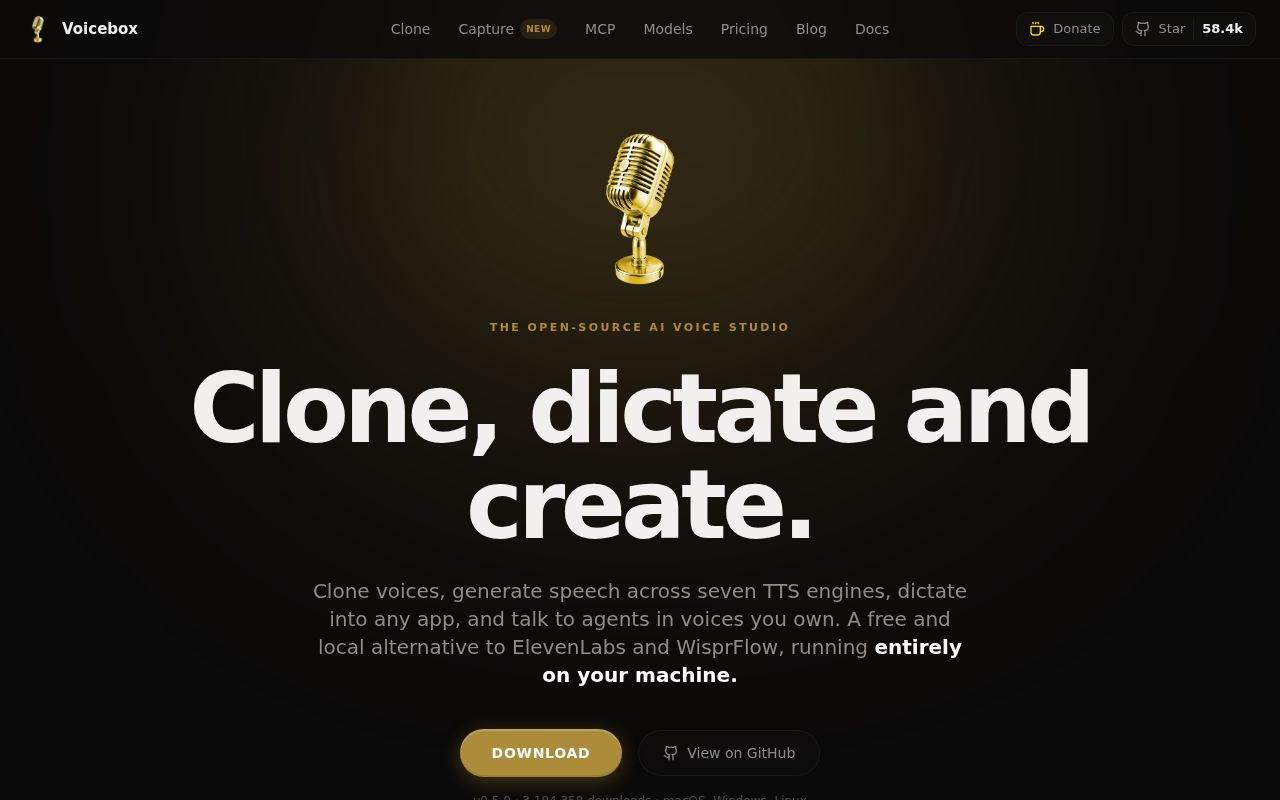
Voicebox is worth considering when you want to dictate a question and hear an agent's answer through a local voice profile. Its README describes that workflow alongside voice cloning, Whisper transcription, and a multitrack Stories editor. Creators and developers who need both speech input and output have a concrete reason to consider the application.
These are documented capabilities, not findings about audio quality. Our sandbox stopped during the build and did not establish whether a particular voice, language, or dictation workflow would meet your needs.
What happened when we ran it
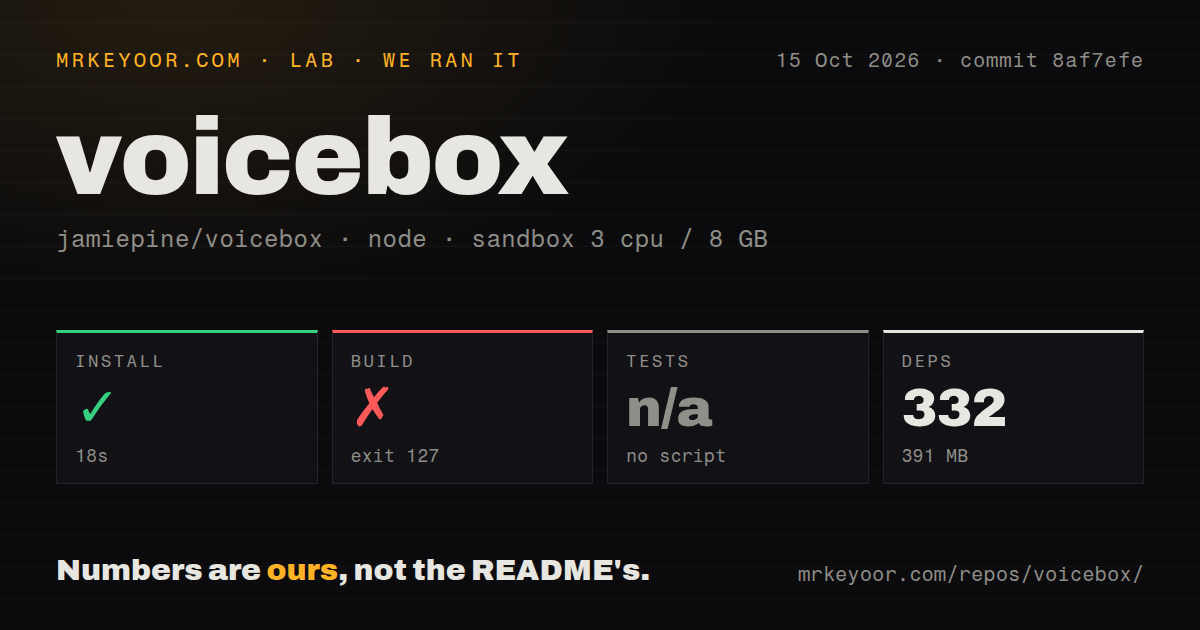
Our sandbox installed Voicebox commit 8af7efe with Bun in 18 seconds, recording 332 dependencies and 391 MB on disk. The October 15, 2026 run recorded 3 CPUs, 8 GB of RAM, and image label lab-node:22. Actual runtime and operating-system versions require the raw toolchain logs; the label alone does not establish them.
The build failed after 4 seconds with exit code 127. Its command ran ./scripts/build-server.sh before the Tauri build. The log announced an x86_64-unknown-linux-gnu sidecar, attempted to install PyInstaller, and stopped with ./scripts/build-server.sh: line 19: python: command not found.
That identifies the unavailable command. It does not establish whether another Python executable existed or whether speech generation would fail after a supported setup. No tests script or target was found, so tests were skipped.
The checkout contained 628 files, about 70,743 source lines, and occupied 40.9 MB. The scan recorded 2 CI workflow files, Docker and Compose files, monorepo workspaces, and no tests directory. These observations describe this checkout and scan. They do not establish that upstream has never written tests. Neither the failed build nor the skipped tests provides a speech-quality result.
Source development needs more than Bun
The current README lists Bun, Rust, Python 3.12, Tauri's platform prerequisites, and Xcode on macOS. Its development instructions use just setup and just dev. A successful dependency install completes only part of that setup. The documented layout separates the React frontend, native Tauri application, and Python FastAPI backend.
For a creator evaluating the app, the listed macOS or Windows download is a practical starting point. We did not assess those installers. Linux users who require a prebuilt desktop download should wait: the README says Linux binaries are not yet available and points to source instructions. A listed Docker route does not demonstrate native desktop shortcut behavior.
The README also documents model management and different inference backends for Apple Silicon, NVIDIA, AMD, Intel hardware, and CPU use. Choose the route for your machine and check its model requirements. Our 391 MB dependency footprint does not establish the storage needed for speech, transcription, or local language models.
Speech tags depend on the engine
Only Chatterbox Turbo interprets paralinguistic tags like [laugh] and [sigh]. The README says Qwen3-TTS, LuxTTS, Chatterbox Multilingual, and HumeAI TADA read them literally as text. Switching engines can therefore change what the same script means.
Before adopting an engine, listen to a short script containing the words and instructions you actually use. Repeat that check after switching engines. This is a recommended acceptance check, not a procedure performed in our sandbox. The README documents preserved original generations and effects versions, but that history does not establish that the words were spoken correctly.
Windows paste claims conflict across the documentation
The current README documents accessibility-verified automatic paste on macOS and lists Windows and Linux paste parity in its roadmap. The v0.5.0 release notes claim Windows paste parity. Those sources conflict about Windows behavior; our run did not resolve the conflict.
On your intended machine, try dictation inside the application where you write and confirm that the transcript reaches the expected field. Do not treat either the broad release claim or the roadmap entry as our verification of Windows behavior.
Voicebox also documents per-client voice bindings through MCP and a REST speaking endpoint. Its optional personality mode rewrites input through a local language model before speech generation. Keep that mode off when exact wording is required, and compare the spoken result with the intended text. These are workflow recommendations, not tested guarantees.
An October push and a German generation report
The supplied repository metadata records the last push on October 7, 2026. The supplied release metadata identifies v0.5.0, published April 25, 2026. Those dates describe different events and do not establish that the current README matches every behavior of that release or the measured commit.
Issue 1217, opened October 22, 2026, reports unsuccessful German generation. It is one user's report, without enough evidence here to diagnose the cause or generalize to other languages. It is also separate from our missing-Python build result. No dated October pull-request activity is established by the supplied extracts.
Choose the scope you need
Handy focuses on local speech-to-text. Its README describes pressing a shortcut, speaking, and pasting the transcript into a text field. Start that comparison when dictation is your whole task. Its platform limitations still need checking; we did not assess its setup or transcription quality.
F5-TTS documents Gradio and CLI inference interfaces for working directly with speech synthesis. Its pretrained models use CC-BY-NC licensing. Review that restriction against your intended use before choosing those models. We did not compare its audio or setup with Voicebox.
The documentation score uses this editorial rubric: 1 means essential instructions are absent, 2 means major gaps, 3 means a usable route with omissions, 4 means detailed guidance with a material caveat, and 5 means no material gap found in the inspected route. Voicebox receives 4 because the README specifies prerequisites, engine limits, and development commands, while its Windows paste roadmap conflicts with the v0.5.0 release notes. This rates the supplied documentation, not installer success or platform compatibility.
Setup ease, support quality, and output reliability remain unassessed. Trial the engine, language, paste destination, and rewriting settings you need before relying on Voicebox for unattended work.