The 7-second install gets you a wrapper, not proven OCR
Unlimited-OCR can take page images and generate parsed document text through a downloadable model. The README includes a multi-page inference call and a PDF-to-image conversion example. That makes it worth examining for document ingestion where related pages should be processed together.
Our installed environment occupied 38 MB after 35 packages arrived. That figure is useful for reproducing the repository setup, but it is not a GPU memory requirement or a model-weight download size. The model example retrieves assets from Hugging Face and moves the model to CUDA.
What happened when we ran it
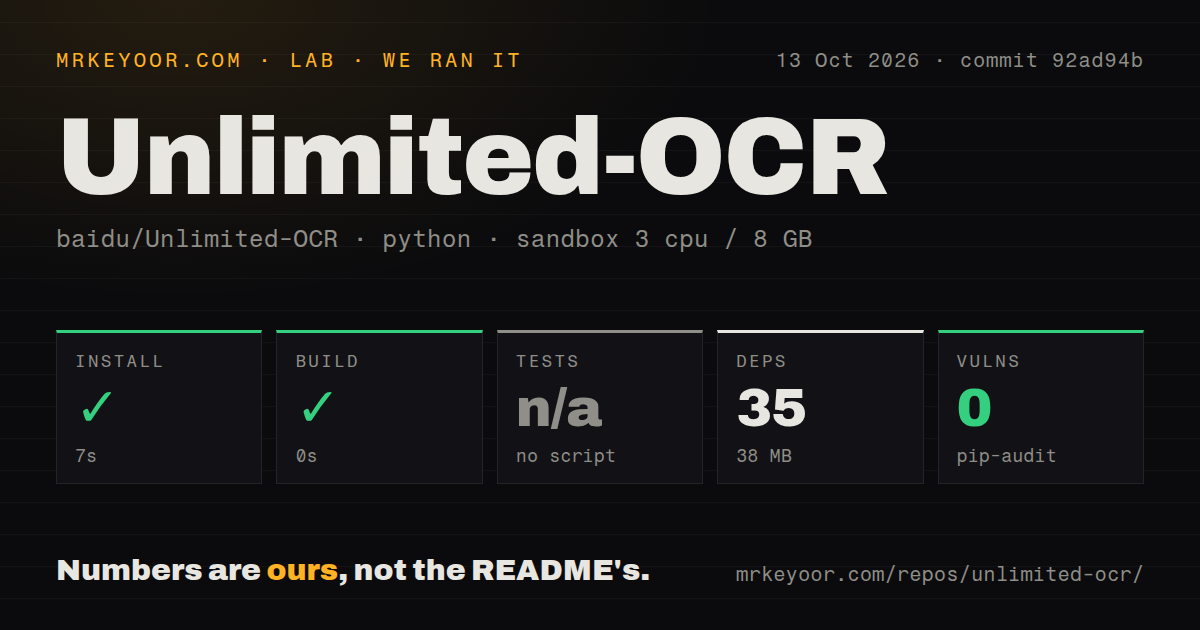
Our sandbox installed commit 92ad94b in 7 seconds on October 13, 2026. The Python environment added 35 packages and used 38 MB on disk. The build step succeeded with a recorded duration of 0 seconds. We used a fresh Debian container based on ghcr.io/astral-sh/uv:python3.12-bookworm, with 3 CPUs, 8 GB of RAM, no secrets, and no elevated privileges.
There was no test script or target, so the harness skipped tests. Pip-audit reported 0 known vulnerabilities. The checkout contained 10 files, roughly 330 lines of source, and occupied 95.2 MB. Our scan found 0 CI workflow files, no Dockerfile, and no tests directory. The supplied measurements cover installation and the recorded build step. They provide no recognition-accuracy, inference-throughput, or GPU-memory result.
CUDA and downloaded model code belong in your setup budget
The Transformers example uses trust_remote_code=True for both tokenizer and model loading, then calls .cuda(). That permission allows downloaded model code to execute. Inspect and pin the model revision as well as your application code. This is particularly relevant if you process documents that must stay inside your infrastructure: local inference can keep requests local, but retrieving assets and trusting code are separate choices.
A successful 7-second install on our Python 3.12 container does not prove the README's NVIDIA inference path works. Issue 81 reports non-CUDA difficulties, including an Apple Silicon generation crash after modifications. Those are user reports, not our measurements. For an ordinary Mac or CPU-only deployment, I would choose another supported route before treating a modified community backend as interchangeable with Baidu's documented setup.
A prompt and decoding recipe determine whether output appears
The official vLLM recipe requires a literal image prefix in the prompt, preserved special tokens, and a custom no-repeat processor. It warns that omitting required settings can produce empty output or looping coordinate markers. Follow that recipe for the vLLM route rather than copying a generic chat request. OpenAI compatibility does not make generic chat prompts suitable.
Our 35-package environment did not validate those decoding controls. The README's SGLang path uses a bundled development wheel, while its prose names one kernels pin and the command specifies another. That mismatch makes exact environment recording worthwhile. The vLLM path provides dedicated Docker images even though our repository scan found no Dockerfile. Container availability and a reproducible source-owned container definition are different evidence.
The supplied PDF batch script sends each page separately
At commit 92ad94b, infer.py renders PDF pages into images and creates a separate request for each page. It can send those requests concurrently and write page-specific Markdown files. The README's infer_multi example instead passes several images together. Only the latter example expresses the multi-page input described in the README. Choose deliberately if information across page boundaries matters.
Roughly 330 source lines leave the wrapper readable enough to inspect this behavior. The script returns empty text after exhausting retries on a failed page, then reports a successful-request count based on received content. A caller needs to inspect that result and preserve page identities when collecting output. Otherwise, a completed batch command can leave missing text in a document without giving your ingestion service a clear failure signal.
Parsing output still needs cleanup and document checks
The README supplies a cleanup function for detection markers before OmniDocBench evaluation. It groups lines into blocks and skips image blocks. That is a concrete reminder that the raw output has a structure downstream consumers must understand. Decide whether you need searchable text or retained layout before adapting the example.
With no test target in our 10-file checkout, the recorded build supplies little assurance about that downstream contract. Use representative documents with known text, including awkward page breaks and repeated headers, then compare missing pages and altered text before accepting output. Keep original files beside derived text.
An October push shows activity despite absent release tags
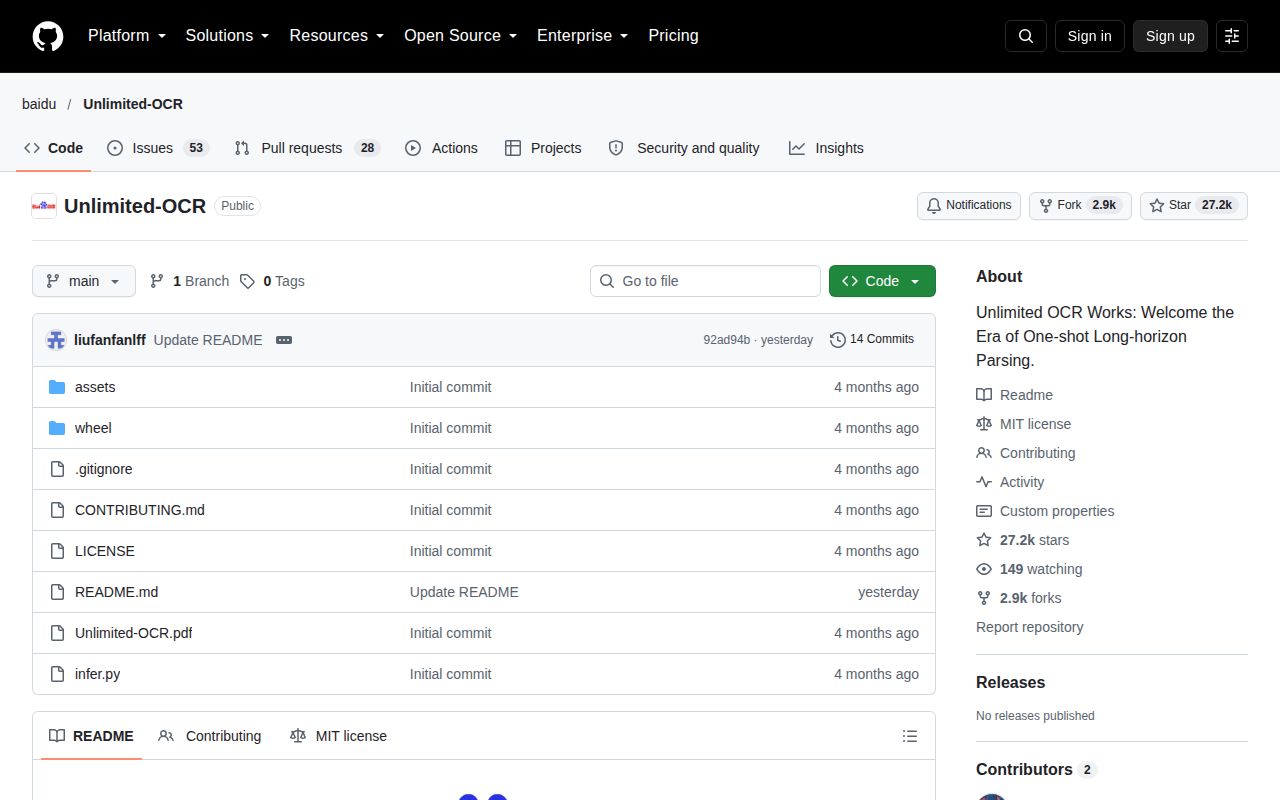
The repository was pushed on October 12, 2026. GitHub showed 27,246 stars and 81 open issues and PRs, while the releases endpoint contained no published releases. Recent issue activity includes a September portability discussion and an October report of repetition on a community llama.cpp setup. Those facts support continued interest and repository activity.
The English README gives concrete examples for Transformers, vLLM, and SGLang requests, plus links to hosted demonstrations and training support. Our scan's 0 CI workflow files and skipped tests still leave operators responsible for their acceptance checks. The MIT license covers the GitHub code, but you should also review the terms attached to the model assets and any alternate conversion you choose to deploy.
Choose the output contract before choosing the model
OCRmyPDF is the alternative to examine when you want a searchable text layer added to scanned PDFs. PaddleOCR is a broader toolkit to assess for structured document work. DeepSeek-OCR is a related model project for teams comparing this model lineage. Unlimited-OCR earns a trial when its multi-page inference route matches the documents you have and a CUDA service fits your infrastructure.
For a trial of this 35-package setup, keep a small document set with expected results. Decide how your application will handle an empty page or repeating text, and confirm that its PDF path submits pages together if required. Rerun those documents when model code or serving dependencies change. Every submitted page should have output you can check against its source.