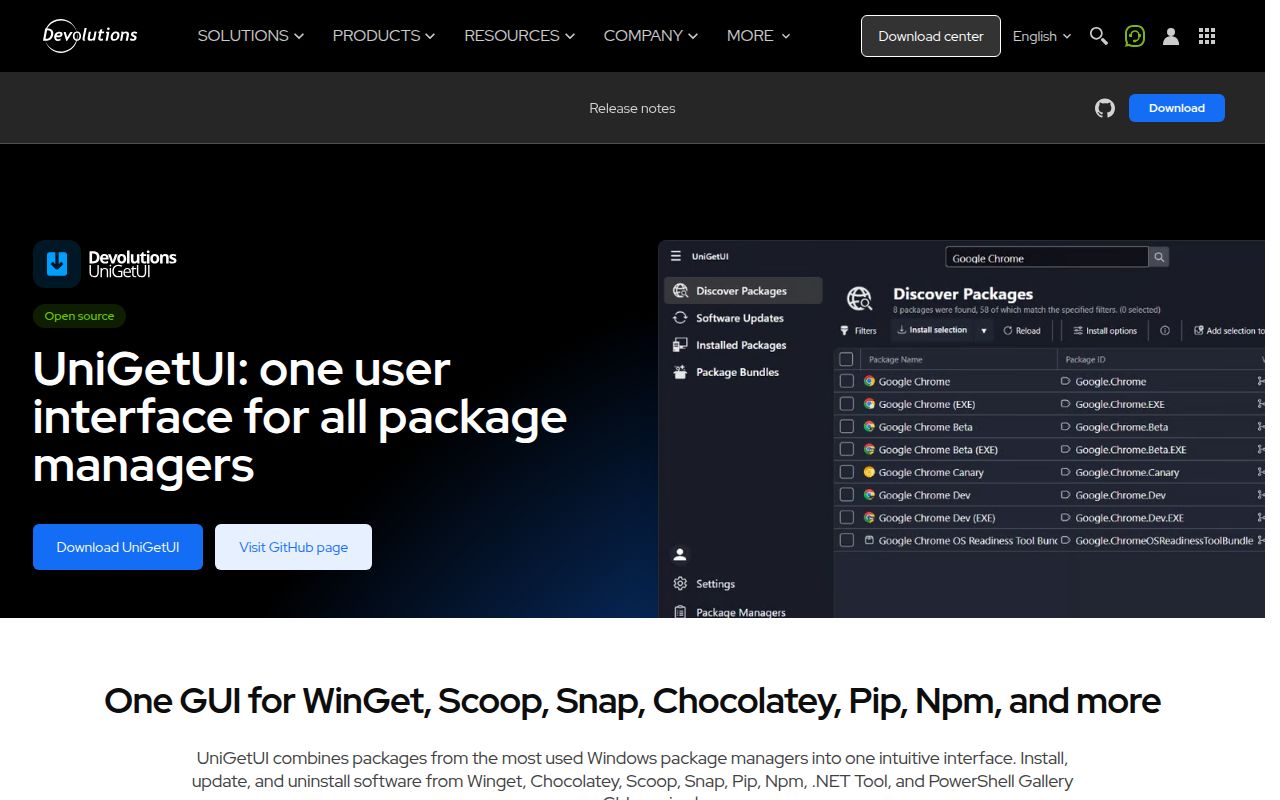
One control panel replaces several package-manager windows
UniGetUI addresses a familiar Windows problem: installing one application through WinGet, another through Scoop, and a third through Chocolatey leaves updates scattered across different commands and catalogs. The project puts discovery, installation, updating, and removal into one desktop interface. Its focus is Windows 10 and 11, but the README now lists macOS and Linux builds as well. That broader reach matters, although the project's own description still calls it Windows-first, which is the right expectation to carry into an evaluation.
The project began in 2021 under creator Martí Climent and is now maintained by Devolutions. It remains standalone, community-driven, MIT-licensed, and free according to the supplied README. The acquisition and stewardship announcement dates to March 2026, with promises of structured governance, stronger security processes, and longer-term investment. Those claims are direction rather than proof of enterprise readiness, but the ownership change is meaningful context for anyone deciding whether to make this a routine workstation tool.
What happened when we ran it
We did not run UniGetUI. In our 2026-09-04 sandbox run, the repository was checked out at commit 4fb3c6d in a fresh, unprivileged Debian container with 3 CPUs and 8 GB of RAM. The harness reported no supported ecosystem for the C# project, and the repository had no Dockerfile that could provide another supported route. As a result, we obtained no install, build, test, timing, or benchmark result. That limitation belongs in the buying decision because our review cannot independently confirm the README's setup experience.
This result does not show that UniGetUI is broken, and the log provides no basis for guessing at another cause. It shows that this particular Debian evaluation path was unsupported. The README points ordinary Windows users toward the Microsoft Store, a direct x64 or arm64 installer, a portable ZIP, or package commands such as WinGet, Scoop, and Chocolatey. It also documents macOS DMG and archive options, plus Linux packages, but our 2026-09-04 box verified none of those published artifacts.
The package-manager coverage is the real reason to use it
The strongest feature is consolidation. The README names WinGet, Scoop, Chocolatey, Homebrew, APT, DNF, Pacman, Flatpak, Snap, pip, npm, Bun, .NET Tool, and PowerShell Gallery among its integrations. That does not make their catalogs equally trustworthy or their behavior identical, but it gives a person managing a mixed workstation one place to see available software and pending updates. On Windows 11, that can remove a lot of small command-line chores without forcing users to abandon the package managers underneath.
Distribution choices are unusually clear for a desktop utility in version v2026.2.7. Windows users get explicit x64 and arm64 installers, a default x64 alias, and portable ZIP files whose settings and caches stay beside the executable. macOS users get DMG and portable archive choices for Apple silicon and Intel. The README also says release packages across Windows, macOS, and Linux use NativeAOT, and it supplies a PowerShell publishing script for matching local builds. These details reduce ambiguity for people selecting an artifact.
Security communication is another concrete strength. The repository warns that domains resembling the old or current product name are fake and repeatedly identifies the Devolutions page and GitHub repository as the official sources. It also directs vulnerability reports to Devolutions' security page and reminds readers that integrated package managers deliver third-party packages. With 1 interface spanning many catalogs, that distinction matters: UniGetUI can centralize actions, but it cannot turn every publisher or manifest into a trusted one.
Cross-platform ambition and issue volume deserve caution
The biggest practical unknown is parity outside Windows. The README says macOS and Linux builds exist, yet it also plainly describes the application as Windows-first. A package manager GUI touches permissions, paths, elevation, update behavior, and desktop conventions, so availability alone should not be read as equal integration. Anyone considering it for a 3-platform team should pilot each operating system and document which underlying managers are actually required, rather than assuming the same workflow everywhere.
The repository also has 483 open issues. That figure can reflect adoption and active reporting as much as poor quality, so it is not a verdict by itself. Still, it is large enough that prospective users should search for their exact package manager, architecture, and operating system before rollout. The project has 25,988 GitHub stars, its latest release is v2026.2.7 from 2026-07-31, and the last push was 2026-09-04. Taken together, those dates indicate active development, not abandonment, even though the supplied evidence does not show response times or a long release history.
It belongs on workstations, not in deployment automation
UniGetUI fits best as a human-operated layer above package managers already present on a workstation. It is useful for a developer who wants 2 managers, such as WinGet and Scoop, in one queue, or for a support-minded user who benefits from a visible list before changing software. Version-controlled environment definitions, CI pipelines, headless servers, and managed fleets still call for scripts or configuration management, where every package source and version can be reviewed, repeated, and audited without a desktop session.
The sensible adoption path in 2026 is narrow and reversible: install from the Microsoft Store or an official Devolutions or GitHub link, try it on one non-critical machine, and confirm the managers and update actions you actually need. Keep the underlying CLI available for diagnosis, review package publishers before installation, and do not treat a unified interface as a supply-chain scanner. If those boundaries suit your workflow, UniGetUI offers real convenience; if repeatability is the priority, use WinGet, Scoop, or Chocolatey directly.