A component run does not establish a working 3D pipeline
TRELLIS.2 has a documented image-to-3D workflow, but our sandbox record does not establish that we installed or ran it successfully. That distinction matters when deciding whether to commit a GPU workstation or training budget.
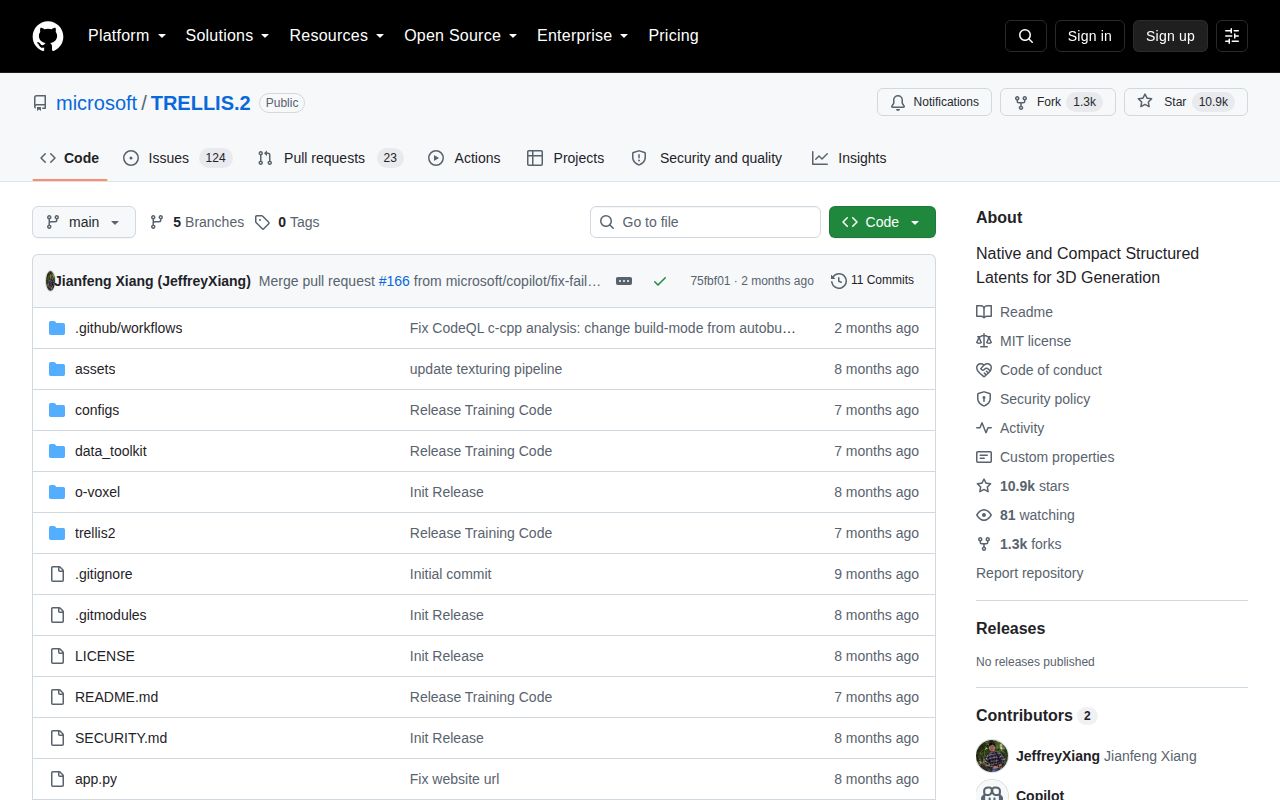
Microsoft describes a 4-billion-parameter model built around O-Voxel, a sparse voxel representation for geometry and appearance. The README lists open surfaces, non-manifold geometry and internal enclosed structures, with base color, roughness, metallic and opacity attributes. These are the project's stated capabilities. We did not measure their fidelity or reliability.
What our recorded run establishes
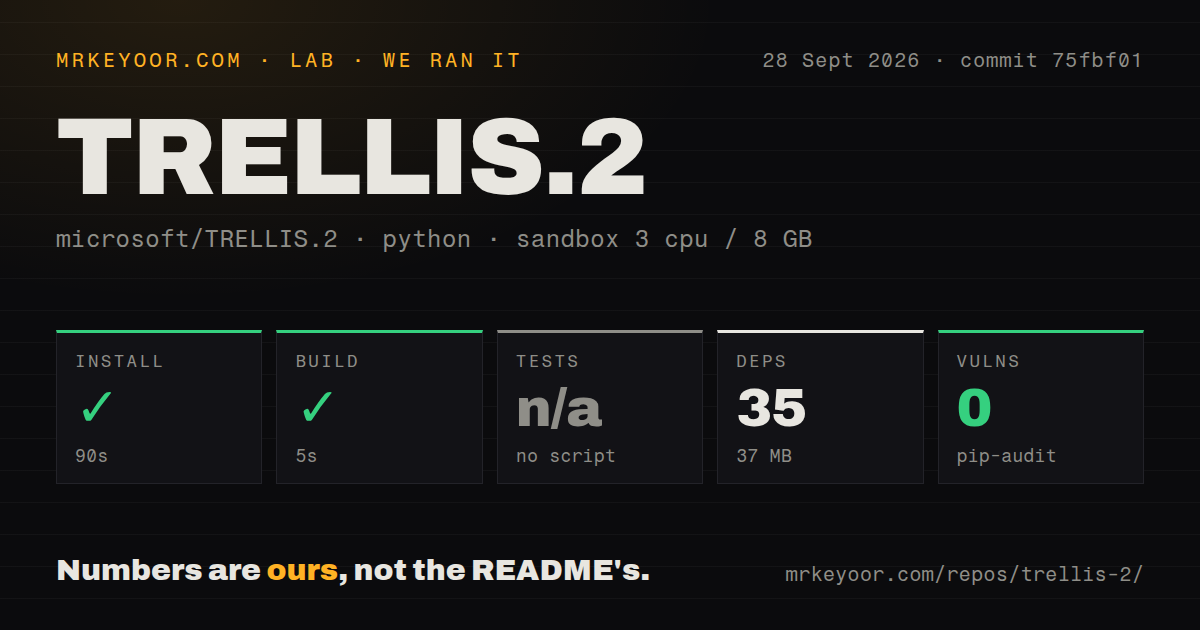
Our recorded run took place on 2026-09-28 at commit 75fbf0183001ed9876c8dbb35de6b68552ee08bd, targeting the o-voxel subdirectory. The environment record lists 3 CPUs, 8 GB of memory and image ghcr.io/astral-sh/uv:python3.12-bookworm. The install output identifies Python 3.12.12.
The install step lasted 90.218 seconds. Although the harness marked it successful with exit code 0, its captured output reports failed builds for FlexGEMM and CuMesh. Both traces end with an unset CUDA_HOME. This establishes an environment-related obstacle in this run; it does not establish that TRELLIS.2 is broken on the documented CUDA stack. It also prevents us from describing the step as a successful installation.
The separate build step lasted 4.556 seconds and returned exit code 0. Its captured tail is empty, and the supplied record does not identify its command or verify an output artifact. We therefore cannot use that result as proof that O-Voxel or the full native stack compiled.
Tests were skipped with the reason no script. The detector found no tests directory or Python tests, but that detection is not an exhaustive inventory of every possible upstream check. No tests passed or failed in this recorded step.
The parser recorded 35 dependencies and 37 MB. Those are recorded dependency metrics, not proof of complete installation or the storage requirement for the model checkpoint and full pipeline. Pip-audit recorded an advisory total of 0, but coverage is unknown. That result does not establish dependency safety.
The repository scan recorded 2,201 files, 361,656 lines of source, 38.9 MB, one CI workflow and no Dockerfile or Compose file. These describe the scanned checkout, not inference memory or deployment readiness. No installed-package import check, checkpoint execution, asset generation, inference timing or output-quality measurement is documented.
The upstream setup requires a CUDA workstation
The README says testing is limited to Linux and identifies NVIDIA A100 and H100 as verified GPUs. It states that an NVIDIA GPU with at least 24 GB of memory is necessary. This is an upstream requirement, not a memory measurement from our run or a claim that every 24 GB card works.
CUDA Toolkit 12.4 and Conda are recommended. Python 3.8 or newer is required, and the default environment uses PyTorch 2.6.0 with CUDA 12.4. The documented setup enables FlashAttention, nvdiffrast, nvdiffrec, CuMesh, O-Voxel and FlexGEMM. For GPUs that do not support FlashAttention, the README describes manually installing xFormers and selecting it through an environment variable. Multiple CUDA installations require selecting the intended toolkit through CUDA_HOME.
Issue 74 contains community reports of ROCm and Apple Silicon ports, including claimed end-to-end runs. These are contributor reports about separate configurations. We did not verify their installation, performance or output, and they do not change the upstream README's stated testing scope. Readers needing another accelerator should assess a specific port rather than assume either universal compatibility or universal incompatibility.
Exported materials need attention
The README's main example loads the TRELLIS.2-4B checkpoint, moves the pipeline to CUDA, generates a mesh, renders an MP4 preview and exports a GLB. Its export settings include decimation, remeshing and a 4096-pixel texture size. These are example settings, not settings exercised by our run.
The README says GLB export uses OPAQUE mode by default. The alpha channel remains in the texture, but users must connect it to the material's opacity or alpha input in their 3D application to enable transparency. A pipeline that needs transparent foliage or clothing should include that material step in its trial.
Issue 140 reports duplicate inner mesh walls and a cleanup script with side effects. This is a user's report, not our measured defect rate. It supplies a concrete reason to inspect hidden shells as well as visible appearance. Check geometry, UVs and material channels against the intended use. Open surfaces may suit a visual asset while requiring further work for fabrication.
Training requires prepared data
The README provides training entry points for shape and texture autoencoders and flow models. It requires converting raw assets into O-Voxel form, generating compact structured latents and preparing metadata. Its examples use Objaverse-XL dataset paths and expose distributed-training, checkpoint and profiling options.
This documents a research workflow; it does not establish a reproducible training budget or expected quality on a new dataset. Decide how to prepare data and evaluate outputs before allocating training time.
How to decide on a trial
First verify imports for the required native extensions on your selected CUDA stack. Then load the checkpoint and generate a representative asset. Record generation time and memory separately from installation, dependency downloads, export and rendering. Open the GLB in the destination application and inspect topology, hidden shells, UVs, material channels and transparency.
For a different workflow, Hunyuan3D 2 documents separate mesh-generation and texture-generation stages, including texturing handcrafted meshes. Stable Fast 3D documents feedforward mesh reconstruction from a single image with UV unwrapping. Neither alternative was benchmarked against TRELLIS.2 in our run.
Rating rubric and limits
Scores are editorial judgments on a 1-to-5 scale: 1 means substantial documented obstacles or very limited evidence; 2 means material constraints with partial evidence; 3 means adequate documentation or corroboration for a bounded evaluation; 4 requires broad supporting evidence; 5 requires strong, independently verified evidence across the category. They are not benchmark results. Unknown adoption, support quality or compatibility does not earn a high score.
Setup receives 2/5 because the documented native stack is demanding and our run did not verify installation. Documentation receives 3/5 because the README covers prerequisites, inference, export caveats and training, while our record does not validate the procedures. Community receives 2/5 because supplied issues contain substantive port and cleanup discussions but do not establish adoption or support reliability. Maturity receives 2/5 because the checkout has a CI workflow, but this review has no verified full installation, passing test run or generation workload. The scanned absence of a Dockerfile alone does not establish poor product quality.