mrkeyoor.com_
Tue 01 Sept 17:43 UTC
Dev Toolsevaluationupdated 27 Aug 2026

tldr review

tldr-pages is a community-written collection of short command-line help pages built around practical examples. It helps you remember a useful invocation quickly, while leaving exhaustive flags and edge cases to the command's manual or upstream documentation.

+57 / 5dstars / 7d
Verdict

Our tldr-pages checkout installed 95 packages in 14 seconds, but its 67-second test run failed because black was unavailable. That contributor snag does not weaken the everyday product: tldr remains the fastest sensible first stop when you need one common command example. Keep the manual nearby for destructive commands, platform differences, and options the deliberately short page omits.

We ran it

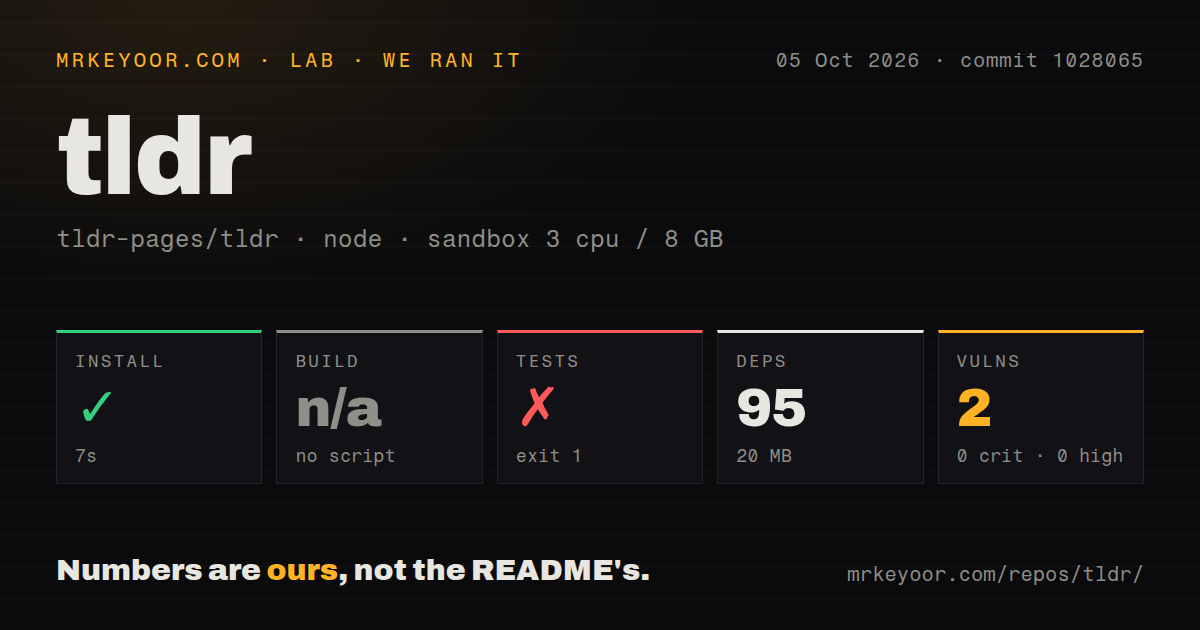
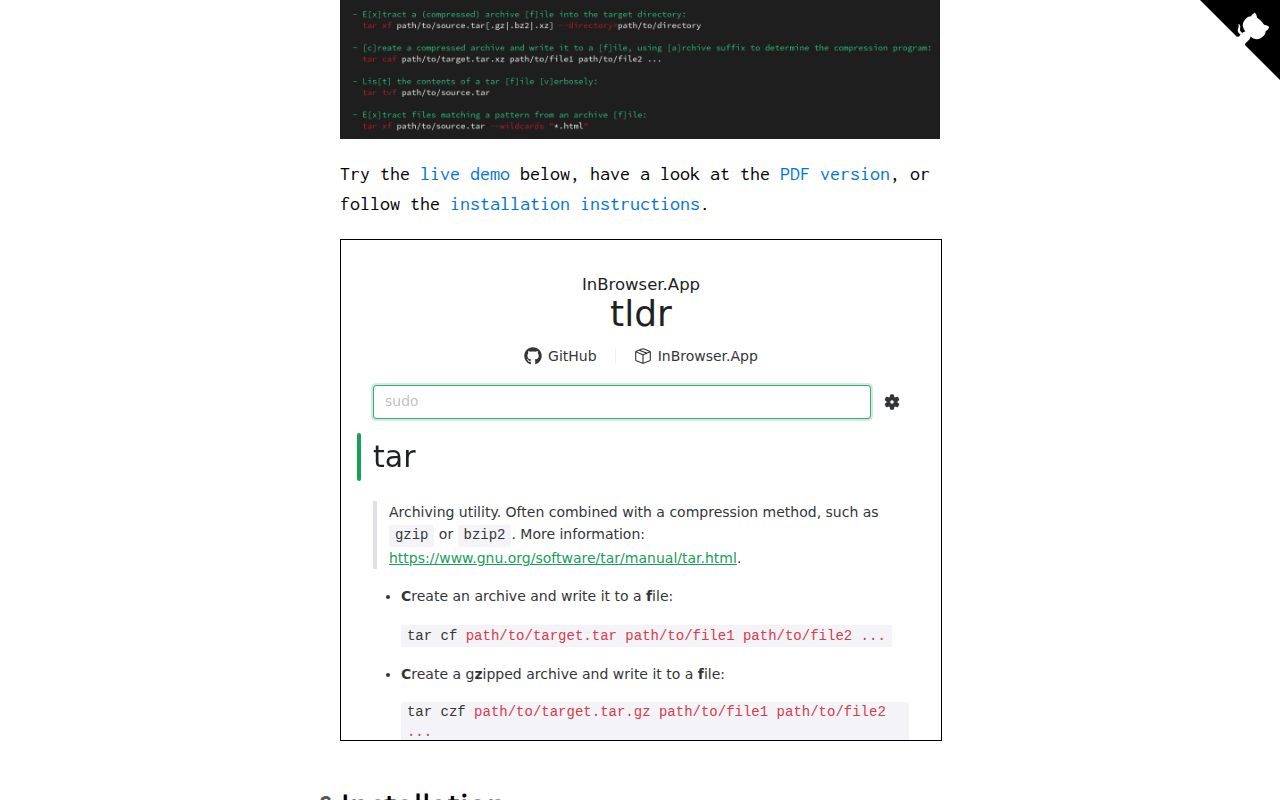
Lab card: what happened when we ran tldrScreenshot of tldr (tldr.sh)
Install✓ · 14s95 packages · 20 MB
Buildn/ano build script
Tests✗ · 67sran, no count parsed
Known vulns00 critical · 0 high · 0 moderate · 0 low (npm audit)
Repo38521 files~3,189 lines of source · 20.1 MB · 7 CI workflows

Answers from our run

Does tldr build from source?

Dependencies installed in 14 seconds (95 packages), and the project has no separate build step. We cloned commit 515221d into a clean Debian container with 3 CPUs and no project-specific setup.

Do tldr's tests pass?

The test command failed in our container, and its output did not report a pass or fail count.

Does tldr have known vulnerabilities in its dependencies?

npm audit found none in the dependency tree at the time of our run.

Who should not use tldr?

Operators who need an authoritative or exhaustive command reference: the contribution guide targets about 5 examples and caps pages at 8, then points readers back to man.

What are the alternatives to tldr?

cheat, navi, cheat.sh. Our tldr-pages checkout installed 95 packages in 14 seconds, but its 67-second test run failed because black was unavailable.

Setup4/5Readers have easy clients; contributor tests need separate Python tools
Docs5/5Clear client, page format, platform, translation, and style guidance
Community5/563,492 stars with same-day pushes and active page requests
Maturity5/5Long-running page corpus with a formal client specification

Discussed on

  1. hnTLDR man pages49 points
  2. hnTldr: Simplified and community-driven man pages7 points
  3. hnSimplified and community-driven man pages3 points
  4. hnTLDR: simplified and community-driven man pages3 points
  5. hnTLDR Pages3 points

Who it’s for

Developers who remember what a command does but forget the exact flags for a common task.
People learning a shell who find traditional manual pages hard to scan.
Teams that want the same concise examples on Linux, macOS, Windows, BSD variants, Android, Cisco IOS, or DOS.
Contributors who can verify a command themselves and write a small Markdown page for it.

Who it’s NOT for

Operators who need an authoritative or exhaustive command reference: the contribution guide targets about 5 examples and caps pages at 8, then points readers back to man.
Anyone who copies commands into production without checking the target platform and installed version: the client specification allows fallback to a page from another platform with a warning.
Users who expect every translation to match English immediately: the contribution guide says English changes may leave other languages for native speakers to sync later.
People choosing the official Node.js client because it appears familiar: the README explicitly says that client has fallen behind in updates.
Contributors expecting npm install alone to prepare every check: our test command stopped because black was missing, and the repository keeps Python tooling in a separate requirements file.

Setup reality

Our sandbox install succeeded in 14 seconds, adding 95 npm packages and using 20 MB. There is no build script, so we skipped that step. Tests failed after 67 seconds when scripts/test.sh tried to run black and the shell reported that the command was not found.

Readers do not need this repository checkout. They can install the official Python or Rust client, use the browser client with offline support, or download a PDF. Contributors need Node.js tooling, plus the separate Python and shell checks invoked by the test script.

The repository is mainly Markdown content, not the client users run. It had 38,521 files in our checkout, seven CI workflows, no Dockerfile, and no tests directory. npm audit reported 0 known vulnerabilities in the installed packages.

Five examples are the point, not a missing manual

A tldr page answers a narrow question: what does a useful invocation of this command look like? Each Markdown file starts with a short description and then pairs plain-language tasks with commands containing editable placeholders. The contribution guide asks writers to aim for about 5 examples and forbids more than 8. That limit keeps tldr tar readable on a terminal, but it also establishes the boundary. This is a memory aid and learning tool, not the source of every flag.

The restraint works. Traditional manual pages describe a whole interface and often lead with details that matter mainly to specialists. tldr instead shows operations people reach for, such as extracting an archive or listing files. Descriptions favor long-form options so a newcomer can understand the command rather than memorize a letter. Complexity arrives gradually, and the page links back to upstream information when the short examples no longer answer the question.

Official clients cover Python, Rust, web, and an older Node.js option

The content repository is separate from the program you type. The README points to an official Python client installed with pipx, an official Rust client available through Homebrew, Cargo, or Winget, and a browser client with offline PWA support. It also links downloadable PDFs. The official Node.js client remains listed, but the project says it has fallen behind in updates. New users should choose Python, Rust, or the web client instead of assuming npm is the preferred route.

Client specification 2.3 keeps those implementations compatible around page lookup, cache updates, language selection, and platform overrides. It defines how tldr git checkout maps to git-checkout, how a client falls back from a local platform to common, and what happens when only another platform has the requested page. The warning matters: a displayed example is not proof that the command exists or behaves the same way on the current machine.

What happened when we ran it

Our sandbox installed 95 npm packages in 14 seconds, leaving 20 MB on disk. The repository has no build script, so there was no build step to run. npm audit found 0 known vulnerabilities, with zero critical, high, moderate, or low findings. We measured commit 515221d in an unprivileged Debian container with 3 CPUs and 8 GB of RAM.

The test command failed with exit code 1 after 67 seconds. Its last output showed scripts/test.sh: line 34: black: command not found. The log provided no page-lint totals or later check results, so we cannot claim how many content files would have passed. The accurate finding is that the documented npm install did not supply every executable expected by the full repository test script in our fresh environment.

That split is visible in the source. package.json installs Markdown linting and tldr-specific linting, while scripts/test.sh also calls Black, Flake8, pytest, and ShellCheck. The script can skip unavailable tools outside CI, but our supplied run still reached the missing black command and stopped. Contributors should follow the repository's full setup instructions and requirements files rather than treating 95 npm packages as the complete toolchain.

Platform fallback makes lookup friendly and copying riskier

The page tree covers UNIX, Linux, macOS, FreeBSD, NetBSD, OpenBSD, SunOS, Android, Windows, Cisco IOS, and DOS commands. Common pages apply across more than one platform; a platform-specific copy can override behavior where needed. This structure lets one query work across many environments without flattening every command into a lowest-common-denominator example.

Specification 2.3 also permits a client to search other platforms when neither the host platform nor common contains a page. The client should warn before showing that result. A reader rushing through a recovery session can still miss the warning or copy a dangerous flag from the wrong operating system. For package managers, storage tools, firewalls, account changes, and deletion commands, compare the example with --help, the installed version, and the intended host before running it.

Translation coverage follows English instead of moving in lockstep

English is the source page for translations. Locale directories can cover a language or regional form, and clients fall back to English when the preferred page is absent. The project provides a translation dashboard because coverage and freshness vary. Its contribution guide explicitly allows an English edit to land without updating every language, leaving native speakers and maintainers to sync the affected pages later.

That policy is practical for a collection with 38,521 checked-out files, but readers should know what it means. A translated page may trail an English correction, while a command itself may have changed again upstream. The repository's style rules tell contributors to translate only languages they can proofread and discourage unreviewed machine translation. For operational commands, checking the English page and upstream help is a reasonable second pass when the local translation looks surprising.

Same-day pushes matter more than the 2025 specification tag

GitHub showed 63,492 stars and 288 open issues and pull requests when fetched. The latest tagged release was specification v2.3 from March 7, 2025, while the repository itself was pushed on August 27, 2026. Open requests for GRUB, DigitalOcean tooling, LLM commands, and base-page rewrites were receiving updates in August 2026. The release date therefore describes the client specification, not the freshness of the command pages.

The content license is CC BY 4.0, while scripts use MIT. That distinction matters to distributors who bundle pages inside another client. For ordinary terminal use, the decision is simpler. Install a current official client, treat each page as a quick reminder, and switch to the manual or upstream docs whenever the task carries real consequences or the 5-example format cannot hold the detail you need.

Alternatives

ProjectWhat it isPick it when
cheatA command-line cheatsheet program with personal and community sheets.pick this instead when you want to maintain your own command notes beside shared ones.
naviAn interactive cheatsheet browser that can fill arguments and run commands.pick this instead when fuzzy search and interactive command construction matter more than a standard page format.
cheat.shA web and terminal service that aggregates command and programming cheat sheets.pick this instead when one query service covering commands and programming topics is more useful than a curated command-only collection.

What people are saying

  1. [velocity-scout] tldr-pages/tldr

Sources

  1. tldr-pages repository and README
  2. tldr-pages contribution guide
  3. tldr client specification 2.3
  4. Client specification v2.3 release
  5. Poorly documented base pages report
  6. tldr-pages license

More dev tools reviews

workmux · v2rayNG · SecLists · hashcat · eslint · fastfetch · the whole board →