Executable cheatsheets replace repeated command lookup
Navi gives a terminal user a searchable list of tasks rather than a directory of prose. Pick "change branch," choose a branch from a generated list, and the stored template becomes a real Git command. A .cheat file can contain tags, descriptions, executable lines, and variable definitions whose own shell commands produce suggestions. This works well for commands that are used often enough to matter but not often enough to memorize.
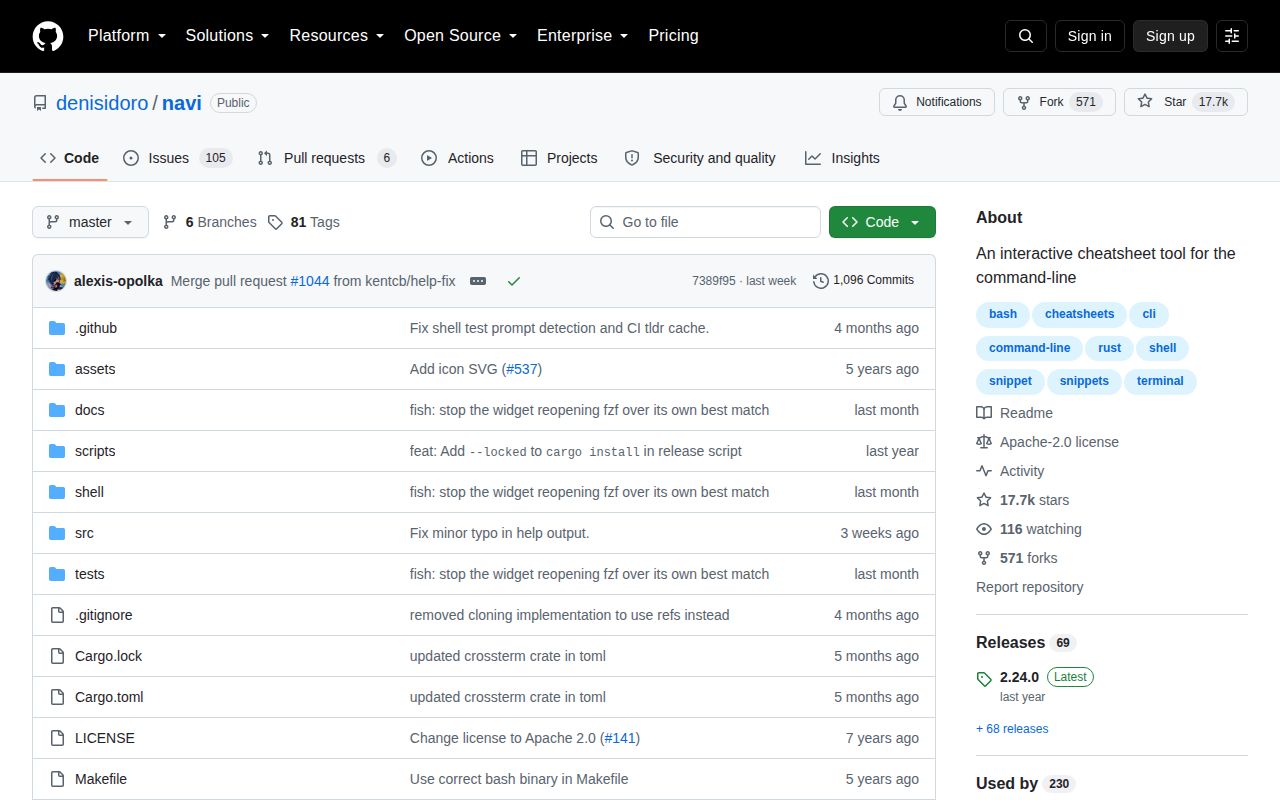
The tool is compact. Our checkout contained 119 files, roughly 4,021 lines of source, and occupied 0.3 MB before dependencies. It can run as a standalone picker, a Ctrl+G shell widget, a Tmux widget, or a scripting component. The widget path is especially useful because it puts the selected command into normal shell history and lets you edit it before execution. Bash, Zsh, Fish, Nushell, and PowerShell integrations are documented.
Dynamic variables save typing and also run code
A cheat such as git checkout <branch> can populate its argument by running git branch and passing the output through fzf or skim. Variables can depend on other variables, select a column, map displayed values, accept multiple choices, or use preview commands. Cheats can also extend shared contexts and hold multiline snippets. That is enough structure to build a small operations menu without writing a new terminal application.
The same mechanism creates Navi's sharpest risk. Open issue 1037 reports that a selected suggestion is inserted into the command string without shell escaping. The reporter used a crafted filename returned by a suggestion command and caused an extra command to execute. Pull request 1038 proposes escaping variable values, but it was still open on September 27, 2026. Until that lands and is released, a downloaded cheat repository and the data its suggestion commands read both belong inside your trust boundary.
What happened when we ran it
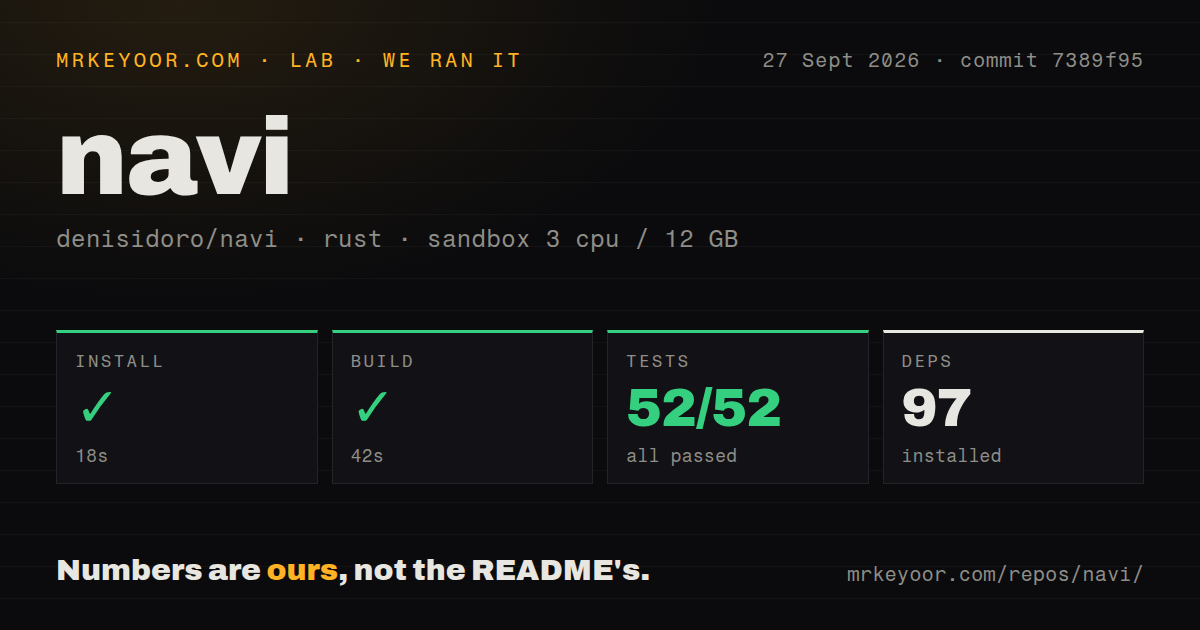
Our unprivileged Debian sandbox installed 97 Rust packages in 18 seconds. The build completed in 42 seconds with no reported compiler failure. Cargo tests then finished in 19 seconds with 52 passed and 0 failed out of 52. The repository has three CI workflow files and a tests directory, while a Dockerfile is absent. A small local terminal binary has little reason to require a container image.
Those results came from commit 7389f95 on 3 CPUs and 12 GB of RAM. They establish that the checked-out Rust project compiled and its available Cargo suite passed in our environment. They do not test every third-party cheatsheet, shell configuration, package-manager build, or command a user might execute. Navi's core can be correct while an imported recipe still deletes the wrong file or interpolates hostile output.
The clean 52-test result makes the base tool a low-effort trial. Installation is available through Homebrew, Cargo, release archives, and several platform package managers. The project only calls Homebrew and GitHub release binaries official; the rest are maintained by their respective communities. Windows users taking the Chocolatey route must create the Navi config file and set the shell command to PowerShell before expecting the documented behavior.
A private cheat repository is the safest useful setup
Navi offers featured repositories, Git imports, tldr conversion, cheat.sh material, and automatic updates. That makes discovery convenient, but auto-updating executable recipes is a stronger act than refreshing documentation. For a team, a better operating model is a pinned internal repository with review on every change. Keep recipes narrow, display dangerous arguments clearly, and use the shell widget when a command deserves one last inspection.
Read-only alternatives remain useful. Tldr pages give short examples for common commands without Navi's executable variable system. cheat emphasizes personal reference sheets and search. Cheat.sh provides wide terminal lookup through a service. Navi earns its place when dynamic local context matters, such as selecting a real branch, container, host, or file from the current machine. If you only need to remember a flag, the executable layer adds risk without much return.
Current code activity is stronger than the release date suggests
GitHub recorded the last push on September 20, 2026, with 17,657 stars, 571 forks, and 111 combined issues and pull requests when fetched. Recent Fish fixes and documentation pull requests show ongoing work, so the January 2025 date on v2.24.0 is not evidence that the project is abandoned. It does mean source changes and the latest tagged binaries are separated by a long interval.
Two open reports deserve attention before standardizing it across a team. Issue 1042 says tldr integration with tealdeer fails on Windows in navi 2.24.0. Issue 893 asks how to select a normal-mode snippet without executing it, reinforcing the practical value of the editable widget flow. With 52 passing tests and a 42-second build, Navi is technically easy to adopt. The real adoption work is deciding which command authors and suggestion sources you are prepared to trust.