TG WS Proxy reroutes part of Telegram, not the whole device
The project starts an MTProto proxy on 127.0.0.1:1443, extracts the Telegram data-center identifier from the connection, and opens a TLS WebSocket route toward the matching Telegram endpoint. If WebSocket routing is unavailable, it can try a configured Cloudflare proxy or direct TCP. Telegram Desktop connects to the local address with a generated secret, either through a tg://proxy link or manual proxy settings.
This is a narrow networking tool. Games, browsers, Discord, and other applications do not pass through it. Voice calls and voice chats are outside MTProto proxy support. The FAQ also says reactions and stickers may use separate CDNs that the proxy does not accelerate. A user who needs every Telegram feature or all device traffic to cross the same tunnel needs a VPN or a different network design.
DC2 and DC4 decide whether media improves
The project's clearest limitation is account routing. Its FAQ says only Telegram DC2 and DC4 receive the intended proxy treatment; other data centers fall back to slower TCP or may not be proxied. Phone-number region and the other party can influence which data center handles traffic. One account may improve while another account on the same computer does not.
That makes a local trial more useful than a generic speed claim. Send a file to Saved Messages, inspect the log for the data-center route, and compare the same item with the proxy disabled. The README gives troubleshooting steps for media that does not load, including clearing custom DC mappings and configuring a private Cloudflare domain. It also concedes that some cases have no solution.
What happened when we ran it
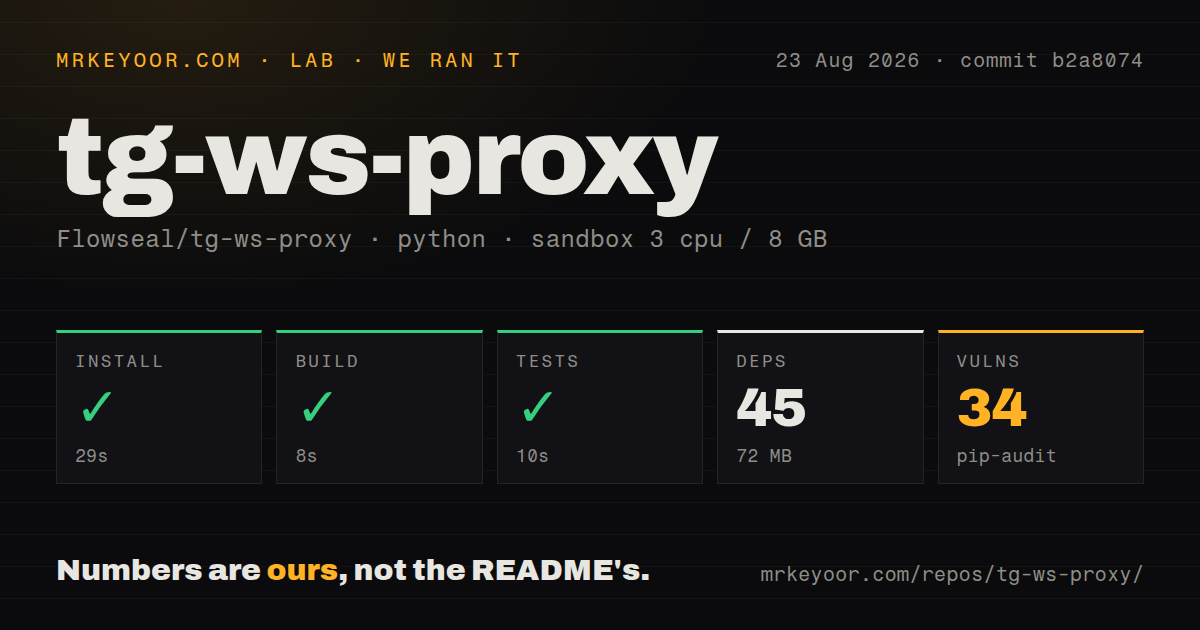
Our sandbox installed 45 Python packages in 29 seconds and occupied 72 MB. The build finished successfully in 8 seconds, and the available tests passed in 10 seconds. We ran commit b2a8074 inside an unprivileged Debian container with 3 CPUs, 8 GB of RAM, no secrets, and Python 3.12.
Pip-audit reported 34 known vulnerabilities in the installed environment. The supplied measurement does not include severity counts or the affected package names, so we cannot rank their practical exposure from that result alone. A networking utility processes untrusted bytes and opens sockets, which makes the count worth resolving before broad deployment even though the build and tests were green.
The checkout had 89 files, about 7,344 source lines, and measured 2 MB before dependencies. It included 2 CI workflow files, a Dockerfile, and a tests directory. Those facts support a reproducible developer path, but our run did not measure Telegram throughput, latency, data-center coverage, Cloudflare availability, or behavior under a specific ISP block.
Loopback is the safe default, while sharing needs care
Console mode listens on 127.0.0.1 by default and chooses a random 32-character hexadecimal secret unless one is supplied. That is a sensible desktop posture because other machines cannot reach the socket. The source guide exposes --host, --port, per-DC addresses, buffer size, connection-pool size, logging, Fake TLS, Cloudflare domains, and HAProxy PROXY protocol support.
Binding to 0.0.0.0 changes the risk. A phone or second computer can then connect, but so can any host allowed by the firewall. Keep the authorization secret private, restrict the listening port, and avoid publishing a home machine directly. The project supports Docker with port 1443 exposed, which is convenient for a server but does not supply the surrounding firewall or ingress policy.
Desktop packaging covers old and new systems
Release assets cover Windows 10 x64 and ARM64, separate Windows 7 builds, Intel macOS 10.15 or newer, Apple Silicon macOS 11 or newer, and Linux x86_64. Source mode requires Python 3.8 or later. macOS tray mode needs a Python build with Tk, while Linux tray packaging requires AppIndicator. Console mode avoids the tray dependencies.
The docs warn that PyInstaller-packed executables can trigger antivirus detections. They recommend downloading only from the official Flowseal repository, checking VirusTotal, and adding a specific file exception rather than disabling antivirus permanently. That advice matters because lookalike forks and repackaged binaries are an obvious distribution risk for a proxy. Building from the MIT-licensed source avoids trusting a third-party binary, though the 34 dependency findings remain.
v1.10.0 is maintained, with fresh connectivity reports
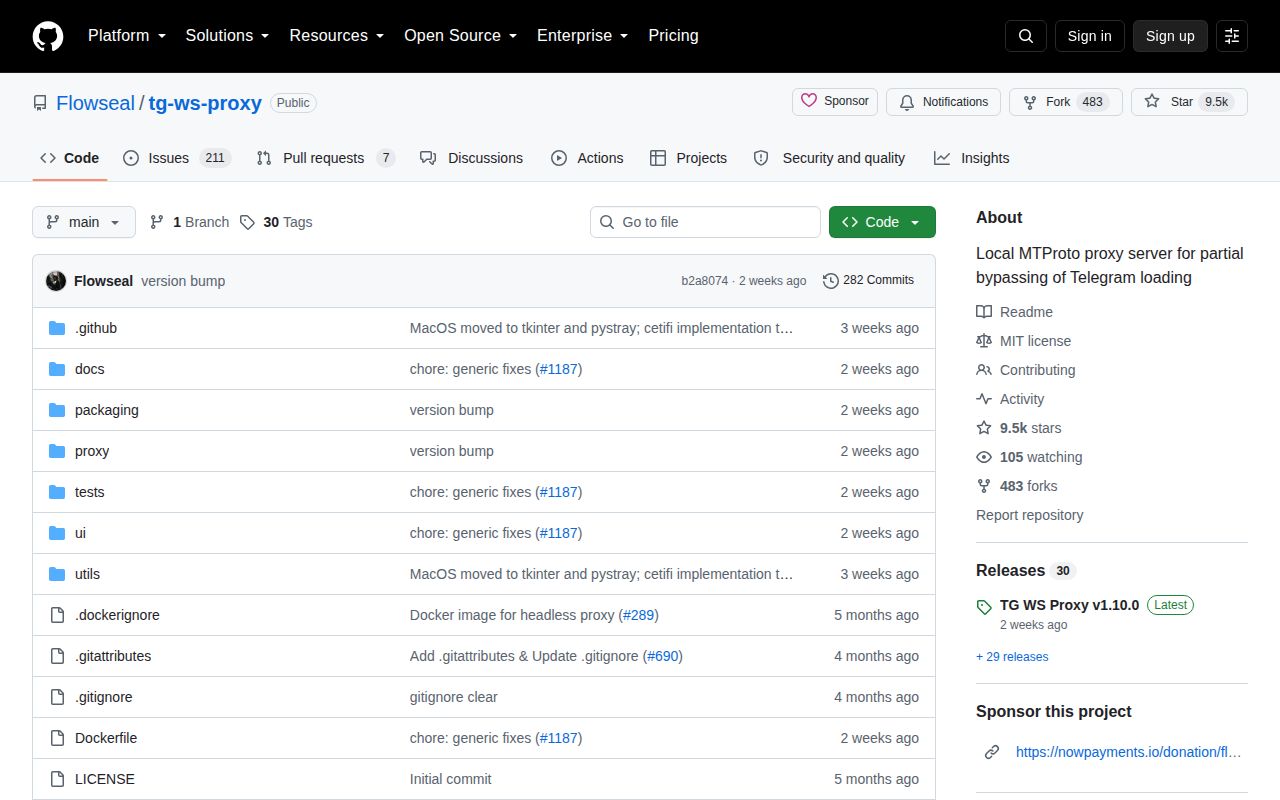
GitHub showed 9,514 stars, 218 combined issues and pull requests, and a last push on August 13, 2026. Release v1.10.0 arrived the same day with a redesigned macOS interface, Docker image fix, and English documentation. Issue activity continued on August 26, including reports about Linux startup, media loading, and recovery after laptop sleep. That pattern shows active use and unresolved environment sensitivity at once.
Issue 1268 describes a proxy that stops fully or loses media after an Arch Linux laptop resumes and Wi-Fi reconnects. Issue 1267 says the latest Linux release fails to start for one reporter while v1.9.1 works. These are user reports, not universal results, but they identify two checks for a trial: cold startup on the target distribution and reconnection after network loss. The project is useful when its narrow route matches the account and network, not as a promised cure for every Telegram block.