Should you try the released app?
Try the macOS release on one repository if supervising several CLI agents is already a problem for you. The documented workspace combines terminals, a Changes pane, and browser previews. Start with one small task, inspect its patch, and run your repository's relevant tests before committing. We did not execute that desktop workflow.
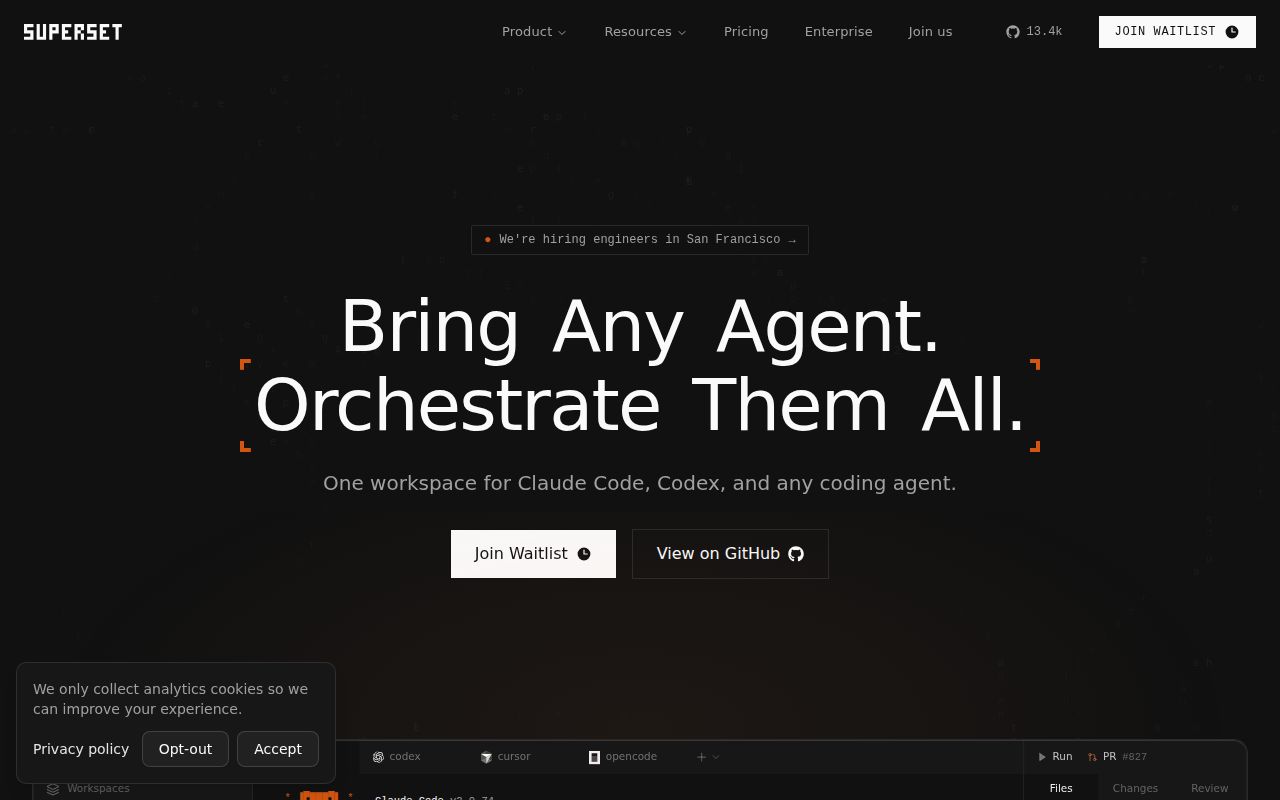
Superset is now called Paradev. The current README says the CLI command remains superset. This is the coding-agent workspace, unrelated to the business intelligence application covered by our Apache Superset page.
What failed in our source-build run?
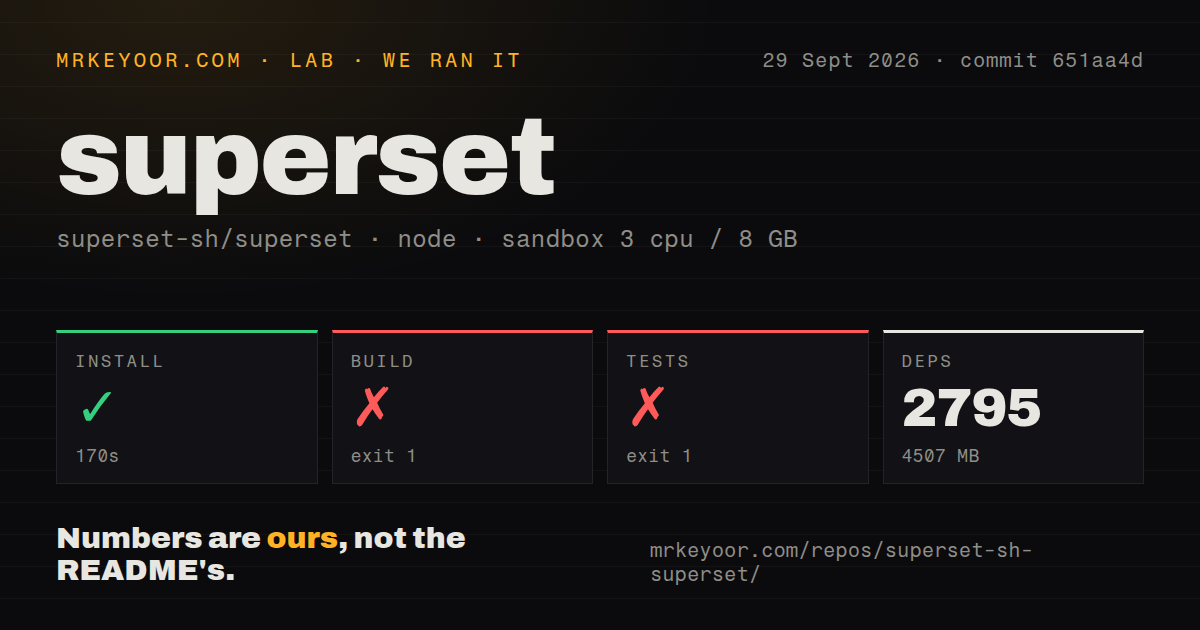
Our run on September 29, 2026, at commit 651aa4d installed successfully but failed its build and test commands. It used our recorded lab-node:22 sandbox with three CPUs and 8 GB of memory. The harness stores command success flags, exit codes, elapsed times, timeout flags, and log tails. Installation returned zero; build and tests each returned one. None timed out.
The stored harness values are 170 seconds for installation, 311 seconds for the build, and 98 seconds for tests, with 2,795 dependency packages occupying 4,507 MB. The install command's own footer differs from the harness's dependency count and elapsed time. Those reporting scopes have not been reconciled, so we retain the attached harness measurements.
Desktop packaging stopped while rebuilding native-keymap: pkg-config could not find xkbfile. Native-runtime validation had passed earlier, but the build command still failed. This identifies a missing library-discovery prerequisite in our environment. We did not install that prerequisite and retry, so the record does not establish that doing so would complete the build.
The agent-setup footer reports 371 passes and four failures across 375 tests in 17 files. Two failures concern emitting codex Start from Copilot wrapper session logs, including legacy logs with v1 tab context. Two concern fallback to system binaries when managed-command wrappers are missing or non-executable. These figures belong to that suite alone.
The attached aggregate test-count field is null. Stored parser summaries do not establish exhaustive unique test coverage, and we have not summed suite footers or cached task summaries. The pty-daemon log separately reports inconclusive trustd probes that failed open as healthy; those messages do not establish successful certificate checks.
Audit results and scan coverage are unknown because the audit field is null and no scanned-package coverage is supplied. We did not test desktop interaction, CLI deployment, remote hosts, concurrent agent throughput, agent output quality, or security. Installation returning zero establishes only that the install command completed successfully.
The MrKeyoor testing methodology explains command recording and sandbox limits. Its current description does not establish which methodology revision governed this older run. This correction uses the stored record and includes no new execution.
What do the worktrees isolate?
Worktrees separate working files; they do not sandbox processes or prevent merge conflicts. Each task gets a branch and terminals, while the developer remains responsible for reviewing and integrating the results. Choose this arrangement to organize concurrent changes, without treating it as a security boundary for commands an agent runs.
The current README says users bring their own agent subscriptions and API keys, and Paradev does not proxy model calls. Its CLI, TypeScript SDK, and MCP server provide other ways to manage workspaces. Those are documented capabilities, not deployments verified by our run.
Which setup and license limits matter?
macOS is the primary desktop target, Linux has an experimental x64 AppImage, and Windows is not yet available. Our Linux source-build failure therefore answers a different question from whether the released macOS app works.
The README at our measured commit requires Bun 1.3.14 or later, Docker, jq, and gh for development. The current README raises the Bun prerequisite to 1.4.3 or later. Both describe per-worktree setup with local Postgres, neon-proxy, and Redis services. Neither supplied setup extract requires Caddy.
The README describes the desktop app and parallel agents on your own machine as free, with optional paid services on top. It identifies Elastic License 2.0 as the repository license and excludes repackaging the application itself as a service sold to others. Review the terms before choosing it as the basis of a hosted product.
Which alternatives should you investigate?
Crystal is deprecated and replaced by Nimbalyst. The Crystal repository dates deprecation to February 2026 and recommends moving for active updates. Its migration notice describes Nimbalyst as a workspace for code, Markdown, spreadsheets, and diagrams, with agent orchestration and Git worktree isolation. Investigate that successor if your work spans those document types. We did not test it, and the evidence here is a migration notice rather than a separate Nimbalyst evaluation.
GitButler supports stacked branches, parallel branches, and commit editing. Its README presents it as a Git interface for people and agents. Consider it when branch organization and commit changes are your main need. It can complement an agent workspace; the supplied extract does not establish equivalent terminal orchestration or browser previews.
How are the scores assessed?
Setup ease uses 1 for an incomplete installation, 2 for successful installation followed by blocked build or tests, 3 for completed setup requiring substantial manual work, 4 for a straightforward verified path, and 5 for verified minimal setup. Our source-build result supports 2.
Documentation uses 1 for missing essentials, 2 for installation basics, 3 for installation and daily use, 4 for user and contributor paths with explicit limits, and 5 when those paths have also been independently verified. The supplied documentation supports 4; we did not verify the full documented workflow.
Community is unassessed. The supplied current extracts do not establish contributor participation, maintainer response times, or support outcomes. Historical stars cannot answer those questions.
Maturity uses 1 when no usable path is established, 2 for an explicitly experimental primary path, 3 for a documented primary platform with material platform limits and verification gaps, 4 for independently verified supported workflows, and 5 for broader longitudinal evidence. The documented macOS path, experimental Linux target, absent Windows build, and limited run support 3.