Sunshine is the obvious Moonlight host, provided your hardware fits
Sunshine streams games and a desktop from a computer you control to a Moonlight client. The host captures the screen, encodes it, sends audio and video, and receives keyboard, mouse, or controller input. A browser interface handles configuration and pairing. Sunshine covers Windows, Linux, macOS, and FreeBSD rather than tying the host to one GPU vendor.
The compatibility matrix is the useful part of the pitch. Windows has AMD AMF, Intel QuickSync, Nvidia NVENC, and Qualcomm Media Foundation paths. Linux lists NVENC, VAAPI, and Vulkan Video combinations, while macOS uses Video Toolbox. Software encoding works across all 4 operating-system columns. Capture is separate: Windows uses DXGI or a partial Windows Graphics Capture path, macOS uses ScreenCaptureKit, and Linux or FreeBSD has several display-server-specific choices.
The host is only half of the system
You install Moonlight on the TV, handheld, phone, or another computer, then pair that client with Sunshine. The host web UI lets you configure the service and approve pairing. Troubleshooting can cross 2 applications and a network.
The README sets a baseline of 4 GB RAM, a Ryzen 3 or Core i3, and 5 GHz 802.11ac on both host and client. Its 4K suggestions move to CAT5e Ethernet and stronger CPUs. The maintainers warn that these tables are a work in progress and specifically tell readers not to buy hardware based on them. Test the intended resolution, codec, and controller.
Controller behavior also differs by host. Linux and Windows support the listed generic, PlayStation, Nintendo, and Xbox emulation families. FreeBSD support is partial and lacks features such as motion, touchpad input, battery state, LEDs, adaptive triggers, and raw HID reports. macOS is marked unsupported for every listed gamepad family. A Mac can still encode and capture video, but it is a poor host choice when controller emulation is central.
What happened when we ran it
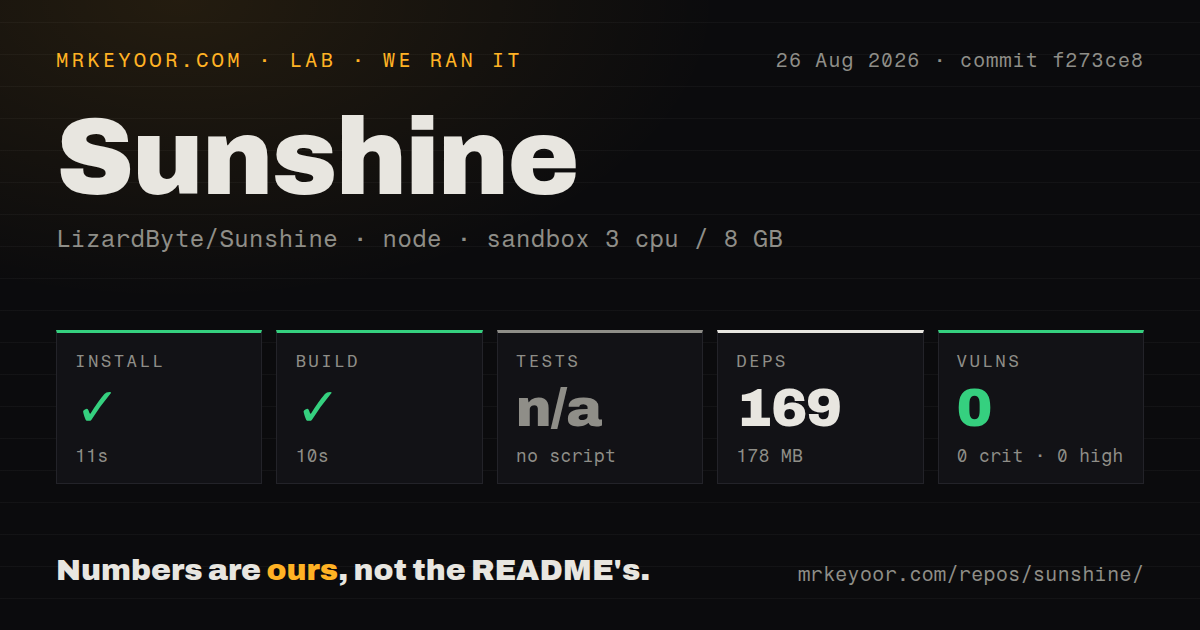
Our sandbox cloned commit f273ce8 and installed 169 npm packages in 11 seconds. Those dependencies occupied 178 MB, and npm audit returned 0 known vulnerabilities across critical, high, moderate, and low severities. The measured build then completed in 10 seconds. We used an unprivileged container with 3 CPUs, 8 GB of RAM, and no secrets.
The source tree was far larger than the dependency step: 16,696 files, roughly 3,720,307 lines of source, and a 1,497.2 MB checkout. There was no npm test script or target available to our harness, so tests were skipped. The repository does contain a tests directory and 24 CI workflow files. Our result verifies the detected npm install and build path at that commit, not video capture, GPU encoding, controller forwarding, or an end-to-end Moonlight session.
That boundary matters for Sunshine. A container without host display and GPU access cannot answer the compatibility question that decides a real deployment. The 10-second build is reassuring for source work, yet the acceptance test remains a stream from your exact host through the intended network to the intended client. Check wake, audio, input, HDR, and reconnection rather than stopping after one successful picture.
Linux capture choice can decide stability
The README lists KMS/DRM, X11, wlroots, XDG Desktop Portal, KWin Screencast, and NvFBC capture paths across Linux and FreeBSD. Open issue 5241 reports random frozen video with XDG Portal and KWin capture on an AMD RX 6600, even though audio and input kept working. The reporter says KMS did not show the problem.
Windows has its own packaging edge. Open issue 5544 says the installer can hang indefinitely at the PATH step when Sunshine is placed on a drive other than C:. The reported workaround is installing under C:\Program Files\Sunshine. Another open report describes a SIGSEGV notification during startup on Ubuntu 24.04 with an AMD RX 7900 XT, although Sunshine continued to operate. These configuration-specific reports are good reasons to trial autostart before placing the host across the house.
The May 2026 release should be the minimum
Release v2026.516.143833, published May 16, contains what the maintainers call critical security updates and tells users to update quickly. It adds CSRF protection to the web interface. Anyone opening that interface through an address other than localhost must add the allowed origin to sunshine.conf. The release also stopped installing ViGEmBus automatically, so Windows users who need it must install it from the web UI troubleshooting page.
The same release added XDG, PipeWire, and direct KWin capture, Linux Vulkan encoding, FreeBSD packages, Windows ARM64 support, signed Windows AMD64 installers, and a signed macOS disk image. The project was pushed on August 26, 2026, and GitHub showed 139 open issues and pull requests, with recent work on codec probing, Linux capture, the web UI, and session controls. That combination signals active maintenance even though the latest stable tag is several months old.
Choose Sunshine for Moonlight, then prove your exact path
Sunshine is the first self-hosted host worth trying for a Moonlight setup. It has native packages, clear compatibility tables, a web UI, and current development. Steam Remote Play is easier if every game and screen already lives in Steam. Parsec reduces network setup through a managed service, while Wolf is aimed at containerized Linux sessions.
The remaining work is specific: GPU driver, capture API, display state, network, controller, and client. Sunshine cannot remove those variables, but it gives you several routes around a poor combination. Install the current package, keep the web interface local unless you configure it carefully, and run a real session test before declaring the host finished.