The download claim and roadmap disagree
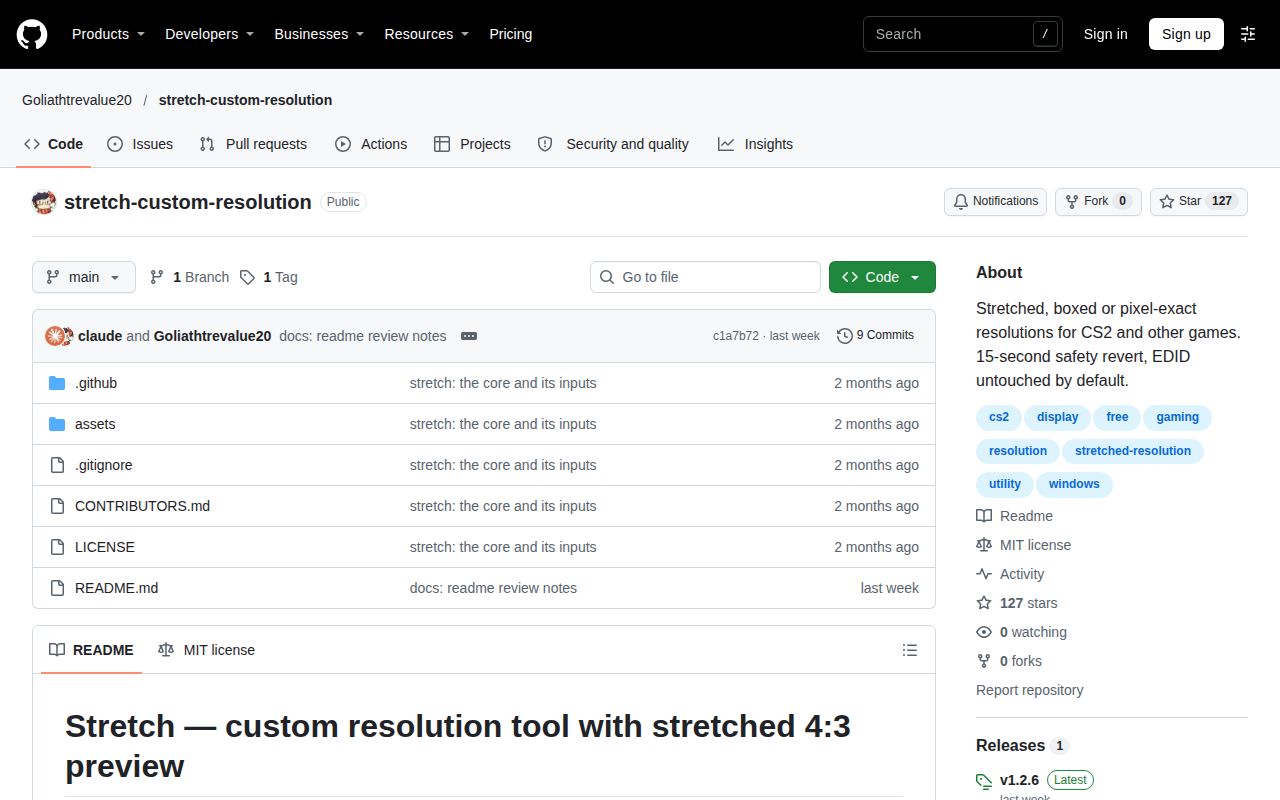
Stretch's README advertises v1.2.6 while its GPU-support FAQ calls NVIDIA, AMD and Intel integration planned. The same document leaves the EDID reader, driver custom modes, live preview, timed revert and per-game rules unchecked in its roadmap. That disagreement is the reason to investigate this download carefully. The Stretch README and roadmap describe an appealing Windows workflow, but their present-tense promises sit beside a list of unfinished work.
Technically capable Windows users investigating those claims are the audience for this review. Players who need a demonstrated gaming-display fix today should choose a workflow documented for their display arrangement instead. Our November 24 attempt stopped before application launch. The useful comparison is therefore between the project's documented promises, the recorded checkout and the specific driver or CRU workflows described by other people. Someone else's working Valorant configuration belongs to that person's tool and hardware arrangement.
What you can do with stretch-custom-resolution
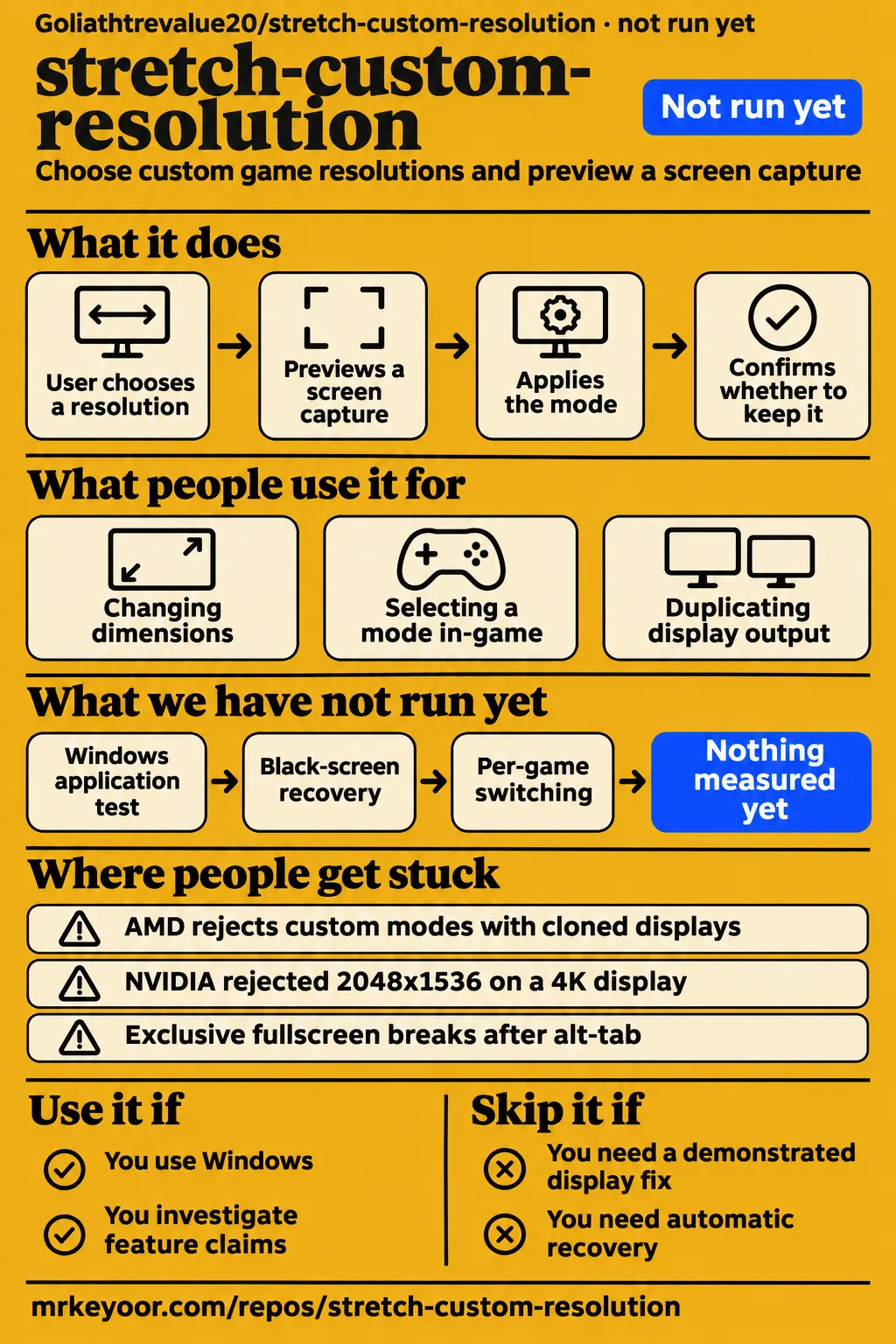
The README describes custom resolutions, three preview fits, a 15-second revert and automatic switching when games launch or exit. It gives 1280×960 stretched for Counter-Strike 2 and 1600×1080 for Fortnite as examples. In the author's proposed workflow, a user chooses a resolution, fit and refresh rate, previews a screen capture, applies the mode and confirms whether to keep it. Those are the operations the utility is intended to combine.
The README also describes reading the monitor's EDID information and the active DisplayPort or HDMI link, calculating bandwidth and checking whether DSC is needed and supported. It says driver-created modes leave the monitor's own list alone, with an EDID override available as an option. For a reader comparing tools, the distinction is useful: creating a mode, choosing how it fills the panel and switching it for a game are separate operations in the project's description.
What people use stretch-custom-resolution for
The community examples concern CRU and manual display settings: Alan describes a capture-card workflow, 1zuna describes selecting a custom mode in-game, and ItskGVLR asks about black bars. These accounts explain the jobs a resolution utility is meant to handle. They also show why a single label such as stretched resolution covers several different requests, including changing dimensions, selecting a mode inside a game and making the image fill the panel.
- Alan uses CRU for cloned output to a capture card after AMD's custom-resolution control reports a clone-mode restriction.
- 1zuna describes adding a custom PC mode and selecting 1600x1080 in-game, without naming the software used.
- ItskGVLR asks how to use CRU without black bars, making scaling the immediate problem.
Alan's example is particularly relevant to players who stream through a second PC. He says his main display is cloned to a capture card so viewers see the same output. The mode editor's response depends on that arrangement, not merely the GPU brand. In contrast, 1zuna's comment concerns making a resolution appear in the game's choices. These are different stages of setup and give readers more precise questions to ask than whether a tool supports stretching.
What happened when we ran it
Our run recorded 13 files and zero detected lines of code at commit c1a7b72; the harness returned NOT RUN because it found no supported ecosystem and no Dockerfile. The November 24, 2026 sandbox configuration was 3 CPUs and 8 GB RAM, with no image specified and language recorded as null. The checkout observations explain the harness's stopped path: it selected no supported installation, build or test workflow.
| Question | Answer | Verdict | Why |
|---|---|---|---|
| Did the build/test harness run the application? | NOT RUN; language null, no supported ecosystem, no Dockerfile; checkout recorded 13 files and zero detected lines of code | Stopped | The harness selected no supported workflow |
| Did the hands-on safety prerequisite pass? | FAILED; no compose.yaml, compose.yml, docker-compose.yaml or docker-compose.yml | Blocked | This lab path required a Compose file |
| Does the run summary demonstrate deployment? | It says deployment used the repository's own Docker Compose, with every port bound to 127.0.0.1 | Conflicting record | The required Compose-file step failed |
| Did cleanup complete? | teardown: ok | Cleanup recorded | This line reports teardown status |
The separate hands-on safety step failed its Compose-file requirement. Its error uses the phrase unsafe repo and names all four missing filenames. That wording describes the runner's prerequisite. The hands-on run summary nevertheless claims deployment with the repository's own Docker Compose, including ports bound to 127.0.0.1. The teardown record reports ok. Keeping those conflicting lines visible is more useful than turning the summary into a successful launch.
Where people get stuck: cloned output, scaling and timing
Alan's AMD control panel reports that custom resolutions are incompatible with clone mode, affinity, frame lock and lock configuration. He explains that he uses cloned displays because a capture card sends output to his streaming PC. His CRU walkthrough describes that driver restriction before demonstrating a different route. The obstacle is concrete: the driver's custom-mode control rejects the display arrangement he wants to keep.
| Person and problem | What the account reports | Useful decision |
|---|---|---|
| NguyenPhi: CS:GO showed black bars at 800x600 | Intel's suggested sequence failed; the reporter says a factory reset resolved it | Preserve the failed step when describing this account |
| Hunter-: NVIDIA rejected 2048x1536 on a 4K display | Progressive, Interlaced, DMT, CVT, Manual and Automatic options were tried | The recorded attempts end with the rejection |
| Alan: custom modes unavailable with cloned displays | Used CRU while duplicating output to a capture card | Match the workflow to the capture arrangement |
| Alan: exclusive fullscreen broke after alt-tab | Changed desktop resolution and used a borderless configuration | Window mode is part of his working arrangement |
NguyenPhi explicitly says Intel's proposed steps failed before the factory reset. That sequence should survive any shortened troubleshooting summary. Hunter-'s NVIDIA question asks for a 4:3 image without stretching, a different goal from removing black bars by filling the panel. Advice about stretched images can therefore answer the wrong question even when it uses the same resolution numbers and driver menu.
The release page lists v1.2.6
GitHub lists v1.2.6, and the README advertises a file named stretch-custom-resolution.zip for Windows 10 and 11. The v1.2.6 release page identifies commit c1a7b72 and says bug fixes, stability improvements, reduced memory usage, faster startup and minor UI fixes. Its asset area reports a loading error. The README's installation instruction is to unpack the folder and start Stretch.exe.
The repository metadata observed on November 24 records zero open issues and a last push of November 18, 2026. Those are narrower facts than a claim about the entire issue history. The MIT license grants permission to use, copy, modify and distribute the software under its stated conditions. Licensing, release notes and the harness's checkout counts answer different questions and should stay separate when judging the project.
Recovery advice distinguishes reset from restart
The CRU tutorials describe resetting configuration and restarting the graphics driver as separate operations. The recovery sequence quoted in the research synthesis names reset all.exe followed by restart 64.exe, while Alan describes the restart operation as restarting the display driver. This distinction changes how readers should interpret a tutorial promising to undo a bad configuration: the reset operation and the driver reload have different jobs in the described sequence.
The second CRU tutorial warns that restarting the driver can crash capture software during recording or streaming. It advises doing this when critical applications are closed. For someone following that tutorial, a driver restart belongs outside an active broadcast. Stretch's README describes a different recovery mechanism, automatic restoration after an unconfirmed change, and specifies a 15-second interval. Its roadmap separately lists timed apply with revert as unfinished work.
stretch-custom-resolution vs alternatives
Tier1Settings describes driver controls, CRU and its own automated tools as routes through different amounts of manual setup. Alan supplies a specific reason for choosing CRU, while LilNabe supplies a personal reason for returning to native resolution. The comparison below organizes those accounts by the problem they address, rather than assigning a performance ranking to tools that were used in different circumstances.
| Option | Why consider it | Evidence behind that choice |
|---|---|---|
| NVIDIA Control Panel or AMD Radeon Software | Create a custom mode and select full-panel scaling through driver controls | Tier1Settings describes both drivers as supporting these operations |
| Custom Resolution Utility (CRU) | Address the cloned-display obstacle in Alan's setup | Alan describes AMD's restriction and his CRU workflow |
| Tier1Stretch or Tier1Suite | Combine resolution creation and scaling in one action | Tier1Settings makes this claim about its own product |
| Native resolution | Keep the configuration a player preferred after trying true stretch | LilNabe says they returned to native |
Tier1Settings says its tool creates the resolution and sets full-panel GPU scaling in one action. It also identifies Tier1Suite as the tool its authors build, so the recommendation has a visible commercial interest. LilNabe says true stretch did little for them and they now play native. Together, these accounts offer choices about configuration effort and personal preference; Alan's cloned-output example adds a specific driver obstacle to that decision.
What the other reviews get wrong
Frozen Tweaks overstates its borderless-mode rule, the Steam CS2 guide promises player improvement, and one CRU tutorial blurs reset and restart. Each correction has a concrete counterpart: Alan describes a stretched borderless configuration, VLR.gg participants report mixed results, and the recovery tutorials name separate operations. Keeping the corrections specific avoids replacing one universal claim with another.
Frozen Tweaks says borderless windowed mode bypasses GPU scaling and produces an unstretched image. Alan describes his Valorant configuration as windowed borderless, after changing desktop resolution, and says his exclusive-fullscreen attempt breaks after alt-tab. The correction is to remove the universal borderless prohibition and describe the actual configuration. His account includes both desktop and game settings, which the shorter rule leaves out.
The Steam CS2 guide promises that switching to stretched will make the reader a better player. In contrast, kfan4238173 reports no rank increase and LilNabe reports returning to native. The second CRU tutorial also says restart 64.exe restores original resolutions and undoes changes. The corrective recovery description must retain the reset operation before the driver restart, rather than assigning both jobs to restart alone.
FAQ
Creating a custom mode alone does not remove black bars: Tier1Settings describes full-panel GPU scaling as the second step. The vendor's comparison explains that two-step workflow, which directly addresses ItskGVLR's question about CRU and black bars. The questions below also cover the rejected NVIDIA mode, personal gaming results and the window-mode behavior Alan describes, keeping each answer tied to the account that supports it.
How do I get stretched resolution without black bars?
Tier1Settings describes creating a custom resolution and forcing full-panel GPU scaling. Its comparison separates mode creation from scaling, so adding a resolution is only one part of the described setup. Alan's tutorial adds another practical detail: his cloned-display arrangement affects which custom-mode editor he can use. The relevant controls therefore depend on both the desired image fit and the path carrying the display output.
Why does NVIDIA reject a custom 2048x1536 resolution on my 4K display?
Hunter-'s report records the rejection after attempts with several timing options, including DMT and CVT. The NVIDIA custom-resolution question asks for old games in 4:3 without stretching and says a previous Radeon setup allowed custom resolutions. It records a problem and attempted settings rather than a cause. The useful detail to preserve is the intended aspect ratio, because instructions for filling the whole panel pursue a different result.
Does true stretched resolution actually help me improve at Valorant?
VLR.gg participants report different outcomes: kfan4238173 likes the configuration but reports no rank increase, while LilNabe returned to native. Their Valorant discussion separates liking the appearance from improving results. The same exchange includes sensitivity preferences: SiwooHaechok says they changed sensitivity little, and Quavers says they kept it. These are personal reports about settings and play, with no universal adjustment emerging from the conversation.
Does true stretch work in exclusive fullscreen, and what happens when I alt-tab?
Alan says his exclusive-fullscreen approach is inconsistent and breaks after alt-tab; he instead describes a borderless configuration. His Valorant walkthrough includes a 1568x1080 desktop mode and game settings. That sequence explains why he chose borderless for his capture-card arrangement. It also provides the specific counterexample to a blanket instruction that stretched configurations must always use exclusive fullscreen.
What we have not tested yet
Stretch has no completed Windows application test in our November 24 record. We did not run it: the harness stopped without a supported ecosystem or Dockerfile, and the separate hands-on path failed its Compose prerequisite. The 13-file, zero-detected-code observation does not prove application source is absent, and the runner's unsafe repo label is not a malware finding. Sandbox CPU and RAM settings are not application requirements; actual runtime and operating-system versions require the raw toolchain logs.
The release ZIP's availability and contents have not been checked, and the release-page asset area showed a loading error. No source-to-binary inspection, permissions review, network-activity test or update-behavior test is recorded. Repository metadata establishes zero open issues, not an empty historical tracker; historical issue activity and maintainer responsiveness are unassessed. The release notes' memory and startup claims have no comparative measurements here, and the lab supplies no elapsed installation time or passing-test count.
No project-specific results cover custom-mode application, black-screen recovery, per-game switching, hybrid laptops, Intel internal panels, cloned displays, capture cards or restoration after a crash. Intel's support statement describes a hardware limitation for custom resolutions on internal displays. Community and tutorial accounts concern other tools. Controlled FPS, latency, image-quality and aim comparisons, anti-cheat safety, and the rendered review layout are also outside this assessment. A useful next result would document a Windows launch, an applied mode, a declined confirmation and restoration of the original mode.