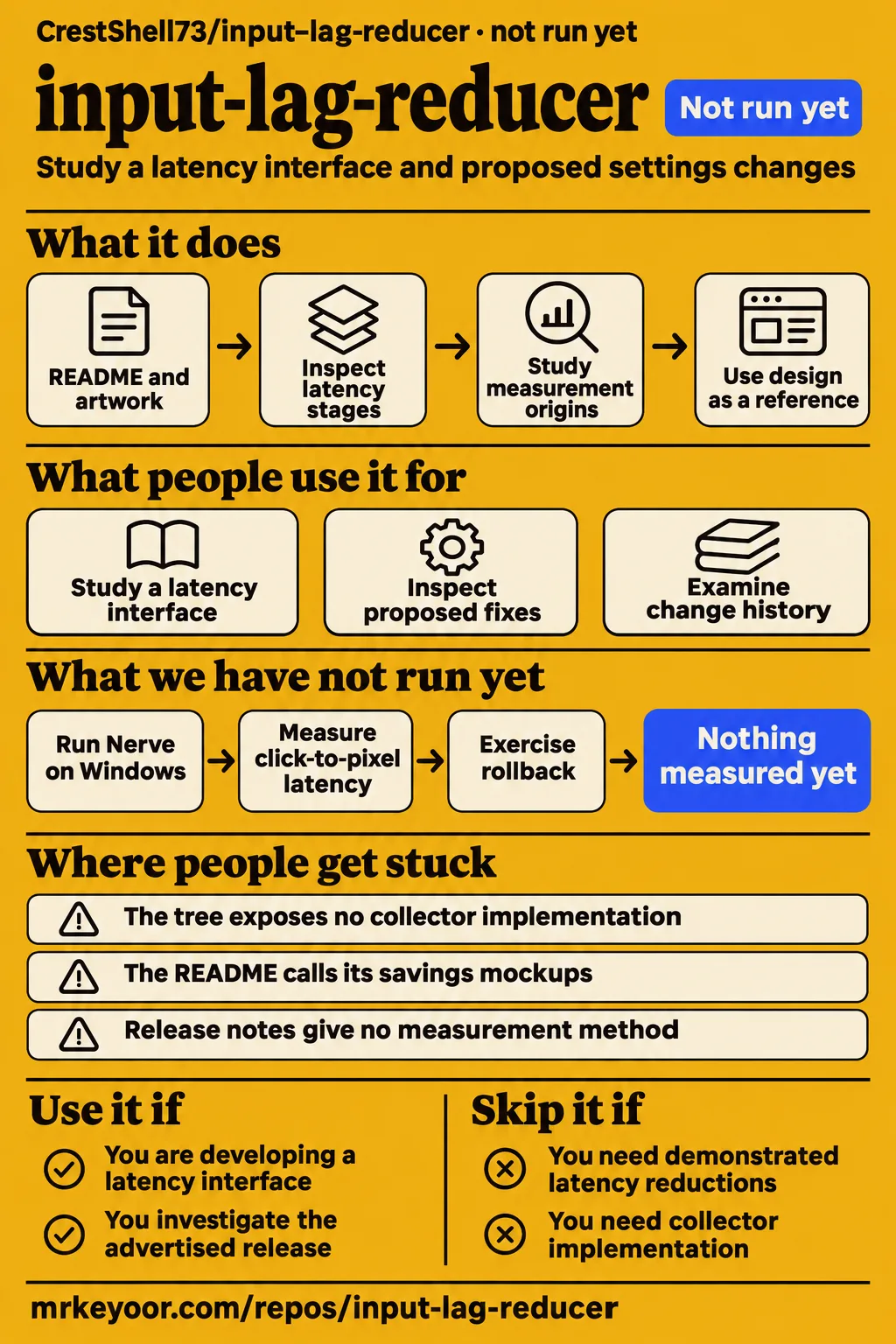
Nerve's README calls its illustrated savings mockups, and the reviewed repository exposes interface artwork rather than application implementation. That makes CrestShell73/input-lag-reducer useful to developers studying a latency interface, while giving gamers no demonstrated reduction to base an optimizer choice on. The distinction comes from the README, the complete file listing at commit 51b2aec and our stopped sandbox attempt, rather than a Windows gameplay comparison.
What you can do with input-lag-reducer
You can inspect Nerve's interface design; the reviewed tree exposes no application implementation. The complete listing at commit 51b2aec contains README.md, CONTRIBUTORS.md, LICENSE, repository settings and image assets. Its artwork presents a latency ledger, a list of proposed fixes and a history of changes. Those files give a developer concrete interface material to study, including how the project separates stages and presents the origin of a number.
The Nerve README divides the proposed path into mouse polling, Windows, game simulation, render queue, GPU, scanout and panel response. It describes labels for measured and estimated stages, a histogram of the last 2,000 clicks, and an individual price in milliseconds for each proposed change. The immediate practical use is examining that explanation and its visual structure. A contributor seeking raw-input collection code instead encounters an unchecked collector roadmap item.
What people use input-lag-reducer for
Nerve's README proposes latency diagnosis, settings checks and change restoration; the community accounts here concern other experiments. The feature description connects those three intended uses through a single workflow: identify a stage, show a proposed saving, then retain the previous setting. That sequence explains the product's intended audience without turning unrelated reports of smoother games into accounts of Nerve adoption.
| Intended use or adjacent activity | What the evidence describes | Useful distinction |
|---|---|---|
| Study a latency interface | Nerve's README and artwork show stages, savings and change history. | The design is available for inspection in the repository. |
| Investigate perceived responsiveness | dermodemon's Blur Busters post describes stuttering and input delay, followed by changes to monitoring and Windows graphics settings. | The account concerns that participant's configuration. |
| Compare polling consistency with latency | The mouse-buffer video discusses queue-size comparisons and reports unchanged end-to-end and mouse latency. | The creator distinguishes input-report consistency from the measured latency outcome. |
| Read subjective settings advice | hot_coffee's forum post describes changes felt in games and calls the tips system and game dependent. | The author frames the recommendations around perceived input lag. |
These examples explain the problem Nerve aims to address: several different observations can be described as input lag. Nerve's proposed ledger assigns separate names to the stages, while the video distinguishes consistency from end-to-end latency and hot_coffee describes subjective feeling. Keeping those categories visible makes the interface worth studying. The named community participants and video creator retain ownership of their respective observations.
What happened when we ran it
Our November 24, 2026 run at commit 51b2aec stopped before application execution. The harness recorded 13 files and zero detected application LOC. Those automated counts describe the checkout, while the independently inspected recursive tree identifies its actual contents and reports truncated:false. Together, they explain the practical consequence: this checkout offers no collector implementation to inspect. Zero detected LOC is the harness's result, rather than a claim about every possible release artifact.
| Recorded check | Answer | Verdict | Why |
|---|---|---|---|
| Ecosystem detection | No supported ecosystem; language null | No application execution | The harness selected no supported install, build or test route. |
| Dockerfile | Absent | No Dockerfile route | The harness recorded dockerfile:false. |
| Separate deployment safety check | Failed because no supported Compose filename existed | Deployment stopped | The safety step required a Compose file. |
| Teardown | ok | Cleanup completed | The teardown record reports cleanup, rather than application behavior. |
The recorded sandbox configuration was 3 CPUs and 8g RAM, with image n/a. The harness also recorded a repository size of 1.4 MB and total duration of 3 seconds; that duration belongs to the harness attempt, not installation or startup. Install, build, test, dependencies and audit results are null. These details give the stopped attempt a concrete scope without converting repository inspection into a performance test.
The failed safety step returned: "unsafe repo: none of compose.yaml, compose.yml, docker-compose.yaml, docker-compose.yml exists (rule: a compose file is required)". A separate run description says "deployed with its own docker compose on our lab server, every port bound to 127.0.0.1". The explicit failure records where execution stopped; the descriptive deployment label is not a successful deployment result. The word "unsafe" belongs to that prerequisite error.
Where people get stuck: the download promise outruns the roadmap
The README advertises a Windows executable while leaving collectors, the ledger, checks and revert history unchecked. Its download instructions say to unpack input-lag-reducer.zip v1.2.6 and start Nerve.exe on Windows 10 or 11. Elsewhere, the roadmap checks off only branding, icons and screens. A reader deciding what the executable implements therefore faces two different descriptions on the same project page.
| What you encounter | Concrete question for the maintainer |
|---|---|
| A release archive alongside an unchecked collector roadmap | Which source revision implements the collectors in v1.2.6? |
| A saving shown before applying a change | Which baseline and calculation produced that saving? |
| A Revert control in the artwork | Where is the implementation that stores and restores the original value? |
These questions follow directly from the advertised workflow and the reviewed tree. The release page lists bug fixes, stability improvements, reduced memory usage, faster startup and minor UI fixes. Its visible notes give no before-and-after figures or measurement method. For a contributor, the useful next step is identifying the source corresponding to that release and mapping its features to the roadmap entries.
The README's illustrated savings are mockups
The README identifies its 14 ms example as a sample PC in mockups. Its answer to "Is 14 ms a promise?" begins: "No. It is the sample PC in these mockups." That sentence controls how the ruler, proposed changes and displayed savings should be read. The image is an illustration of the intended workflow, rather than a result measured during our sandbox attempt.
The same README explanation of the numbers describes scanout as half a refresh period and panel response as the monitor's rated figure, both estimated. It says scanout and panel response stay estimates until a photodiode is connected, and leaves photodiode mode on the roadmap. This is a useful distinction within the design itself: the displayed total combines categories whose stated origins differ, and the author says the total is labelled accordingly.
Security promises include undo and avoiding registry tweaks
Nerve's README says it avoids registry hacks, driver reinstalls and timer tricks. It also describes storing old values, offering Revert for each change and Restore everything. These are concrete author statements about the intended settings workflow. The roadmap's unchecked change-log entry makes the corresponding implementation an important question, especially because the interface presents reversal as part of applying a change.
The README's ban-related answer says Nerve reads timings Windows exposes, changes settings users could adjust manually and does not hook into the game. Separately, the mouse-buffer video's creator reports that lowering the buffer too far stopped the mouse working and left no easy reversal. That incident concerns the creator's buffer experiment. Keeping its attribution intact avoids turning a warning about a different settings experiment into a defect report for Nerve.
input-lag-reducer vs PresentMon and GDInputLag
PresentMon documents graphics timing collection, while GDInputLag targets an older Geometry Dash setup. The PresentMon README describes CPU, GPU and display frame durations and latencies, a console collector, a service and a capture application. Those roles make it a relevant option for collecting graphics performance data. Nerve's reviewed repository instead gives readers an interface proposal and a roadmap against which to ask implementation questions.
| Project | Documented role | Pick it when |
|---|---|---|
| CrestShell73/input-lag-reducer, branded Nerve | A proposed per-stage ledger, suggested changes and undo, described in the Nerve README. | You want to study the interface or investigate the source behind its advertised release. |
| GameTechDev/PresentMon | Windows graphics performance collection and analysis, described in the PresentMon README. | You need graphics timing captures and CSV data. |
| theyareonit/GDInputLag | A Geometry Dash 2.1 mod, restricted by its project instructions. | You maintain that older setup without Mega Hack v7.1.1 or above. |
PresentMon's console application can collect CSV data from target applications. Its capture application can display an overlay and capture per-frame CSV data, according to the same README. The GDInputLag instructions say Geometry Dash 2.2 does not need the mod and that Mega Hack v7.1.1 or above already includes an equivalent option. These are differences in documented purpose and applicability, rather than a ranking based on comparative speed.
Which version this review covers
The reviewed checkout is commit 51b2aec; the release page associates v1.2.6 with b302990. The v1.2.6 release page also shows one commit to main since the release. Naming both revisions keeps the repository inspection attached to the checkout actually examined, rather than silently treating a later main-branch tree as the contents of the release tag.
The README names v1.2.6 in its download instructions and describes the project as free, open source and available for Windows 10 and 11. Its credits say Nerve's own code, brand and screens are MIT. The similarly named mirroxjoshuaperry/input-delay-utility has its own "Input Lag Reducer: Precision Response Optimizer" heading. That separate repository's compatibility and feature descriptions belong to that project, so they do not fill implementation questions about CrestShell73's Nerve.
FAQ
The mouse-buffer video's creator reports unchanged end-to-end and mouse latency, despite differences in polling consistency. That reported outcome answers the directly relevant question about whether a more consistent input-report pattern necessarily produced a lower measured delay in that experiment. It also explains why Nerve's proposed distinction between stages and measurement origins deserves attention before treating a smoother-looking graph as a latency saving.
Does changing mouse data queue size actually reduce input delay?
The video's creator reports that end-to-end latency and mouse latency were completely unaffected. In the comparison excerpt, the creator describes decimal 20 as tighter but decimal 54 as having a more uniform spread, then says they felt little difference between those values. The concrete result is the creator's separation of polling behavior from latency; it supplies no basis for assigning a saving to Nerve's proposed settings workflow.
Can setting the mouse buffer too low stop the mouse from working?
The video's creator says going too low stopped the mouse working and made reversal difficult. The account of that failed experiment explicitly says there was "no easy way to revert it". Nerve's README describes a different approach, avoiding registry hacks and retaining original settings. The practical connection is the importance of an implemented restoration path, which is why the unchecked change-history roadmap entry matters to this review's recommendation.
Which input latency tweaks have actually been tested?
The mouse-buffer video reports a queue-size comparison with unchanged end-to-end and mouse latency. Its results discussion includes the creator's warning that a small observed difference could be margin of error. For Nerve, the recorded activity here is repository inspection and a stopped sandbox attempt. The two records answer different questions: one reports a separate tweak experiment, while the other documents what happened when this checkout reached the deployment prerequisite.
What we have not tested yet
We did not run Nerve on Windows, execute or inspect its release archive, reproduce installation, measure click-to-pixel latency or exercise rollback. The sandbox configuration supplies no Windows version or runtime version. Collector accuracy, restoration after restart, compatibility, ban safety and the release's memory or startup improvements therefore have no independent result here. No performance comparison with PresentMon or GDInputLag was executed, and the community material contains no attributed Nerve user outcome.
PresentMon's README documents less accurate GPU execution metrics with hardware-accelerated GPU scheduling and reduced instrumentation for typical OpenGL and Vulkan applications. Those documented boundaries belong alongside any future comparison method. A meaningful Nerve evaluation would need release-matched source, a Windows baseline, repeated measurements with estimates labelled, and a restoration exercise after restarting the application. Rendered page layout, image rendering, accessibility and site recommendation modules also fall outside this text review. The present recommendation is to use Nerve's design as a reference and choose a documented collection workflow for a graphics timing investigation.