Your fal key is the entry ticket to making a film
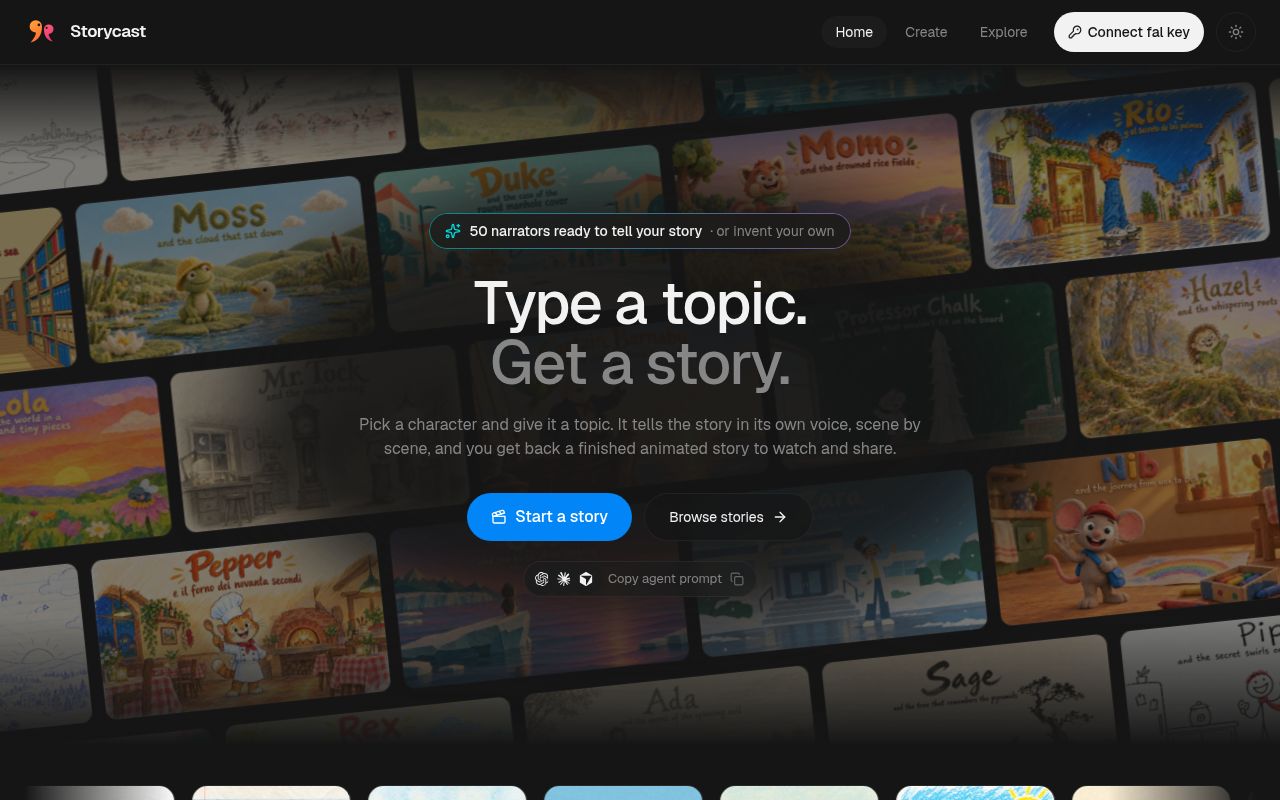
Storycast asks you to connect your own fal key before generating a narrated animated film. You choose a topic, narrator, visual style, voice, and length; the application coordinates the script, images, speech, and video through fal endpoints. That is appealing if connecting these steps is the work you want to avoid. It also makes the provider account part of the product: hosting the page yourself does not move generation onto your computer.
Our measured checkout occupied 27.2 MB and contained 270 files with roughly 12,601 lines of source. The visible app lives in web/, while the lab's npm path was share/, the optional sharing service. That distinction changes what the result means. A successful dependency install for the sharing worker tells you something about that component's setup. It cannot show whether the separate browser application completes a film, preserves a character's appearance, or tells an accurate story.
What happened when we ran it
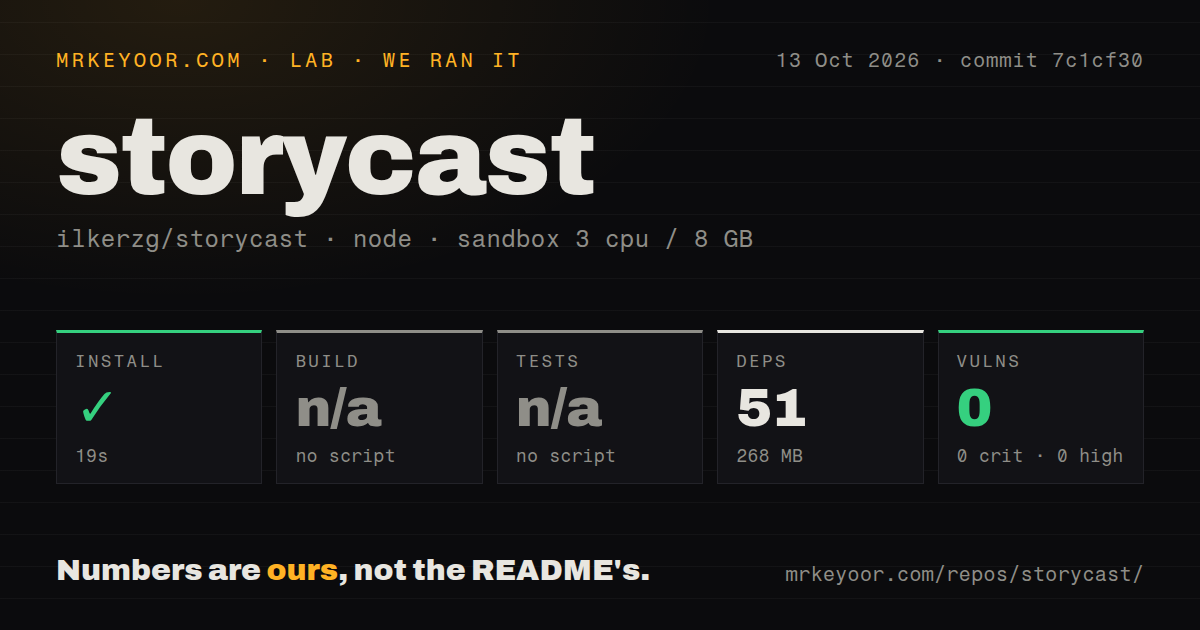
Our run installed 51 npm packages in 19 seconds and occupied 268 MB on disk, using Storycast's share/ project at commit 7c1cf30. We cloned it on October 13, 2026, into a fresh Debian sandbox with 3 CPUs, 8 GB of RAM, and the lab-node:22 image. The container had no secrets and no elevated privileges. Installation succeeded. These measurements belong to the worker project, so they should not be used as frontend setup or rendering measurements.
The build and test steps were skipped because the measured project had no scripts or targets for them. Npm audit reported 0 known vulnerabilities. Our scan found no CI workflow files, Dockerfile, or tests directory. A clean audit describes known dependency advisories in that run; it does not check film quality, account handling, or sharing behavior. We have no measured film completion time, generation cost, or output-quality result to attach to the successful install.
The browser coordinates services rather than generating offline
The 19-second install is the easy part of a workflow that still needs a fal account and access to the endpoints named in the README. The director writes a script in scene blocks, images establish the narrator and keyframes, and narration provides the timing for animated or lip-synced shots. Later steps compose music, assemble the footage, and add subtitles. Each handoff introduces an output worth inspecting before you accept the finished film.
The README's explanation of those handoffs is useful: an on-camera line has different requirements from voice-over footage. A polished final edit can still carry a factual error from the generated script or an awkward visual transition. I'd use Storycast for an explainer I can review scene by scene, with reference material beside me. For lessons or factual publication, you remain responsible for checking what the narrator says. The repository's example films demonstrate the intended format, not our evaluation of its accuracy.
Optional sharing requires a Cloudflare service you operate
The 268 MB installed footprint in our sandbox did not create a working public sharing deployment. The README separately requires a Cloudflare Worker, D1 database, R2 bucket, and Turnstile widget. You configure the database identifier and allowed site origins, then set the worker's IP_SALT, TURNSTILE_SECRET, and FAL_KEY secrets. The frontend also needs its sharing API address and Turnstile site key. This is a second deployment with account configuration, not another button on a static host.
Without that worker, sharing is hidden. The documented route for publishing a submitted film to Explore includes changing its status in D1. That gives an operator a concrete publication step, but it also creates work for whoever runs the gallery. If your requirement is simply to download a film for your own use, I'd leave sharing out initially. Add the worker when you have a reason to store media and handle submissions on a service you control.
Browser credential storage may rule out your deployment
The dependency audit's 0 known vulnerabilities does not answer whether you want a provider credential inside the browser. Storycast's fal client stores the key in sessionStorage by default and in localStorage if you choose to remember it. The key dialog starts with remembering disabled, and the client can clear both stores. Those are concrete behaviors you can inspect in web/src/lib/studio/fal.ts. They still require you to trust the browser page receiving your key.
A team that requires provider credentials to stay behind a server should choose another architecture or change this one deliberately. The README presents direct browser use with your own key, so there is no reason to pretend the default design meets that policy. This is also a poor choice for confidential material that cannot reach hosted generation services: Storycast routes its creative pipeline through fal. A static deployment is easy to host, but the content still travels to external processing.
September activity gives little evidence about ongoing support
The last push was September 25, 2026. GitHub showed 233 stars and 0 open issues and PRs, and the latest-release endpoint returned no published release. The issue listing was also empty. That is limited public support evidence, not proof of abandonment or proof that users encounter no problems. The checkout had no license file, and GitHub reported no recognized license. I'd settle reuse permission before adopting the code for a product, rather than assume a public repository supplies it.
Remotion is worth examining when you want to define video compositions in React and control the edit yourself. MoviePy is the alternative for scripting edits in Python with footage and audio you supply. Neither is a direct substitute for Storycast's generated narrator workflow. Storycast earns a trial when that workflow is exactly what you need and you accept fal processing. Connect a key only after you trust the deployment, then judge a completed film before wiring it into publication.