Five streaming presets control one network interface
Stop Stutter watches 5 native clients: Moonlight, GeForce NOW, Punktfunk, Parsec, and Steam Link. Launching a selected app in Auto mode asks a privileged helper to bring awdl0 down. Quitting the last watched app releases that request and restores AWDL. You can add another macOS application by bundle identifier, or use Always on for browser-based streaming that cannot be detected as a discrete session.
The approach targets a real but narrow failure mode. AWDL shares the Mac's Wi-Fi radio with the normal router connection, and its channel activity can delay packets. A live game stream notices jitter more than a buffered download does. Stop Stutter cannot diagnose the cause for you. The README recommends comparing the same scene, bitrate, and network setup with Boost off and on before leaving automation enabled.
What happened when we ran it
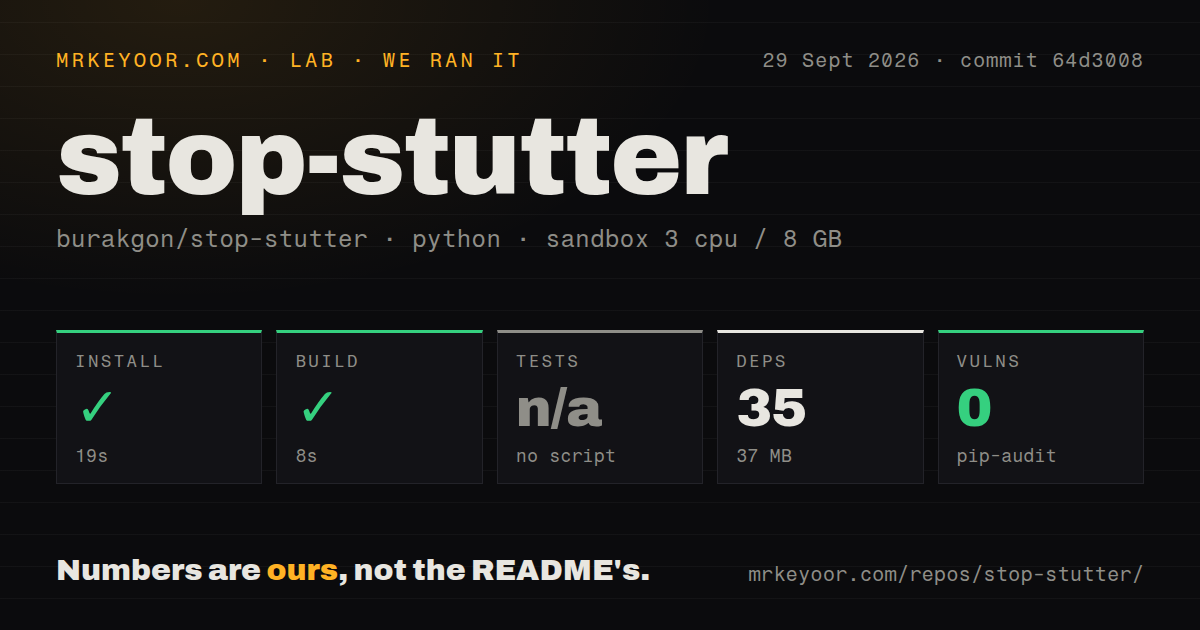
Our Debian sandbox classified commit 64d3008 as a Python ecosystem, installed 35 packages in 19 seconds, and used 37 MB on disk. The harness-reported build succeeded in 8 seconds. Pip-audit found 0 known vulnerabilities. The checkout contained 52 files, about 2,521 lines of source, and occupied 2.7 MB.
The standard test step was skipped because the harness found no supported script or target. It recorded 1 CI workflow and no Dockerfile. This result does not validate the Swift package, the macOS application bundle, code signing, helper approval, or live AWDL control. The repository documents swift test and a macOS CI job, but our fresh Debian run could not substitute for the Apple toolchain and runtime.
A 10-second lease limits the damage from a dead app
The helper receives a heartbeat every 2 seconds and gives each connection a 10-second lease. If the app freezes or stops renewing, the lease expires and restoration begins. A 1-second safety check backs up interface events. The design also records a root-owned recovery marker before first disabling AWDL, so a restarted helper knows that it owes the machine an interface restore.
The XPC boundary is intentionally small. The app asks only to renew or release its own lease; it cannot pass shell commands, executable paths, or a different interface name. Both sides check the peer's signing identity and team. That does not remove the consequence of the operation. Boost deliberately changes a network interface with elevated permission, and a power loss, missing interface, OS error, or forced helper removal can still interrupt automatic recovery.
Manual recovery is documented as bringing awdl0 up with ifconfig. Stop Stutter also warns against running another AWDL controller at the same time. Competing utilities can undo each other's state, which turns a simple on/off workaround into a hard-to-read race. Pick one controller and verify the interface after uninstalling it.
v0.1.0 has no frame-loss or latency benchmark
Release v0.1.0 was published on September 4, 2026, as a signed and notarized universal app for macOS 14 or later. Its validation record covers helper installation, real interface changes, automatic activation with Punktfunk, restoration, lease handling, signature rejection, and removal. It explicitly says those checks establish control behavior rather than stream quality. No before-and-after FPS, latency, or frame-loss benchmark was run.
That honesty changes how to evaluate the app. A working helper proves that AWDL went down and came back. It does not prove that a particular Moonlight or GeForce NOW session improved. The release notes also leave Intel hardware and older supported macOS runtime coverage open. Universal compilation confirms the binary contains both architectures; it is not hardware testing.
Boost disables AirDrop-related features during play
The trade is visible and immediate: Boost leaves regular Wi-Fi running but suppresses AWDL. AirDrop, peer-to-peer AirPlay, and some Continuity functions may stop working until the session ends. Auto mode reduces that interruption by tying it to watched application lifetime, although the app cannot tell whether the client is actively streaming. Sitting in a client's menu or leaving it running in the background keeps Boost active.
The default source build adds another limit. Xcode 26 or later can produce an ad-hoc UI preview, but the privileged helper rejects that identity. Developers need their own Apple Development or Developer ID certificate for live helper work, and notarization may be necessary for installation. Downloading the maintainer's release is much easier than reproducing the entire signed behavior from source.
A September 27 push followed the first release
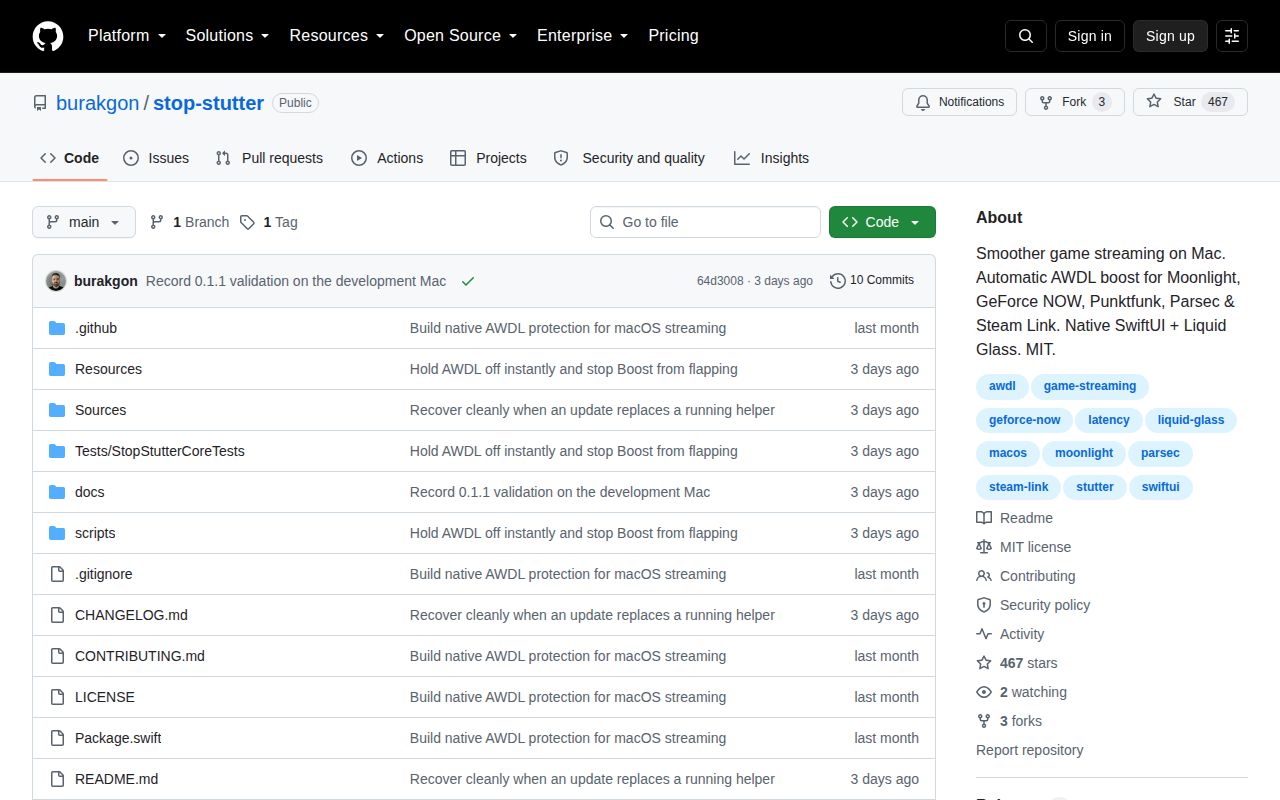
GitHub showed 467 stars, 0 open issues and pull requests, and a last push on September 27, 2026. The only closed user request asked for menu-bar operation without a persistent Dock icon; the matching change was merged the same day. That is encouraging response time, though a zero-item queue does not tell us how many independent Macs have tested the helper.
Stop Stutter is best treated as a controlled experiment you can automate after it works. Compare Boost off and on in one repeatable session, watch the streaming client's own jitter or dropped-frame display, and keep the utility only if the difference survives repetition. The project gives you a careful controller and recovery path. The result still depends on whether AWDL was your problem in the first place.