mrkeyoor.com_
Thu 01 Oct 08:13 UTC
AI Toolsevaluationupdated 01 Oct 2026

souchastnik review

Souchastnik is a Russian-language Android keyboard that uses a local model to flag possible Russian legal consequences while you type. Its README, interface, and developer notes are in Russian, and we found no English documentation. It also inserts labels for named organizations and people from local dictionaries, without requesting internet access.

Verdict

Our 75-second dependency install completed, but both the build and test steps failed after 13 seconds because Gradle could not find an Android SDK. Souchastnik is an interesting privacy design and an early Russian-language experiment, not a legal authority or a reproducible release from this checkout. Try the published app only if you accept its arm64 Android limits and will treat every warning as fallible.

We ran it

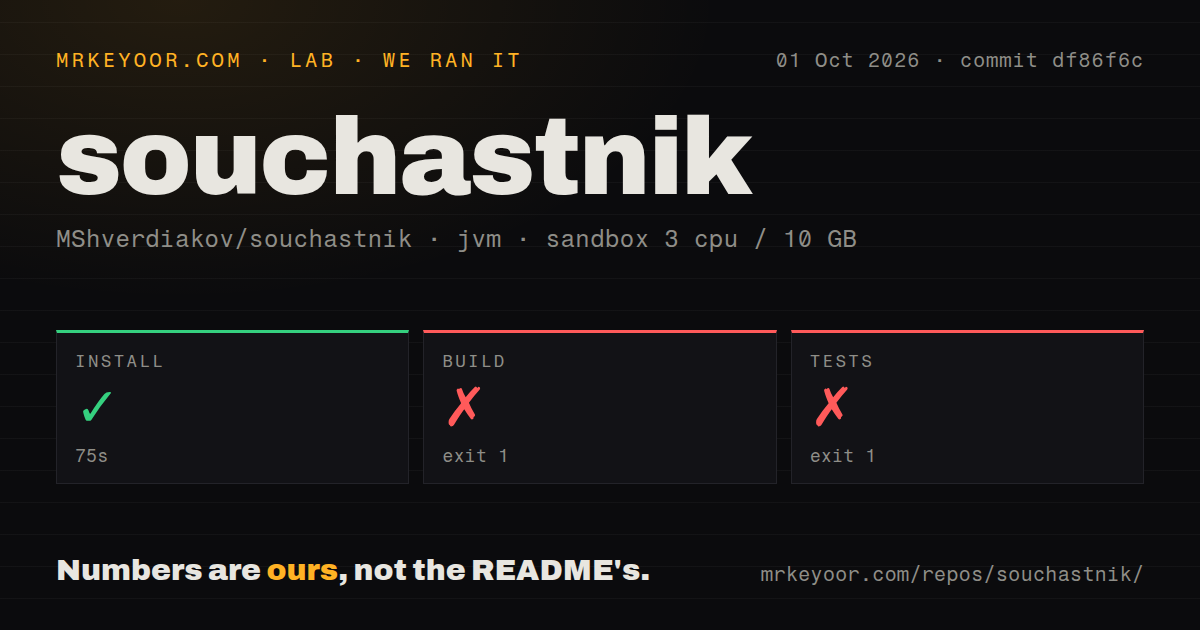
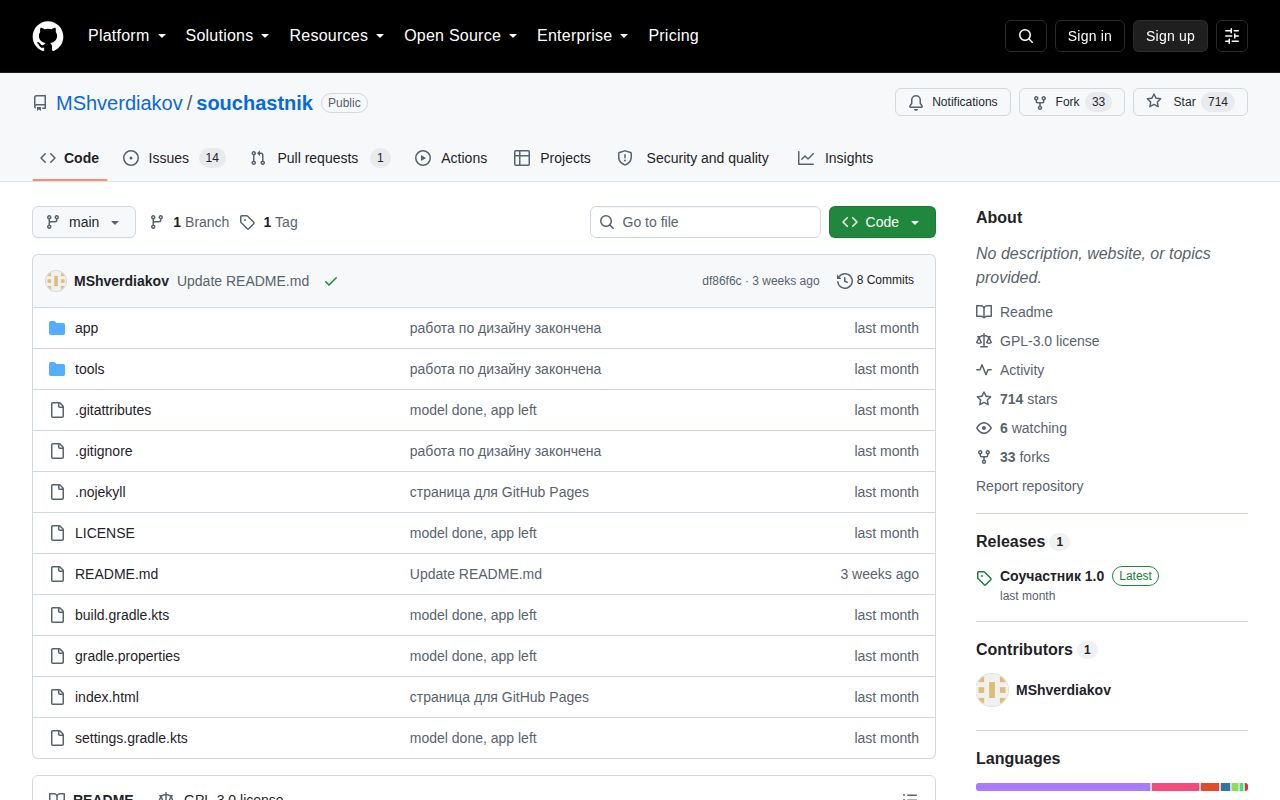
Lab card: what happened when we ran souchastnikScreenshot of souchastnik (github.com/MShverdiakov/souchastnik)
Install✓ · 75s
Build✗ · 13s
Tests✗ · 13sran, no count parsed
Repo47 files~2,780 lines of source · 0.2 MB · 0 CI workflows

Answers from our run

Does souchastnik build from source?

Dependencies installed in 75 seconds, and the build failed. We cloned commit df86f6c into a clean Debian container with 3 CPUs and no project-specific setup.

Do souchastnik's tests pass?

The test command failed in our container, and its output did not report a pass or fail count.

Who should not use souchastnik?

Anyone making legal decisions from the result: the README says AI can make mistakes, and open issues 22 and 23 report missed extremist-content detections.

What are the alternatives to souchastnik?

HeliBoard, FUTO Keyboard, AnySoftKeyboard. Our 75-second dependency install completed, but both the build and test steps failed after 13 seconds because Gradle could not find an Android SDK.

Setup1/5Install passed, but build and tests stopped at Android SDK setup
Docs2/5Clear privacy design, but Russian-only and missing a full build path
Community3/5714 stars and active issue discussion in a very young repository
Maturity2/5v1.0 has open detection, layout, and compatibility reports

Who it’s for

Russian-speaking Android users who understand that its output is a warning, not legal advice.
Privacy-minded developers studying an input method that runs its model on the phone and omits internet permission.
Android engineers interested in packaging a quantized GGUF model inside an arm64 app.
Researchers willing to inspect the manifest, source, and output before treating any classification as useful.

Who it’s NOT for

Anyone making legal decisions from the result: the README says AI can make mistakes, and open issues 22 and 23 report missed extremist-content detections.
Non-Russian readers: the product, README, code comments, and issue discussions are Russian, with no English guide.
Android devices below version 9 or without arm64 support: those are explicit platform limits.
Teams requiring a reproducible release from the public checkout: the model file and trigger dictionary are not committed, and our build could not configure without an Android SDK.
Users expecting a settled daily keyboard: open issues report an incompatible package on one device and a layout extending beyond the keyboard frame.
Older phones where several seconds per phrase is unacceptable: the README reports a slower path on processors without dot-product instructions.

Setup reality

Our sandbox installed the JVM dependencies for commit df86f6c in 75 seconds. The build then failed with exit 1 in 13 seconds, and the test step failed with exit 1 in 13 seconds. Both stopped during Gradle configuration because it could not find an Android SDK location.

You must provide ANDROID_HOME or set sdk.dir in local.properties. The log also warned that without keystore.properties, a release build uses a debug signing key and must not be published. The repository has no CI workflow, Dockerfile, or tests directory.

The public checkout has 47 files, about 2,780 source lines, and occupies 0.2 MB, but it excludes the model weights and trigger dictionary. The app targets Android 9 or newer on arm64. Building the intended classifier requires the Android SDK, native build tooling, llama.cpp inputs, the model file, and private trigger data.

The manifest gives this keyboard no internet permission

Souchastnik is an Android input method, so it can see what a user types. Its clearest design choice is in AndroidManifest.xml: there is no android.permission.INTERNET, and the app removes an AndroidX-added receiver permission during manifest merging. The README tells users to inspect the built APK with aapt. This is stronger evidence than a privacy-policy promise, though buyers should still verify the exact APK they install.

The source also skips password, visible-password, web-password, PIN, and card-number input types. It reads up to 400 characters before the cursor for analysis and runs the model in a separate process, allowing the keyboard to remain available if Android kills the engine for memory pressure. These controls reduce exposure inside the app. They do not prove that every device build matches the source.

A 0.8B local model answers a narrow Russian-language question

The app pairs a quantized Qwen3.5-0.8B model with llama.cpp. A local trigger dictionary first narrows the possible legal articles, then the model decides whether the typed phrase appears to match one. Separate dictionaries append mandated labels for named entities and services. The product is therefore specific to Russian text and Russian legal references, even though the keyboard declares both Russian and English input subtypes.

The README says Android 9 or newer, arm64, and 4 GB of RAM are required. It reports 4 to 6 seconds per phrase on its tested phone and 15 to 20 seconds on older cores without dot-product instructions. Those are project claims, not our measurements. We did not reach an APK or run inference, so we cannot confirm latency, classification quality, memory use, or the claim that password suppression works in the published release.

What happened when we ran it

Our fresh Debian sandbox installed commit df86f6c in 75 seconds using the JVM 21 image. It had 3 CPUs, 10 GB of RAM, no secrets, and no elevated privileges. The repository contained 47 files, about 2,780 source lines, and occupied 0.2 MB. Installation succeeded, but the next two steps did not.

The build exited with status 1 after 13 seconds. Gradle reported that the Android SDK location was missing and told us to set ANDROID_HOME or add sdk.dir to local.properties. The test command failed at the same configuration stage with exit 1 after 13 seconds. Its log gave the same SDK error, so it did not establish whether any application behavior passes.

A release build needs assets that the public checkout omits

The Gradle file targets SDK 35, uses Java 17, builds only arm64 native code, and expects CMake 3.22.1. None of that is introduced in the public README as a source-build checklist. Our log also printed the project's own warning that a missing keystore.properties causes release output to use a debug key, which must not be published.

Model weights are deliberately excluded from Git. The maintainer guide under jniLibs explains where to place the renamed GGUF file and how to fetch a public base model, while the README says the legal trigger dictionary is available only by request. With 0 CI workflow files, no Dockerfile, and no tests directory in our scan, a contributor must assemble the Android SDK, native toolchain, model, trigger data, and signing material before reproducing the intended release.

Open reports challenge both classification and device fit

Issues 22 and 23, opened September 16, show cases that reporters say the app did not flag as extremist content or searches for such material. The reports consist mainly of screenshots and have no maintainer diagnosis, so they do not establish a cause. They do establish that users have observed missed classifications, which is enough reason to reject the output as legal advice. The README makes the same disclaimer.

Device reports point to ordinary keyboard risk as well. Issue 20 says the package appeared incompatible or damaged on a Realme 10 Pro+, while issue 21 shows the keyboard extending beyond its frame. Both were open with no comments when checked on October 1. Issue 5 asks for NPU support and has an open pull request attached to that work, but discussion also records differing results across test builds.

v1.0 has attention, but only a short operating record

GitHub showed 714 stars and 15 combined issues and pull requests on October 1, 2026. The repository was created August 31, pushed September 7, and its latest release is v1.0 from September 3. Issue activity continued after the last source push, including compatibility and missed-detection reports. That combination looks like an early project receiving real user feedback, not an abandoned repository.

Souchastnik makes one admirable trade: the local model increases the APK and device burden so typed text does not need a network service. The privacy mechanism is inspectable. The legal classification is much harder to trust, especially when the matching dictionary is unavailable in Git and users report misses. Treat it as provocative software for informed testing. For daily typing, a mature offline keyboard is the safer choice; for legal questions, use a qualified human.

Alternatives

ProjectWhat it isPick it when
HeliBoardA customizable Android keyboard built around local typing and privacy.pick this instead when you want a practical private keyboard without legal classification.
FUTO KeyboardAn Android keyboard with source available through FUTO's public mirror.pick this instead when everyday typing features and broader device use matter more than Souchastnik's Russian-law experiment.
AnySoftKeyboardA multilingual Android keyboard designed to work without internet access.pick this instead when language packs and a long-running keyboard project matter more than on-device legal warnings.

What people are saying

  1. [velocity-scout] MShverdiakov/souchastnik

Sources

  1. Souchastnik README
  2. Android manifest
  3. Android build configuration
  4. Model packaging notes
  5. Missed detection report 22
  6. Device compatibility report 20
  7. Souchastnik v1.0 release

More ai tools reviews

unigit-ecosystem · handraw-style · dlssg_for_sm86 · glm-flash-offline-client · cyber-resume-reviewer-skill · RuiC-card-skill · the whole board →