Version 0.3.5 makes older RTX cards look newer to a game
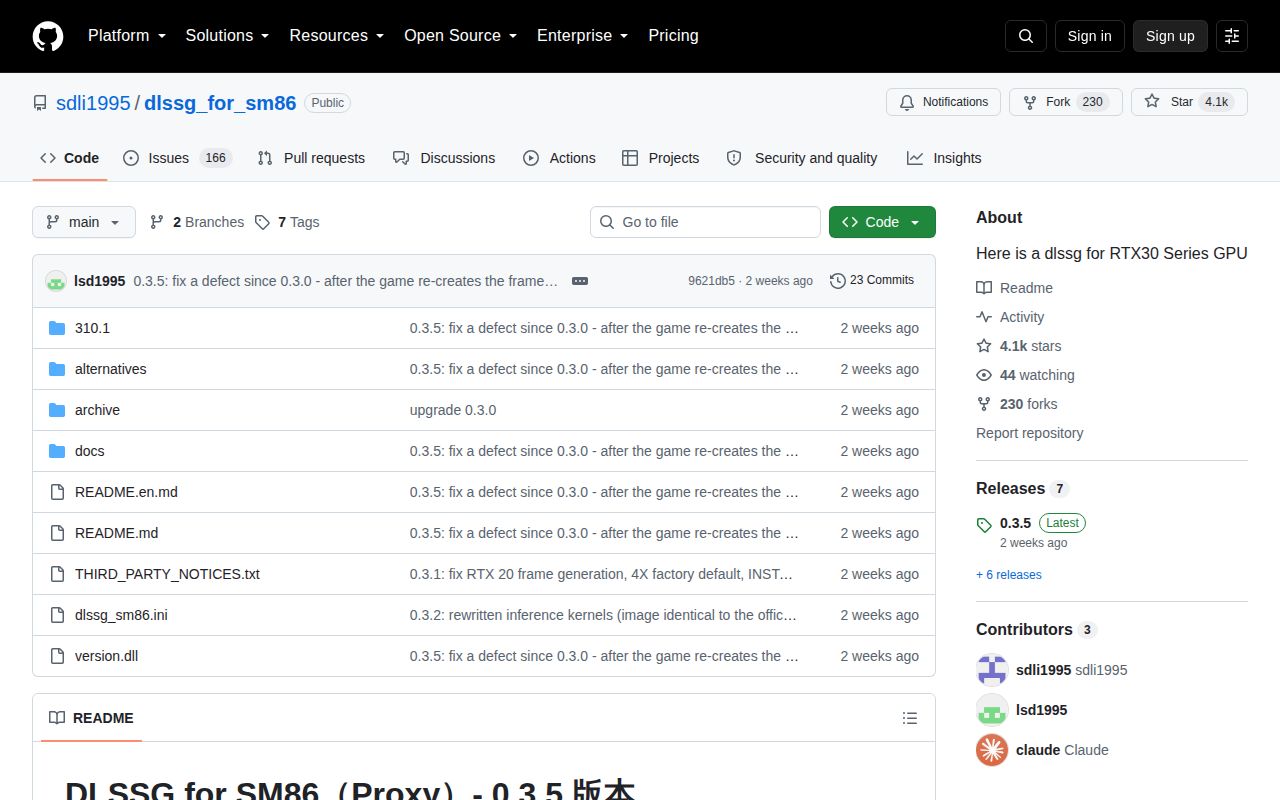
DLSSG for SM86 uses a Windows proxy DLL to intercept the path between a D3D12 game, NVIDIA plugin layer, and the frame-generation runtime. On RTX 20-series and RTX 30-series cards, it reports a newer architecture where the game checks eligibility. That can expose 2X, 3X, or 4X frame generation, with 6X available only when the game itself ships a plugin that understands it.
The project is mainly written in Chinese, and the primary README opens in Chinese. Its English translation is full length, including installation, release notes, limitations, logging, license boundaries, and the author's offline evidence. That matters here because this is not a launcher with a safe preview. You copy version.dll into the same directory as the rendering executable, where the game will load it on startup.
Installation is two files, but rollback is part of the job
The normal procedure is short: close the game, back up an existing version.dll, then copy the release DLL and dlssg_sm86.ini beside the game's executable. If the title does not load that proxy name, the package includes alternatives such as winmm.dll, dxgi.dll, and dbghelp.dll. Removal means restoring the original file or deleting the proxy and its INI.
That simplicity can hide the risk. Release 0.3.5 is self-signed, and the README says Windows may still call it an unknown publisher. The documentation supplies the certificate identity and thumbprint for verification, which is good practice, but a self-signed certificate does not create Microsoft trust. You are choosing to load third-party native code into a game process, so download the release from the project, verify it, and retain the original DLL.
What happened when we ran it
We did not execute commit 9621db5 in our sandbox. GitHub reports no primary language, our harness detected no supported package ecosystem, and the repository has no Dockerfile. A fresh Debian container with 3 CPUs, 8 GB of RAM, no secrets, and no elevated privileges therefore had no valid install, build, or test command to run.
This result says nothing about frame quality, game compatibility, or GPU speed. The project is a Windows x64 binary mod for D3D12 and specific NVIDIA hardware, while our standard runner is a Debian software-build environment. The author's README includes offline GPU measurements, but those are the project's results, not ours. We cannot turn them into an independent performance finding.
RTX 20 and 30 support still depends on the game plugin
The hardware boundary is firm. The documented targets are Turing SM75 and Ampere SM86 cards on Windows 10 or 11 with NVIDIA drivers that provide NGX, NVAPI, and CUDA interfaces. The CUDA Toolkit and Python are not required. The game must already include a suitable NVIDIA frame-generation plugin, and an older 4X plugin cannot be forced safely into a 6X presentation queue.
Base frame rate also matters. The README warns that image breakup and edge artifacts become more noticeable when the game renders real frames too slowly, especially at higher multipliers. Frame generation can raise displayed frame count, but it does not repair CPU limits, input latency, or a struggling real-frame path. Lowering graphics settings may produce a better result than selecting the largest multiplier the menu exposes.
Recent releases show why per-game testing is mandatory
Version 0.3.4 fixed crashes and driver resets introduced in 0.3.3 when an NVIDIA App override or NGX update was active. Version 0.3.5 then fixed a defect present since 0.3.0 that could select the wrong optimized kernel after a game rebuilt the frame-generation feature. The release notes connect that behavior to corrupted generated frames and possible crashes, while avoiding a definite claim about issue 561.
Those fixes show active diagnosis, but they also show how sensitive the method is to games, drivers, runtime versions, and settings transitions. On October 1, 2026, GitHub search showed 166 open issues and no open pull requests. Current reports include frame generation appearing enabled without producing frames in The Witcher 3 Remastered, lost controller vibration in another title, and artifacts on an RTX 3060. Reports are not universal proof, but they are good reasons to test your exact combination.
September activity shows maintenance, not universal compatibility
The repository was pushed on September 19, 2026, and v0.3.5 was released the same day. GitHub showed 4,148 stars. Issue discussion remained active through October 1, so this is not an abandoned binary drop. The author also says future frame-generation work will focus on compatibility and bug fixes, while Vulkan work is difficult to continue under the current coverage limits.
Use this project as a reversible experiment for one supported game, not as a permanent driver upgrade. Confirm the original game works first, back up the DLL, start with the default optimized level, and inspect the JSONL logs if the route is inactive. If the title crashes, shows artifacts, or silently produces no generated frames, restore the original file. The mod's best feature is that rollback is as concrete as installation.