ShellGPT puts four useful terminal modes behind one command
ShellGPT accepts a question as an argument or reads text from stdin. Plain mode returns an answer, --code asks for code only, and --shell produces a command suited to the detected operating system and shell. Named chat sessions retain earlier messages, while REPL mode keeps the exchange open. That range fits the terminal well because the input can come straight from git diff, a log command, or a document.
Shell mode has the best interaction in the project. It displays the proposed command and offers Execute, Modify, Describe, or Abort before anything runs. Bash and Zsh users can install a Ctrl+l integration that replaces the current terminal buffer with a suggestion, leaving the final edit and Enter press to the operator. PowerShell and CMD appear in the broader compatibility claim, but the documented hotkey installer is specifically for Bash and Zsh.
What happened when we ran it
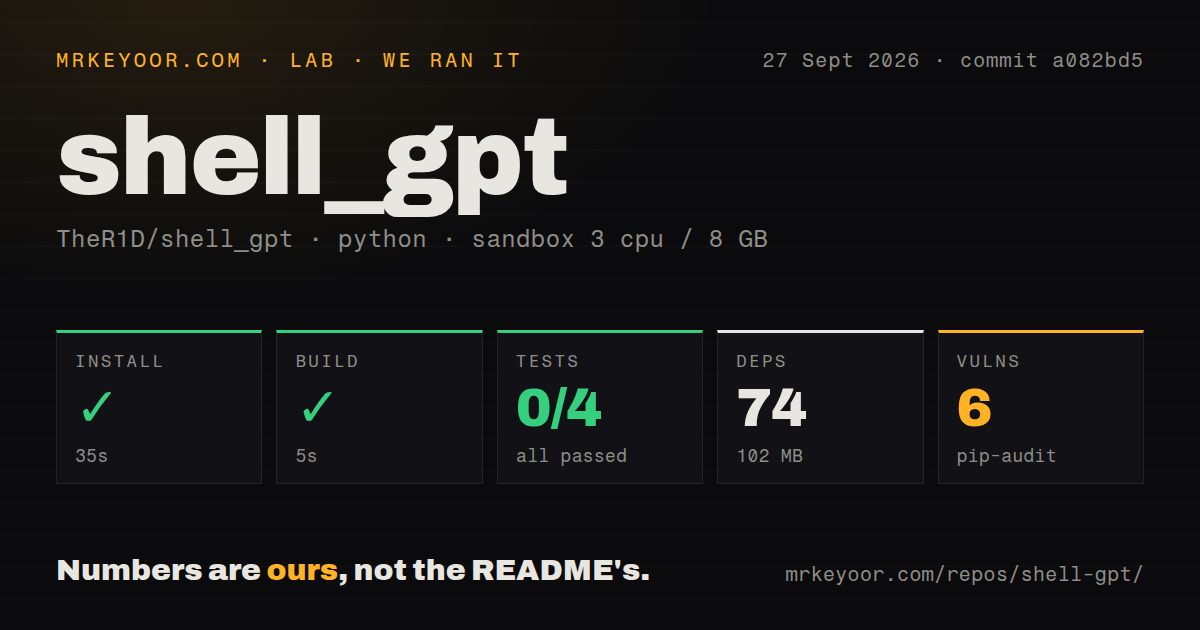
Our sandbox installed 74 Python packages in 35 seconds and used 102 MB on disk. The build finished successfully in 5 seconds. The checkout at commit a082bd5 contained 42 files, roughly 2,758 source lines, 4 CI workflow files, a Dockerfile, and a tests directory. Pip-audit reported 6 known vulnerabilities in the installed environment, so a production trial should identify the affected packages and decide whether its chosen execution path reaches them.
The test command exited with code 1 after 8 seconds. Pytest recorded 0 passed and 0 failed because all 4 modules stopped during collection or setup: test_code.py, test_default.py, test_roles.py, and test_shell.py. The log showed GetPassWarning messages, then said pytest could not read stdin while output capture was active. That proves the no-secret run was not noninteractive; it does not prove why the suite was designed that way or whether assertions would pass after configuration.
First-run credential input blocks unattended verification
The README says the default setup asks for an OpenAI API key and stores it in ~/.config/shell_gpt/.sgptrc. You can use OPENAI_API_KEY instead, which is the better fit for a secret manager or a short-lived shell. Runtime settings cover the endpoint, model, timeout, cache paths, streaming, and function use. The introduction still says GPT-4 is the default, while the config example and v1.5.1 release name gpt-5.4-mini, so pin the model instead of trusting the older sentence.
A local route is possible through Ollama, but ShellGPT's own README says it is not optimized for local models and may misbehave. The Docker example still expects a provider key, an OS name, a shell name, and a cache volume. None of that is difficult, yet it changes the promise from one pip install into a small operating decision: choose where prompts go, where credentials live, and what persists after the command exits.
Function calling can skip the shell-mode confirmation prompt
ShellGPT's function system loads Python classes from a configurable directory and sends their descriptions to the model. The bundled examples include shell execution, and the README warns that a model may run destructive commands. This matters because logs and source piped into the tool can contain instructions that were written by somebody else. A terminal helper that can act on model output should have a confirmation boundary as clear as the one in --shell mode.
Open issue 793 reports a concrete gap in v1.5.1: OPENAI_USE_FUNCTIONS defaults to true, and a model call to execute_shell_command reaches subprocess.Popen(..., shell=True) without Execute or Abort confirmation. The reporter says output is hidden by default as well. The report does not establish that every prompt can trigger an exploit, but it does establish the absence of a user checkpoint once that function call exists. Disable functions or remove that function unless the process runs with disposable files and narrow permissions.
Newer model and multi-tool paths have open failures
Open issue 801 says GPT-5.6 requests return HTTP 400 when functions are enabled because ShellGPT uses Chat Completions and provides no exposed route to the suggested Responses API workaround. The report reproduces the problem on version 1.5.1 and main at a082bd5. Issue 776 describes a separate streaming bug where fragments from 3 tool calls are joined into one malformed payload. Both reports concern optional tool use, but that is also where ShellGPT crosses from answering into acting.
For ordinary prompts, caching can save repeat calls and named chats can preserve up to 100 messages under the documented default. The same files may retain source excerpts, log lines, hostnames, or customer material. A team should set cache paths and retention deliberately, then confirm the provider's data policy before piping production output. Convenience here is real: so is the chance of copying more terminal context than you meant to send.
July code activity supports a trial, not blind execution
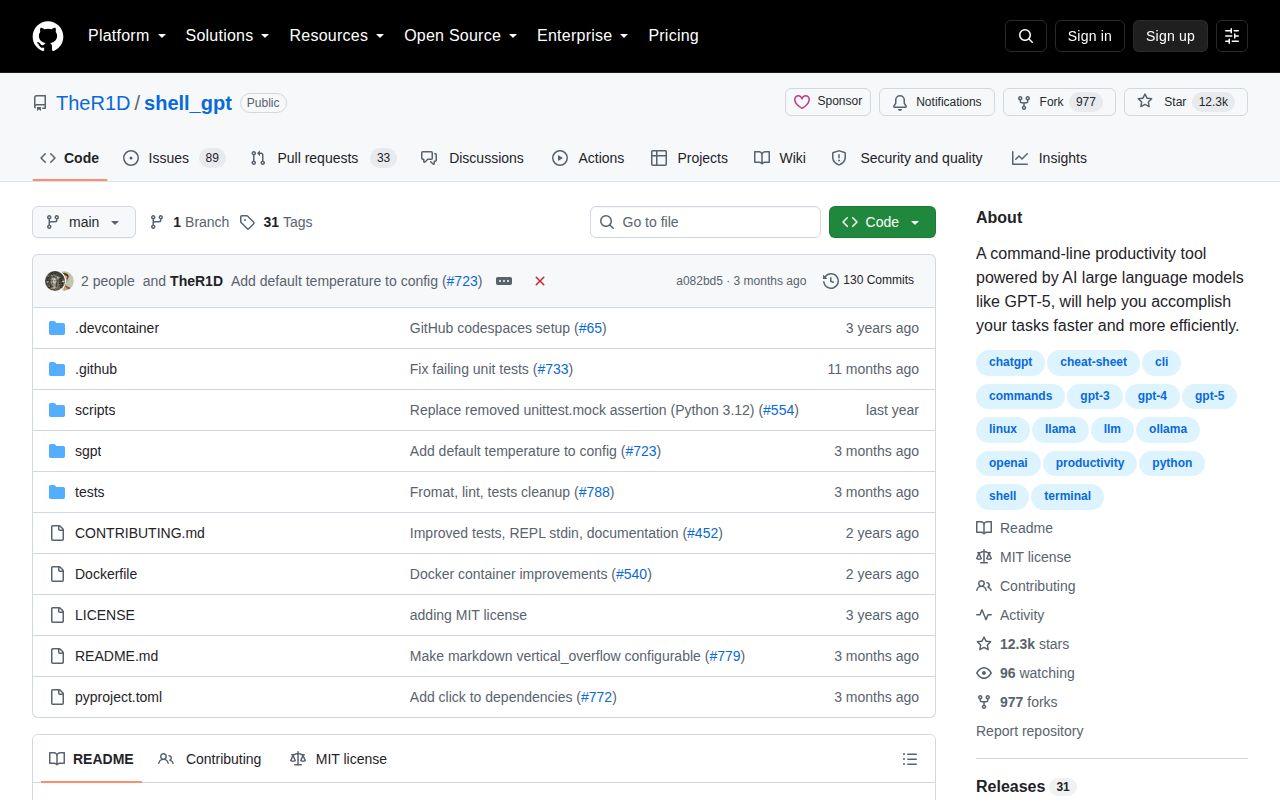
GitHub showed 12,288 stars, 89 open issues, and 33 open pull requests on September 28, 2026. The last repository push was July 2, while issue activity continued through September 24. Release 1.5.1 arrived on May 6 with a LiteLLM update, UTF-8 cache handling, empty-stream handling, and the gpt-5.4-mini default. That is recent enough to call the project maintained, though the 122 combined issues and pull requests contain consequential function-path reports.
ShellGPT earns a trial when the job is drafting commands, explaining output, or turning piped text into a quick answer. Our 35-second install and 5-second build keep that trial cheap. Keep generated commands visible, leave execution to a person, disable functions unless you have reviewed every installed one, and run the test suite again with your chosen credential setup. The right failure mode for a terminal assistant is a bad suggestion you reject, not a bad command it runs first.