A front desk for a shared media server
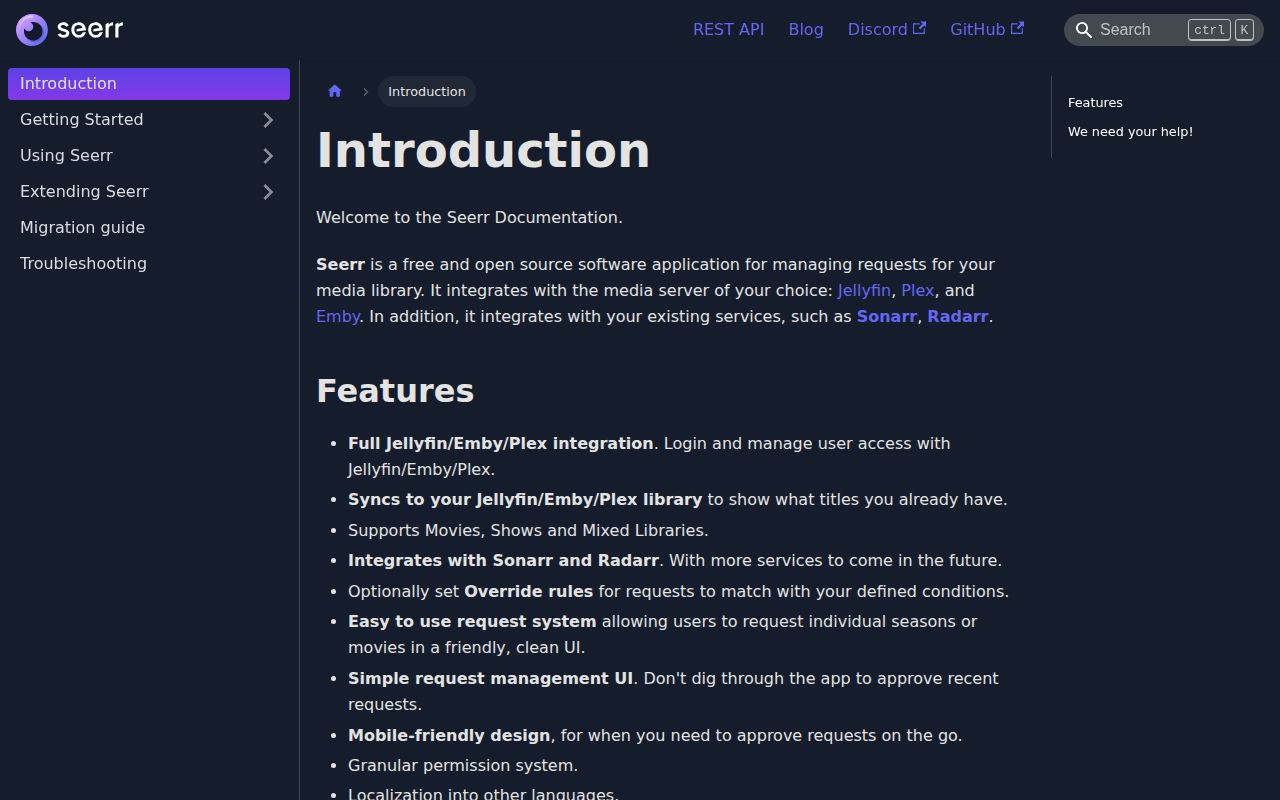
Seerr gives people a polite way to ask for a movie or television series without giving them the keys to Sonarr, Radarr, or the server underneath. It connects to Jellyfin, Plex, or Emby for accounts and library status. A user searches a friendly catalogue, submits a request, and sees whether the title is pending, approved, or already available. Administrators get a short approval queue instead of requests scattered through chat messages.
The value is clearest in a household with several users. Permissions can decide who requests automatically, who needs approval, and who can manage other users. Individual seasons are requestable, notifications can go through several agents, and the interface works on a phone. Library scans keep the catalogue aware of existing media, while watchlists and blocklists cover recurring user preferences.
Seerr does not download or stream anything. It passes approved work to Sonarr or Radarr, which means it improves an existing stack rather than replacing one. That boundary is easy to miss when the polished discovery screen looks like a complete media application. You still need one of the supported media servers and correctly configured automation behind it.
The Overseerr and Jellyseerr successor
The project matters most to existing Overseerr and Jellyseerr users because Seerr is their shared successor. The README points both groups to a migration guide rather than treating them as unrelated products. That makes Seerr the sensible place to evaluate new installs, while an old deployment should follow the documented migration path and preserve its configuration data before changing images.
Support spans Jellyfin, Plex, and Emby, including authentication, user import, library selection, and scans. Sonarr and Radarr are the only automation services named in the current feature list. Movie and show libraries fit. Music does not: a music request remains open, so operators running Lidarr should not infer support from the general phrase "media request manager."
There is another edge case for carefully partitioned libraries. An open request describes a setup where users see only content tagged for them. Because Seerr sees a title as globally available, another user may be unable to request a separate tagged copy. Most home servers will never hit this, but it is a real reason to test the permission model before inviting users to a library built around per-user isolation.
What happened when we ran it
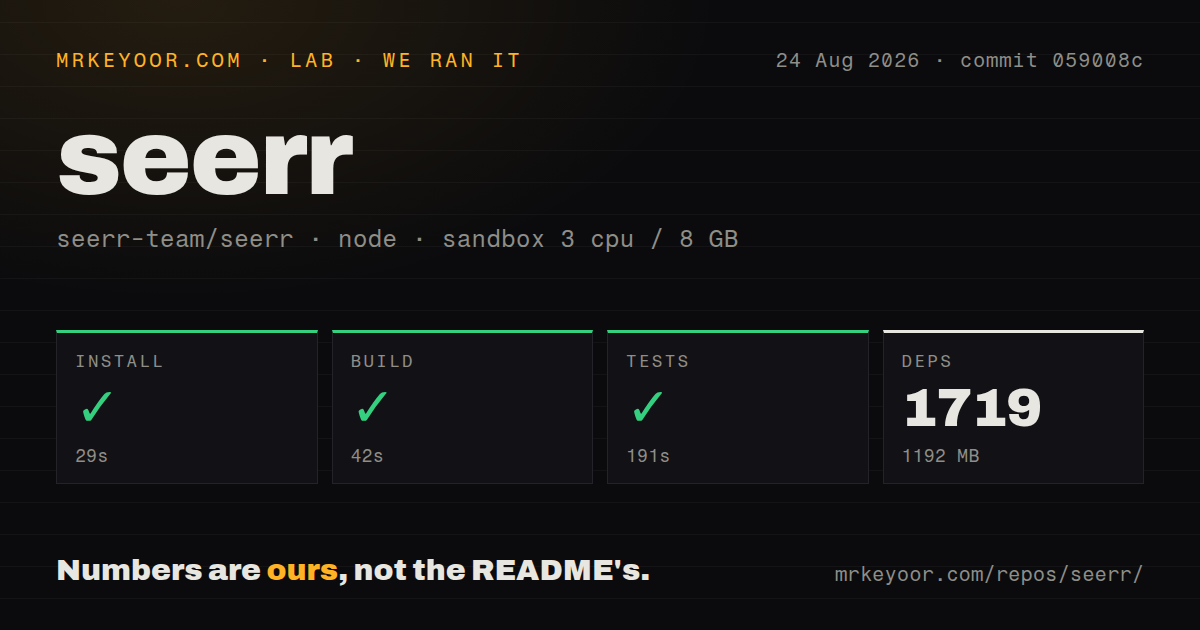
We cloned commit 059008c into a fresh Debian-based Node 22 container with 3 CPUs, 8 GB of RAM, no secrets, and no elevated privileges. The repository contained 952 files, about 99,671 lines of source, and occupied 12.7 MB when checked out. It included a Dockerfile, a Compose file, and 19 CI workflow files, though there was no top-level tests directory.
The source install succeeded in 29 seconds. It brought in 1,719 packages and used 1,192 MB on disk, which is the part the short README does not convey. The build then succeeded in 42 seconds. The test command also succeeded, taking 191 seconds. Those results make the source path credible, but they also explain why the documentation recommends a prebuilt container for ordinary operators.
Our run checked whether the repository could install, compile, and complete its own test command in that sandbox. It did not configure a media server, make requests, or exercise Sonarr and Radarr with real credentials. Those integrations remain first-run work for the operator.
Container setup is easy until services must talk
The recommended image listens on port 5055 and stores its state under /app/config. The guide supplies both docker run and Compose examples, a health check, timezone and log settings, restart policy, and update commands. Images and Helm charts are signed, and the project documents verification plus a software bill of materials. This is unusually good operational documentation for a home-server application.
Persistence and ownership need attention. The host config directory must be mounted and writable by UID 1000. Get that mount wrong and a recreated container loses settings and data. Windows instructions require Docker Desktop with the WSL2 backend because the guide warns of database corruption otherwise. SQLite needs little configuration and is the default. PostgreSQL is supported for operators willing to manage credentials, connection settings, backups, and migration.
Networking causes the more frustrating failures. A bridged container has its own loopback interface, so localhost cannot reach Jellyfin, Emby, Sonarr, or Radarr running elsewhere. Put related containers on a shared Docker network and address them by container name, or use reachable internal addresses. Public links may need separate external URLs. Self-signed certificates require explicit handling.
Service setup is detailed rather than automatic. Sonarr and Radarr need API keys, a default server, a quality profile, a root folder, and minimum availability. Separate 4K and ordinary libraries can require separate instances. The docs warn that requests fail when required selections are missing. API keys grant administrator access, so they belong in protected configuration and backups.
Health and the decision
The repository was pushed on August 24, 2026, the day of this review. Release v3.4.1 arrived on July 30 with fixes for request deletion around Sonarr and Radarr, user-list controls, and image publishing. GitHub showed 379 open issues and pull requests combined. Recent updates include user-isolation questions and feature requests, while the release work shows maintainers fixing the integration path that matters most.
Documentation covers Docker, source builds, Kubernetes, databases, migration, media servers, automation services, notifications, networking, troubleshooting, and a local API reference. The main README is brief because the real instructions live on the documentation site. That split works, though anyone reading only GitHub will underestimate the configuration surface.
For a new shared media stack, Seerr is the first request manager I would try. Use its container, pin a stable image tag, mount and back up the config directory, then test one request through every service before opening it to users. Choose something else if you need music, a hosted service, or strict per-user copies of the same title.