A quick install buys instructions for a router investigation
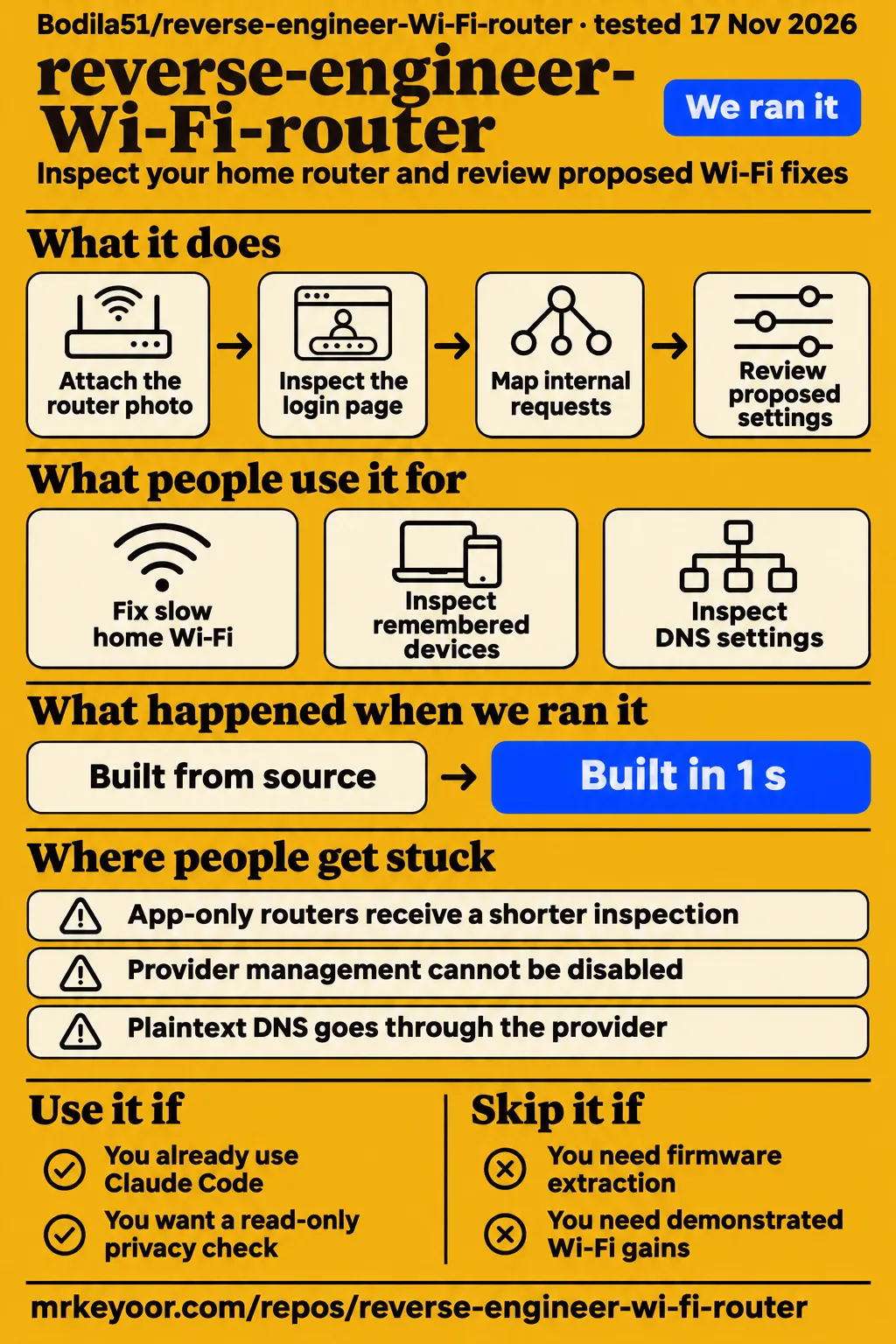
Our sandbox installed reverse-engineer-Wi-Fi-router in 6 seconds and built it in 1 second. Use it if you already use Claude Code and want a guided inspection of your own home router. The repository supplies instructions for an agent to follow, helper scripts and copy-paste prompts. Its two jobs are a read-only privacy check and a Wi-Fi repair workflow that requires approval before applying fixes. Project README
The skill asks Claude to learn the router panel's login flow and internal requests. The resulting API map and the report showing old and proposed settings are things the user can inspect before consenting to a change. The project tells the agent how to approach an unfamiliar panel, collect observations and present proposed actions. Start with the privacy check if your immediate question is what the router remembers or what settings your provider controls. Agent instructions
What people use reverse-engineer-Wi-Fi-router for
0xCodila, the project's promoter on X, reports using Claude Code to fix slow Wi-Fi and inspect router privacy. The two reports describe different goals: one concerns connection performance, while the other concerns device records, management access and DNS. Keeping those jobs separate helps a first-time user choose what to ask Claude to do and what kind of report to expect. Promoter's posts
| Person and task | Reported outcome | What a reader can take from it |
|---|---|---|
| 0xCodila: diagnose and fix slow home Wi-Fi | He says Claude found the cause and fixed it in five minutes. | The elapsed time belongs to the promoter's report. X repair report |
| 0xCodila: inspect remembered devices, ISP management and DNS | He reports 29 remembered devices, a provider management connection he could not disable, and plaintext DNS lookups through his provider. | These are specific records to look for during an inspection. X privacy report |
The privacy prompt requests both remembered devices and devices online now. It also asks whether the user can update firmware, which logs exist, whether those logs have timestamps and whether devices have opened ports through UPnP. These questions give the report a practical purpose: identify what the router records, separate historical entries from current connections and show which controls the panel exposes to its owner. Privacy prompt
What happened when we ran it
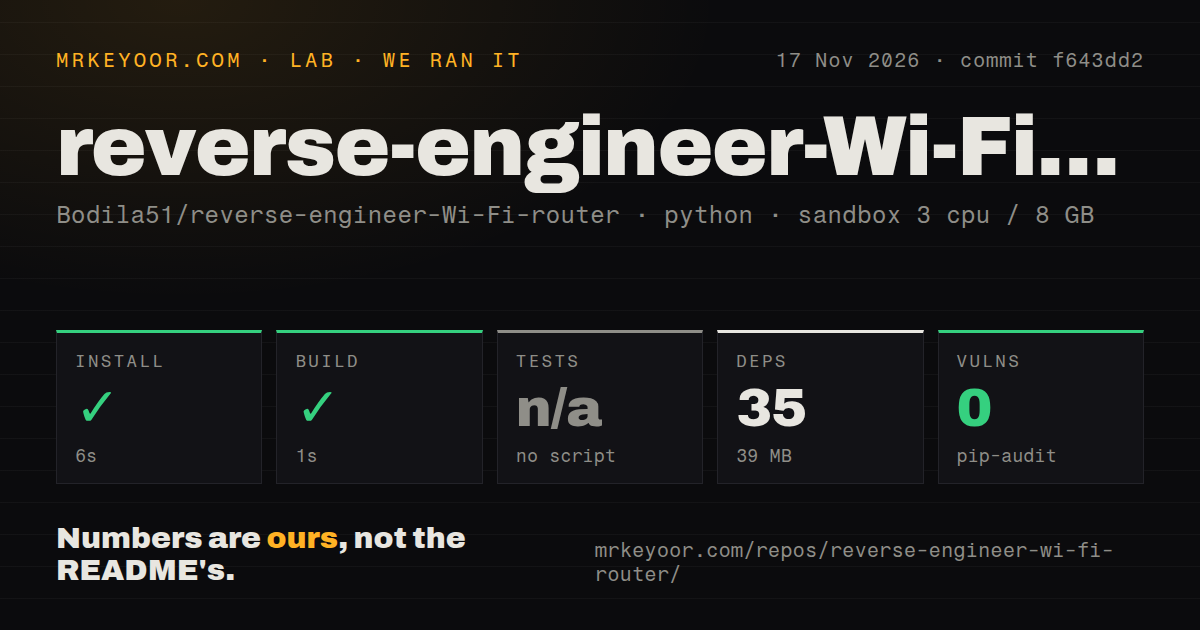
Our November 17, 2026 sandbox run at commit f643dd2 installed successfully in 6 seconds and built successfully in 1 second. The separate hands-on attempt stopped at its Compose-file safety check. These are different records: the first measures repository setup, while the second records a deployment prerequisite failure. The table preserves the setup measurements and the failed step as separate findings.
| Sandbox check | Recorded result |
|---|---|
| Install | Succeeded in 6 seconds; 35 dependencies recorded; 39 MB on disk |
| Build | Succeeded in 1 second |
| Tests | Skipped because there was no tests script or target |
| Dependency audit | pip-audit reported 0 known vulnerabilities |
| Repository scan | 7 files, approximately 93 source lines; 0 CI workflow files; no Dockerfile or tests directory |
| Configuration | 3 CPUs, 8 GB RAM; image label ghcr.io/astral-sh/uv:python3.12-bookworm |
Our harness records install, build and test steps separately from a live router task. The image name is the recorded sandbox configuration, and the audit result is the advisory count returned by pip-audit for that run. The repository scan describes a small checkout containing instructions and helpers. These measurements give a concrete account of acquisition and setup at f643dd2, with each recorded stage shown separately.
The hands-on log says: "unsafe repo: none of compose.yaml, compose.yml, docker-compose.yaml, docker-compose.yml exists (rule: a compose file is required)". That is the failed step: the harness required a Compose file and found none of the listed filenames. The README's installation route is a Claude Code skill checkout, so the failed prerequisite belongs to this deployment attempt.
The generic run record says it was "deployed with its own docker compose", conflicting with the specific safety failure. We use the failed step as the attempt's outcome. The same run record names November 17, 2026 and says every port was bound to 127.0.0.1; those are statements in that conflicting record. The teardown record says "teardown: ok".
Where people get stuck: access belongs to the router
App-only routers receive a shorter inspection under the README's instructions, with eero and Google Nest named as examples. The skill also mentions some Deco devices. Its fallback is to explain what the app exposes and inspect what the computer can observe. When a login requires a captcha or the provider's account, the workflow hands that login step to the user in a browser. Project README, access instructions
| Obstacle | Documented response | Evidence type |
|---|---|---|
| Captcha or provider-account login | Open a browser and let the user log in. | Skill instruction |
| An admin login fails | Stop after one failed login and ask the user. | Explicit stopping rule |
| No web panel | Explain the app's available information and inspect from the computer. | Documented fallback |
| Provider management cannot be disabled | Explain the observed capability without calling it spying. | Promoter report and skill guidance |
| Plaintext DNS goes through the provider | Enable encrypted DNS with consent, then repeat the DNS check. | Documented next step |
The login and app responses come from the skill; the provider and plaintext-DNS cases come from 0xCodila's report. The instructions allow looking for an official API, an open-source library, a Home Assistant integration or requests used by the admin page. They also prohibit password guessing, exploits, telnet or SSH attempts and port scans. Those rules define how the investigation should proceed when the first route fails.
For a household whose provider controls the relevant settings, the skill asks Claude to write the exact message to send the provider. A precise support request is therefore one of the workflow's intended outputs. The user can take the observed setting, the requested change and the reason for it to the party controlling the router. That gives the investigation a documented next step when the owner cannot make the requested change through the panel. Provider fallback instructions
Consent and password handling are written into the workflow
The skill tells Claude to store the admin password through the system password store and never ask for it in chat. It names macOS Keychain, Windows Credential Manager and Linux secret-tool, and says not to print passwords, tokens or cookies. The README also tells the user to cover the password sticker before attaching a router photo. These are instructions for handling access throughout the investigation. Credential rules, photo instructions
The read-only privacy job says to change nothing. If viewing a log requires switching a setting, Claude must ask first, record the old value and switch it back afterwards. The repair job requires approval for each fix, a settings backup and a report explaining how to undo changes. It also requires showing the old and new values before each change and reading the values back afterwards. Consent and repair rules
The skill directs Claude to pipe output through scripts/mask.py to hide public IP addresses, the second half of MAC addresses, serial numbers and the Wi-Fi name. The optional Android TV investigation has a separate consent requirement and assumes ADB debugging is already enabled. It asks for per-app network usage and package identifiers so the report can identify provider apps sending data while the TV is asleep. Masking and TV instructions
The README's install step is shorter than the router task
The README installs the skill by cloning the repository into ~/.claude/skills/reverse-engineer-wifi-router. It also offers two prompts to paste into Claude Code instead. The next step is to open Claude Code on a computer connected to the home Wi-Fi, attach the router photo with its password sticker covered and ask for either a privacy check or help with slow Wi-Fi. Installation instructions
The API map goes into ~/router/api-map.md. The repair job also calls for settings backups in a router folder in the user's home directory. Those outputs give the user something concrete to review: a map of the panel requests Claude discovered and the configuration it started from. The proposed replacement value, the original value and the undo instructions should all be part of the conversation before approving a repair. Output requirements
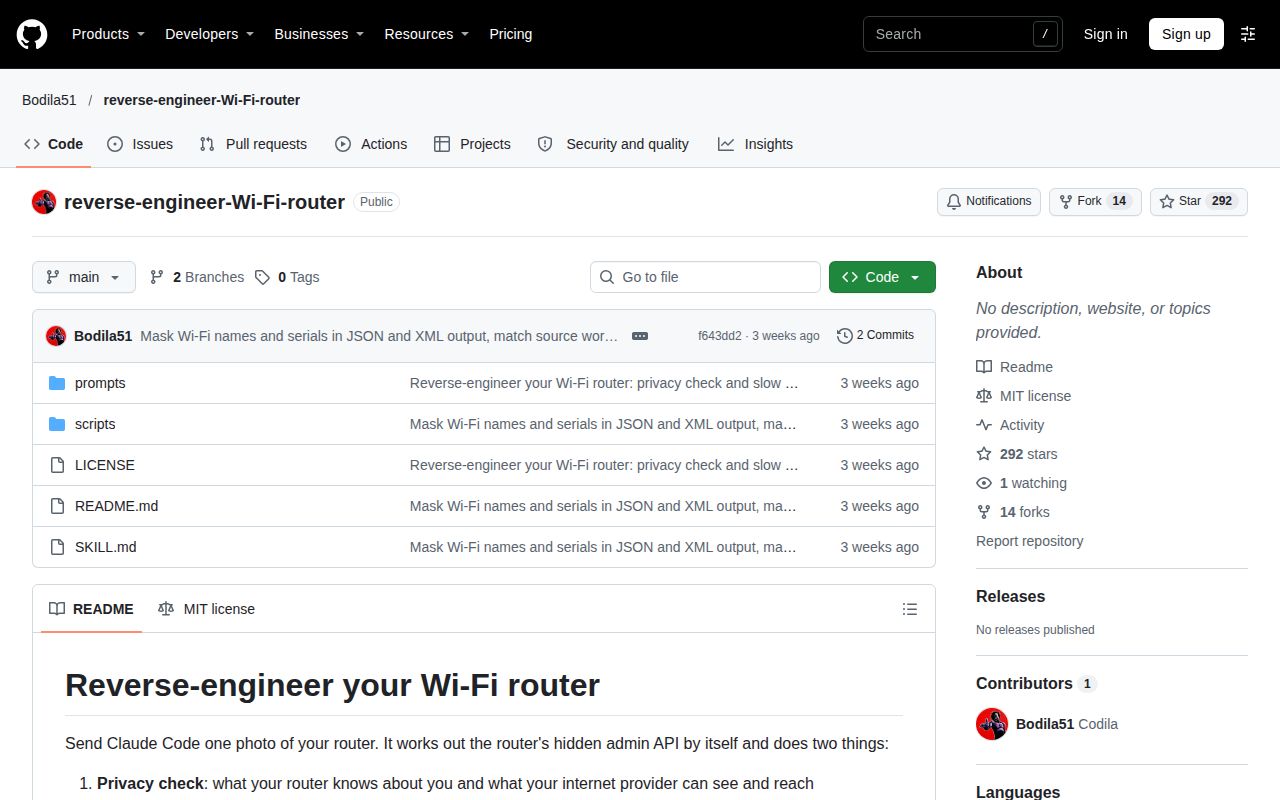
GitHub's supplied metadata snapshot on November 17, 2026 showed 292 stars and zero open issues and PRs. The last push was October 29, 2026. The open count describes the repository at that snapshot, and the star count records attention on GitHub. The project is MIT-licensed, according to both the README and the supplied repository facts. Repository metadata, README licence
reverse-engineer-Wi-Fi-router vs Binwalk and model-specific tools
reverse-engineer-Wi-Fi-router investigates a running home router's admin interface, while Binwalk identifies embedded files and data in other files. The BE550 extractor targets a decrypted firmware image for one named router model. Choose among these tools by the object you have and the question you need answered: settings exposed by a live panel, contents of a firmware file or partitions within a specific image format.
| Project | What it works on | Pick it when |
|---|---|---|
| reverse-engineer-Wi-Fi-router | Claude Code instructions for home-router inspection and approved Wi-Fi changes. | You want to inspect the router you already use. Agent instructions |
| ReFirmLabs/Binwalk | Files and data embedded inside other files, with firmware as its primary focus. | You have a firmware image to analyze. Binwalk README |
| sirabgehoben/tplink-be550-tools | MTD/UBI partitions and embedded device-tree blobs in decrypted Archer BE550 v1 firmware. | You have that model's decrypted firmware image. BE550 extractor description |
Binwalk can identify, and optionally extract, files and data that have been embedded inside of other files. Its documentation also describes entropy analysis and integration into Rust projects. The BE550 project's description specifies a decrypted image and lists signatures it scans for, including device-tree, UBI and filesystem components. The router skill directs Claude to inspect login behavior and internal panel requests, then save a map of what it finds. Binwalk documentation, BE550 description, panel investigation instructions
What the other reviews get wrong
The supplied promotional correction is _nomap: the project uses that suffix, and it distinguishes DNS lookups from connection destinations. Those are the two privacy claims worth correcting here. The sources are the project's own guidance, the promoter's reports and X commentary about the suffix typo. The specific statements below are attributed to those sources. Privacy guidance, promotional posts and commentary
The X commentary identifies _normal as a typo and reports that the author acknowledged it. The current README and skill use _nomap as the suffix for the Wi-Fi name. The skill assigns renaming to the user and tells Claude never to change the Wi-Fi name itself. A reader following the promotional steps should use the spelling in the project instructions and keep that change under their own control. Suffix correction, project instructions
The promoter's concrete DNS observation is that sites were looked up through the provider in plaintext. The skill says encrypted DNS hides DNS lookups from the provider, while connection destinations remain visible. That distinction explains what the recommended DNS change addresses. The workflow calls for repeating scripts/dns-check.sh afterwards, connecting the proposed change to another observation of which company answers the computer's DNS lookups. Promoter's DNS report, DNS guidance
FAQ
The privacy prompt asks for remembered devices, DNS servers, remote-management signs, firmware controls, UPnP mappings and timestamped logs. It also asks for a report separating what the router knows from what the provider can see. These requested records answer the first question below and help a user choose between a read-only inventory and the separate repair job. Privacy-check prompt
What does my router know about me, and what can my internet provider see?
The prompt asks for remembered and currently online devices, connection names, remote-management signs, DNS ownership, firmware controls, UPnP mappings and logs. It also asks the computer to show DNS information and the first hops of a traceroute. The report has three requested headings: What my router knows, What my provider can see and How to fix it. Those headings separate the inventory from the proposed next steps. Privacy prompt
Does finding TR-069 mean my provider is spying on me?
No: the skill describes TR-069 as the capability to remotely read and change the router, and explicitly forbids calling its presence spying. The privacy job collects connection names and other management signs, including CWMP, ACS and management-server pages. Its rule to report observed facts and label inferences applies here: the report should identify the management capability it found. TR-069 and reporting guidance
How does the project inspect a router from a photo?
The photo helps identify the brand and model; Claude then finds the local gateway and authenticates to the admin interface. The instructions tell it to inspect the login page, JavaScript and internal data requests. The user supplies authorized admin access through a hidden prompt or system password store. Covering the password sticker is part of preparing the photo before sending it. Photo-to-panel instructions
Can I run a diagnosis without letting Claude change router settings?
Yes: the privacy job is read-only, and the repair instructions say to change nothing when the user says "just diagnose". The privacy job also requires permission before temporarily switching a viewing setting and requires switching it back afterwards. Choose that mode when your immediate goal is to understand the router's records and controls, then review the report before deciding whether to request a repair. Diagnosis rules
Who's on my Wi-Fi?
The privacy prompt asks for every device the router remembers and which are online now. The repair job separately requests a small tool for asking that question from chat. Keep the two categories visible in the report: a remembered device belongs to the router's stored inventory, while the current-status field answers which devices are online at the time of inspection. Device inventory prompt, chat-control requirement
What we have not tested yet
Our evidence covers repository setup at f643dd2 and a separate deployment attempt blocked by the harness's Compose requirement; it includes no completed router inspection. We did not measure throughput, latency under load, a Wi-Fi repair, credential-store behavior, output redaction or compliance with approval prompts. The promoter's five-minute claim has no measured before-and-after speeds or independent replication in the supplied coverage. Promoter's report
The supplied evidence also lacks a router compatibility matrix, app-only device trials, backup restoration, successful rollback and a demonstrated post-change DNS result. The optional TV investigation and generated chat-control tool need their own assessment. The container image label does not establish actual runtime or operating-system versions. The zero-open-issues-and-PRs snapshot supplies no historical support assessment, and the supplied records contain no latest-release endpoint response or all-state issue-list response.
The location-map guidance has two explicit boundaries: it does not work for hidden networks, and neither company says it deletes existing entries. The DNS guidance concerns lookups and connection destinations; the supplied plaintext-DNS report supplies no evidence about browsing contents. There is also no direct competitor trial here. The alternative table compares the documented jobs of the projects. Location-map and DNS qualifications
A useful next test would pair one named router and firmware revision with a read-only report, then a separately approved setting change and restoration. Record the original value, replacement value, value read back and result after restoring it. For now, use this skill if you can supervise a Claude Code investigation of your own router. Skip it if your decision requires demonstrated recovery, measured Wi-Fi gains or firmware extraction.