mrkeyoor.com_
Mon 19 Oct 17:58 UTC
AI Toolsevaluationupdated 19 Oct 2026

rakazo review

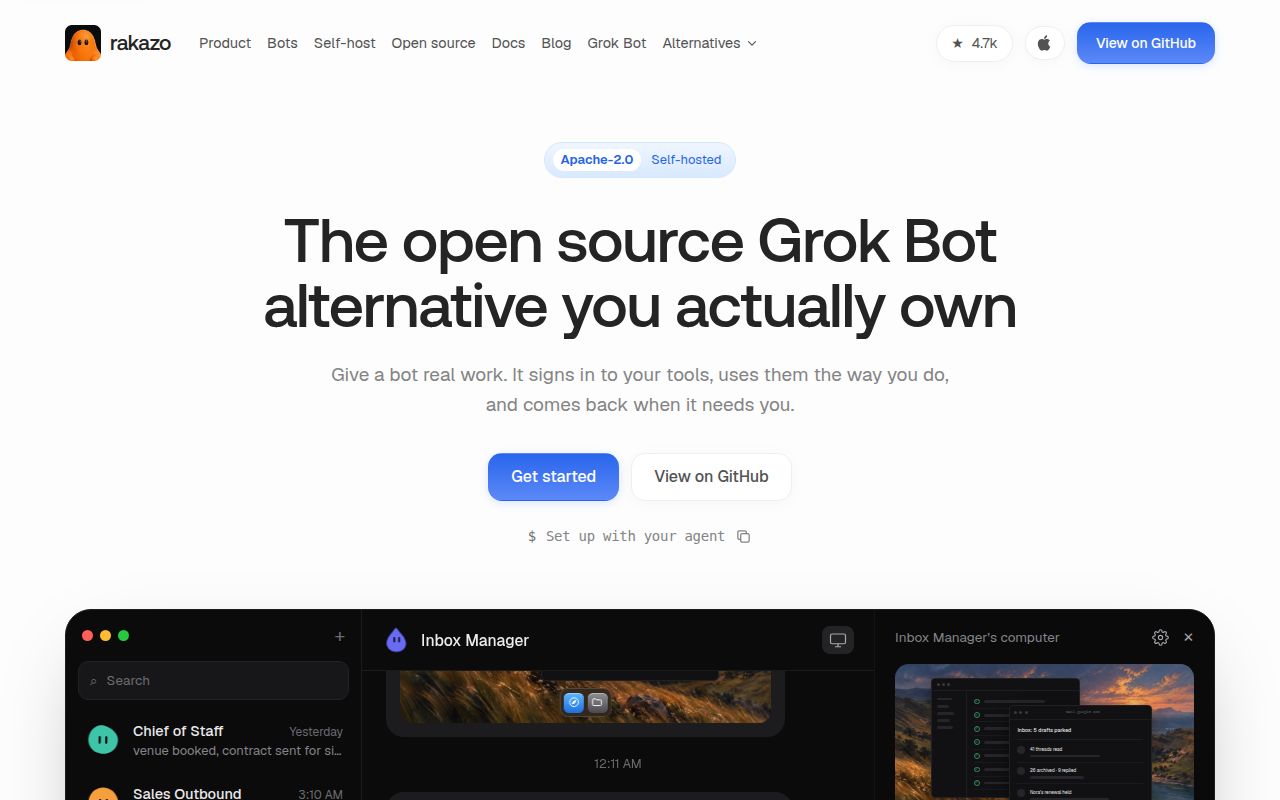
Rakazo is a self-hosted AI assistant with persistent bots, conversations, memory, and computer workspaces. Web, Electron, and mobile clients connect to the same backend. Bots can use a browser, terminal, and files with your chosen model and computer provider. The README labels Rakazo beta.

Verdict

Rakazo commit e55263f built in 21 seconds, but its 332-second test run ended with 26 failures. Consider a bounded trial if persistent bot workspaces justify operating a beta service with PostgreSQL and computer providers. The supplied runtime documentation calls for separate computers where isolation matters and off-host backups for persistent workspace data. Verify those arrangements with disposable data; our run did not establish model access, desktop control, or recovery.

We ran it

Lab card: what happened when we ran rakazoScreenshot of rakazo (rakazo.com)
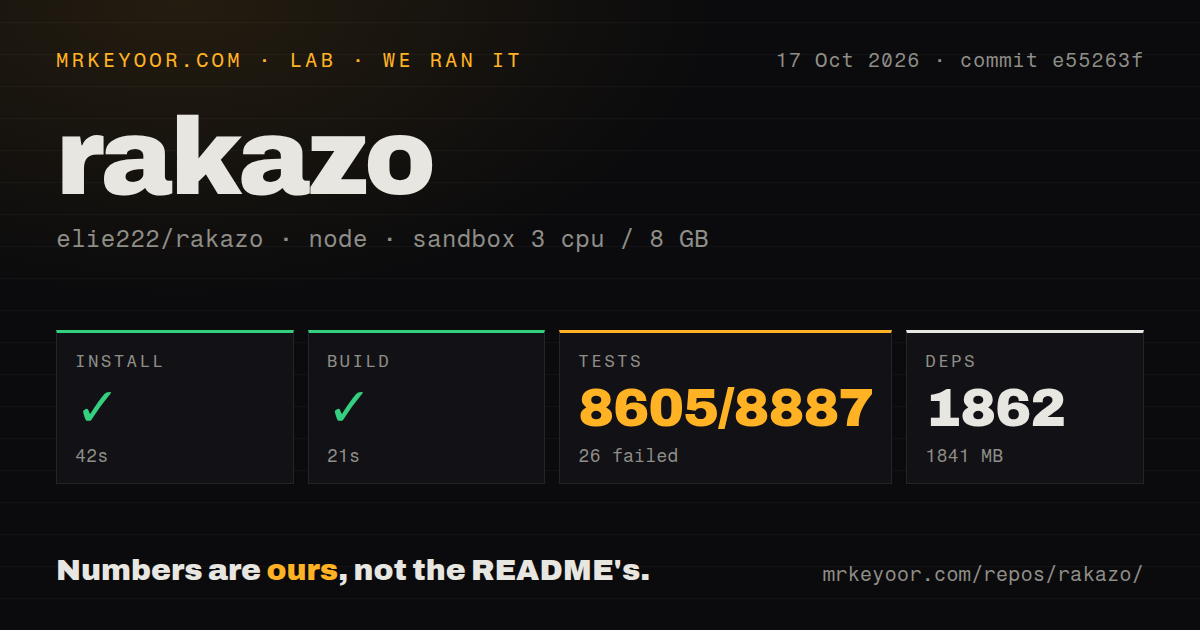
Install✓ · 42s1862 packages · 1841 MB
Build✓ · 21s
Tests✗ · 332s8605 passed · 26 failed · 256 skipped of 8887 (vitest)
Repo2215 files~419,920 lines of source · 35.6 MB · 12 CI workflows

Answers from our run

Does rakazo build from source?

Dependencies installed in 42 seconds (1862 packages), and the build succeeded in 21 seconds. We cloned commit e55263f into a clean Debian container with 3 CPUs and no project-specific setup.

Do rakazo's tests pass?

No. The project's own test command finished in 332 seconds and reported 8605 passed, 26 failed, 256 skipped (vitest).

Who should not use rakazo?

Teams treating a bot folder or browser profile as an access-control boundary. The runtime documentation says every Team bot can access the full Team workspace.

What are the alternatives to rakazo?

Hermes Agent, OpenClaw. Rakazo commit e55263f built in 21 seconds, but its 332-second test run ended with 26 failures.

SetupN/ASource installation and build were measured, but a complete deployment with model access and a working computer was not verified.
DocsN/AThe supplied README and runtime extracts explain operating requirements, but their instructions were not verified against a complete running deployment.
CommunityN/ARepository push metadata and one issue report do not establish support quality, response times, or issue-resolution outcomes.
MaturityN/AThe measured suite had 26 failures with no underlying exceptions supplied. Long-running operation, access boundaries, and recovery were not verified.

Who it’s for

Technical operators who want bots to resume work with persistent files and browser profiles.
Teams whose bots can share a computer, or whose operator will assign separate computers where isolation matters.
Developers prepared to operate PostgreSQL, persistent storage, model access, and computer providers together.

Who it’s NOT for

Teams treating a bot folder or browser profile as an access-control boundary. The runtime documentation says every Team bot can access the full Team workspace.
Operators relying on workspace checkpoints as historical backups. The documented local store keeps the latest workspace rather than an immutable revision archive.
Projects requiring a clean source test result before adoption. Our run ended with 26 failures, and the supplied log tail does not show their underlying exceptions.
People seeking a finished appliance. Rakazo is beta, and issue 1527 reports Docker Team Computer failures at a different commit and in a different environment from our run.

Setup reality

Our sandbox installed Rakazo commit e55263f with pnpm in 42 seconds on 2026-10-17, recording 1,862 dependencies and 1,841 MB on disk. Build succeeded in 21 seconds. Tests failed with exit 1 after 332 seconds: Vitest reported 8,605 passed, 26 failed, and 256 skipped out of 8,887. The supplied tail gives totals without the underlying exceptions.

The supplied README describes a source route requiring Node.js, pnpm 9, Docker, PostgreSQL configuration, matching database credentials, and independent authentication, encryption, screen-proxy, and sandbox-supervisor secrets. Model access and optional remote computer providers need their own configuration. Its published-image installer is a separate route from the source run measured here. These documentation extracts are not pinned to e55263f.

The sandbox recorded 3 CPUs, 8 GB RAM, and image label lab-node:22. That label does not establish the actual runtime or operating-system version. Build success and partial suite results do not establish working model calls, desktop control, or workspace recovery.

Team bot folders do not isolate workloads

Give a Rakazo Team bot a folder and it can still reach the rest of the Team workspace. The runtime documentation makes that boundary explicit. Per-bot starting directories and separate browser profiles organize work, but Team bots share the computer's OS user and access. Use separate computers when workloads require isolation.

Rakazo supplies persistent bots with conversations, memory, routines, and browser or terminal access. You choose the model and computer provider, then manage the service through web, Electron, or mobile clients. Consider a trial when a bot needs to resume work with persistent files and browser state. For occasional chat, weigh that benefit against operating a database and computer service. The README labels the project beta.

What happened when we ran it

Our sandbox installed Rakazo commit e55263f in 42 seconds and built it in 21 seconds on 2026-10-17. The pnpm run recorded 1,862 dependencies and 1,841 MB on disk.

Tests failed with exit 1 after 332 seconds. Vitest reported 8,605 passed, 26 failed, and 256 skipped out of 8,887. The file summary showed two failed files, 660 passed, and 44 skipped out of 706. The supplied tail lists skipped PostgreSQL and Docker-related cases, then the failed-test totals. It does not identify the underlying exceptions. Attributing the failures to a database, missing package, or product defect would go beyond that evidence.

The sandbox recorded 3 CPUs, 8 GB RAM, and image label lab-node:22. Actual runtime and operating-system versions require raw toolchain logs. Neither the build nor partial suite establishes a successful live-model task. The supplied documentation describes the project separately; its extracts are not pinned to our measured commit.

Published images and source development are separate routes

The README documents a published-image installer requiring Docker Engine, the Compose plugin, curl, and OpenSSL, without a source checkout or Node installation. The source route instead specifies Node.js, pnpm 9, Docker, PostgreSQL configuration, and independent secrets. Our measurements cover the source run. They provide no timing or success result for the image installer.

The source instructions require matching PostgreSQL credentials and independent authentication, encryption, screen-proxy, and sandbox-supervisor secrets. You must also connect a model provider and configure any remote computer provider you choose.

Managed integration catalogs are optional. The README says users can add an HTTPS MCP server, Treg endpoint, or OpenAPI JSON document without enabling those catalogs. For an adoption trial, use disposable accounts and tasks whose results you can inspect.

Desktop and mobile applications are clients of the same backend. The README says bots stay on when the backend runs on a server. Choose where that backend and its storage will remain available before choosing a client. Our run did not measure unattended operation or calls to a model provider.

Persistent workspaces still need independent backups

The runtime documentation describes a local store that keeps the latest workspace copy, rather than an immutable revision archive. Replacement machines import the latest stored workspace, which includes browser profiles. Latest-only storage does not provide a history from which to recover an unwanted edit or deletion. The documentation requires a persistent volume, encryption at rest, and off-host backups for production deployments.

The portable workspace is also different from a disk snapshot. System packages installed outside it are lost when moving to another provider. Keep durable customization in a reproducible image or setup recipe.

For a trial, save a disposable file, replace the computer through the intended lifecycle, and check what returns. Then check whether your independent backup can recover an earlier copy after an unwanted edit. These are recommended checks, not recovery results from our sandbox.

A separate Docker failure report warrants a recovery check

Repository metadata records a push on October 19, 2026, and issue 1527 was opened that day. Those facts do not establish reliability or change the result of our dated run.

Issue 1527 reports accumulated viewer processes, memory exhaustion, and lost desktop control on a shared Docker Team Computer. The report identifies main at 20a0a8e (#1511), linked to commit 20a0a8eb51a95710ef681221c1b437406c350285, on macOS with Docker Desktop. That revision and environment differ from our sandbox. The report is a reason to exercise recovery on your chosen provider; it does not explain our 26 failed tests.

Alternatives for terminal and messaging workflows

Hermes Agent documents a terminal interface and messaging access through a single gateway process. Consider it when your main requirement is working through a terminal and messaging services.

OpenClaw documents a Gateway that connects its Control UI, CLI, TUI, and messaging channels, with companion apps and nodes adding device capabilities. Consider it when access through existing chat channels drives your shortlist. These are documented workflow options, not comparative performance findings or claims that either project lacks persistent workspaces.

Trial Rakazo if its persistent computer model justifies the operating burden. Keep unrelated trust domains on separate computers, maintain an independent workspace backup, and verify recovery with disposable data before connecting valuable accounts or files.

Alternatives

ProjectWhat it isPick it when
Hermes Agent gh↗An AI agent with a terminal interface and messaging access through a single gateway process.Consider Hermes Agent when terminal work and messaging access are your main requirements. Its supplied README documents both; no comparative performance test was supplied.
OpenClaw gh↗A self-hosted AI assistant with a Gateway, messaging channels, and companion applications.Consider OpenClaw when access through existing messaging channels drives your shortlist. Its supplied README documents those connections; no comparative reliability result was supplied.

What people are saying

  1. [github-trending] elie222/rakazo

Sources

  1. Rakazo README
  2. Rakazo computer runtime and persistence
  3. Rakazo repository metadata
  4. Docker Team Computer report, issue 1527
  5. Hermes Agent README
  6. OpenClaw README

More ai tools reviews

BeefTV · OpenDots · reelmimic · easyread · motion-video-kit · livecanvas · the whole board →