References and generated clips share one creative canvas
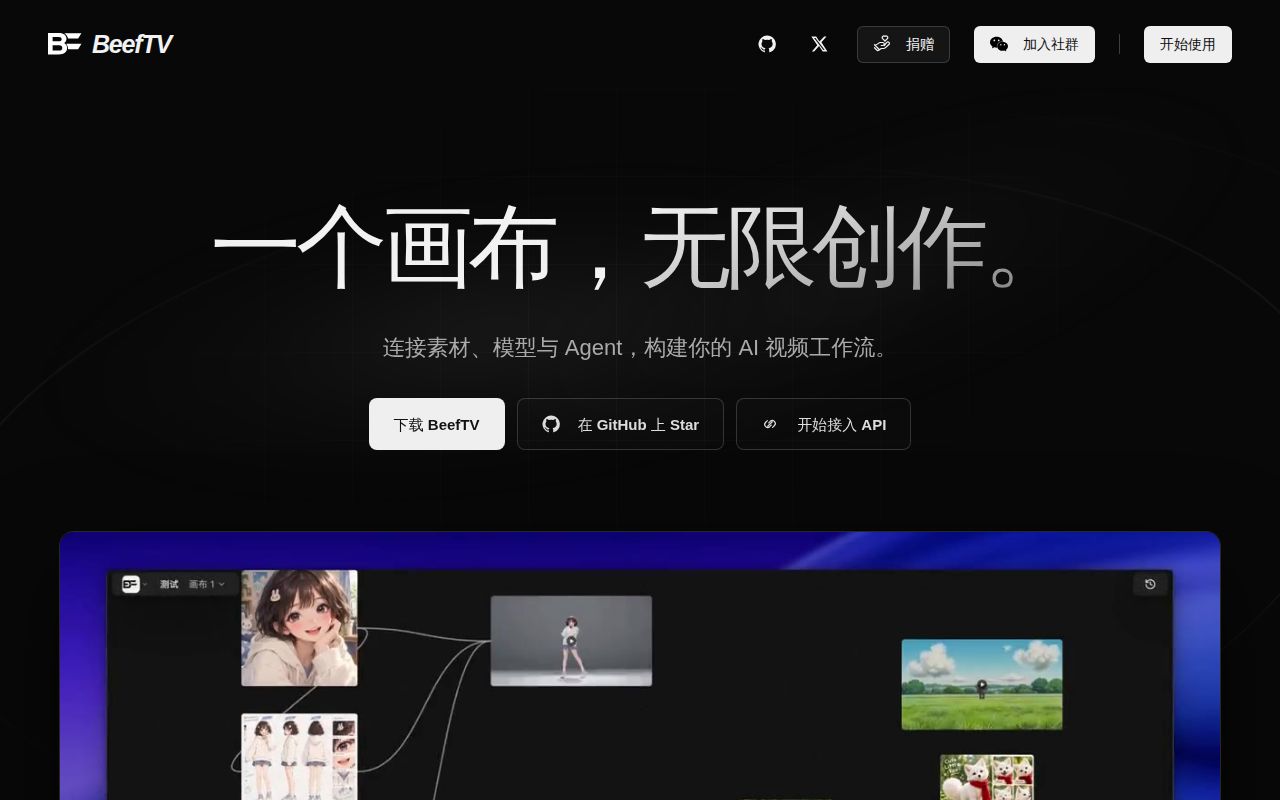
BeefTV lets you connect prompts and reference media to generated images, video, and audio on a freeform canvas. Its useful idea is keeping the working context beside the output. A reference image can remain attached to the scene you are revising, instead of disappearing into a separate chat history. For creators repeatedly changing a scene, that organization can matter as much as the choice of generation model.
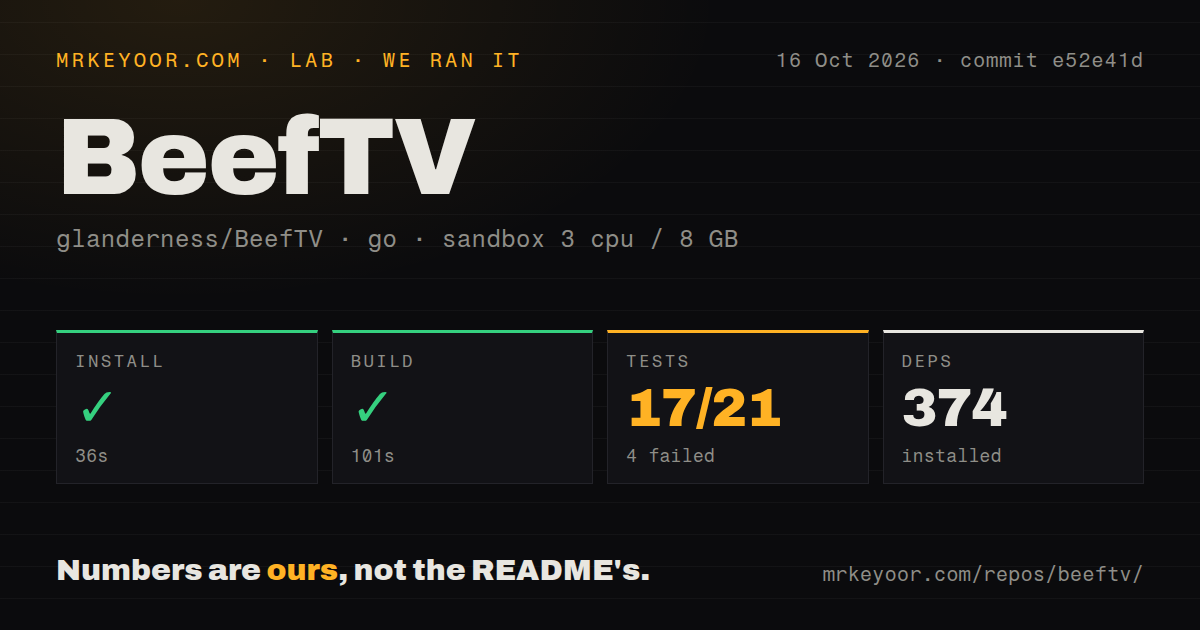
Our checkout contained 3,442 files, roughly 474,267 source lines, and 106.7 MB of material. GitHub identifies TypeScript as the primary language, while our lab selected the Go backend. The README and linked quick-start guide are Chinese, with no English edition linked there. English-speaking users should account for that documentation barrier before relying on the more detailed configuration and troubleshooting instructions.
What happened when we ran it
Our sandbox installed BeefTV's backend dependencies in 36 seconds and built the Go project in 101 seconds. Installation added 374 packages. We ran commit e52e41d on October 16, 2026, inside an unprivileged Debian container with 3 CPUs, 8 GB of RAM, the Go 1.24 image, and no secrets. The successful build establishes that this backend path compiled in that environment. It does not establish that the desktop application launched.
The test run timed out after 900 seconds, with 17 passes and 4 failures out of 21 reported results. The tail shows the handler package failing and database connection-opener goroutines, followed by successful entries for several other packages. It does not identify why the run stalled. Calling this a database deadlock or missing service would add a cause the supplied evidence does not show. The repository scan found 8 CI workflow files and a Dockerfile, but no tests directory.
The local edition still sends generation work to your chosen provider
The quick-start guide says the desktop workspace opens without registration and stores its projects, media, task records, and model settings locally. Generation uses the channels you configure. That is a meaningful separation: you can control the workspace without accepting a single model vendor, but your reference material still follows the selected generation route. Check each channel's requirements before using private client footage or unpublished creative assets.
The 374-package backend install excludes any claim about model weights or the complete desktop footprint. Local data also needs a migration plan. The guide tells users to quit the app and copy the complete workspace directory when moving or restoring it. Keep source media outside an experiment as well. The quick start explicitly excludes team synchronization from the local edition, so a shared production workflow should not assume collaborative cloud behavior merely because other documentation discusses hosted features.
Desktop builds need more than the successful Go step
The documented desktop route combines React, Go, and Wails, with Bun and platform components in the source environment. Windows builds require a native Windows host and a C compiler for the SQLite dependency. Mac downloads have a separate limitation: the guide says Developer ID signing and Apple notarization are unfinished. These details matter on managed work computers, where permission to open the downloaded app can decide whether a trial happens at all.
Our 101-second build measured the backend rather than that packaging process. The feature guide also gives export and transcription different requirements: finished-video rendering uses FFmpeg, while transcription requires a local whisper.cpp endpoint. A creator who only configures a text model has not therefore configured every editing function. Before committing a project, try the exact import, generation, and export sequence you need, including the codecs and reference-file types you actually use.
Provider compatibility can stop a reference-based workflow
Issue 181 reports that the Agnes video plugin requires publicly accessible media URLs and blocks local reference material in v1.7.24. The report specifically concerns the video plugin, rather than proving that every BeefTV model rejects local files. That narrower distinction is useful when deciding whether to try it: the same canvas can behave differently depending on the model protocol and the kind of reference you attach.
The 17 passing results in our run do not validate that provider combination. No generation credentials were present in the sandbox. Current pull requests discuss changing reference transport and adding native ComfyUI integration, but an open change is not a shipped capability. The source also contains an MCP server entry point for external agents. That earns the MCP tag, without supplying evidence that an agent-driven creative session completed in our run.
Recent fixes show activity without resolving our timeout
The last push was October 17, 2026. GitHub showed 1,481 stars and 25 open issues and PRs, while the latest published release returned by the API was v1.7.24 from October 15. Its notes address video-frame extraction, updater diagnostics, and model-protocol handling. Those are concrete maintenance signals. They do not erase our failed suite or establish that a later source change has fixed the same failure.
The 900-second timeout keeps my recommendation to a supervised trial. ComfyUI is the stronger comparison when controlling model execution is the priority. Shotcut fits editing footage you already have. Keep BeefTV if the connected canvas saves real work, after proving your chosen channel and export route with a disposable project. Preserve the original clips and a copy of the workspace before moving valuable work into it.