Pick a language, then choose an artifact to build
Open the C/C++ section and you can choose a shell, a database, or a text editor. Open Python and you get Flask applications alongside scraping and image-processing projects. Project Based Learning helps when you know some syntax but cannot decide what to make with it. Its language-first arrangement gives you a sensible starting point. Entries lead to different authors and environments.
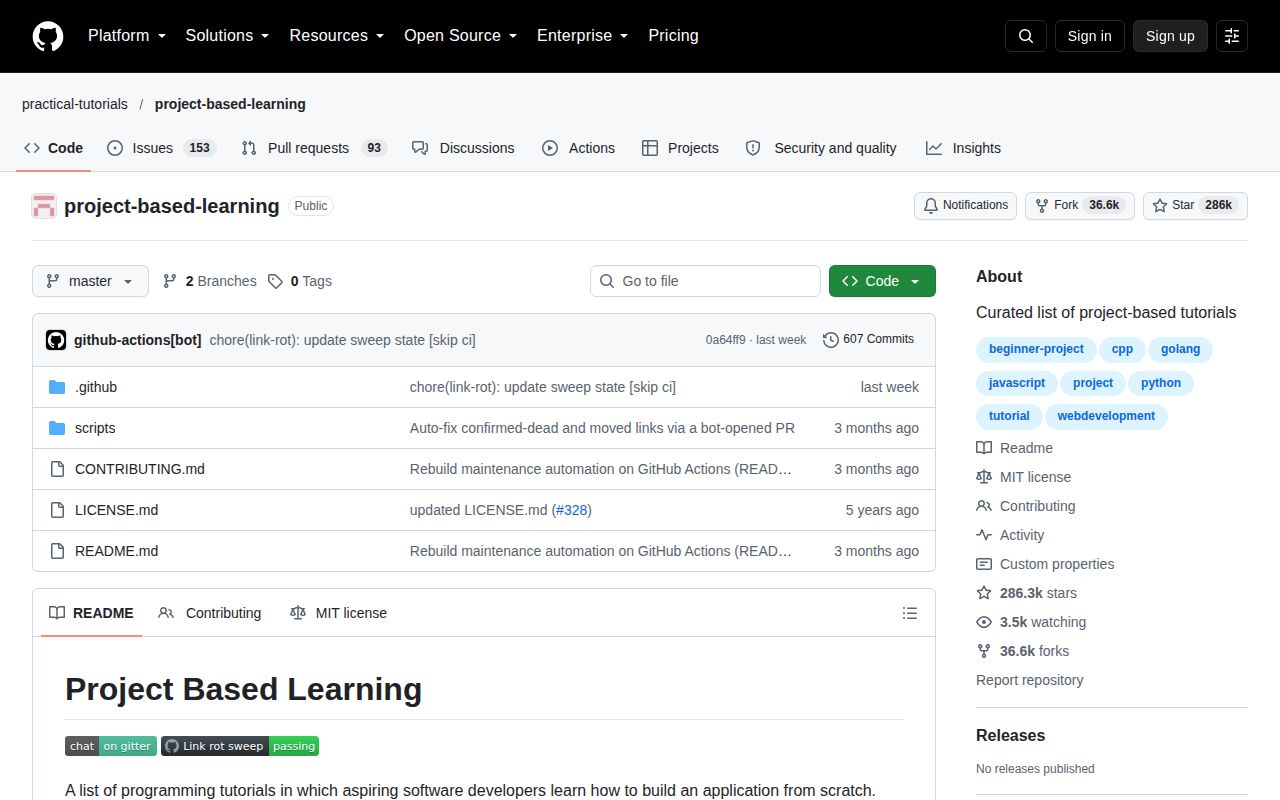
Our checkout contained 14 files and occupied 0.2 MB. The tutorial applications live at the linked destinations rather than arriving as a collection of runnable projects in that checkout. You can browse the English README in a browser without setting up a Python environment. Forking it makes sense if you want your own edited list or plan to contribute, but it is unnecessary just to follow a tutorial.
What happened when we ran it
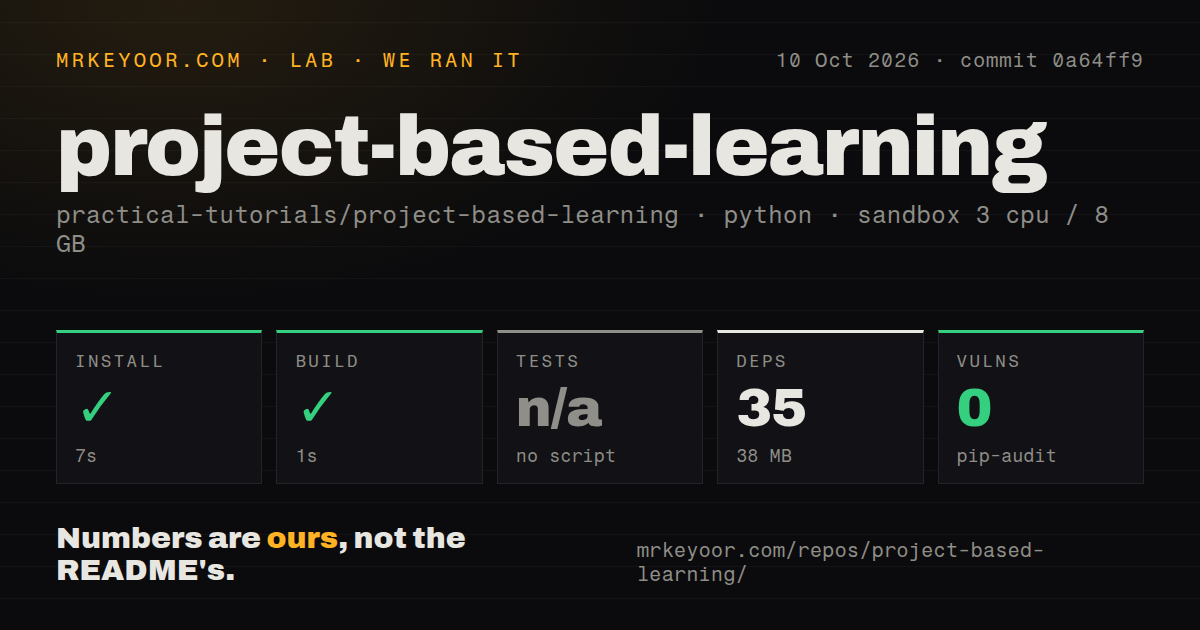
Our run of Project Based Learning installed 35 packages in 7 seconds, used 38 MB on disk, and completed the build in 1 second. We cloned commit 0a64ff9 on October 10, 2026, into an unprivileged Debian sandbox with 3 CPUs, 8 GB of RAM, and no secrets. The image was ghcr.io/astral-sh/uv:python3.12-bookworm. Those successful repository steps do not establish that any linked application's setup works.
Pip-audit reported 0 known vulnerabilities. Tests were skipped because the sandbox found no tests script or target. The scan recorded roughly 1,179 source lines, 3 CI workflow files, no Dockerfile, and no tests directory. Our measurement setup covers repository mechanics and the audited dependency environment. It provides no completion rate for the tutorials, and no evidence that their external dependencies or instructions work on current machines.
Language headings leave difficulty and prerequisites to you
The README's project list gives you titles and links, sometimes split into a series. It does not consistently label difficulty or prerequisites. A Python learner can encounter a Django blog and a neural network in neighboring parts of the same language section, despite their different demands. If you need an ordered path that introduces concepts before using them, this directory makes you do that planning yourself.
The 0.2 MB checkout is convenient to retain, but keeping the list locally does not preserve the lessons. Linked videos and articles remain on external sites. For a workshop or classroom, inspect the selected project's introduction and later chapters before assigning it. The README explicitly marks its Haskell website tutorial as outdated, and its web sections retain Angular 1.x and Vue 2 entries. Use those for historical study only after deciding that is what you want.
Weekly link checks still leave known broken entries
Issue 899, updated October 5, lists 9 dead links, 126 moved links, and 2 suspect links in the project's automated report. It names the character-voting app and an Angular Instagram clone among the dead entries. These are upstream link-check findings, not results from our sandbox. They give a concrete reason to verify your chosen lesson before reserving an evening or sending it to a class.
The 3 CI workflow files in our scan include separate README validation and link-maintenance workflows. The weekly sweep proposes removals for repeatedly dead entries and updates for moved URLs. Proposed fixes can remain open. PR 908, still open when checked, corrects a duplicated path in the Meta Crush Saga URL. Automation has identified problems that readers can still encounter.
A free tutorial policy does not certify every destination
The contribution rules require tutorials to be free and open, without a paywall, login wall, or required newsletter signup. Contributors must disclose an affiliation and submit a project that produces a working artifact. The rules also explain that sites such as Medium can block automated checks. A result the checker cannot verify needs a human look, and the written admission rule cannot stop an external publisher changing access later.
Our 7-second install used no secrets, while a lesson you select may require its own tools or service accounts. Browsing this directory needs neither a model provider nor a database service. The setup burden begins at the destination: a browser exercise, a mobile application, and a network service each have different requirements. Check the tutorial's platform and dependency instructions there. The repository's Python classification describes its maintenance code, not the language you must learn.
October activity shows maintenance without a release requirement
The repository's last push was October 5, 2026. GitHub showed 246 open issues and PRs on October 11, and recently updated pull requests included link corrections and closed tutorial submissions. The latest-release endpoint returned no published release. For a directory, pushes and link-maintenance work are more useful health signals than release tags. The open report and pending fixes show maintenance work underway, with an unresolved access problem for some entries.
The 38 MB environment we measured buys no common runtime for this catalog. That is why I would score its browsing setup highly while treating its maturity as a maintained directory with uneven destinations. README validation checks formatting, duplicates, and added-link reachability. They do not tell you whether a tutorial teaches a current API correctly or whether its final code behaves as promised.
Choose a curriculum when you need the next lesson chosen
Build Your Own X is a better browsing companion when the technology interests you more than the implementation language: its categories include databases, interpreters, and browsers. OSSU Computer Science is the alternative when you need courses arranged into a broader education. Bookmark Project Based Learning when you already have a language and want an exercise you can inspect first.
The successful 1-second build in our sandbox should not choose your tutorial for you. Open the lesson's final chapter before starting and check that it exists, then read its environment requirements. Pick a project whose finished behavior you can explain and verify. If you cannot reach the instructions, choose another entry now, before your study session becomes a search for somebody else's vanished website.