Portmaster sees traffic before individual apps can hide it
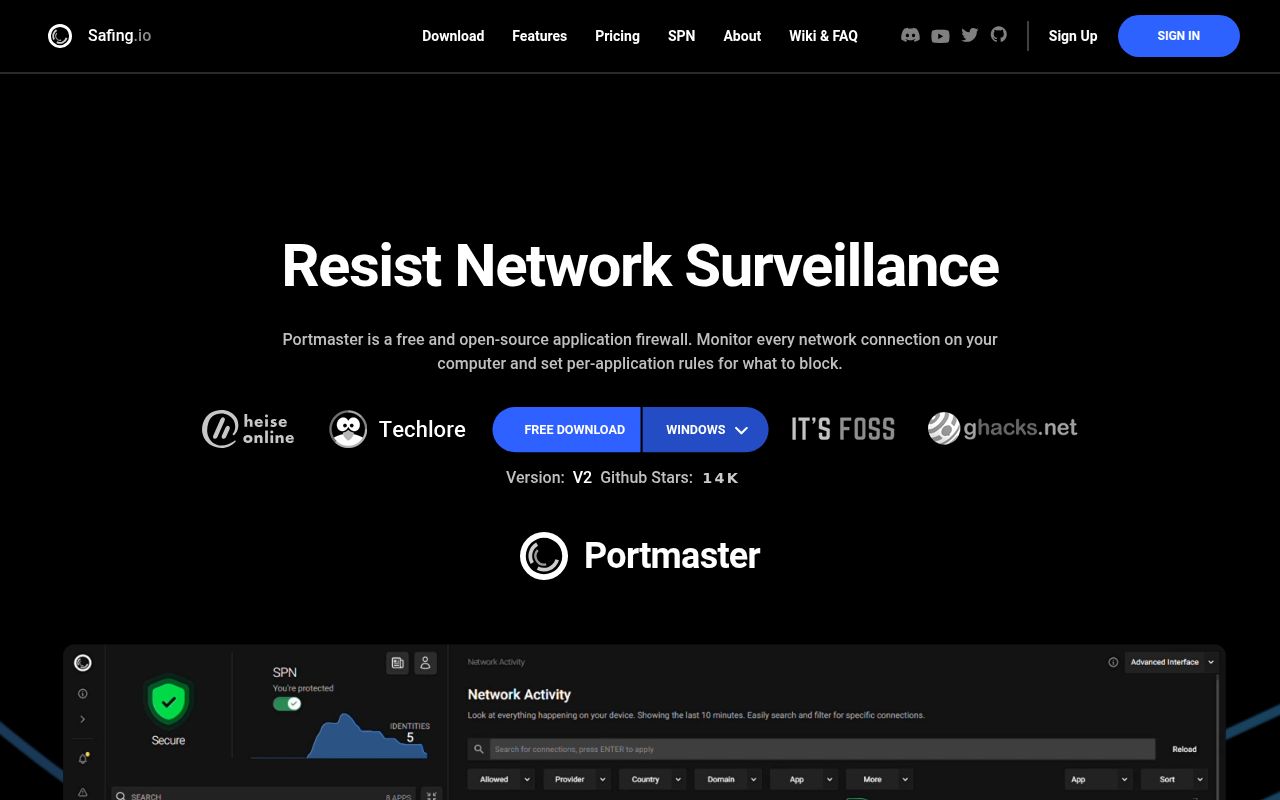
Portmaster runs a privileged Core service that joins the operating system's network path. On Linux it uses nfqueue plus eBPF and process data; on Windows it uses a WFP kernel driver and system APIs. That position lets it connect network activity to an application, block a domain or IP, enforce inbound and peer-to-peer scopes, and redirect stray DNS requests to its own resolver. The user interface and notifier run separately in the logged-in user's context.
This is deeper access than a browser extension or DNS block list. Our checkout contained 2,092 files and about 244,056 lines of source before fetching 309 Go packages. A defect can affect all browsing, updates, chat, games, and name resolution on the machine. The same power makes Portmaster useful: one app cannot quietly bypass a rule merely by choosing its own DNS server or opening a less obvious connection.
Free filtering is useful before the paid network
The free layer monitors connections, applies global and per-app settings, blocks known tracker or malware domains, and resolves DNS over TLS or HTTPS. Rules can use domains, IP addresses, countries, and network scopes. Portmaster downloads intelligence data and signed updates, so “local” describes policy and connection records rather than a machine that never contacts Safing infrastructure.
Searchable connection history and per-app bandwidth are marked as paid features in the README. SPN costs more and sends traffic through Safing's multi-hop network with onion encryption. Version v2.2.1 added split tunneling so chosen apps can use another network interface. An open report on that release says a shared UDP socket can keep sending later datagrams to its first destination, breaking STUN, games, and peer-to-peer traffic while TCP continues to work.
What happened when we ran it
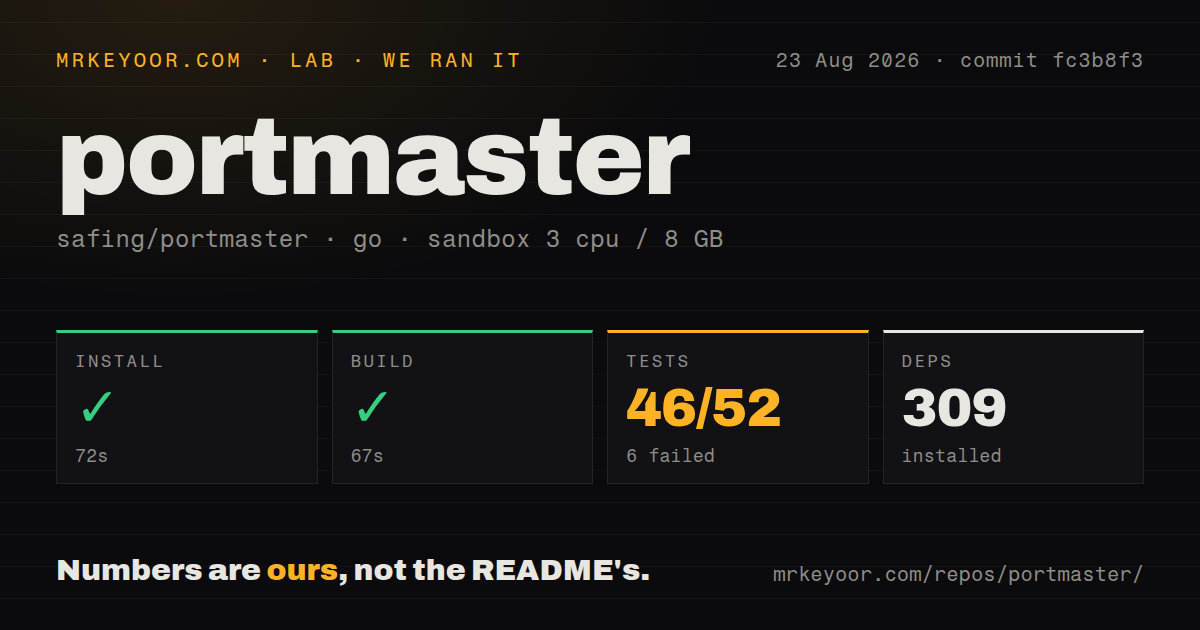
Our sandbox downloaded 309 Go packages in 72 seconds and built commit fc3b8f3 successfully in 67 seconds. The unprivileged Debian container had 3 CPUs, 8 GB of RAM, and no secrets. The checkout contained 9 CI workflow files, no Dockerfile, and no tests directory. Those repository signals do not substitute for the commands our harness ran.
The full Go test command returned exit code 1 after 79 seconds. The harness counted 46 passed and 6 failed packages out of 52. Its final lines showed successful results for several SPN packages, then marked github.com/safing/portmaster/spn/crew and the overall run as FAIL. The tail does not show a failed assertion, error message, or reason, so we cannot say whether the cause was environmental or a code defect.
Secure DNS can become a system-wide dependency
Portmaster catches DNS requests headed elsewhere and sends them to its internal resolver, which can use configured DoT or DoH servers. It also supports split-horizon handling and protection against rebinding. This blocks applications from escaping a network policy through their own resolver, but it means the health of one local DNS service now matters to every application on the machine.
Issue 2197 documents a Windows v2.2.1 code path where one UDP datagram larger than 512 bytes stops that listener. The reporter supplied a minimal PowerShell reproduction and logs covering 93 failures, with retry delays growing as high as 60 seconds. The report is specific to Windows socket behavior and does not establish the same failure on Linux. Windows buyers should test oversized and malformed DNS traffic, then confirm the resolver recovers without a full restart.
Existing security and VPN software need a staged rollout
Network filters often fail through interaction rather than a single broken feature. Portmaster publishes compatibility guidance for VPNs and software because it redirects DNS, owns packet decisions, and can route selected apps through SPN or another interface. Version v2.2.1 fixed Linux cases involving pre-existing SPN connections, IPv6 conntrack cleanup, and one IVPN configuration. Those fixes show active work in precisely the integration layer operators must test.
Recent reports remain specific. Issue 2238 says opening a browser with several tabs interrupted existing SPN connections on Fedora Linux 44. Issue 2191 reports a Windows 10 SQLite migration error that stopped Core after the first restart. Issue 2140 claims the v2.1.7 uninstaller removed unrelated startup entries on one Windows setup. These reports do not prove a universal failure, but they justify a restore point, exported settings, and restart and uninstall drills before broad deployment.
August issue activity follows the June release
GitHub recorded the latest code push on August 21, 2026, after v2.2.1 shipped on June 16. The repository had 13,611 stars and 102 open issues and pull requests when fetched. New issue discussion continued through August 26, including detailed split-tunnel and SPN reports. The two-month tag gap therefore is not evidence that development stopped.
Portmaster is easier to understand than a pile of firewall, DNS, tracker-blocking, traffic-history, and privacy-network tools. That consolidation is the reason to try it and the reason to be careful. Our 67-second build shows the source compiles, while 6 failed packages stop short of a clean engineering result. Install it on one test machine, keep local recovery access, and check the applications whose traffic matters most before trusting the defaults.