Plannotator puts agent approval in a browser
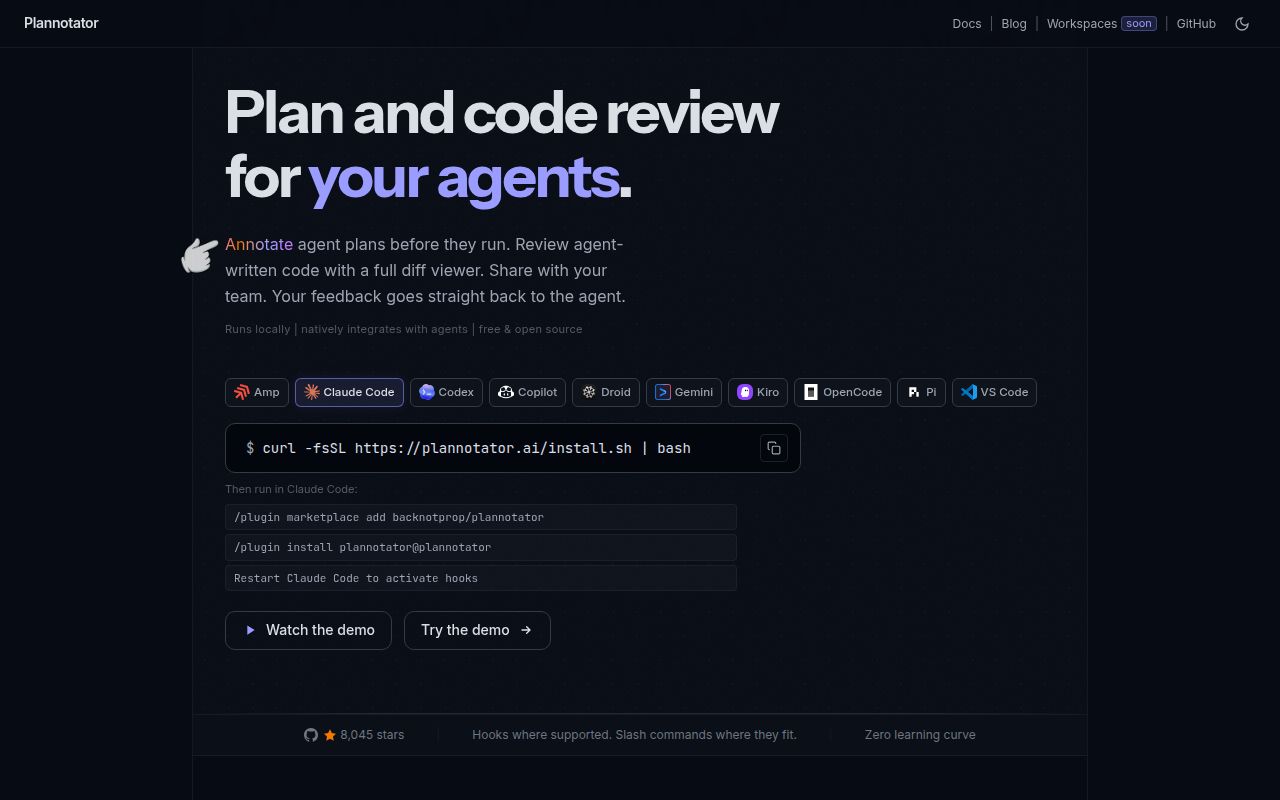
Plannotator intercepts a coding agent's plan, starts a local review surface, and opens it in a browser. You can attach comments to text, approve or deny the plan, and return structured feedback to the same agent session. It also reviews uncommitted changes, pull requests, rendered Markdown, folders, URLs, and HTML. Comments belong beside the reviewed material instead of being described from memory in a terminal message.
Claude Code, Codex, Copilot CLI, Gemini CLI, OpenCode, Kiro, Droid, Amp, and Pi each get hooks, commands, plugins, or skills suited to the host. Code review accepts Git, GitButler, Jujutsu, Perforce, GitHub, and GitLab inputs. That breadth helps people moving among agents, though every host has its own installation and plan-interception limits.
Local storage still makes several network requests
Plans, annotations, drafts, history, diffs, and configuration stay local by default, and the project says it collects no usage analytics. Every plan, archive, annotation, sharing, and code-review surface checks GitHub for the latest release when it loads. There is currently no setting to disable that request. Local Git review may also query origin with git ls-remote to identify a default branch or stale baseline, although it does not send the diff.
Network features move more data. URL annotation uses Jina Reader by default for public pages unless that path is disabled or unavailable. GitHub and GitLab review invokes the authenticated command-line client and remote. Ask AI and automated reviewers send the selected question plus relevant document, plan, repository, or diff context to the configured provider. PLANNOTATOR_AI=disabled turns off those AI features, and PLANNOTATOR_SHARE=disabled shuts down sharing.
What happened when we ran it
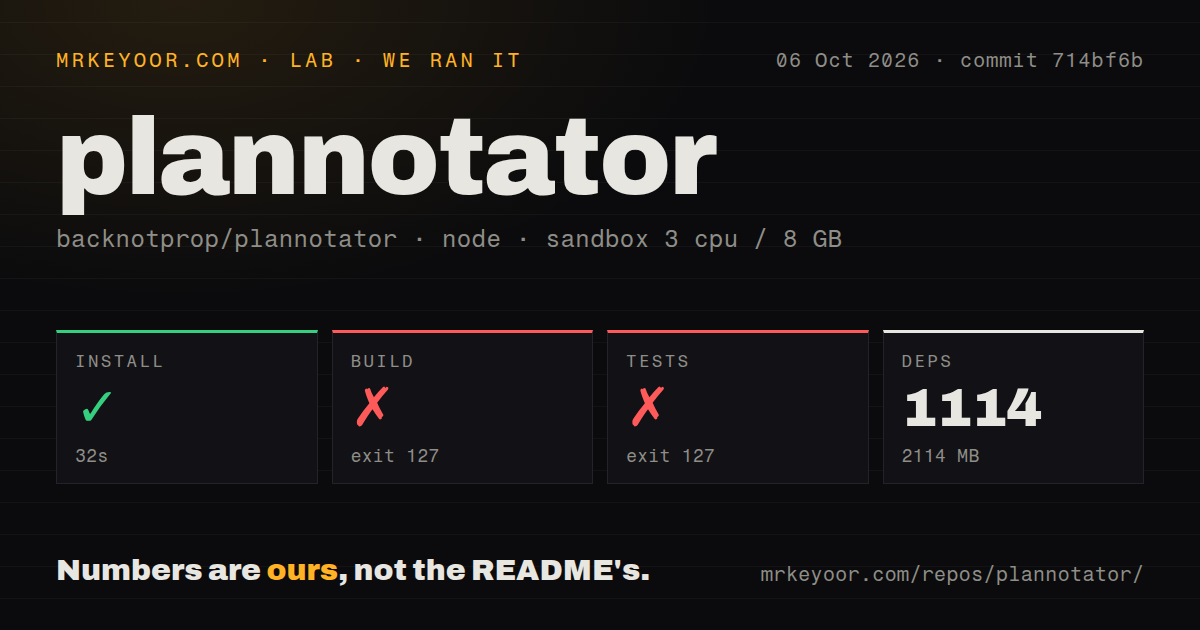
Our sandbox installed 1,031 packages in 46 seconds, leaving 2,263 MB on disk. The checkout at commit b381ecb contained 1,751 files, about 299,232 source lines, and occupied 47.5 MB. It is a Node monorepo organized with workspaces, with 6 CI workflow files, a tests directory, and no Dockerfile in the measured tree.
The build failed with exit code 127 after 7 seconds. Tests failed with the same code after 6 seconds. Both log tails contained one decisive line: sh: 1: bun: not found. That does not say the TypeScript failed to compile or that an assertion failed. It says our Node 22 lab image lacked the Bun executable required by the repository commands, so the build and test results remain unknown beyond that prerequisite failure.
This is still a setup finding. The package install succeeded while the next two standard actions could not start, which makes a half-configured Node environment look ready when it is not. Source contributors should install the Bun version expected by the repository, repeat the exact build and test commands, and only then judge code health. People using release binaries avoid this monorepo path, but should verify the artifact and its provenance.
One installer changes several agent configurations
On macOS, Linux, and WSL, the documented installer downloads the Plannotator binary from GitHub Releases, detects installed agents, then adds hooks, skills, commands, or plugins. --minimal installs only the binary under ~/.local/bin. A full run may also reach GitHub for release data and agent files, Ataraxy-Labs/sem for an optional sidecar, and npm for Pi or selected extras. Pinning a version avoids API resolution but still downloads the release.
That convenience deserves the same care as any script piped into a shell. Read it, pin a version, and verify the release when the machine holds source code or agent credentials. Plannotator publishes SHA256 sidecars, SLSA provenance from v0.17.2, and a CycloneDX SBOM for current releases. The README warns that this SBOM covers locked monorepo build inputs and is not an exact per-binary runtime inventory because Bun executables do not expose all bundled package metadata.
Uninstallation is more thoughtful than most agent plugins. The ordinary command keeps plans, history, drafts, guides, and settings. --purge requires typing a stronger confirmation and removes known local data, while dry-run previews recognized work. Safety checks refuse roots, the home directory, shared temporary storage, symlinked data directories, and several path substitution cases. Custom files and malformed configuration are preserved or cause a safe stop rather than a broad deletion.
Sharing has 2 privacy models and a changing future
Small Markdown shares are compressed into the URL fragment. The fragment does not go to the portal in the browser request, but it is unencrypted and anyone holding the complete link can read it. Large Markdown and raw HTML use AES-256-GCM before ciphertext is uploaded. The decryption key remains in the URL fragment, and hosted pastes expire after 7 days. A complete link is the secret in either case.
The paste service can be self-hosted, and sharing can be disabled. Open-source asynchronous link sharing is described as a compatibility feature moving toward deprecated support, with no removal date announced. Hosted Workspaces is the primary team direction, and its storage differs from the local app. Teams choosing Plannotator for privacy should evaluate local review separately from sharing and Workspaces.
Release 0.27.8 fixes real workflow friction
GitHub showed 8,045 stars, 138 combined open issues and pull requests, and a last push on August 24, 2026. Release v0.27.8 shipped that day. It stopped Pi plan completion from invalidating the provider's prompt cache, a problem that caused one reported session to reprocess roughly 90 messages. The patch preserves earlier history and appends updated phase instructions instead of rewriting the conversation.
That release also restored a restricted thumbs-up action for HTML annotations and exposed an embed picker extension for UI hosts. Open issues from the following 2 days included settings data loss, a macOS custom-browser failure, repeated plan review, and root build ordering. This is an active project moving quickly. Try the binary on a disposable agent profile first, inspect its network settings, and keep it only if anchored comments improve decisions enough to justify another local service and browser tab.