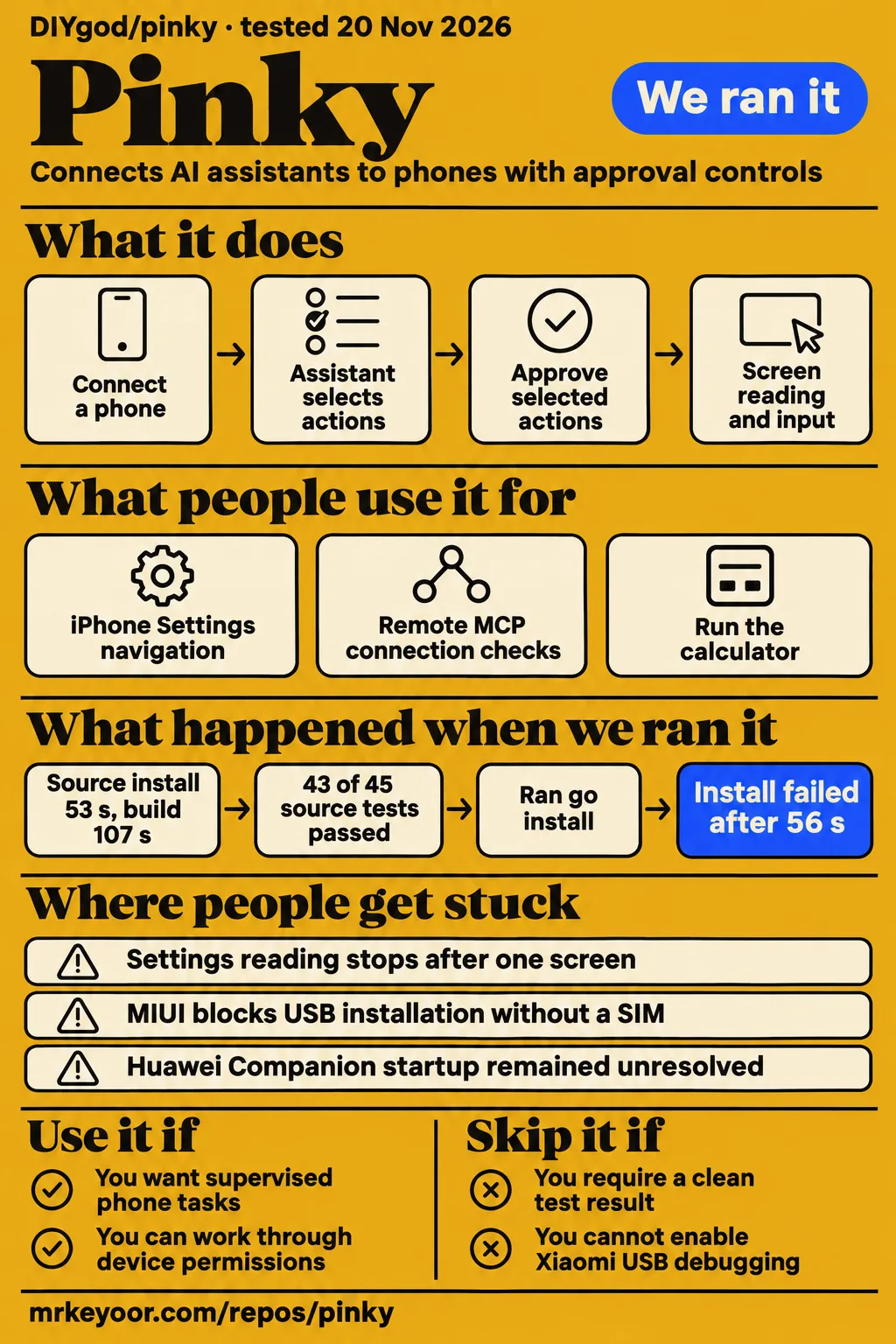
DIYgod/pinky is a pre-alpha phone-control project whose source built in 107 seconds in our run, while its test command failed after 240 seconds. It suits MCP users evaluating supervised tasks on a specific phone. Skip it if a clean source-test result is required, or if your Xiaomi cannot enable USB debugging (Security settings), which the maintainer says is necessary for taps and typing. Those decisions follow from our source-run measurements, the Pinky README and issue #54's permission explanation.
The most useful device evidence comes from reporters returning with another result: hpizaia read an iPhone Settings list after a later correction, and DoYana ran a calculator on a vivo foldable after screenshot selection changed. Their reports identify devices and releases rather than describing Android or iPhone compatibility as a single result. Pinky here means DIYgod's phone agent, rather than the unrelated products and meanings that share its name.
What people use pinky for
Reporters used Pinky for iPhone Settings navigation, remote MCP connection checks and calculator operation on a vivo X Fold 6. The README describes phone operation through MCP, which connects an assistant to external tools, and also describes Pinky's own task interface with a model you choose. In the desktop workflow, the assistant selects actions while Pinky provides phone access, a visible task window and approval controls.
| Person and setup | Task | Reported outcome |
|---|---|---|
| hpizaia, iPhone 17 Pro Max, Portuguese, USB, Claude Code | Read Settings and Shortcuts | English app names and default swipes worked on 2026.1116.6; complete Settings-list reading was confirmed on 2026.1116.7. Issue #148 |
| ferrraridave-coder, Grok-style remote MCP client | Connect through Cloudflare Tunnel | Connection, app listing and release passed locally and through the tunnel on 2026.1108.25 without the sticky-session proxy. Issue #10 |
| DoYana, vivo X Fold 6, USB | Run Checkup and invoke the calculator | Both worked on 2026.1116.6, folded and unfolded on Windows and folded on macOS. Issue #154 |
| llLlllL1l, iPhone Duo, Apple Silicon Mac, USB | Open General, About and iOS Version | With the outer screen active, video, page elements and navigation worked on 2026.1109.15. Issue #32 |
The Portuguese-language report separates app lookup from screen reading. On 2026.1116.6, asking for Settings opened Ajustes, and the default swipe retained overlapping rows between screens. List reading still stopped after one screen, however. The next confirmed release, 2026.1116.7, read four screens with content and 16 overlapping lines before stopping at no_new_content, according to hpizaia's retest. A successful app launch and a complete list read were separate outcomes.
What happened when we ran it
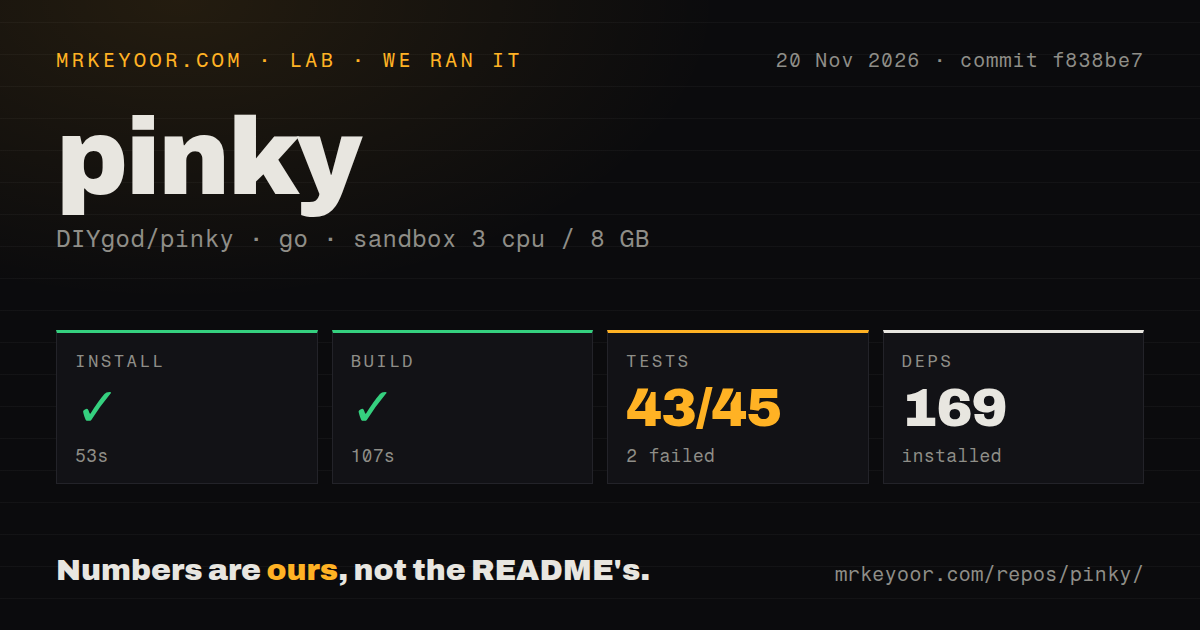
Our November 20, 2026 source run installed dependencies in 53 seconds and built Pinky in 107 seconds. The test command exited 1 after 240 seconds. We measured the checkout at commit f838be7 in a sandbox configured with 3 CPUs, 8 GB RAM and image label golang:1.24-bookworm. The source-harness record contains the timings, repository scan and failing log tail.
| Step or observation | Recorded result |
|---|---|
| Install | Succeeded in 53 seconds; 169 dependencies recorded |
| Build | Succeeded in 107 seconds |
| Tests | Failed after 240 seconds, exit 1; summary: 43 passed, 2 failed of 45 |
| Checkout | 1,721 files, approximately 362,820 source lines, 51 MB |
| Repository scan | Four CI workflow files; no Dockerfile or tests directory detected |
The failing log tail names TestAddIPhoneShortWindow (0.03 seconds), TestIPhoneHelperTeamsFit (0.84 seconds), TestIPhoneHelperReminderCut (0.03 seconds), TestLayoutReminder (0.03 seconds) and TestDurationsDoNotWrap (0.00 seconds). The ui package failed at 77.921 seconds. Other package results were successful: ios/onphone at 2.875 seconds, ios/rppair at 0.067 seconds, scripts/release at 13.212 seconds and ui/fakeapi at 2.361 seconds. The scan's missing tests directory plainly does not mean the repository contains no tests.
A separate quickstart probe used commit f838be709182 in a fresh, unprivileged container with 2 CPUs, 4 GB RAM, no published ports and no secrets. Its clone step took 4 seconds. The probe selected go install github.com/DIYgod/pinky/...@latest; the README instead directs users to release downloads. That install step failed after 56.4 seconds with exit 1.
The probe resolved v0.0.0-20261120022602-f838be709182, requested Go 1.27.3 or later and switched to go1.27.4 in its toolchain output. Go then rejected the module because its go.mod contained replace directives that would change its interpretation outside the main module, as the install failure records. This was a failed probe command, separate from the successful checkout-based build. The teardown record says ok.
Where people get stuck: permissions, screens and service startup
Issue #56 distinguishes an installed Android app from an active accessibility service; issue #54 separates APK installation from input permission. In issue #54, the maintainer says USB debugging (Security settings) must be enabled and the phone restarted before Companion accessibility, taps and typing work. That switch can require Xiaomi's online check and a SIM, even after the APK has reached the phone through another route.
| Symptom | Thread's explanation or action | Reported outcome |
|---|---|---|
| Blank-password Windows account rejects unlock confirmation | Account lookup and encrypted empty-password handling changed | Kutius confirmed success after 2026.1110.13. Issue #41 |
| Huawei Mate 10 says Companion installation is unfinished | Troubleshoot accessibility startup: reboot, open Companion, temporarily disable the other accessibility app, try USB, then inspect manual enabling | Maintainer says slower agent control remains available. Issue #56 |
| MIUI blocks USB installation without a SIM | Transfer the bundled APK and open it on the phone | Manual installation succeeded; input still requires the security-debugging switch. Issue #54 |
| Settings-list reading stops after one screen | Update to the list-reading correction | Full-list reading confirmed on 2026.1116.7. Issue #148 |
| vivo foldable accepts input but cannot capture its screen | Select the active physical display | Checkup and calculator retests passed on 2026.1116.6. Issue #154 |
| iPhone setup stops at developer disk image | Update Xcode and open it once, or use the offered alternative image | Maintainer offered the alternative 32 MB image in 2026.1109.2. Issue #6 |
| Windows tray quit is followed by a restart | MCP startup, including magpie reconnection, relaunches Pinky | Maintainer announced explicit-quit handling in 2026.1115.8. Issue #142 |
The iPhone Duo report includes a controlled comparison. With Pinky 2026.1109.15, an Apple Silicon Mac running macOS 27.2 and USB connected throughout, the unfolded inner screen failed with no video from the device: context deadline exceeded and error: device_offline. Folding the same phone made video and navigation work. The reporter identified iPhone19,4, the displayed name iPhone Duo and iOS 27.3 with beta text in issue #32.
Remote MCP needs the reported session and Host configuration
Pinky 2026.1108.25 passed ferrraridave-coder's connection, app-listing and release checks without replaying Mcp-Session-Id. The reporter used a fixed Authorization bearer credential and tested both local access and Cloudflare Tunnel. The working tunnel forwarded to http://127.0.0.1:7465 with originRequest.httpHostHeader: 127.0.0.1:7465, according to the remote MCP retest. These values describe the reporter's working configuration.
The same thread records an intermediate sticky-session proxy whose long-lived GET stream blocked tool POST requests. Refusing GET with 405 resolved that proxy path. After updating Pinky, the reporter stopped the proxy and observed GET /mcp without a session returning 405, followed by successful phone operations locally and through the tunnel. The reporter separated the proxy observation from Pinky's server behavior.
Safety controls and recording export have different boundaries
The README says payments, trades and transfers wait for the user's click, and agents cannot approve themselves through Pinky's gateway. Settings › Safety can also require approval for sends, orders, deletions, calls, installs, links that leave the app, settings changes or every step. The README describes button recognition in 10 languages. These are the project's documented controls, including the choice to make approval more frequent than the default payment checks.
The README says recordings retain blocked-app content as it appeared, while agent-facing screenshots and Activity screenshots cover that content with a gray box. Recordings stay on the computer, and an agent receives one only when export is allowed. This recording distinction concerns blocked-app content. It gives a concrete reason to review a recording before sharing it, rather than treating every saved visual as equivalent to the masked screenshot an assistant receives.
The README also distinguishes that masking behavior from allowing a banking or wallet app for a task. In the task-specific access description, Pinky says it keeps no screenshots or recordings of the allowed app and returns text rather than a picture when reading pixels. Separately, the maintainer announced that 2026.1110.24 removed other accessibility-app names from diagnostics after a Huawei report exposed one, as recorded in issue #56.
English documentation and release status
Pinky has an English README and linked Chinese, Japanese and Turkish translations, and the README calls the project pre-alpha. Its requirements include macOS 13 or later, Windows 10 or 11 on x64, or a Linux x86-64 system meeting the listed glibc and GTK requirements. The phone requirements list Android 10 to 17 and iOS 17.4 or later, with different iPhone input paths depending on iOS version.
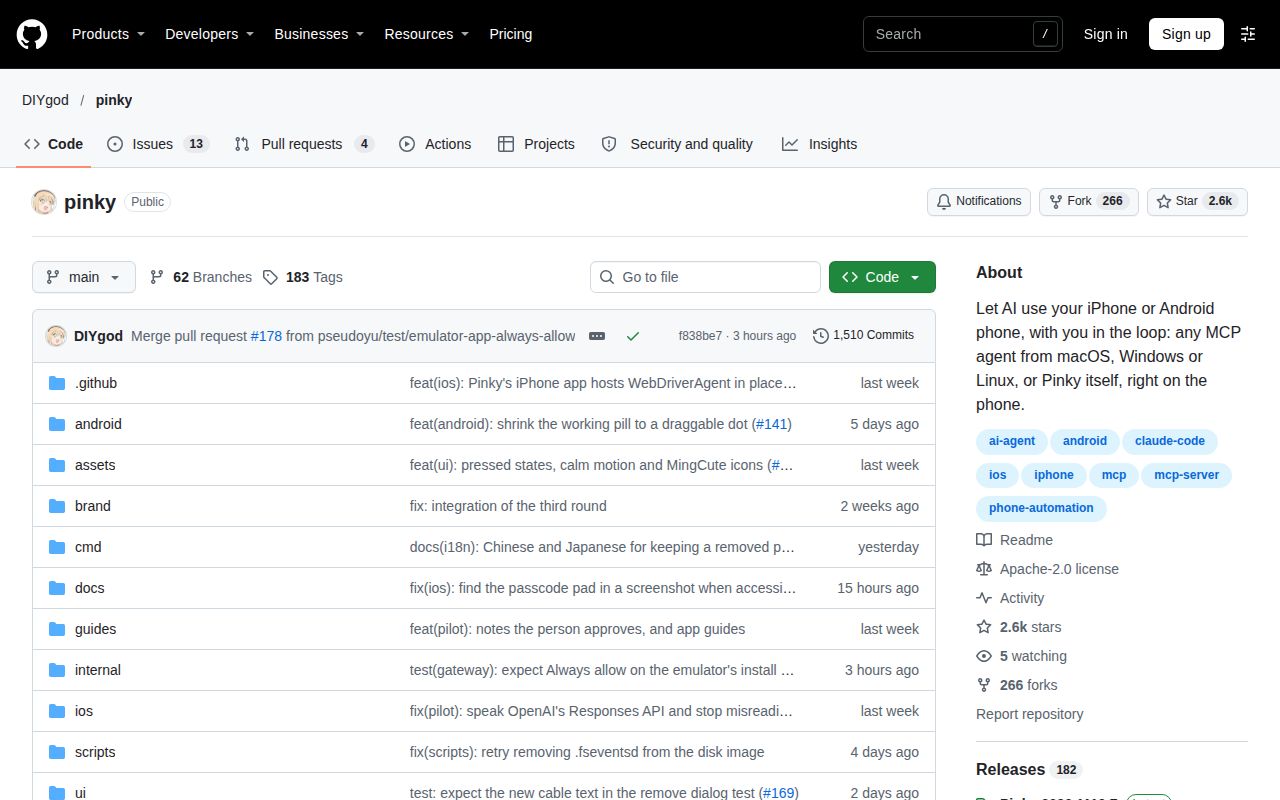
The November 20 repository snapshot records 2,554 stars, 17 open issues and PRs combined, and a last push at 2026-11-20T02:26:02Z in GitHub's repository metadata. The release metadata lists v2026.1119.7, dated November 19. These are dated repository facts, separate from our f838be7 checkout and the older versions in reporter retests. Star totals describe attention; the device-specific replies explain what people actually got working.
Pinky vs scrcpy and Mobile Next MCP
scrcpy documents direct Android control with a computer's keyboard and mouse. Mobile Next MCP documents native app interaction for agents through accessibility snapshots or screenshot-based coordinate taps. Pinky's README describes a desktop view, gateway approvals and task records. The comparison below uses the Pinky README, scrcpy README and Mobile Next MCP README to distinguish their documented purposes.
| Project | Documented purpose | Choose it when |
|---|---|---|
| DIYgod/pinky | Phone operation through MCP with gateway approvals and task records | You want to watch an assistant operate a phone and approve selected actions. |
| Genymobile/scrcpy | Android mirroring and keyboard-and-mouse control over USB or TCP/IP | You want to operate Android yourself from a computer. |
| mobile-next/mobile-mcp | Native iOS and Android interaction through accessibility snapshots or screenshot-based coordinate taps | You are choosing an agent interface for mobile development or automation. |
scrcpy's README says it requires neither root access nor an installed phone app, and lists Linux, Windows and macOS hosts. It also documents Xiaomi's additional security-debugging setting for input control. Mobile Next MCP lists real devices, simulators and emulators, and its setup requirements include platform tools and Node.js v20 or later. Those documented differences support choosing which setup instructions to read next.
Outdated claims, corrected
The reporter confirmed complete Settings-list reading on 2026.1116.7, after the initial 2026.1116.2 fix announcement proved premature. On 2026.1116.6, hpizaia confirmed English app names and default swipes but still reproduced the list gap after one screen. The issue reopened, and the next correction addressed OCR text and row-order overlap. The later confirmation in issue #148 supplies the useful version boundary.
Windows blank-password confirmation likewise needed changes after the initial 2026.1110.2 announcement. The later explanation identified an encrypted empty password being treated as nonempty; 2026.1110.13 decrypted it before checking. Kutius then reported success, followed by a separate vivo fingerprint-screen problem. The sequence in issue #41 distinguishes successful Windows confirmation from locating password entry on the phone.
FAQ
Pinky's README starts setup with a release download, phone connection and agent configuration; reporters then describe Settings navigation and calculator operation. The README's setup instructions separate Android debugging authorization from iPhone preparation. The questions below come from device and connection reports, where similar symptoms involved different permissions, screens or Pinky versions. A phone appearing in the desktop window and an agent completing a task are separate steps.
What can Pinky actually do on a phone, and what conditions must be met first?
The README documents screen reading and phone actions, with Android debugging authorization and iPhone trust, Developer Mode and developer-image preparation. On iOS 17.4 to 26, input uses the phone app installed through a Mac with Xcode. The version-specific setup table separates that path from iOS 27 and later, where the documented Device Hub path requires no app installed on the phone.
Why does unlocking a phone fail when my Windows account has a blank password?
Issue #41 traced the failure to account handling and encrypted empty-password detection. Kutius confirmed success after 2026.1110.13. The Windows troubleshooting thread concerned computer-side confirmation of an unlock: the original report had a blank-password Windows account without Windows Hello. Its error was LogonUser ERROR_ACCOUNT_RESTRICTION, rather than a failure to enter the phone's PIN.
Why does Pinky fail to find password entry when my vivo lock screen starts with fingerprint authentication?
Kutius manually selected password entry to complete the unlock after Windows confirmation worked. The maintainer announced automatic selection in 2026.1110.19, adapting the behavior from the reporter's screenshot in issue #41. The reported symptom was a missing password-entry location on the phone's fingerprint-first lock screen, separate from the earlier Windows blank-password error.
Why does Android 10 keep reporting that Pinky Companion cannot be installed?
The Huawei Mate 10 report concerned accessibility-service startup despite Companion already being installed. The maintainer corrected the diagnosis and suggested rebooting, opening Companion and comparing USB with Wi-Fi in issue #56. The service failed to respond within 10 seconds. Version 2026.1110.10 changed the misleading installation message to report service and process information.
Do I need to enable Pinky Companion's accessibility service manually?
Pinky normally enables Companion's accessibility service while an agent works and turns it off afterward, according to the maintainer's explanation in issue #56. A disabled switch between tasks is therefore expected. Manual enabling appeared as a diagnostic step in the Huawei startup case, where the maintainer asked whether the switch stayed enabled and whether the phone showed a message.
How can I install Pinky Companion manually when MIUI blocks USB installation without a SIM card?
Copy the bundled APK to the phone and open it with a file manager, granting installation permission if requested. The manual-install thread identifies pinky-companion.apk inside Pinky's macOS resources, beside the Windows executable or in the Linux installation. It separates installing that file from enabling USB debugging (Security settings), which the maintainer says is necessary for input.
How can phone_read_list read the entire iOS Settings list without stopping at a gap?
hpizaia confirmed full-list reading on 2026.1116.7 using phone_read_list without a ref on the Settings home page. The successful retest read four screens with content, retained 16 overlapping lines and stopped at no_new_content. The same reporter had still encountered a gap after one screen on 2026.1116.6, despite the earlier announcement that all three reported problems were fixed.
How can I stop default iPhone swipes from skipping rows?
hpizaia confirmed corrected default swipes on 2026.1116.6. A 300 ms swipe moved about two-thirds of a screen, approximately 1,800 pixels, retaining overlapping rows in the Settings retest. This confirmation concerned default swipe behavior on the reported iPhone configuration; complete list reading received its separate confirmation on 2026.1116.7 after another correction.
Can Pinky match English system-app names on an iPhone configured in another language?
Settings opened Ajustes on hpizaia's Portuguese-language iPhone after updating to 2026.1116.6. The reporter's language-specific result gives a concrete example of English-name lookup working on an iPhone 17 Pro Max connected over USB. That retest also confirmed corrected default swipes, while the list-reading problem continued until the subsequent release.
Why can Pinky tap and type on an Android foldable but fail to capture its screen over USB?
The vivo X Fold 6 report involved selecting the active physical display for screenshots. DoYana confirmed Checkup and calculator operation after 2026.1116.6 in the foldable retest. Windows results covered both folded and unfolded operation; macOS results covered the folded phone. Input working before the correction did not mean Pinky was capturing the display currently in use.
What logs or checks help diagnose an iPhone video timeout after its developer disk image is ready?
Issue #32 records model and system identifiers, fold state, sharing indicators and Checkup results alongside diagnostics. The reporter's folded-versus-unfolded USB comparison produced a working outer-screen connection in the iPhone Duo thread. The earlier diagnostics showed developer disk image ready followed by a video timeout, so successful image preparation and receipt of a live picture were separate outcomes.
Can Grok Bot use Pinky without replaying Mcp-Session-Id or running a sticky-session proxy?
ferrraridave-coder reported successful connection, app listing and release on 2026.1108.25 without either workaround. The remote retest covered local access and Cloudflare Tunnel with the explicit origin Host configuration. The reporter used fixed Authorization credentials, and sessionless GET /mcp returned 405 after the update. Earlier lease failures occurred when later calls did not reuse the session header.
What we have not tested yet
Our source build and failed test command measure installation, compilation and test outcomes, rather than live phone tasks. Neither run measures task latency, operating memory, payment approval enforcement, takeover behavior or exported-recording privacy. The summary's two failed tests and the tail's five named failures have no reconciled explanation in the log. The container image label also leaves actual runtime versions unspecified. There is no direct workload comparison with scrcpy or Mobile Next MCP.
The README describes gateway approvals, but the readable text reviewed here contains no support for approval_pending responses, button-position checks, a 60-second refusal timeout, Read-only mode or unusual-label escape behavior. It also contains no passage establishing an adb bypass or the associated sandbox and HTTP recommendations. Those details are excluded from the safety account above. The documented approval and recording behavior remains a project description rather than a result of our source run.
Reporter coverage has specific limits: unfolded vivo operation on macOS was omitted, iPhone Duo Wi-Fi was excluded from its successful USB result, and the full iOS internal build identifier was missing. Reporter confirmation is absent for the iPhone Duo 2026.1109.19 correction, the developer-image workaround and explicit-quit handling. The vivo fingerprint-selection change was based on a screenshot rather than a maintainer's physical-device test. Huawei Companion startup remained unresolved, and the Portuguese result covers that reported configuration rather than every localization.
The reviewed Reddit and YouTube results identify no DIYgod/pinky task outcomes; the Bilibili listing supplies a product question rather than a demonstrated result. Search volume, production-user counts and support capacity are unknown. Rendered layout, assets and site-generated recommendations were outside this text review. For an initial evaluation, choose a read-only task with a known answer and record the phone, host, language, connection and Pinky version alongside separate screen-reading and input results.