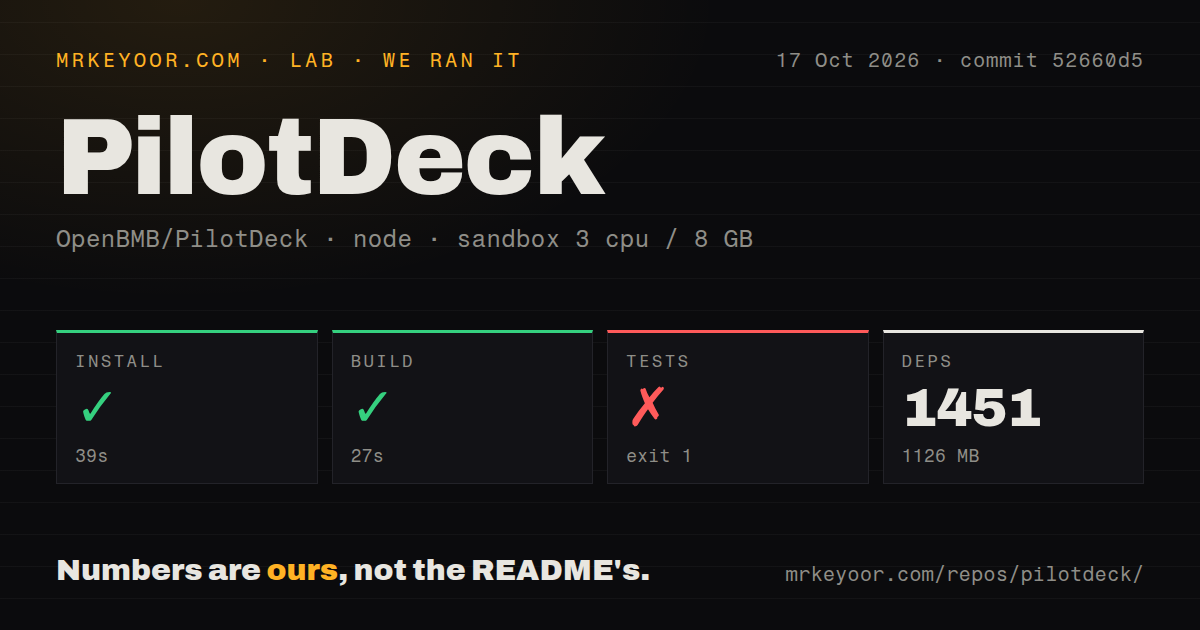

When an assistant carries the wrong instruction into tomorrow's work, a longer conversation can make the mistake harder to find. PilotDeck's documented answer is a workspace with memory entries you can inspect and edit. That is a useful reason to try it for recurring projects. Our successful build gets the evaluation started, while the failed test command keeps the reliability question open.
Editable project memory is the reason to try it
The PilotDeck README describes separate files, memory, and skills for each workspace. It also describes a visible memory pipeline and a Dream Mode that consolidates stored material with rollback. For someone maintaining several research or document projects, the appeal is being able to correct the remembered instruction instead of restarting every conversation.
Those are documented capabilities, not behavior our sandbox validated. Workspace organization also does not establish a security boundary against a tool that can execute commands. Before granting access to important files, decide which directories and external tools the assistant may use. Separate project folders are helpful organization, but our measurements say nothing about containment.
The project includes a web interface, command-line access, and messaging front ends. English and Chinese documentation are available. I'd assess it through a repeatable project with a known output: a report assembled from a fixed source folder, for example. That makes an incorrect memory or missing artifact easier to notice than an open-ended request to be productive.
What happened when we ran it
Our sandbox installed PilotDeck commit 52660d5 in 39 seconds, recording 1,451 dependencies and 1,126 MB on disk. The build succeeded in 27 seconds. The test command failed with exit code 1 after 124 seconds. We ran it on 2026-10-17 with 3 CPUs and 8 GB of RAM, using the recorded image label lab-node:22.
The supplied test tail contains passing TAP entries about transcript replacement, recovery, session history, and web tool-result handling. Its last visible entry says the web reducer bounds huge live tool-result previews, followed by a lifecycle failure. There is no failing assertion or diagnostic in the excerpt that explains the overall exit. The numbered entries do not establish an overall passing-test count.
The repository scan found monorepo workspaces, a Dockerfile, a Compose file, a tests directory, and 9 CI workflow files. Those signals show supporting machinery around development, without changing the failed command result. The image label does not establish the actual Node or operating-system version. We did not measure task completion, memory accuracy, model quality, or unattended execution.
The browser can start before a model is configured
PilotDeck's README says a missing provider configuration starts the web interface without the Gateway and opens onboarding. Saving a valid provider, API key, and model starts the Gateway. A working page therefore does not by itself establish a working assistant. Hosted providers need the relevant credentials, while the documented Ollama route can use a local model without an API key.
The source instructions require Node.js 22.13.0 or newer within the 22 series, below 23, because of the built-in SQLite runtime. That is a specific compatibility boundary, not a reason to choose whichever Node release is newest. The instructions use the pinned pnpm version and filters that omit Electron packaging dependencies for a web-only setup. Check that distinction before taking on desktop packaging work you do not need.
Platform preparation can extend beyond JavaScript. The macOS installer notes Xcode Command Line Tools and Python with distutils. The Windows FAQ describes C++ build tools and Python when native packages fall back to source compilation. These are documented contingencies. They do not explain our test failure, whose diagnostic is absent from the supplied tail.
Background execution needs a job you can verify
The README describes an always-on mode that discovers candidate tasks, runs monitors, and writes deliverables to local files. That is attractive for recurring work, but it expands the operating commitment. A model provider, retained state, and the process running the agent all become part of the job. Define when it may act and what should make it stop before leaving it unattended.
MCP servers, custom tools, and lifecycle hooks provide extension points. Each connection changes what the assistant can reach. Start with a narrow set and a disposable output directory. The useful acceptance question is whether the expected file appears with correct content and an understandable record of the actions taken, rather than whether a long session stays busy.
Smart Routing is another documented feature, assigning different work to different models. The README publishes cost comparisons, but our run did not measure model spending or output quality. Do not budget around those comparisons without a workload of your own. A cheaper task result only helps if it still meets the requirement that sent the work to an assistant.
Goose and gptme suit different working habits
Goose offers a local desktop app, CLI, and API with MCP extensions. Compare it when your immediate need is a general local assistant across those interfaces.
gptme describes a personal agent that runs wherever a terminal runs, including SSH sessions and headless servers. Prefer that starting point if the terminal is already where you supervise work. PilotDeck earns consideration when visible workspace memory is the feature you specifically want to evaluate. We did not compare these projects' speed or task success.
Active maintenance leaves specific questions open
GitHub recorded a PilotDeck push on 2026-10-20 and a v2026.10.20 release that day. Open issue 662, updated that day, reports filename recovery problems involving spaces or non-ASCII characters in the web Git route. It concerns this repository's file handling, but it is a user report from after our measured commit, not an explanation of our test failure.
Try a disposable workspace with representative filenames and a memory entry you deliberately correct. Restart the service and ask for the same bounded output again. Keep background execution off until you can inspect what it remembers, what it changed, and where the result landed.