gptme review: decide which agent workflow you need
gptme is worth considering when you want a terminal agent that can grow into a persistent worker. The adoption question is whether you want to configure that broader workflow. Our recorded setup and build results provide only part of the answer: they do not establish how well gptme completes coding or automation tasks.
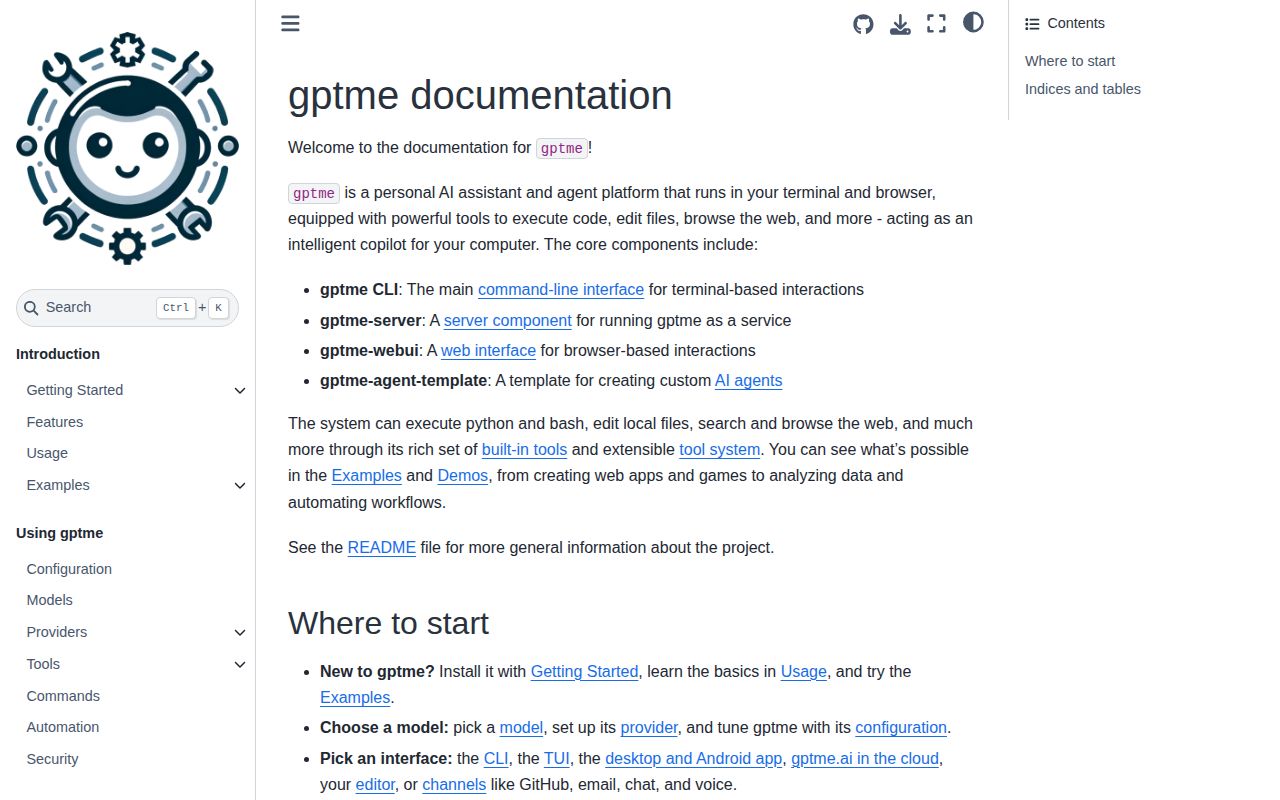
The README documents shell and Python execution, file editing, browser and desktop tools, subagents, a web UI, a REST server and extension mechanisms. It also describes hosted providers and local OpenAI-compatible model servers. These are upstream capability descriptions, not workloads we exercised.
What our September 27 run established
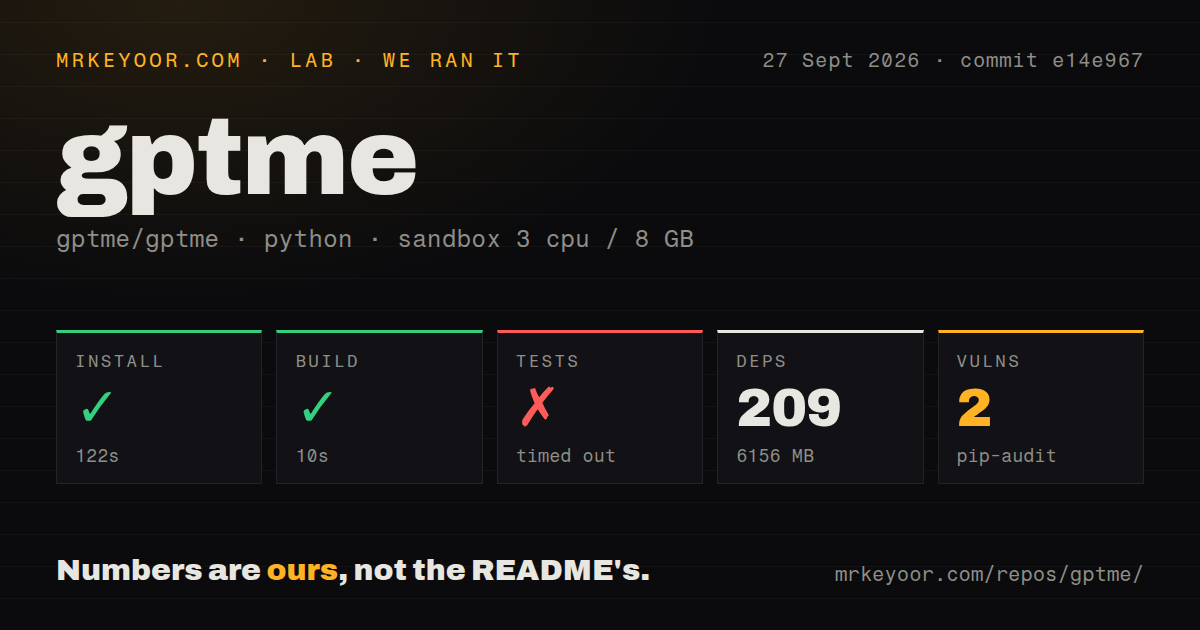
Our recorded run began at 2026-09-27T03:37:36.777Z and checked commit e14e9674391e8c49c6bc65cdfe24e035587fb1fb. It was a source checkout after the v0.34.0 release, not a test of the exact release artifact. The recorded sandbox configuration was 3 CPUs, 8 GB of memory and image ghcr.io/astral-sh/uv:python3.12-bookworm. The install output identifies Python 3.12.12.
The install step exited 0 in 122 seconds. The build step exited 0 in 10 seconds. The stored summary records 209 dependencies and 6,156 MB of installation disk use. The retained install output does not establish which dependencies were downloaded, the installed extras or whether the gptme executable was checked. Treat these as setup-step results, not proof of a working CLI session or a minimum footprint for every installation.
The test command timed out at 900 seconds with exit code 124. The retained output reached a 62% progress indicator and includes F failure markers, s skip markers and progress dots. There is no final test summary. We therefore cannot report an exhaustive pass, failure or skip count, identify the failing cases or explain their causes. The timeout and failure markers warrant follow-up; they do not establish that gptme is broken in normal use. OAuth messages emitted during tests do not prove that a real account login succeeded.
Pip-audit recorded 2 advisories affecting 1 package. The record does not identify the advisories, their severity or how many packages the audit scanned. The dependency count is not an audit-coverage count, and this result is not a complete security assessment.
The repository scan recorded 1,750 files, approximately 485,589 lines of source and a 26.2 MB checkout. It found 19 CI workflow files, a tests directory and a Compose file, but no Dockerfile. These describe the checked-out tree; they do not verify CI results or container deployment. Total recorded run time was 1,042 seconds. No measured coding workload, browser task, memory workflow or installed-binary check is supplied.
Setup still includes choosing a model
The README's installation commands are pipx install gptme or uv tool install gptme, followed by gptme. It requires Python 3.10 or newer. These are upstream instructions, not the exact commands established by our retained setup log.
For hosted models, the README describes API keys, OpenRouter browser authentication and supported ChatGPT or SuperGrok subscription logins. For local models, it lists Ollama, LM Studio, vLLM, llama.cpp and other OpenAI-compatible servers. A local provider still needs its own running server and model resources; our run does not measure those requirements.
Browser support uses a Playwright extra, ACP has its own extra, and the all variant requests the full collection. The README describes ACP integration with Zed and JetBrains. We did not verify those paths, so the recorded 6,156 MB footprint should not be presented as their installation cost.
Persistent memory and unattended execution need separate checks
The README describes a local Markdown memory store shared across gptme, Claude Code and Codex. Skills package reusable workflows, lessons add contextual guidance, and plugins and hooks extend behavior. MCP works in both directions: gptme can consume external servers, while gptme-mcp-server exposes session-backed shell, Python and file tools to other clients. This combination is a reason to evaluate gptme if you want conventions and state to carry across sessions. We have not measured memory retrieval quality or integration reliability.
Confirmation behavior matters before scheduling work. The README describes -y as auto-approving tool calls while a user can watch and interrupt. It describes -n as fully non-interactive, with no prompts or confirmations, and explicitly tells operators to scope the workspace and credentials.
The v0.34.0 release notes list a TOOL_CONFIRM guardrail hook and trust-on-first-use protection for project-level shell execution. Their presence is not evidence that our run tested enforcement. Before unattended use, check the account permissions, accessible directories, credentials and network access for the actual deployment. Include a harmless action that should be denied in that acceptance check.
Maintenance evidence has a date and a scope
The supplied issue extracts show development continuing after v0.34.0. They also make the older description of both cited issues as current open problems inaccurate. Compaction issue 3812 is marked closed in the supplied extract; its discussion records several implementation phases and corrections. Closure alone does not establish which behavior exists at our September 27 commit or prove reliability across providers.
Windows onboarding issue 3906 was closed on October 1, 2026. Its closing comment says the code changes were merged while treating a packaged Windows live test of the desktop OAuth callback as a separate verification step. We did not run the desktop app. Readers evaluating that path should verify it in their chosen build rather than treating either the original report or issue closure as our compatibility result.
How to read the ratings
These are editorial evidence ratings, not benchmark scores. The rubric is: 1 means a major documented obstacle; 2 means limited evidence with substantial validation still needed; 3 means a documented path with partial corroboration; 4 requires direct validation of the main use case; 5 requires broad validation across relevant configurations. Missing evidence lowers confidence rather than proving poor product quality.
Setup receives 2/5 because the recorded steps completed but no installed-CLI check is supplied. Documentation receives 3/5 because the README provides concrete setup, provider, integration and automation instructions, without our validation of each path. Community receives 2/5 because contribution channels and issue exchanges are visible, but adoption and support responsiveness are unmeasured. Maturity receives 2/5 because releases and follow-up work are documented while our test command remained incomplete and showed failure markers.
A useful first acceptance task
Use gptme first with one provider, a disposable workspace and a small tool set. Check that the installed command starts, that the selected model responds and that a simple file change produces the expected diff. If you need memory, MCP or scheduling, add each to the acceptance task and check its behavior explicitly. These are recommended next steps, not tests completed for this review.
For an alternative, Codex's README describes a coding agent from OpenAI that runs locally. Aider's README describes terminal pair programming, automatic Git commits, and automatic linting and testing. Choose according to the workflow you need; the supplied evidence does not support a claim that either is more accurate, lighter or more dependable than gptme.