What you can do with agent-deploy-memory-muse
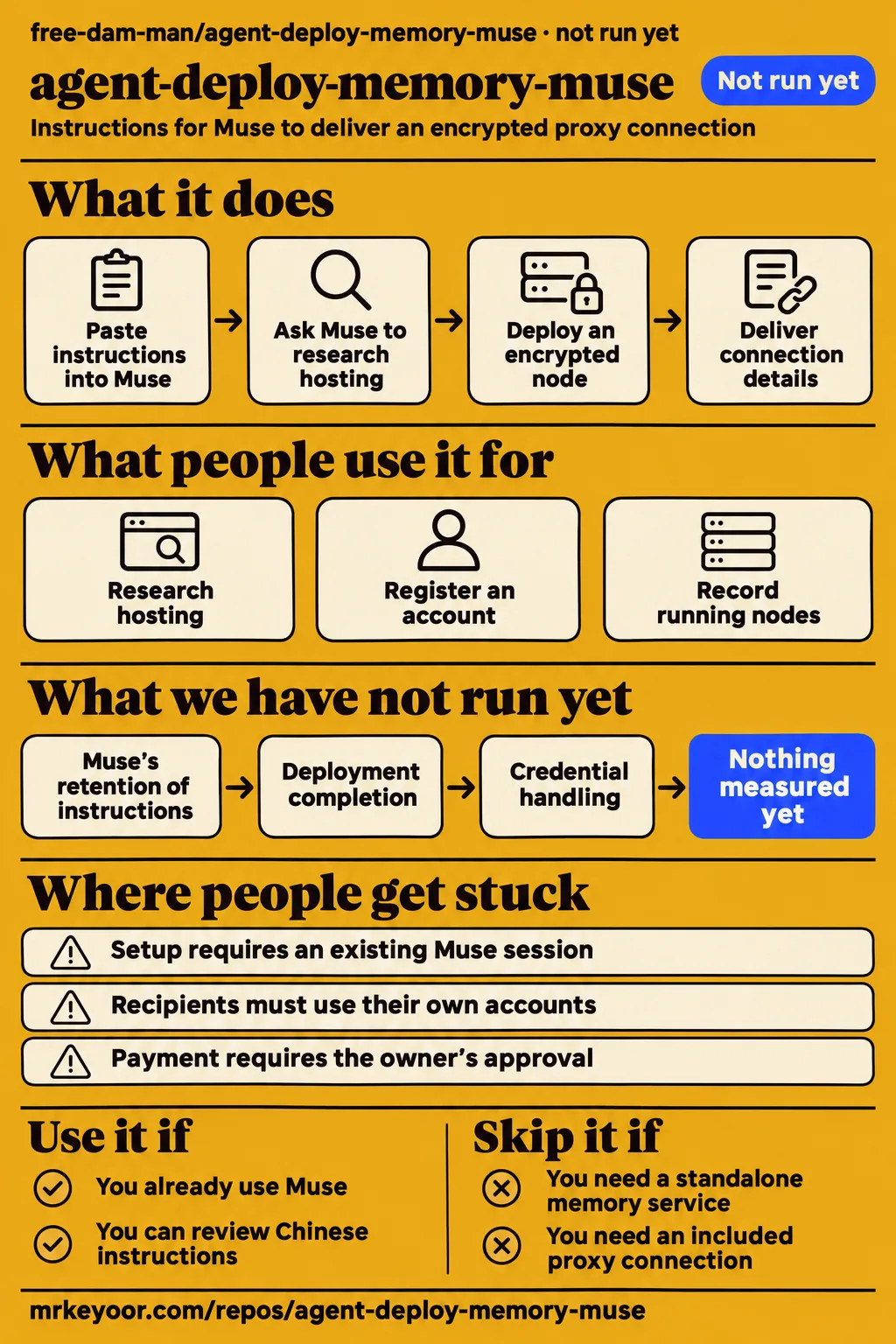
agent-deploy-memory-muse gives existing Muse users a written procedure for finding hosting and delivering an encrypted proxy connection. Its README describes a methodology file, with a handoff based on copying instructions into an agent session. Use it to inspect or adapt that procedure if you already work with Muse. Readers seeking a standalone memory database or a ready-made proxy connection need a different kind of project.
Here, "memory" means instructions the recipient asks Muse to retain. The README says to open DEPLOY_MEMORY.md, send the whole file to the recipient, and have that person paste it into their own Muse session. The recipient then asks Muse to keep those instructions for future node-deployment work. This makes the repository's contribution understandable without assuming that its name describes a storage engine: the document supplies the procedure and delegates the work to Muse.
The README requires a subscription link, a QR code, measured exit country and city, and an explanation of service limits. Those are specified deliverables, rather than connection details included in the repository. The deployment document names Shadowrocket as an example of the intended phone client. A list of potential hosting services falls short of the author's stated objective, which is a connection the owner can import and try.
What people use agent-deploy-memory-muse for
The documented use case is personal remote access: ask Muse to research hosting, register an account, deploy an encrypted node and deliver connection details. The deployment procedure describes that sequence, including acceptance on a real client. It also asks the owner to provide project context and authorization before work begins. This is the author's intended workflow, rather than an account from a named user who completed it.
| Who | What they attempted | Recorded outcome |
|---|---|---|
| MrKeyoor lab, November 19, 2026 | Evaluate the checkout at e3eeb0a | NOT RUN: no supported ecosystem and no Dockerfile; the harness recorded two seconds total. |
| MrKeyoor lab, November 20, 2026 | Deployment evaluation of the same named repository | The setup entry reports a Compose deployment; the safety step fails because no recognized Compose file exists. |
The workflow also covers the work after delivery. The operations section requires a register of running nodes, platform accounts, rejected platforms and known gaps, together with reminders for expiry, renewal and activity requirements. For someone adopting the document, those are continuing tasks attached to each account and node. Copying the instructions gives the agent an operating checklist; the owner still supplies the accounts and defines the project.
What happened when we ran it
Our November 19, 2026 sandbox evaluation at commit e3eeb0a recorded NOT RUN because it detected no supported ecosystem and found no Dockerfile, as recorded in our sandbox measurement. The language field was null. The harness recorded two seconds total and produced no execution result. That duration describes the evaluation, not installation time, deployment time or runtime performance. The recorded sandbox configuration was 3 CPUs, 8 GB RAM and image n/a.
| Sandbox observation | Recorded result | Meaning for your decision |
|---|---|---|
| Execution | NOT RUN | The evaluation produced no functional execution result. |
| Ecosystem detection | No supported ecosystem; language null | The harness found no supported language route. |
| Container route | No Dockerfile | The harness found no Dockerfile route. |
| Sandbox configuration | 3 CPUs, 8 GB RAM, image n/a | These values describe the configured sandbox. |
| Total evaluation duration | Two seconds | This is harness duration, not installation, deployment or runtime performance. |
The next dated attempt contains conflicting entries. The November 20 setup entry reports deployment with its own Docker Compose configuration and every port bound to 127.0.0.1. The safety step then reports "unsafe repo: none of compose.yaml, compose.yml, docker-compose.yaml, docker-compose.yml exists". The teardown entry records "teardown: ok". These are the recorded setup, failure and cleanup findings; the setup wording does not override the failed prerequisite.
The failed safety step is a missing-file finding. Its error explicitly names the rule that a Compose file is required, so "unsafe repo" is the harness's wording for that check, rather than evidence of malicious code. We count no successful deployment from these entries. The README's intended setup remains the transfer of instructions into Muse. Adding a guessed Compose configuration would create a different execution route from the one the author documents.
Where people get stuck: a saved instruction still needs an agent
The README's first practical dependency is an existing Muse session, because its setup procedure is to paste DEPLOY_MEMORY.md into Muse. A reader arriving from an agent-memory directory may instead be looking for storage, retrieval or a server endpoint. The README's handoff resolves that confusion directly: this project supplies instructions for an agent to retain and follow, rather than a memory-service installer.
The deployment file begins with four requested inputs: standing authorization, project context, acceptance criteria and permission to change approach. The author assigns the human the job of defining those boundaries, then asks the agent to handle the work within them. Reading the file therefore includes reviewing a consequential permission request. The authorization text belongs in the adoption decision alongside the technical objective and the expected output.
| Point of confusion | What the project actually says | Useful response |
|---|---|---|
| Looking for a memory-service installer | Paste the file into Muse and ask it to remember it. | Choose it for an instruction workflow. |
| Expecting existing connection details | Recipients must use their own accounts and generate their own parameters. | Supply an authorized account and project context. |
| Calling a hosting dashboard's success message a finished job | Acceptance requires a real client connection and phone testing. | Require the client result specified by the checklist. |
| Expecting the repository to resolve payment decisions | Spending, payment and card binding require the owner's approval. | Define those approvals in the agent setup. |
These distinctions follow the document's boundaries and acceptance rules. They also explain why a successful handoff involves more than copying a task sentence. The recipient needs to understand which account the agent may use, what counts as completion, and when the agent must stop or ask. The document explicitly separates a technical discussion from permission to begin work and tells the agent to accept a stop request.
Security depends on the authorization you adopt
The deployment document asks for broad authority over work that does not involve money, while reserving spending, payment and card binding for owner approval. Its standing-authorization wording asks the agent to act without checking each nonfinancial step and report afterward. Anyone adapting the document should decide whether that matches the authority they intend to grant, especially when the accounts or infrastructure belong to someone else.
The same document tells the agent never to request or handle the owner's core-account passwords. It directs the owner to enter those through the login page and prohibits sending the owner's passwords through chat. For disposable accounts created by the agent, it specifies locally stored generated credentials with permission mode 600. These credential-handling rules describe how the author wants the agent to behave and are part of the text the recipient is being asked to adopt.
The platform-selection policy needs a deliberate change before use with accounts whose terms prohibit proxies. The document treats written proxy bans as a ranking consideration and rejects a platform when enforcement blocks deployment. That is the author's stated selection rule. Our recommendation is to replace it with a requirement that the hosting platform permit the intended use, making permission a selection condition rather than waiting for a deployment refusal or ban.
The acceptance checklist defines a concrete handoff
The document rejects "deployment succeeded" and normal-looking logs as sufficient proof of a usable node. Its acceptance section requires a real client connection from a neutral machine, a generate_204 response of 204, matching exit location and a final test on the owner's phone. These requirements define the evidence the agent should produce before calling the task complete, rather than treating a hosting dashboard message as the outcome.
The four-part delivery requirement connects the technical checks to something the owner can use. The deployment file specifies a subscription link under the owner's domain, a QR code containing that link, measured exit country and city, and an explanation of quotas and operating behavior. It asks for the usable output before the technical summary. That ordering gives the owner a connection to try and the information needed to understand its limits.
The explanation must include sleep behavior, waking, activity requirements and known defects. The operations section then adds reminders for trial expiry, continued activity and domain renewal. These delivery and maintenance requirements are the strongest reason to inspect the file as a checklist. They turn a broad request to "deploy a node" into named outputs and continuing obligations, with the owner's phone result serving as the final acceptance decision.
English readers need the Chinese operating rules translated
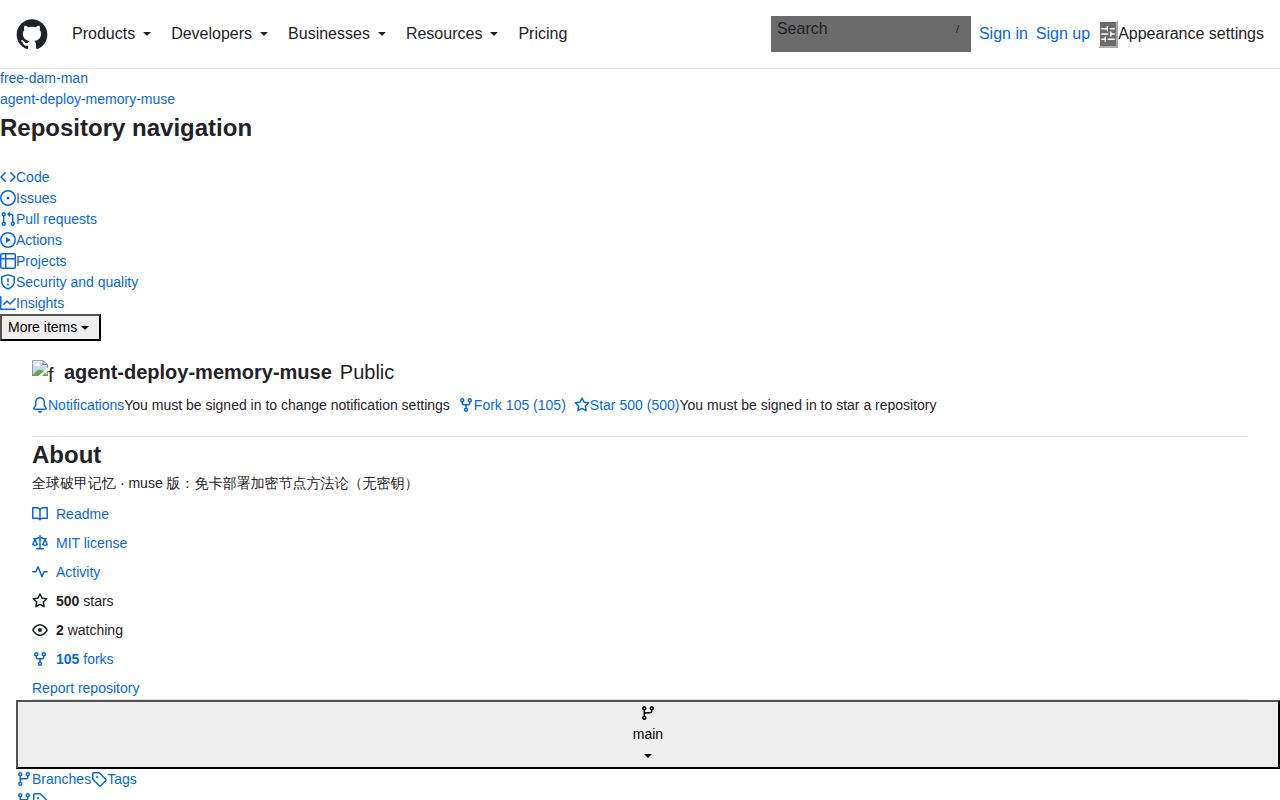
The README and DEPLOY_MEMORY.md are written in Chinese, and the root listing contains README.md, DEPLOY_MEMORY.md and LICENSE. The repository root listing contains no separate English guide. Protocol names and commands appear in Latin characters, but the authorization, stop conditions and acceptance rules are Chinese prose. An English-speaking reader needs those rules translated to understand the procedure they are considering adopting.
Translating only the opening task sentence leaves out the material controlling the work. The deployment document distinguishes technical discussion from permission to act, requires acceptance of stop requests, and tells the agent to record corrections. Those instructions belong in the same review as the hosting search and connection deliverables. The practical next step for the intended reader is to review that complete operating text before granting its requested authority.
agent-deploy-memory-muse vs the Grok Bot and Antigravity editions
Choose the edition for the agent you already use: Muse takes pasted instructions, Grok takes standing prompts, and Antigravity reads a workspace file. The author links the sibling projects from the Muse README. Their READMEs describe different handoffs for the same deployment objective, giving readers a concrete selection rule based on their existing session or workspace rather than the repository name alone.
| Project | Documented handoff | Pick it when |
|---|---|---|
| Muse edition | Paste the document into Muse and ask it to retain it. | Your existing workflow uses Muse. |
| Grok Bot edition | Set standing session or bot instructions, or resend the text before each task. | Your existing workflow uses Grok or Grok Bot. |
| Antigravity edition | Put the document in the workspace root and ask the agent to read it before planning tasks. | Your existing workspace is Antigravity. |
The Grok README describes a methodology system prompt. It offers standing instructions or resending before each task. The Antigravity README describes a methodology workspace file and places it in the workspace root. Both say recipients use their own accounts and parameters. These are relevant alternatives because they change how the deployment instructions reach the agent while preserving the same broad objective.
Revoxy's memory category needs a narrower reading
Revoxy lists agent-deploy-memory-muse under "Agent memory," while the project's README identifies a deployment-methodology file. The Revoxy profile's category description says "Store and retrieve context across an agent’s conversations and tasks." The same profile says its observations "are not an assessment of effectiveness." Read that category as directory placement; the primary README gives the more specific account of what the recipient receives and how to use it.
Similarly named Muse products require separate identities. GenAI Geek's video discusses Meta's Muse Glimmer and a Home Assistant dashboard demonstration, rather than this deployment document. The GBrain Muse guide distinguishes Meta's personal agent from Muse Code and other similarly named projects. Searching with the full owner/name, free-dam-man/agent-deploy-memory-muse, keeps this review focused on the repository and its actual README instead of borrowing capabilities from another product.
FAQ
agent-deploy-memory-muse is used by pasting DEPLOY_MEMORY.md into Muse, according to its README. That answers the setup question before any installer search: the documented handoff is text transferred into an existing agent session. The following first-time-user questions cover the same README's instructions, included material and licence, so readers can decide whether the repository matches what they came to find.
How do you use agent-deploy-memory-muse?
Open DEPLOY_MEMORY.md, send the whole file to the recipient, and have that person paste it into their Muse session. The README then asks the recipient to request long-term retention for future node-deployment tasks. It also supplies a task sentence requesting xray with VLESS+WS+TLS and a subscription QR code after connection testing. These are instructions to an existing agent, rather than a server-install command.
Does it include an account or a ready-made proxy node?
No: the README says the file contains methodology and no account, node, IP address, domain, email, password, UUID or subscription link. It requires recipients to use their own accounts and generate their own parameters, building their own node from the beginning. Copying the document therefore gives the recipient a workflow and acceptance criteria; account creation and connection delivery are tasks assigned to the agent afterward.
What licence does the repository use?
The README lists MIT as the repository's licence. The licence statement appears at the end of the README, and LICENSE is present in the root listing. For the adoption decision, keep that document licence separate from hosting selection: the deployment procedure has its own account, payment and platform-selection rules, including the proxy-ban rule discussed above. Those rules determine which external services the agent is asked to consider.
What we have not tested yet
Muse's retention, deployment completion, stop-rule compliance and credential handling have not been tested in the recorded evaluation. The November 19 harness result contains no installation, build or test timings, runtime-version logs or functional workload. Its two-second total is evaluation duration alone, and its 3 CPUs and 8 GB RAM are configuration values rather than minimum requirements or measured resource use. The document's security directions also have no recorded behavioral enforcement result.
The November 20 deployment summary needs reconciliation with the failed Compose prerequisite through actual execution logs. The synthesis refers to November 19 hands-on identifiers that are absent from the available entries; the actual hands-on records are dated November 20. Teardown marked "ok" records cleanup status alone. There is also no recorded sibling-edition comparison, phone-client result, measured exit location, continued-availability result or operating-cost assessment.
An evaluation in the intended Muse environment would need an explicitly authorized hosting account and records of the document's own acceptance checks. Rendered layout, resolved evidence links, recommendation modules and other page-template behavior also lack inspection results here. The supported recommendation is to inspect and adapt the written procedure, with its permission requests and acceptance requirements visible, rather than treat the repository as a demonstrated deployment service.