One Rust engine powers the app, CLI, web build, and MCP server
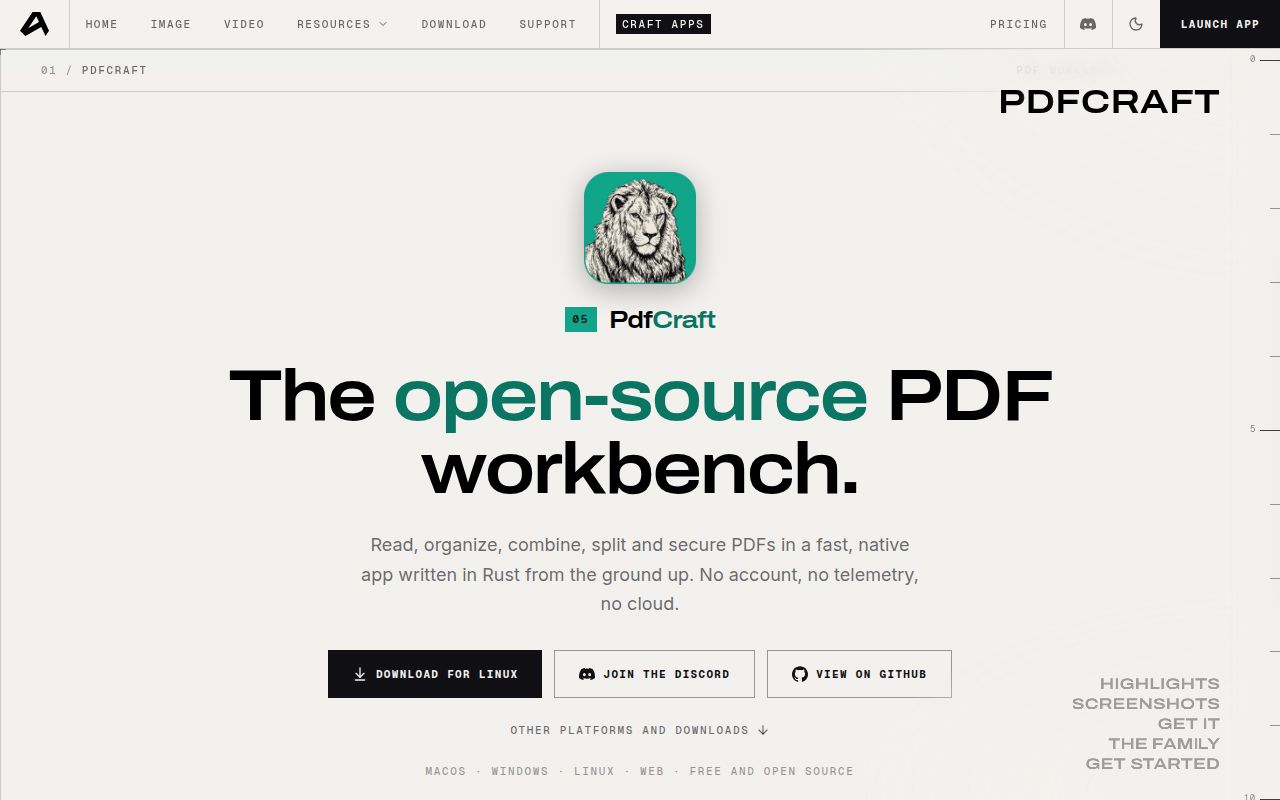
PdfCraft v0.2.1 uses one Rust engine for the desktop, browser, CLI, Rust API, and an opt-in MCP server. The app can read, search, organize, combine, split, comment on, fill, encrypt, and sign documents. Files stay local, and the project requires neither an account nor telemetry. That makes it unusually useful for a developer who wants a visual editor and an automation path without handing documents to a hosted PDF service.
The latest release is v0.2.1, and the automation design is the sharper reason to look. Tools share JSON Schema descriptions, edits remain undoable in memory until doc_save, and same-file saves append an incremental update. An MCP client launches pdfcraft-cli mcp over standard input and output, so no listener appears on the network. The --root option fences file access into one directory. Builds that should omit MCP can compile the CLI without default features.
That shared engine connects inspection with changes. A developer can query document structure as JSON, extract reading-order text, render pages to PNG, then rotate or delete pages without moving to another library. Combine, extract, and split commands preserve bookmarks, fields, layers, and attachments according to the README. The same-file save path keeps the original bytes and appends changes. Those are useful safeguards, but --root controls file access only. It cannot prove that an operation produced the intended document.
What happened when we ran it
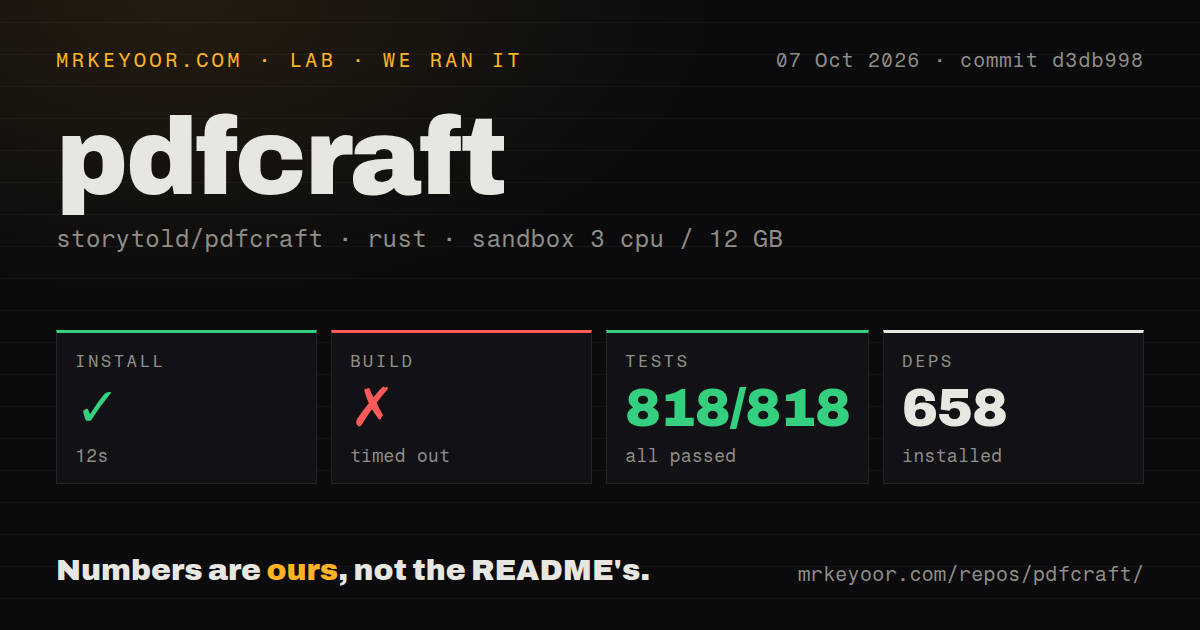
We cloned commit d3db998, and our sandbox installed 658 packages in 12 seconds. The checkout contained 580 files, roughly 88,735 lines of source, and occupied 16.3 MB. Our measurement setup used an unprivileged lab-rust:1 container with 3 CPUs, 12 GB of RAM, and no secrets. Installation completed, but that quick first step did not predict the rest of the run.
The build timed out at our 900-second limit. The supplied result contains no failing compiler message or log tail that identifies a cause, so blaming a missing system package or a particular crate would be guesswork. Treat the result literally: this commit did not finish building inside 15 minutes on our box. A faster machine or another target may behave differently, but we did not measure either.
Cargo test then completed in 573 seconds with 818 passed and 0 failed. That is a strong result for the code paths the suite covers, and it sits beside the build timeout rather than cancelling it. We did not measure rendering speed, output fidelity, memory use, or behavior on the five claimed platforms. The repository has 5 CI workflow files, no Dockerfile, and no top-level tests directory.
Version 0.2.1 can report success when an automated job failed
Two open issues, 132 and 133, document CLI paths that return success without the requested result. Issue 132 shows protected text extraction returning exit code 0 with empty output when no password is supplied. Issue 133 shows a misspelled --rotate option producing an unchanged PDF and another zero exit code. Both reports include working controls, and both leave a script unable to distinguish success from failure unless it inspects the output.
The MCP path has a similar warning around text. Issue 125 reports three tools replacing Japanese characters with question marks while still returning success. Issue 204 describes doc_split copying unused images into every part of a 9,445-page file: a 186 MB source became seven files totaling about 755 MB. These are issue-reporter results, not findings from our sandbox, but they are concrete reasons to add output checks before trusting a batch job.
The current editor covers daily PDF chores, not Acrobat Pro parity
The October 2026 README says roughly 50 percent of Acrobat Pro's offline features are present, while the hardest work remains. Existing-text editing, especially CJK, is thin. OCR beyond Latin script, Office import and export, PDF/A/X/UA preflight, XFA forms, signature timestamps, and long-term validation are missing or incomplete. The project also says fuzzing still finds crashes and hangs in hostile files.
What already exists is substantial for version 0.2.1: page organization, comments, interactive forms, password protection, basic signatures, printing, accessibility checks, and agent control. The latest release page was published October 6, 2026, but it is titled PrintCraft and all downloadable assets keep that name. Source users also need a separate craft-fonts checkout for Japanese interface text and edited Japanese PDFs, though release builds include the fonts.
October 8 activity is high, while the project's age still counts
GitHub showed 2,696 stars, 61 open issues, and 7 open pull requests on October 8, 2026. The repository had been created on September 30 and was pushed again on October 8. That combination shows intense current work and fast issue intake. It does not provide the release history, upgrade record, or long production exposure that an older document tool can offer.
PdfCraft is already worth a controlled trial if local processing, a native interface, and scriptable edits belong in the same workflow. Keep test documents and compare every saved result, especially for protected files, CJK text, and large splits. Our 818 passing tests make the engine interesting. The 900-second build cap and zero-exit-code issues are why it should earn trust one workflow at a time.