Your agents stay on the daemon machine
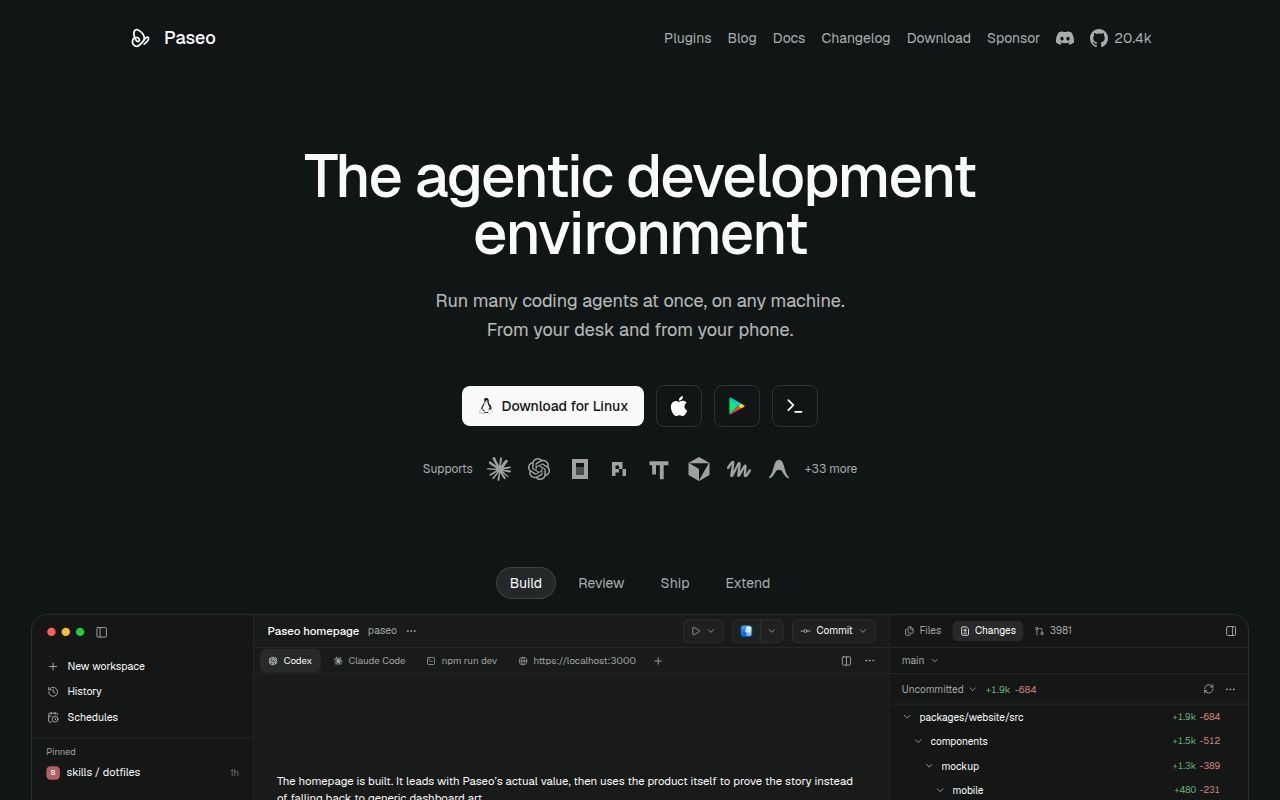
Leave an agent running at your desk, then check its work from your phone: Paseo gives that workflow a shared interface. Its README describes a local daemon that manages agent processes while desktop, mobile, web, and command-line clients connect to it. You keep the development environment on the host where the daemon runs, rather than recreating it on each device.
That convenience comes from a sizeable application. Our source checkout occupied 67.7 MB across 5,573 files and roughly 1,108,778 source lines. The monorepo includes a daemon, Expo client, Electron desktop application, CLI, and relay components. I'd consider it when moving between devices repeatedly interrupts ongoing agent work. For someone who already does everything in a terminal on one computer, this adds another layer to maintain with less obvious benefit.
What happened when we ran it
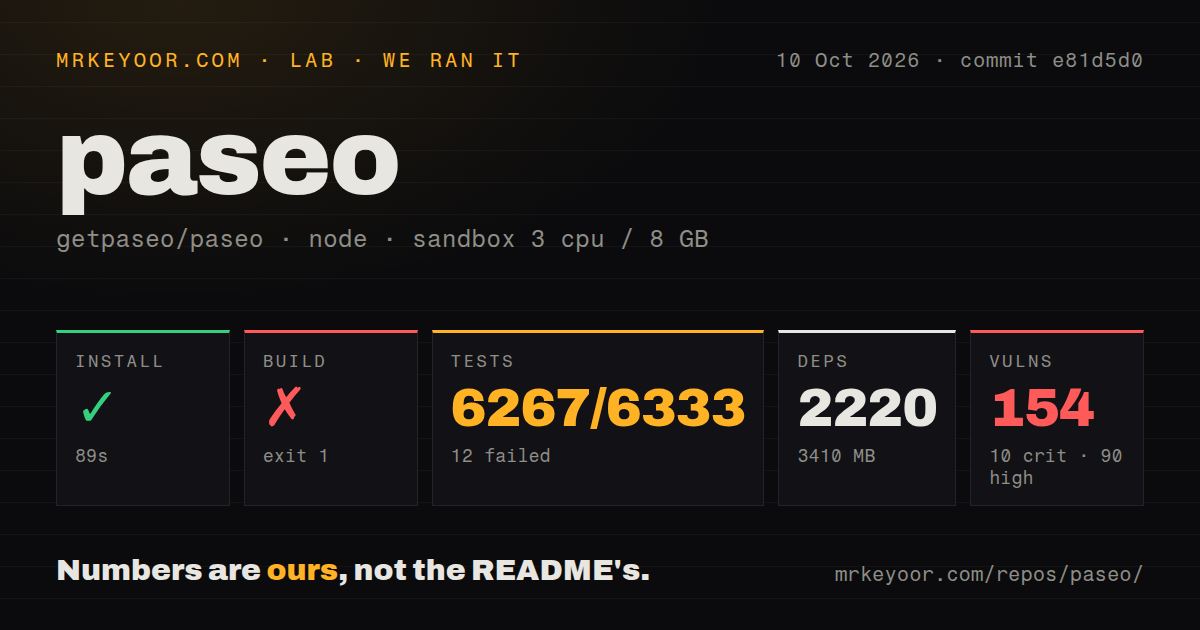
Our run installed 2,220 npm packages in 89 seconds and occupied 3,410 MB after installation. We cloned commit e81d5d0 on October 10, 2026, into an unprivileged Debian sandbox using lab-node:22, with 3 CPUs, 8 GB of RAM, and no secrets. Installation completed, but the build failed with exit code 1 after 624 seconds. Those are source-workflow results, not a measurement of the downloaded desktop app's startup or responsiveness.
The build tail names the desktop workspace, @getpaseo/desktop@0.11.2, and a command chaining a clean server build, the desktop main build, and electron-builder. It also shows the CLI's TypeScript command afterward. The excerpt doesn't identify the underlying error. We cannot say whether a missing system package, packaging requirement, or source problem caused the failure, nor whether the server could have worked independently. The measured repository-wide build did not finish successfully.
Tests timed out after 900 seconds. Vitest reported 6,267 passed, 12 failed, and 54 skipped out of 6,333. The final excerpt lists CLI test files, announces a server-stack build, and reports test concurrency, without showing the failed assertions. That gives us substantial passing coverage alongside failures and an unfinished command. It doesn't justify calling the whole suite green or attributing its failures to the desktop build.
The npm audit reported 154 known vulnerabilities: 10 critical, 90 high, 45 moderate, and 9 low. The measurement doesn't identify affected packages or their exposure in the shipped application, so the totals cannot establish an exploitable production path. They do warrant inspecting the dependency tree before adopting this checkout. Our scan also found 12 CI workflow files, workspace configuration, no Dockerfile, and no dedicated tests directory, despite the test output.
An installed provider and its credentials are prerequisites
The README requires an agent CLI already installed and configured with your credentials. Paseo doesn't supply a model subscription or turn an unauthenticated machine into a coding agent. The desktop route starts its daemon automatically, while the server route uses the CLI. Get your provider working on the daemon host first, then connect a client.
The 3,410 MB footprint we measured belongs to the source install, not necessarily the packaged desktop download. The README separately documents a published Docker image, even though our checkout scan found no Dockerfile. Its Docker instructions require adding the agent CLIs and supplying credentials through environment variables or persistent storage. Treat the client, daemon, and provider configuration as separate pieces when diagnosing an apparently connected app that cannot perform useful work.
Remote access still needs a running host
The connectivity guide offers an encrypted relay for phone pairing, direct connections through Tailscale, and SSH transport for desktop and CLI clients. Relay access is disabled until you enable it. SSH transport requires an existing remote daemon and working non-interactive key authentication. It doesn't install or start that daemon for you. Your phone can reach a development host, but the host still has to be available.
Our 900-second test cap didn't measure relay reliability, phone reconnection, or provider authentication. Before relying on remote approvals, exercise those behaviors with the connection route you will actually use. The plugin system deserves the same scrutiny: plugins run on the daemon and inside connected clients, and the README explicitly warns that they have machine access. Install a plugin as code you trust to operate in your development environment.
Diff review has a documented filename edge case
Open issue #6565 reports missing checkout and commit diffs for filenames containing quotation marks, with related failures for backslashes and tabs. The reproduction concerns the daemon's diff APIs on macOS and the current source, while ordinary names and names containing spaces work. It does not establish the same behavior across every platform or client screen. Still, a diff API returning empty hunks for changed files matters to review tooling.
That report is independent of the 12 failed tests in our run. It gives a competent developer a specific reason to keep direct Git inspection available before approving edits involving unusual filenames. Separate worktrees help agents avoid overlapping working copies, but they don't validate the resulting changes. I'd use Paseo to organize sessions while retaining the repository's own checks and a reliable way to inspect the complete diff.
October maintenance doesn't erase the sandbox failures
The last push was October 11, 2026, and the issue and PR queue had activity that day. GitHub listed 1,172 open issues and PRs. Release v0.11.2, published October 9, fixes text clipping in iOS chats and Markdown previews. That shows active maintenance and a fix mobile users will see. It doesn't resolve the build or audit findings from our source revision.
Happy is another choice for carrying agent sessions onto a phone. Pick code-server when a browser-accessible editor is enough and agent orchestration isn't the requirement. Paseo earns a trial if remote access to several running agents saves you repeated trips back to the workstation. Start with a published application and a noncritical repository, then check pairing, permission prompts, and complete diffs before letting a phone approval release consequential changes.