Interactive answers are useful when the controls matter
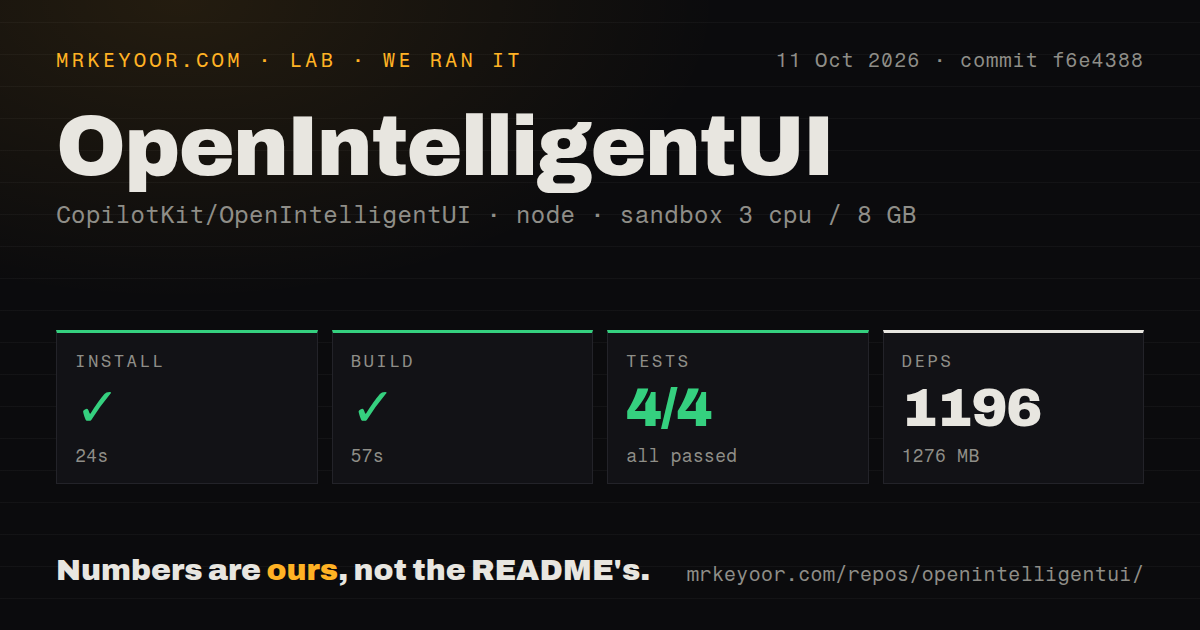
OpenIntelligentUI passed all 4 Vitest tests in our sandbox, but its appeal starts with a different question: would your user benefit from changing the answer? A bill splitter with editable inputs is easier to explore than a paragraph of arithmetic. This CopilotKit application lets an agent choose text, a native component, or generated HTML and JavaScript. The result appears inside chat, where a user can adjust a calculation or explore an explanation.
The README's airplane, chart, and itinerary scenes show the intended experience. They also come with useful limits: plan prices are illustrative, and map connections aren't verified driving directions. Treat those scenes as examples of presentation, not evidence of live data integration. The project is worth considering when interaction helps someone understand their options. If your task only needs a direct answer, creating a widget adds code you must evaluate without necessarily helping the reader.
What happened when we ran it
Our run installed OpenIntelligentUI commit f6e4388 in 24 seconds, bringing in 1,196 packages and occupying 1,276 MB. Its build passed in 57 seconds, and the test step passed in 19 seconds: Vitest reported 4 passed and 0 failed out of 4. We ran it on October 11, 2026, using an unprivileged lab-node:22 container with 3 CPUs, 8 GB of RAM, and no secrets.
The checkout itself was 1.4 MB, with 185 files and roughly 10,804 source lines. The scan found pnpm workspaces and 1 CI workflow file, with no Dockerfile or tests directory. That directory result doesn't contradict the passing Vitest command. These measurements cover the repository path our lab exercised. They don't establish that the Python agent's separate suite passed, that provider access worked, or that generated calculators returned correct answers.
Running chat requires providers as well as the frontend
The 57-second build proves that the measured build completed without provider secrets. A working conversation has more prerequisites. The getting-started instructions require Node, pnpm, Python, and uv, then start a Next.js frontend and a Python agent. The default answer model uses an OpenAI key. Jev chooses the presentation using a separate TYPESAFE_API_KEY. Basic tables go through A2UI, while more complex visuals use the generated-UI path.
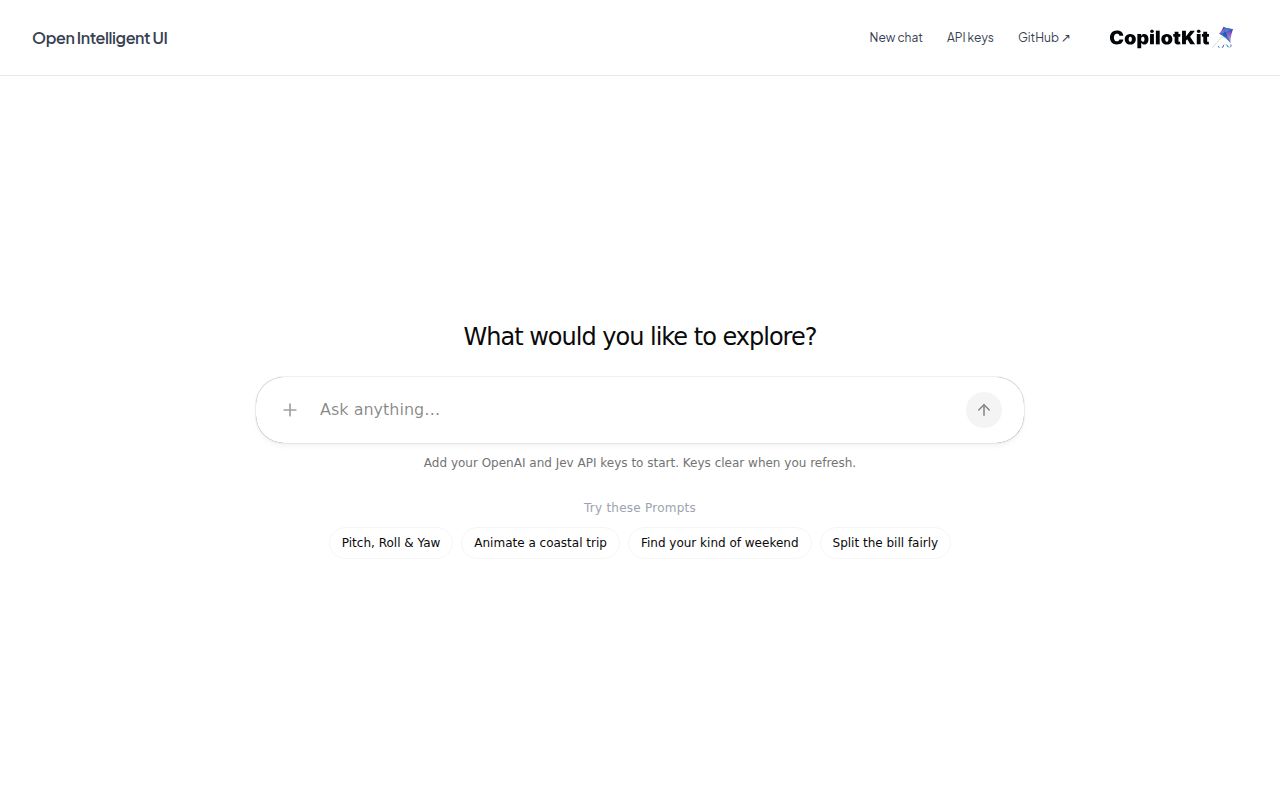
Visitors must enter both keys before the chat sends a prompt, even when shared agent credentials are configured. Keys remain in browser memory until refresh or clearing, but requests carry them through the application server. A connection test makes real provider requests billed to those accounts. That is acceptable on a deployment you trust. It is a poor fit for someone expecting an offline chat application or an interface they can use without arranging provider access.
Follow-up answers do not update previous widgets
The 4 passing Vitest tests don't make generated code a trusted calculator. The architecture guide describes an isolated iframe without same-origin access to host storage. Local controls execute there, and the host accepts validated follow-up messages and HTTPS links. Preserve those boundaries when adapting the app. The product guidance asks for keyboard access and numerical input checks, but those requirements still need inspection in actual generated output.
A slider's state doesn't automatically become agent memory. A deliberate follow-up button must include the selected values in its message. Earlier outputs remain separate conversation artifacts, and there is no supported API for patching a previous widget across calls. That makes sense for exploring independent scenarios. It complicates applications where one persistent form must stay synchronized with a backend record or where a later answer must update an earlier chart in place.
The bundled data tool is another firm boundary. Our 1.4 MB checkout is an application starting point, not an installed business-data connector. The interactive-answer guide says query_data returns every row from a sample CSV and does not apply its natural-language query. Wire in your own evidence source before showing a revenue comparison to users. A convincing chart cannot tell them whether its numbers came from their account or an illustration.
Conversation storage and shared-key streaming need attention
The deployment guide says agent checkpoints live in process memory, so restarting or scaling can lose or split conversation state. Its frontend rate limiter is process-local too. These limits matter for a customer-facing service, where a reload or another instance should not separate a user from their thread. Durable storage and coordinated request limits require additional infrastructure beyond the documented blueprint.
Our 19-second test success doesn't resolve a specific report in open PR 99. The contributor describes duplicated streaming events that garble interactive answers when the agent uses server-held keys, while browser-key requests take another path. The proposed fix remained open in the October 12 check. This is a contributor's report, not a failure observed by our lab. Test the credential mode you intend to deploy before assuming that a working text response validates generated widgets.
The optional MCP server returns documents, not a hosted app
Our scan found 1 CI workflow, while the repository documents a separate MCP package for clients including Claude Code. Its assemble_document tool returns HTML text. A consuming host must display it in isolation and implement its bridge. The MCP package does not supply the web application's streaming renderer. Open PR 110 proposes correcting its iframe example by removing same-origin permission, explicitly distinguishing that example from the web app's existing isolation.
Active development makes this a starting point to own
GitHub showed 2,680 stars and 66 open issues and PRs, with the last push on October 9, 2026. The latest-release endpoint returned no published release, while October 10 and 11 activity included streaming, deployment, and MCP proposals. That combination indicates ongoing work. Choose OpenIntelligentUI if you want this particular interactive-answer application and can maintain the generated-code boundary. Choose CopilotKit directly to add agents to an existing product, or Open WebUI for a conventional chat interface. Before committing to this app, make your own calculator reject an empty input and survive a real follow-up.