Four runner styles share the Agent and Runner core
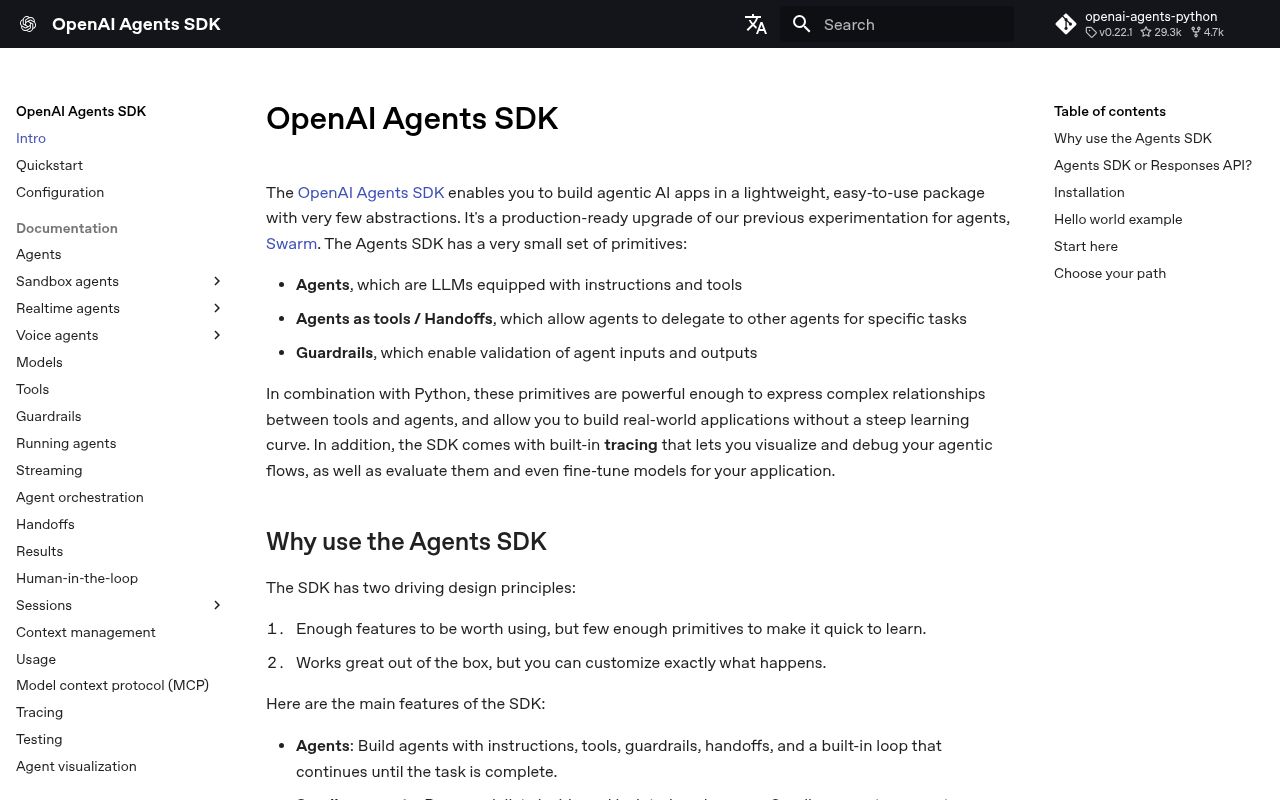
The README documents 4 primary ways to execute work: a text agent, a sandbox agent, a realtime agent, and a voice pipeline. The ordinary Agent combines instructions, a model, tools, guardrails, and optional handoffs. Runner drives the model loop until it gets a final result or reaches a stopping condition. This is enough structure to avoid rewriting tool-call dispatch and handoff plumbing, while leaving application prompts, tool permissions, and business policy in the developer's code.
The feature surface extends well past a small loop. Sessions persist conversation history through local or external stores, human-in-the-loop support can pause a run for tool approval, and agents can call other agents as tools or transfer control through handoffs. Realtime and voice add separate event and audio paths. Sandbox agents preserve workspaces across longer jobs and can run commands or patches. Each layer is optional, but a production system must test the exact combination rather than infer behavior from the 1-page quickstart.
The 100-plus model claim comes with feature differences
OpenAI's README says the SDK supports the Responses and Chat Completions APIs plus more than 100 other language models. The model guide is more careful: OpenAI-only applications are directed to the Responses path, while mixed-provider users are told to review feature differences. LiteLLM and any-llm are optional adapters, and their setup paths are marked beta. A common Agent interface does not make every provider support hosted tools, reasoning controls, usage fields, or streaming in the same way.
The base package requires Python 3.10 and depends on the OpenAI client, Pydantic, MCP, Requests, and WebSockets. Provider adapters arrive through separate extras, with any-llm requiring Python 3.11 or newer. This modular packaging keeps a basic app smaller, but example code can quietly cross into another dependency group when it adds Redis sessions, MongoDB, encryption, voice, or a sandbox provider. Pin the extras and run a representative workflow against the actual model endpoint.
What happened when we ran it
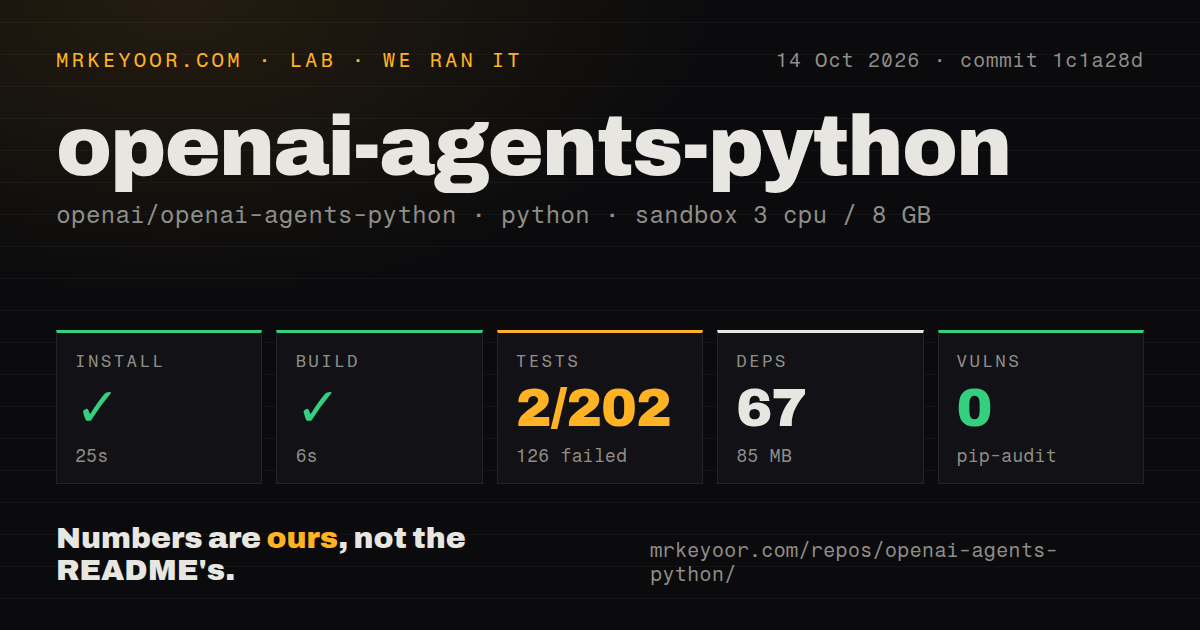
Our sandbox installed commit 544b8b0 in 15 seconds, pulling 67 packages and using 82 MB on disk. The build completed in 4 seconds. We used a clean unprivileged Debian container with 3 CPUs, 8 GB of RAM, no secrets, and Python 3.12. The checkout was much larger than the installed base suggests: 1,582 files, about 438,313 lines of source, and 24.7 MB before dependencies.
Pytest ended with exit code 1 after 51 seconds. It reported 98 passed, 135 failed, 6 skipped, 65 collection/setup errors of 298, and 3,036 warnings. The log tail repeatedly says async functions are not natively supported, including encryption and MongoDB session cases. The project's dev dependency group lists pytest-asyncio, but the supplied log does not establish why async support was unavailable. Pip-audit found 0 known vulnerabilities. The repository had 5 CI workflows, a tests directory, and no Dockerfile.
Tracing sends sensitive span data by default
Tracing wraps runner calls, model generations, function tools, handoffs, guardrails, and audio operations. The default processor exports batches to OpenAI's trace backend, which gives developers one timeline for a run. The privacy setting deserves attention before the first real prompt: trace_include_sensitive_data defaults to true, so generation spans may store model input and output, while function spans may store tool arguments and results. Audio spans can include base64-encoded PCM data under their own setting.
You can turn tracing off globally with OPENAI_AGENTS_DISABLE_TRACING=1, disable it for one run, replace the processors, or keep spans while excluding sensitive content. The guide also says tracing is unavailable for organizations using OpenAI APIs under a Zero Data Retention policy. A custom processor can send data elsewhere, but that becomes another observability component to secure. Treat trace configuration as part of the data-flow review, especially when tools touch customer records or internal systems.
Windows sandbox work needs Docker or a hosted client
UnixLocalSandboxClient is the simplest local option on macOS and Linux. It runs commands as host processes, retains local filesystem and network access, and inherits the complete host environment unless configured otherwise. Filtering environment variables reduces accidental credential exposure, but it does not create process isolation. Docker provides a stronger local boundary and can disable networking with network_mode="none". Hosted clients add provider accounts, credentials, storage rules, and their own operational costs.
Windows is outside the documented Unix-local path. The README tells Windows users to install the Docker extra or choose a hosted sandbox. Open issue 4852 adds a narrower warning: on a non-elevated Windows 11 machine without Developer Mode, 12 sandbox tests failed because creating symlinks raised WinError 1314. GitHub's Windows runner can create those links, according to the report, so its green status does not reproduce the ordinary-user restriction. Test archive extraction and workspace paths on the deployment class you support.
Version 0.22.1 shipped on September 8, 2026
GitHub listed 29,268 stars, 14 open issues, and 23 open pull requests when fetched. The latest push was September 8, 2026, and v0.22.1 was published the same day. Its release notes span core runs, MCP, sandboxes, sessions, tracing, realtime, and voice. They also include fixes for approval resume ownership, concurrent session writes, Docker cleanup, sensitive trace redaction, and strict handling of tool arguments. This is active maintenance across security-sensitive control paths.
That pace is useful, though version 0.22.1 still asks buyers to pin and test upgrades. Our 15-second install makes a prototype cheap, while the 135 failures and 65 setup or collection errors block a clean bill of health for commit 544b8b0 in the stated sandbox. Adopt the SDK when its runner matches the system you need, then narrow the provider, session backend, tracing policy, and sandbox implementation. The abstraction is only as trustworthy as those concrete choices.