The agent gets 12 FreeCAD tools through one desktop bridge
The published tool list has 12 entries covering documents, objects, screenshots, the parts library, status checks, arbitrary Python, and a CalculiX analysis helper. The MCP process talks to an RPC server loaded by the FreeCAD addon, while modelling work is dispatched onto the application's GUI thread. That arrangement gives an AI client access to the document the user can see. It also keeps FreeCAD itself in the loop, so this is an interactive desktop bridge rather than a separate CAD engine.
The screenshots are useful because an agent can inspect an isometric, front, top, or right view after a change. Every screenshot-capable call also accepts include_screenshot=false, and --only-text-feedback turns images off for the whole session. That choice matters during a long modelling conversation: repeated views consume context even when the operation was only analytical. Text feedback is cheaper, while visual feedback gives the model a chance to notice an obvious shape or orientation error.
Setup needs 2 installs and a running FreeCAD desktop
Installation has 2 moving pieces. The addon/FreeCADMCP directory must be copied into FreeCAD's user addon directory, then FreeCAD must restart before the MCP Addon workbench appears. From that toolbar, the user starts the RPC server or saves an auto-start preference. Separately, Claude Desktop or another MCP client launches the Python side with uvx freecad-mcp. A source checkout can be run with uv when developing the bridge.
Paths differ by platform and FreeCAD version. The README distinguishes FreeCAD 1.0 and 1.1 locations on macOS and Linux, with separate instructions for Snap, Flatpak, Debian, and Arch installs. The Python package requires 3.12 or newer. There is no Addon Manager route in the documented setup, and open issue 104 asks for the package metadata needed to add one. A fresh Windows 1.1 path correction also remains open in issue 116.
What happened when we ran it
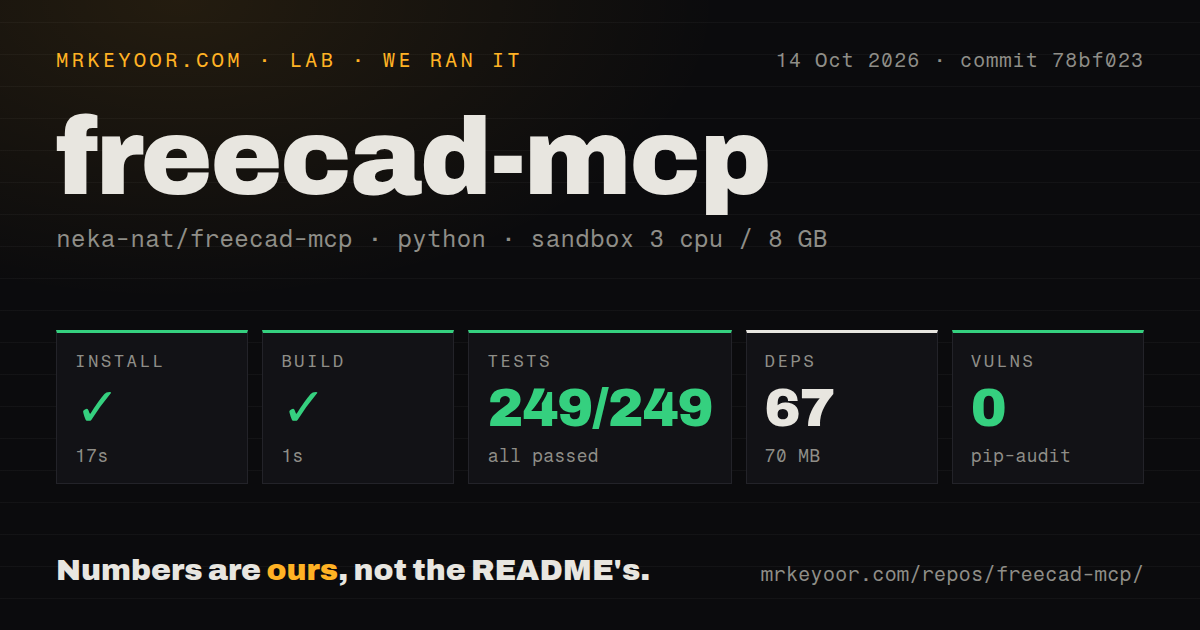
Our sandbox installed commit 3da6db5 in 36 seconds, pulling 67 packages and occupying 69 MB. The build completed in 15 seconds. We used a fresh unprivileged Debian container with 3 CPUs, 8 GB of RAM, no secrets, and a Python 3.12 uv image. Those numbers cover the repository package and build. They do not include installing the FreeCAD desktop application, CalculiX, or a model provider.
Pytest passed 41 of 41 tests in 20 seconds. Pip-audit reported 0 known vulnerabilities in the installed Python packages. The 7.8 MB checkout contained 51 files and roughly 4,629 lines of source, with a tests directory and 1 CI workflow. There was no Dockerfile. This is a convincing baseline for a small bridge, although a container test cannot prove that every FreeCAD workbench object behaves correctly inside a live GUI.
Full-privilege Python is the trust boundary
execute_code can reach FreeCAD and FreeCADGui aliases, and variables persist between calls. The README states plainly that this code has FreeCAD's full privileges. That opens operations beyond the typed tools, including workflows the server has not formalized. It also means a mistaken or hostile model response can modify documents, access whatever the desktop process can access, or leave an object in a bad state. Review generated scripts and work on copies of valuable CAD files.
Remote mode raises the exposure. Local RPC listens on localhost by default; enabling remote connections switches the listener to 0.0.0.0 and filters callers through specified IP addresses or CIDR ranges. 127.0.0.1 is the default allowed address. The documented control is network location, with no RPC token or user login described. Keep it on a trusted network, narrow the allowlist, and avoid forwarding the port to the public internet.
Headless use and typed STEP operations remain unfinished
Open issue 14 says the current addon requires the full FreeCAD GUI and asks for headless support. Issue 127 describes a related automation snag: RPC auto-start is saved in a FreeCAD user settings file and must first be enabled through the interface. That is workable on a personal workstation. It is awkward for disposable containers, scheduled jobs, or remote workers where nobody should click a toolbar after launch.
Industrial exchange formats also expose the gap between general code execution and stable tools. Issue 66 reports successful STEP work through custom Python, but asks for dedicated import, export, solid metrics, and view-saving calls after a larger import exceeded a 120-second client timeout. The built-in FEM helper is narrower: it runs CalculiX on an existing analysis and returns stress, displacement, node count, and a working directory. Teams still need their own geometry checks and file workflow.
September code activity is current, with no GitHub release
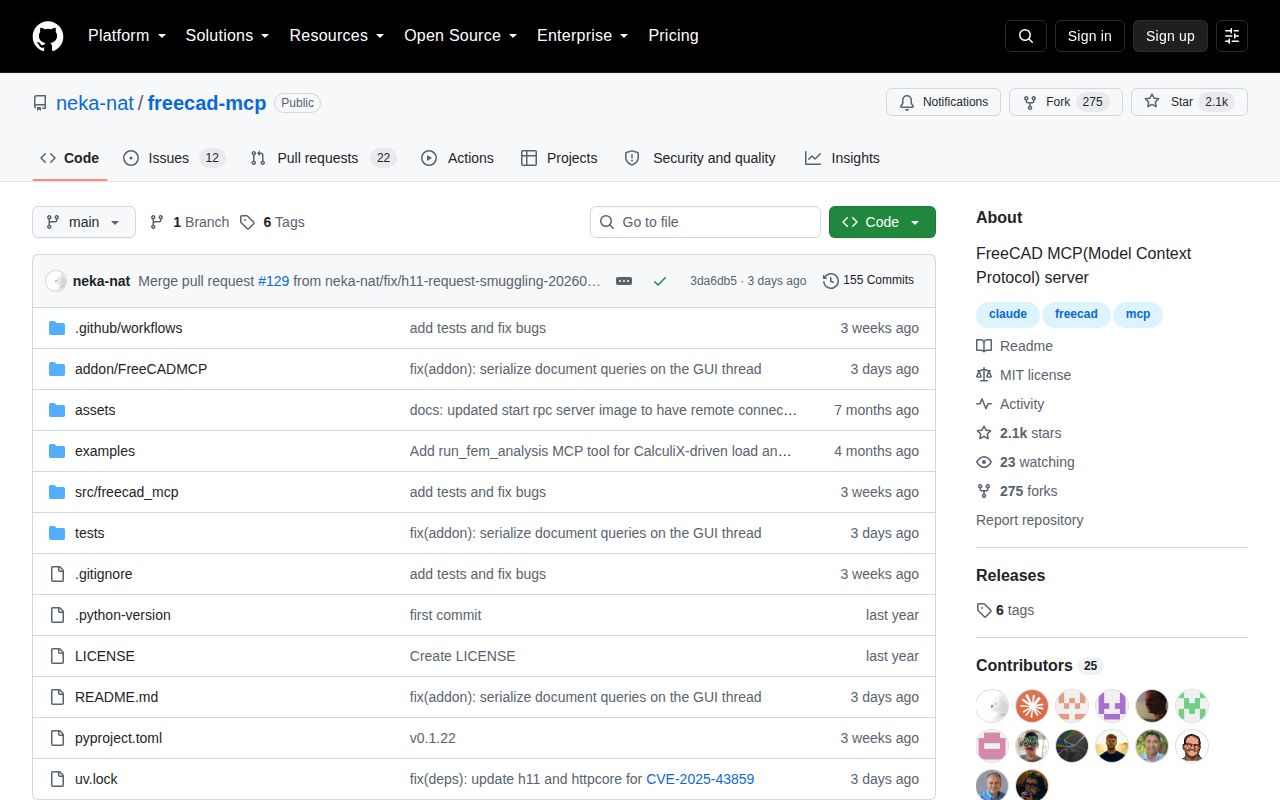
GitHub recorded the last push on September 5, 2026, at the same commit we tested. The repository had 2,101 stars and 34 combined open issues and pull requests when fetched. A separate search split that queue into 12 issues and 22 pull requests. Issue 127 was opened on September 2, and pull request 130 followed on September 5, so both user reports and proposed changes were active near the latest push.
The latest-release API returned no published GitHub release, while pyproject.toml identifies the package as version 0.1.22. That makes commit pinning more useful than relying on a GitHub release page. The passing 41-test run supports trying the exact revision, but the GUI requirement and unrestricted Python path keep this out of unattended production by default. For a FreeCAD expert sitting in front of the model, those tradeoffs are much easier to accept.