A 3.5 MB repository supplies both desktop and terminal apps
Our OmnySSH checkout contained 231 files, about 35,881 source lines, and 3.5 MB before dependencies. The cargo workspace separates a UI-free SSH engine from the omny terminal app and a Tauri desktop app. Both interfaces cover the same practical jobs: a host dashboard, PTY terminal sessions, a two-panel SFTP browser, command snippets, search, and SSH key setup. The desktop version adds a visual server card layout, while the TUI keeps the keyboard-driven workflow.
OmnySSH reads an existing ~/.ssh/config at startup and says it never writes back to that file. Version 1.1.2 can follow Include files and route current ProxyJump entries through their bastions. Imported hosts can be edited by saving an OmnySSH-owned copy, but later changes in the original SSH config stop reaching that adopted host. That is a reasonable ownership boundary, and the release notes explain it before the user saves.
What happened when we ran it
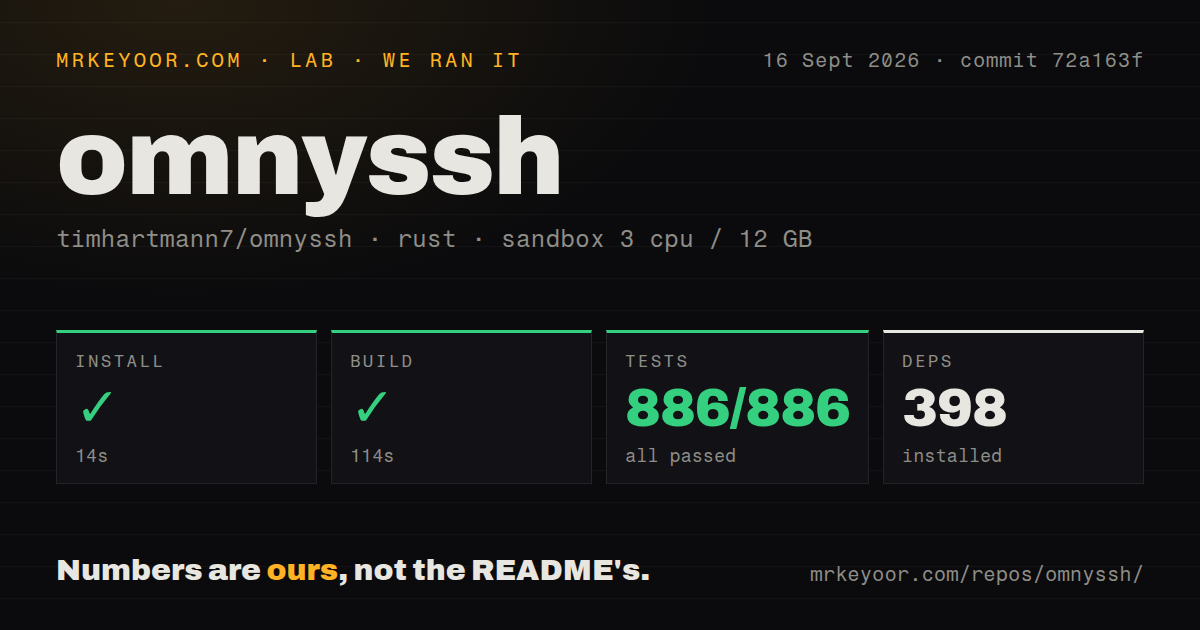
Our sandbox installed 398 packages in 14 seconds, then completed the Rust build in 114 seconds. We used commit 72a163f in an unprivileged container with 3 CPUs, 12 GB of RAM, no secrets, and the lab-rust:1 image. The build time is noticeable for a 3.5 MB checkout, but it ended cleanly. We found 2 CI workflow files, no Dockerfile, and no root tests directory.
Cargo test finished in 42 seconds with 886 passing tests and 0 failures. Tests live within the crates rather than a root folder, so the directory signal did not indicate missing coverage. The lab run covered the Rust workspace defined by the repository. It did not launch the Tauri desktop app, connect to a real SSH server, transfer files, change sshd_config, or verify the published installers. Those paths still need testing on the operating systems and servers you use.
One-click key setup changes a live SSH server
The key setup flow is unusually ambitious for a desktop SSH client. It generates an Ed25519 key, appends the public key to authorized_keys, opens a fresh connection to prove that key works, and only then disables password login. Before editing sshd_config, OmnySSH saves a server-side backup. The README says a failed step restores that backup. Starting the operation is the confirmation: there is no second prompt before the password setting changes.
That workflow can remove a recurring piece of manual hardening, but it has administrator consequences. The README itself tells users to inspect key_setup.rs before pointing it at production. Do that. Test first on a disposable host with console access, confirm the account's sudo behavior, and verify how included SSH daemon configuration files are handled. A rollback path is useful, yet a remote edit to authentication policy remains different from adding a harmless client profile.
Version 1.1.2 fixed ProxyJump and international metric parsing
Release v1.1.2 shipped on August 22, 2026. It fixed bastion routing across terminal, metrics, SFTP, snippets, and key setup, including multi-hop chains and per-hop host-key checks. It also forced a predictable locale for remote metric commands after systems using decimal commas could display idle CPUs as heavily loaded. Network appliances can now use a TCP port check instead of repeated SSH logins when they cannot run shell commands. These fixes address real mixed-estate behavior.
The same release notes acknowledge a packaging mistake in v1.1.1: the published Windows installer contained an older desktop binary. Version 1.1.2 changed the release job to discard previous artifacts and refuse publication when expected bundles are missing. That repair is welcome, and it is also a reason to keep release provenance in view. Open issue 33 says the one-line installer skips checksum verification and that the published checksums lack an independent signature.
Password storage and missing SSH features narrow the audience
Open issue 100 reports that one host's password remained readable in hosts.toml after key setup, despite the form describing the password as initial-setup data. Issue 99 separately asks for session-only password prompts for imported hosts, which currently fail if keys do not work and no password was saved. Until that behavior changes, password-only users face a bad choice between persistence and failed login. Prefer agent or key authentication, and inspect the saved configuration after migration.
Several OpenSSH features are also absent. Issues 89 and 104 request local forwarding, issue 101 asks for agent forwarding, issue 47 reports trouble with keyboard-interactive 2FA, and issue 98 requests wildcard Host inheritance. The omissions matter because OmnySSH presents itself as the main window for a server fleet. An operator using tunnels, PAM challenges, or layered config defaults cannot yet treat it as a complete replacement for the system ssh command.
Thirty open items keep this at a careful v1.1.2 recommendation
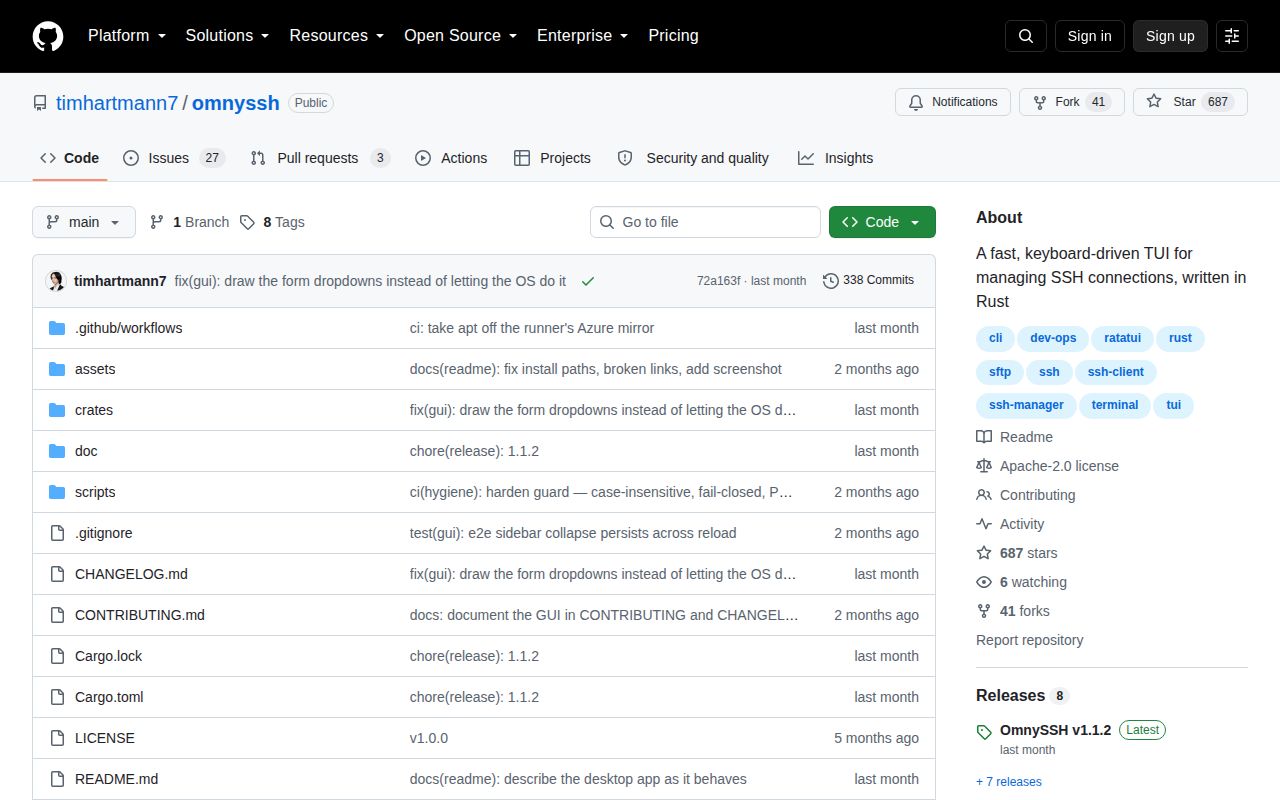
GitHub showed 685 stars, 41 forks, and 30 combined open issues and pull requests on September 16, 2026. The last code push and v1.1.2 release were both August 22, while issue activity continued into September. That is a small, maintained project rather than an abandoned one. The queue includes feature requests, packaging reports, and security concerns, so the raw total should not be read as 30 confirmed bugs.
OmnySSH is a good fit for someone who wants ten server shells and status cards in one local window without an account. The 886 passing tests and clean build support that recommendation. Keep passwords out of its config where possible, install only from the official repository, and verify the key-setup path on a noncritical host first. If forwarding or 2FA is part of daily SSH work, OpenSSH remains the safer primary client.