What our run establishes
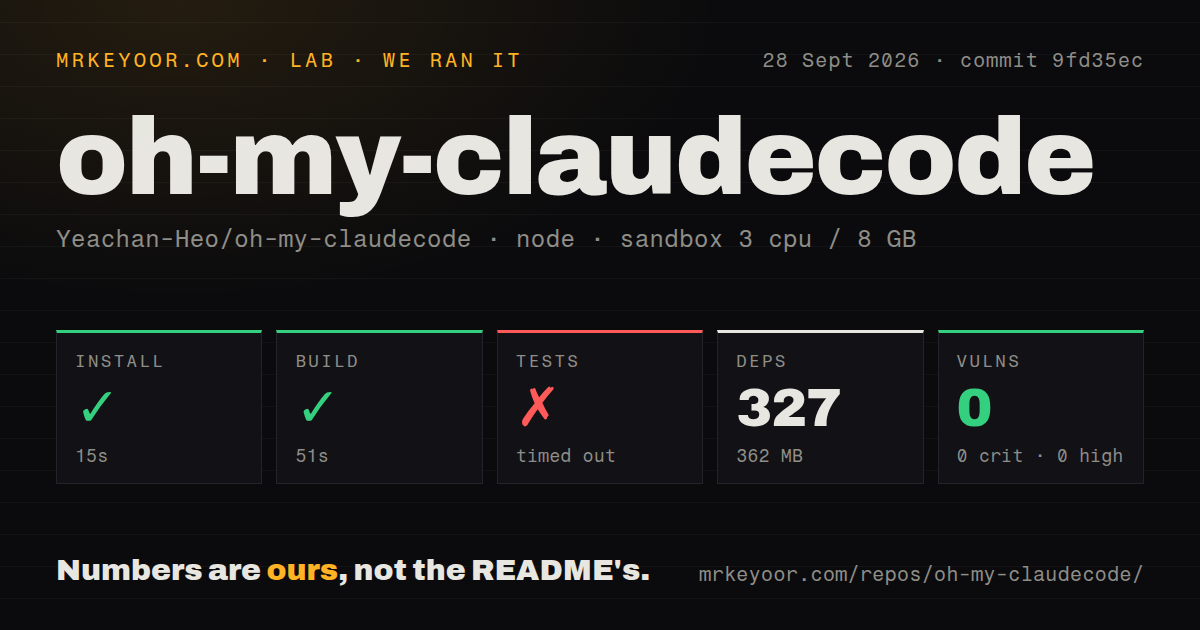
In our September 28, 2026 sandbox run at commit 9fd35ec, installation succeeded in 15 seconds and the build succeeded in 51 seconds. The test command timed out after 900 seconds with exit code 124. This is the existing stored run, not a new execution for this correction.
Our harness records each command's outcome, elapsed time, exit code, timeout flag and output tail. Here, installation and build each returned zero; tests reached the timeout. The recorded environment was lab-node:22 with 3 CPUs and 8 GB RAM. Those results establish command outcomes in our sandbox. They do not establish that OMC completed an authenticated Claude Code task, coordinated external workers successfully or deployed an application.
The MrKeyoor testing methodology explains these distinctions and the limits of repository testing. Its current description is provenance context, not evidence that its current procedure was used unchanged for this older run.
The setup suite shows four failures
The retained output for src/__tests__/setup-claude-md-script.test.ts reports 37 tests with 4 failed. The four named failures concern warning about legacy OMC hooks, avoiding advice to delete an entire mixed hooks section, stopping re-execution when a depth bound is exceeded, and resolving the newest version when a Node shim truncates multiline -e arguments.
These are suite-specific observations from the retained tail, not an exhaustive count for the repository. The stored aggregate test count is null. No complete-log reconciliation was performed, and the timeout leaves the overall run unfinished. The tail does not establish the causes of those failures or whether they reproduce on a developer's machine.
The dependency record also needs careful reading. Its stored measurement is 327 packages occupying 362 MB. The install tail says 328 packages added and 329 audited in 7 seconds. We retain those as different recorded observations rather than replacing the harness's 15-second installation measurement with npm's printed duration.
npm audit recorded 0 advisories. The record has no scannedPackages field, so scan coverage is unknown. That result does not establish that OMC or its workers are secure.
Choose the command surface before installing
The pinned README distinguishes terminal commands from Claude Code skills. omc team launches tmux CLI workers; /team uses Claude Code's in-session native team workflow. /autopilot, /ralph and /execute require an active Claude Code session. They are not corresponding terminal subcommands.
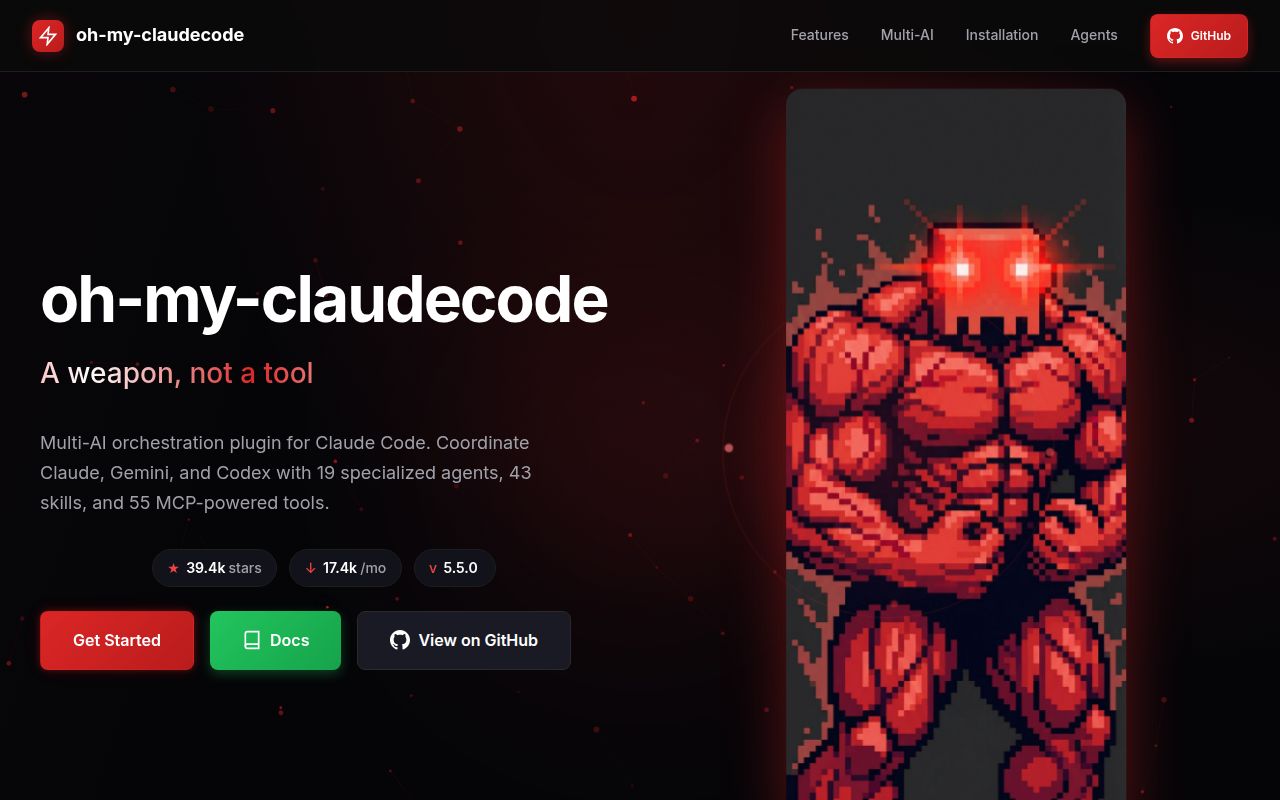
This distinction determines setup. The repository and plugin are named oh-my-claudecode, while the npm package is oh-my-claude-sisyphus. The v5.5.0 release notes say the npm CLI/runtime and marketplace plugin are separate installation tracks; users with both must update both. CLI-backed team and ask paths require the npm CLI.
For terminal workers, verify the selected provider's CLI and authentication before trying orchestration. External providers are optional: the README says OMC works without them. Named autopilot profiles v1 have a narrower platform requirement, Linux with flock, even though legacy autopilot remains available elsewhere.
Unattended workers change the permission decision
The security guide says headless Codex, Gemini and Grok workers auto-approve their own tool calls. Strict mode blocks external providers, disables remote MCP servers and automatic updates, restricts AST tool paths, enables a Python blocklist and caps persistent modes at 200 iterations.
Those controls do not create isolation between agents. The guide explicitly describes shared filesystem and MCP access and says the Python blocklist is not a security boundary on its own. Review hook commands and inherited environment variables as well as worker permissions.
OMC also stores operational material under .omc/, including prompts, transcripts, plans and machine-specific paths. Project skills are an intentional exception to the repository's runtime-state ignore policy. Inspect what setup changes and decide what should remain local before sharing a repository.
Alternatives answer different needs
Superpowers is a development methodology built from composable skills and initial instructions for coding agents. Its documented workflow includes requirements discussion, planning, implementation and review. Consider it as an alternative when your main need is a development process within your chosen agent. Its README does not establish that it replaces OMC's terminal worker runtime, and we did not test the two together.
Gajae-Code is a separate external coding-agent harness, and its README labels it experimental and beta-stage. Consider it when you want to evaluate a separate harness rather than add orchestration to Claude Code. It can run beside Claude Code, but its documentation says it does not become a Claude Code extension. We have no comparative measurements supporting claims that it is faster, cheaper or easier.
How to read the retained ratings
The ratings assess the narrow dimensions below, not security, adoption or production readiness. The rubric is: 1 means a documented blocker for the stated use; 2 means substantial unresolved friction; 3 means usable evidence with material qualifications; 4 means strong evidence with limited gaps; 5 means the supplied documentation fully addresses the stated documentary criterion. Unknown dimensions should remain unassessed rather than receive a midpoint.
Setup ease is 3/5: install and build succeeded, but Claude Code access, terminal dependencies and separate installation tracks require preparation. Documentation is 5/5 for the documentary criterion of explaining command surfaces, prerequisites, installation tracks and security limits; this does not verify every documented feature. Community is 5/5 only for documented contributor organization: the README identifies a lead, ambassadors, document specialists and named collaborators. It does not measure adoption, support responsiveness or community health. Maturity is 3/5: the release and successful build provide evidence of maintained software, while the unfinished test run and four setup-suite failures prevent a stronger runtime assessment.
Start with a disposable task
Use the v5.5.0 release instructions for the installation tracks you need, review strict mode and inspect setup's file changes. Give OMC one bounded task in a disposable branch without production credentials. Check the resulting diff, verification output and .omc/ artifacts yourself. Rerun the setup suite on your platform before deciding whether unattended work is appropriate.