mrkeyoor.com_
Sat 05 Sept 14:46 UTC
Automationevaluationupdated 05 Sept 2026

OfficeCLI review

OfficeCLI lets scripts and AI agents create, inspect, and edit Word, Excel, and PowerPoint files without Microsoft Office. It presents document parts as addressable elements, returns structured JSON, and can render HTML or PNG previews so an agent can check its work.

trackingstars / 7d
Verdict

Our npm-scope run installed in 22 seconds and found 0 known vulnerabilities, but the checkout exposed neither a build target nor a test target. OfficeCLI is worth trying when one automation layer must handle all 3 modern Office formats and an agent benefits from JSON plus visual previews. Keep Microsoft Office or another independent renderer in the acceptance loop for important files, and make every resident workflow flush explicitly.

We ran it

Lab card: what happened when we ran OfficeCLIScreenshot of OfficeCLI (officecli.ai)
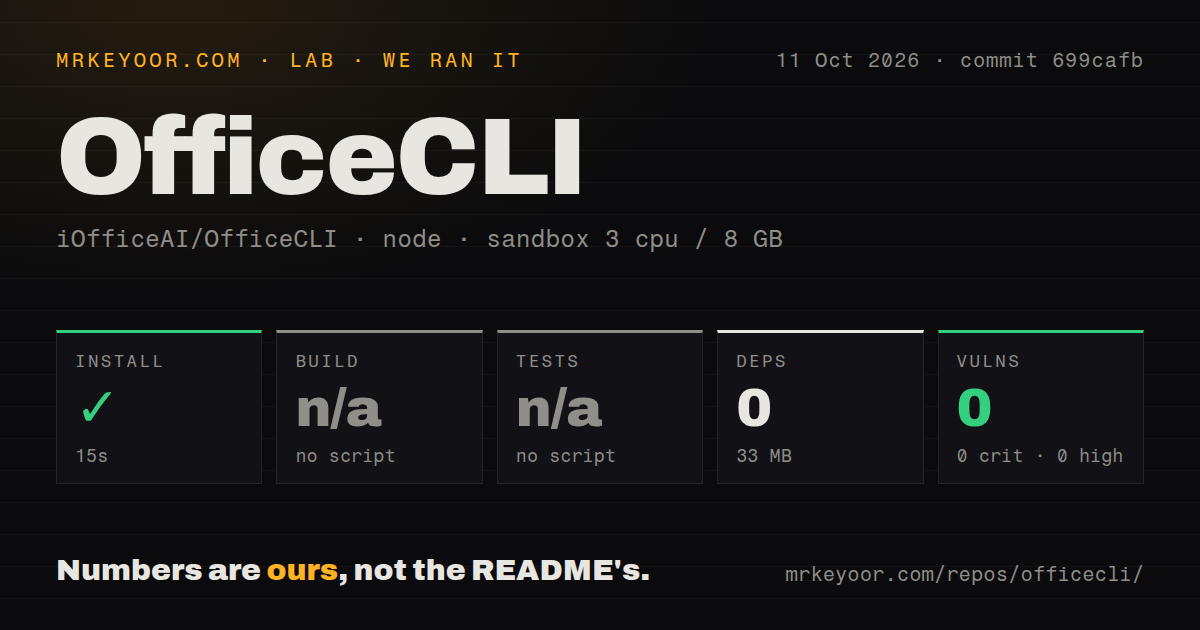
Install✓ · 22s0 packages · 33 MB
Buildn/ano build script
Testsn/ano test script
Known vulns00 critical · 0 high · 0 moderate · 0 low (npm audit)
Repo1206 files~336,707 lines of source · 94.8 MB · 6 CI workflows

Answers from our run

Does OfficeCLI build from source?

Dependencies installed in 22 seconds (0 packages), and the project has no separate build step. We cloned commit b94f390 into a clean Debian container with 3 CPUs and no project-specific setup.

Does OfficeCLI have tests you can run?

Not through a standard command: the project exposes no test script or target that our harness could run.

Does OfficeCLI have known vulnerabilities in its dependencies?

npm audit found none in the dependency tree at the time of our run.

Who should not use OfficeCLI?

Teams that require Microsoft Office to be the final rendering authority: OfficeCLI uses its own HTML renderer, and open issue 341 documents PPTX connector, inherited-alignment, text-outline, and equation differences in version 1.0.144.

What are the alternatives to OfficeCLI?

LibreOffice, python-docx, Open XML SDK. Our npm-scope run installed in 22 seconds and found 0 known vulnerabilities, but the checkout exposed neither a build target nor a test target.

Setup4/522-second npm install; native binary and update policy still matter
Docs4/5Large command reference and wiki, with some behavior buried in notes
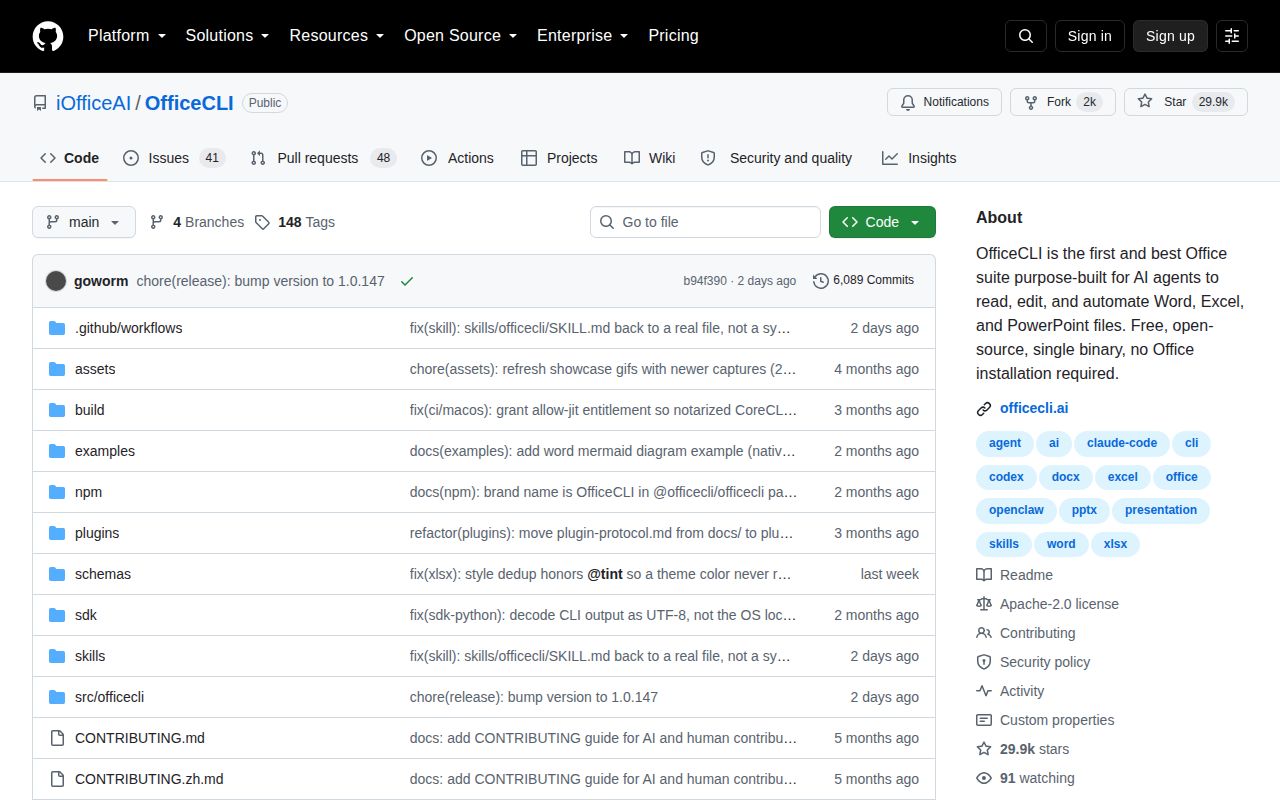
Community4/529,913 stars with 41 open issues and 48 open pull requests
Maturity3/5v1.0.147 ships widely, while rendering and resident risks remain

Who it’s for

Developers automating .docx, .xlsx, and .pptx work in scripts or CI jobs.
AI-agent builders who want document operations through a CLI, JSON-RPC, MCP, or a Claude Code skill.
Teams filling existing templates repeatedly from JSON data.
Operators who need document creation on Linux servers without Microsoft Office.

Who it’s NOT for

Teams that require Microsoft Office to be the final rendering authority: OfficeCLI uses its own HTML renderer, and open issue 341 documents PPTX connector, inherited-alignment, text-outline, and equation differences in version 1.0.144.
Short-lived worker setups that cannot call save or close: the README says resident edits can remain in memory for 2 to 10 seconds, and issue 328 reports lost changes when that process dies first.
Locked-down developer machines where a tool may not alter PATH, agent configuration, or update itself: officecli install writes those integrations, and background update checks are enabled by default.
Contributors expecting the npm package to expose its own build and test routine: our measured checkout had neither script, so both checks were skipped.
Workflows centered on legacy .doc, .xls, .ppt, or direct PDF editing: the core support table lists only .docx, .xlsx, and .pptx, while PDF output uses an exporter plugin.

Setup reality

Our npm-scope install succeeded in 22 seconds, reported 0 packages installed, and used 33 MB on disk. There was no build script and no test script, so both steps were skipped. npm audit found 0 known vulnerabilities across all severities.

The npm route fetches a native binary for the host platform. Running from source needs the .NET 10 SDK, though the shipped binary embeds its runtime and does not need Microsoft Office. Agent integration can install a skill and register the built-in MCP server.

Live preview opens a local server on port 26315. Resident mode may hold edits in memory, so external readers need an explicit save or close; the documented idle flush is 2 to 10 seconds. Background update checks are on unless configuration or OFFICECLI_SKIP_UPDATE=1 disables them.

One binary edits 3 Office formats without Microsoft Office

OfficeCLI v1.0.147 works with .docx, .xlsx, and .pptx, exposing their contents through get, query, set, add, remove, and move commands. Every operation can return JSON. A path such as /slide[1]/shape[1] gives an agent a stable target without making it write raw XML for ordinary changes. When the higher-level model falls short, raw, raw-set, and add-part provide direct access to document parts.

The unusual part is feedback. view html, view screenshot, and watch render a file without an Office installation, while validate checks its Open XML structure and view issues looks for problems such as overflow or missing alternative text. The README calls this renderer high fidelity. Open issue 341 gives the necessary counterweight: on version 1.0.144, its reporter found clipped connectors, ignored inherited alignment, unwanted text outlines, and incorrect equation presentation in PowerPoint HTML.

What happened when we ran it

Our sandbox entered the npm project under ./npm/ and completed installation in 22 seconds. npm reported 0 packages installed, with 33 MB used on disk, and its audit found 0 known vulnerabilities: 0 critical, high, moderate, or low. Our measurement setup was an unprivileged Debian container with 3 CPUs, 8 GB of RAM, and no secrets.

There was no npm build script or target, so the build step was skipped. The same was true for tests. The repository scan found 1,206 files, about 336,707 lines of source, 6 CI workflow files, no Dockerfile, and no tests directory. These measurements describe commit b94f390 and the npm packaging path. They do not show that a generated spreadsheet recalculates correctly or that a PowerPoint slide matches Office pixel for pixel.

The 33 MB npm result ends at a native binary

Our 33 MB npm installation delivered a host-specific executable rather than a JavaScript dependency tree. The README lists macOS and Linux binaries for x64 and ARM64, plus both Windows architectures. The shipped file embeds .NET, so users do not install that runtime separately. Building the source is different: contributors need the .NET 10 SDK and run ./build.sh. That split explains how npm can report 0 added packages while still using disk space.

No Microsoft Office installation is required for core editing or the built-in HTML and PNG views. Some behavior still varies by platform or add-on. The command table says Word field refresh uses a Word backend on Windows and an HTML fallback elsewhere, while PDF export is handled through a plugin. Test the exact document features and operating system you intend to run; the 22-second wrapper install did not exercise any of those paths.

Resident mode needs an explicit save before another process reads

OfficeCLI can hold edits in resident memory for 2 to 10 seconds before its adaptive idle flush. The README warns that another program will see stale disk contents until save or close runs. You can select OFFICECLI_RESIDENT_FLUSH=each when another program reads after every mutation, trading some speed for a clearer durability boundary.

Issue 328 shows what happens when that boundary is ignored. The reporter used version 1.0.143, killed the resident before its idle flush, and found that the in-memory edit was gone while a later process said there were no pending changes. Batch mode is atomic by default for command errors, but it cannot preserve data that never reached disk after a process crash. Short-lived agent workers should flush inside the same execution segment that performs the edit.

Auto-install and update checks require an explicit policy

OfficeCLI v1.0.147 can copy its binary into PATH and install a skill into detected agent tools. The same installer can register the MCP server for Claude Code, Cursor, VS Code, or LM Studio. Bare invocation may trigger self-installation, and the README says background update checks are enabled by default. Those conveniences are reasonable on a personal workstation. A managed fleet should package a pinned binary, choose which agent configurations may change, and turn off automatic checks if releases require approval.

The MCP endpoint exposes all document operations over JSON-RPC, so filesystem permissions become part of the security model. A tool able to edit a proposal can also remove a worksheet or change a contract paragraph if the agent can reach that path. Limit its working directory, retain source documents, and validate output with a separate reader before delivery. The native binary needs no cloud credential for local editing, which keeps the basic deployment simpler.

Version 1.0.147 arrived with an active issue queue

GitHub recorded a push on September 3, 2026, followed by release v1.0.147 that day. The repository had 29,913 stars, 41 open issues, and 48 open pull requests when fetched. That is current maintenance and substantial outside attention. It is also a young 1.0 series carrying open reports about rendering, resident persistence, and spreadsheet references, so an upgrade should replay your own document fixtures.

OfficeCLI makes the most sense when the same automation must cross 3 Office formats and agents need both structured operations and a picture of the result. Template merge, replayable dumps, batch rollback, and raw XML escape hatches cover much more than a thin file converter. The missing npm build and test targets keep our confidence below the README's broad claims. Use the tool as an editor with guardrails, then open important output in the application your recipient will use.

Alternatives

ProjectWhat it isPick it when
LibreOfficeA full office suite with a headless command-line mode and its own rendering engine.pick this instead when conversion and layout through an established desktop office suite matter more than agent-oriented element commands.
python-docxA Python library focused on creating and editing Word documents.pick this instead when the job is limited to `.docx` and direct Python objects are easier to maintain than a separate binary.
Open XML SDKMicrosoft's .NET SDK for working directly with Office Open XML packages.pick this instead when exact OOXML control in a .NET application matters more than a format-neutral CLI.

What people are saying

  1. [velocity-scout] iOfficeAI/OfficeCLI

Sources

  1. OfficeCLI README
  2. OfficeCLI repository
  3. OfficeCLI v1.0.147 release
  4. PowerPoint HTML rendering issue 341
  5. Resident-mode persistence issue 328

More automation reviews

agent-teams-ai · upload-artifact · conductor · hey-cli · crossplane · espanso · the whole board →