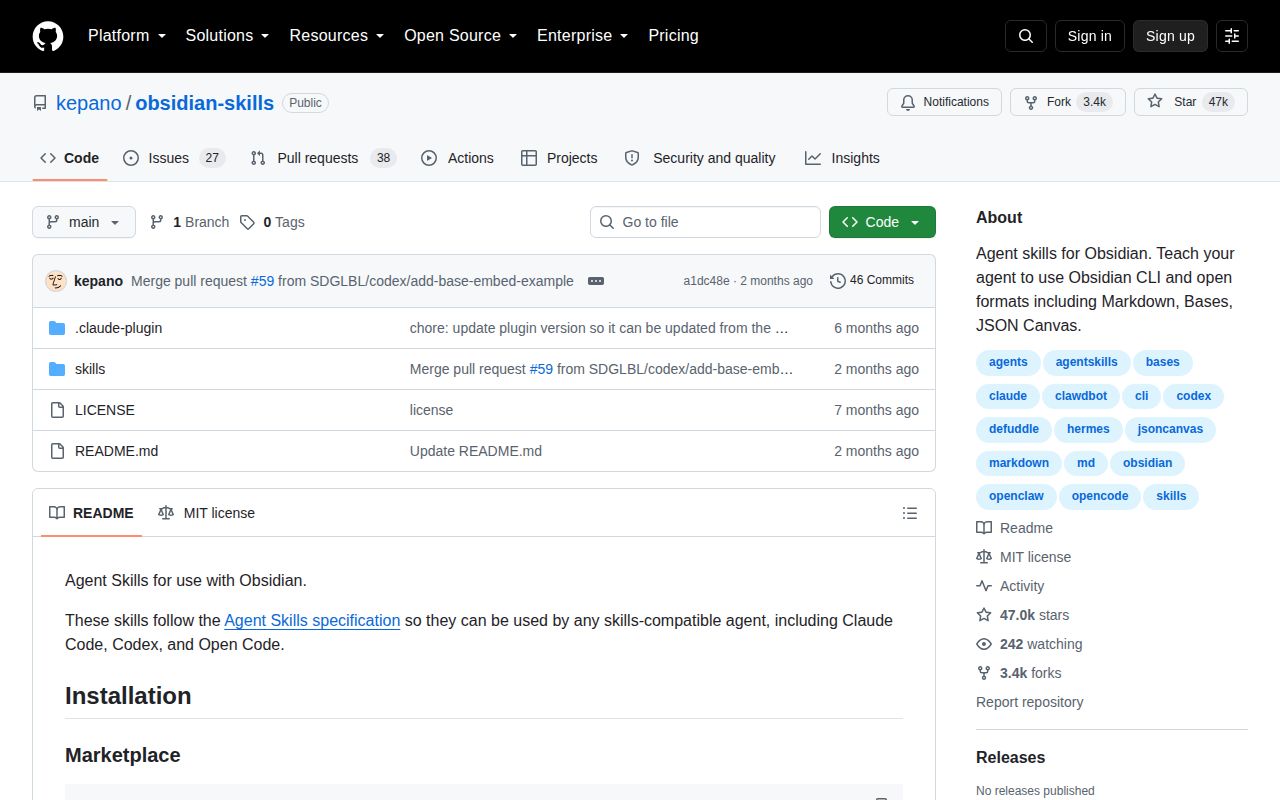
The Brain and the Ghost
For years, users have treated Obsidian as a 'second brain', a digital extension of their own mind for storing, connecting, and retrieving knowledge. In parallel, AI agents have emerged as powerful 'ghosts in the machine,' capable of executing complex, multi-step tasks. The natural next step is to connect the two: to give the ghost access to the brain. This is precisely the problem kepano/obsidian-skills sets out to solve. It's not another AI writing assistant inside your vault; it's a set of specialized tools that allows external AI agents to read, write, and manipulate your knowledge base with native fluency.
This project, created by a prominent developer in the Obsidian community, follows the Agent Skills specification, a standard designed to make tools portable across different AI agent platforms like Claude Code, Codex, and OpenCode. Instead of teaching a generic AI what a [[wikilink]] is every time, you provide it with a 'skill' that gives it that knowledge permanently. It’s an ambitious and, frankly, necessary piece of infrastructure for the future of AI-powered knowledge management.
A Deeply Integrated Skillset
The primary strength of Obsidian Skills lies in its deep, specific understanding of the Obsidian ecosystem. This isn't just about reading and writing text files; it's about understanding the unique formats that make Obsidian powerful.
The obsidian-markdown skill is the star of the show. It empowers an agent to work with Obsidian Flavored Markdown, including critical syntax like [[wikilinks]] for creating connections, ![[embeds]] for transclusion, and block-level syntax like callouts and properties. This means you could ask an agent to "summarize my notes on project X and link to the key people involved," and it could generate a new note with proper formatting and functional links, not just plain text.
But the project's scope extends far beyond markdown. The inclusion of skills for other Obsidian formats demonstrates a holistic vision:
obsidian-bases: This skill targets Obsidian's new database-like feature, allowing an agent to create and edit structured data with views, filters, and formulas. This opens up possibilities for automated data entry or sophisticated, AI-driven reporting directly within your vault.json-canvas: The ability to programmatically create and edit JSON Canvas files is a real step up for visual thinkers. An agent could be tasked with creating a mind map from a long article or generating a flowchart to explain a complex process, producing a.canvasfile that is immediately usable in Obsidian.obsidian-cli: By providing a skill to interact with the Obsidian command-line interface, the project enables agents to perform meta-tasks like managing plugins and themes. This positions the agent not just as a content creator, but as a vault administrator.
Finally, the defuddle skill is a pragmatic and highly useful addition. It uses a separate tool to strip clutter from web pages, converting them to clean markdown. In a world where LLM API calls are metered by tokens, this is a critical optimization, saving users money and fitting more useful context into the agent's limited window.
A Project for Pioneers
For all its conceptual brilliance, Obsidian Skills has significant rough edges that make it a tool for early adopters and developers, not the general public. The most glaring issue is project maturity. As of August 2026, the repository lists no official releases. This means anyone using it is effectively running on the main branch, which is a risky proposition for any workflow that requires stability. Without versioning, users have no guarantee that their scripts and prompts won't break with the next commit.
The 62 open issues, combined with the lack of releases, suggest that maintenance may not be keeping pace with the project's considerable popularity (evidenced by its 43,000+ stars). Documentation is another weak point. While the README is excellent at explaining how to install the skills for various agents, it provides zero examples of how to use them. There are no sample prompts, no descriptions of the functions exposed to the agent, and no expected outputs. Users are left to reverse-engineer the capabilities through trial and error.
The barrier to entry is also exceptionally high. This is not an Obsidian plugin you can install from the community store with one click. It requires a user to have a working, command-line-based AI agent already configured. This prerequisite alone excludes the vast majority of the Obsidian user base and firmly places the project in the 'power user' or 'developer' category.
Where It Fits in Your Stack
So, who should use this? You should consider Obsidian Skills if you are actively building custom AI-powered workflows and Obsidian is your destination. For example, if you're creating a research agent that scrapes websites, summarizes articles, and then organizes the findings into a structured canvas in your vault, this tool is indispensable. It provides the crucial final-mile connection to the Obsidian ecosystem.
It is not, however, a replacement for in-app AI plugins like Text Generator. Those tools are for on-the-fly assistance while you write. Obsidian Skills is for programmatic, automated, and unsupervised tasks executed by an external agent. It's a piece of backend infrastructure, not a user-facing application. For now, it remains a powerful but raw glimpse into a future where our AI assistants can manage our second brains as effectively as we can.