Version 3.4.7 spans six client targets with device-side encryption
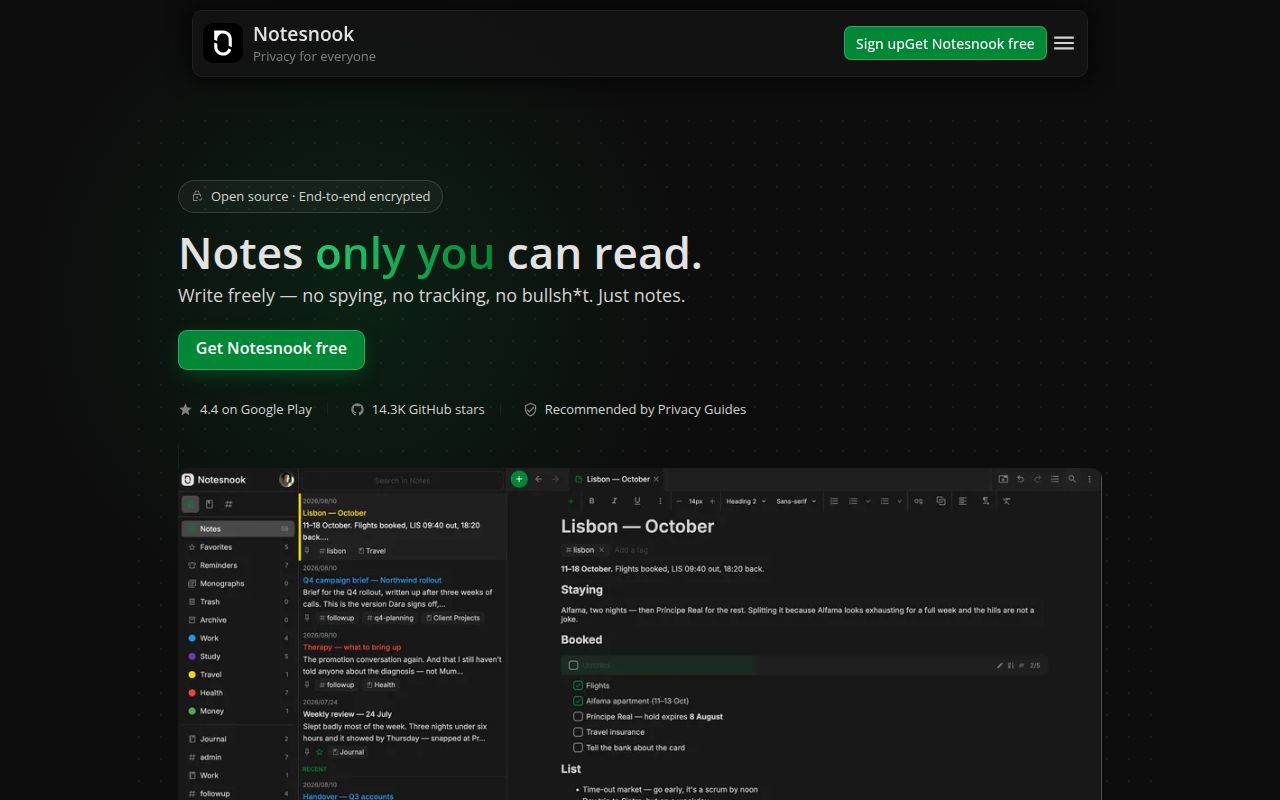
Notesnook covers the web, Windows, macOS, Linux, Android, and iOS from one public monorepo. Its central promise is legible: notes are encrypted on the device with XChaCha20-Poly1305 and keys are derived with Argon2 before data reaches hosted sync. The codebase includes separate web, Electron desktop, and React Native mobile apps alongside shared editor, cryptography, storage, clipping, and theme packages. For someone leaving a service that can inspect notebook contents, that combination deserves a serious look.
The app also has more ordinary note-taking depth than the privacy label suggests. Version 3 introduced internal links, tabs, nested notebooks, merge-conflict handling, and SQLite-backed clients. Desktop builds add automatic local backups, system tray behavior, native encryption and compression, and operating-system key storage. The web clipper and import tools make migration less punishing. Those are practical reasons to choose Notesnook over a plain encrypted text box, especially when several device types must stay in sync.
The free plan permits unlimited notes but only 50 MB of monthly storage
Notesnook's current free tier allows unlimited encrypted notes on unlimited devices. The limits are elsewhere: 50 MB of attachment storage per month, 10 MB per file, 50 notebooks, 50 tags, 10 active reminders, and 100 stored note versions. Paid tiers increase storage and file sizes and remove several organization limits. This is generous for text-heavy personal notes, while image archives and large PDFs will reach the boundary much sooner.
Offline use is a real option, not an undocumented workaround. Mobile v3.4.9 renamed the onboarding skip action to "Use offline" and added a dialog explaining the trade-offs. Sync, account recovery, and cross-device access naturally require more trust in the account path. Export remains available on the free plan, and the pricing page says cancelled accounts keep their notes readable, editable, and exportable. Buyers should test an export before migrating years of material, since portability matters most after something goes wrong.
What happened when we ran it
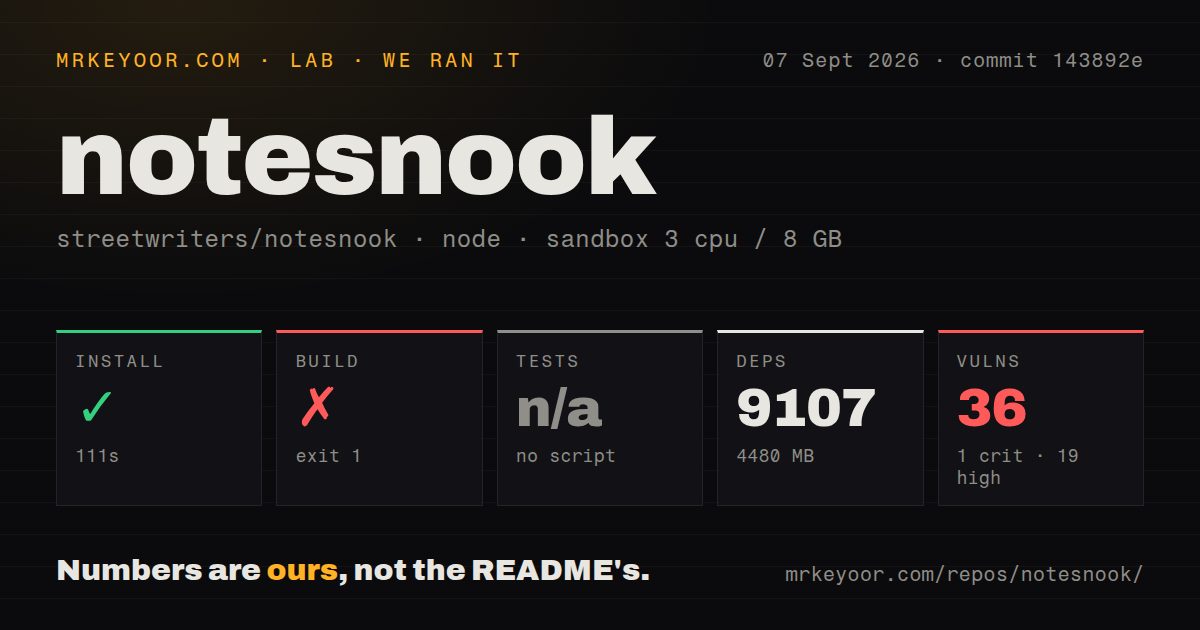
Our sandbox installed commit 143892e in 111 seconds. Npm added 9,107 packages and left 4,480 MB on disk, which is a striking development footprint for a notes client. The repository itself contained 2,777 files, roughly 271,204 lines of source, and occupied 114.2 MB before that install. It is a multi-client product tree, so the size has a reason, but a contributor still pays the local storage and dependency cost.
The build failed with exit code 1 after 8 seconds. The root script called npm run tx -- build --all --exclude=mobile,web,monograph,theme-builder,vericrypt, then the task runner stopped with Task "" not found in taskRunner config. The log does not say why the task name became empty, so we will not assign a cause. It does establish that the advertised root command did not produce a successful build in our fresh Node 22 container.
No default test script or target was available to the harness, so it skipped tests. The scan also found no tests directory or Dockerfile, alongside 23 CI workflow files. The package manifest does expose narrower web, core, iOS, and Android test commands, but none became the repository-wide test step in this run. Npm audit counted 36 known vulnerabilities: 1 critical, 19 high, 11 moderate, and 5 low. Those findings need triage by reachability and shipped bundle, not dismissal by total alone.
Self-hosting needs .NET 8, MongoDB, and MinIO in another repo
The client repository is only part of a private sync deployment. Streetwriters publishes the server as streetwriters/notesnook-sync-server under AGPLv3. Its source build requires .NET 8 and runs separate API, identity, and messaging projects. The Docker Compose path starts MongoDB, MinIO, and Notesnook services after the operator sets NOTESNOOK_API_SECRET; optional profiles add the themes server, CORS proxy, and inbox API. That is a service stack, not a checkbox in the desktop app.
The server README labels self-hosting alpha and says it is possible without support, with fuller documentation still to be written. That wording should control procurement decisions. An experienced operator can inspect the Compose file, isolate storage, back up MongoDB and MinIO, rotate secrets, and test client endpoint changes. A small team seeking a supported private appliance should wait or choose a product with a narrower deployment contract. Open issue 10335, filed September 7, reports signup hanging against self-hosted servers, which makes a pre-migration trial essential.
Frequent 2026 releases coexist with 911 open issues
The last push was September 7, 2026, and desktop v3.4.7 arrived on August 31 after v3.4.6 on August 17. GitHub showed 911 open issues and 89 open pull requests; 30 issues had closed in the preceding 30 days. That is an active project with a very large public queue, rather than an idle repository. New reports and fixes were arriving on the same day we checked.
Release notes reveal the kind of defects this category carries. Desktop v3.4.7 fixed recovery-key validation for some legacy users and repaired quoted tag and color search. Earlier 2026 releases fixed stored script execution in PDF export and clipped iframe content. Prompt fixes and candid notes are positive maintenance signals, while the underlying bugs justify conservative updates, verified backups, and recovery drills. For users, Notesnook is easier to recommend than our failed source build suggests. For contributors, those 9,107 packages and 36 advisories are part of the product decision.