mrkeyoor.com_
Thu 17 Sept 20:41 UTC
AI Toolsevaluationupdated 25 Aug 2026

NextChat review

NextChat is a self-hosted chat interface for OpenAI, Anthropic, Google, DeepSeek, Azure, and compatible model APIs. It gives individuals or small teams one browser and desktop client for conversations, prompt templates, artifacts, plugins, and optional MCP tools while keeping chat data in the browser by default.

+58stars / 7d
Verdict

NextChat is a good fit for a personal or small-team model console when browser-local storage, provider choice, and quick deployment matter. The open-source edition is much weaker as an organizational service because its documented access control is a shared password, and current proxy security reports need an operator's attention. Use it behind a tightly controlled deployment, pin the code you tested, and run the CI test target rather than the default watch command.

We ran it

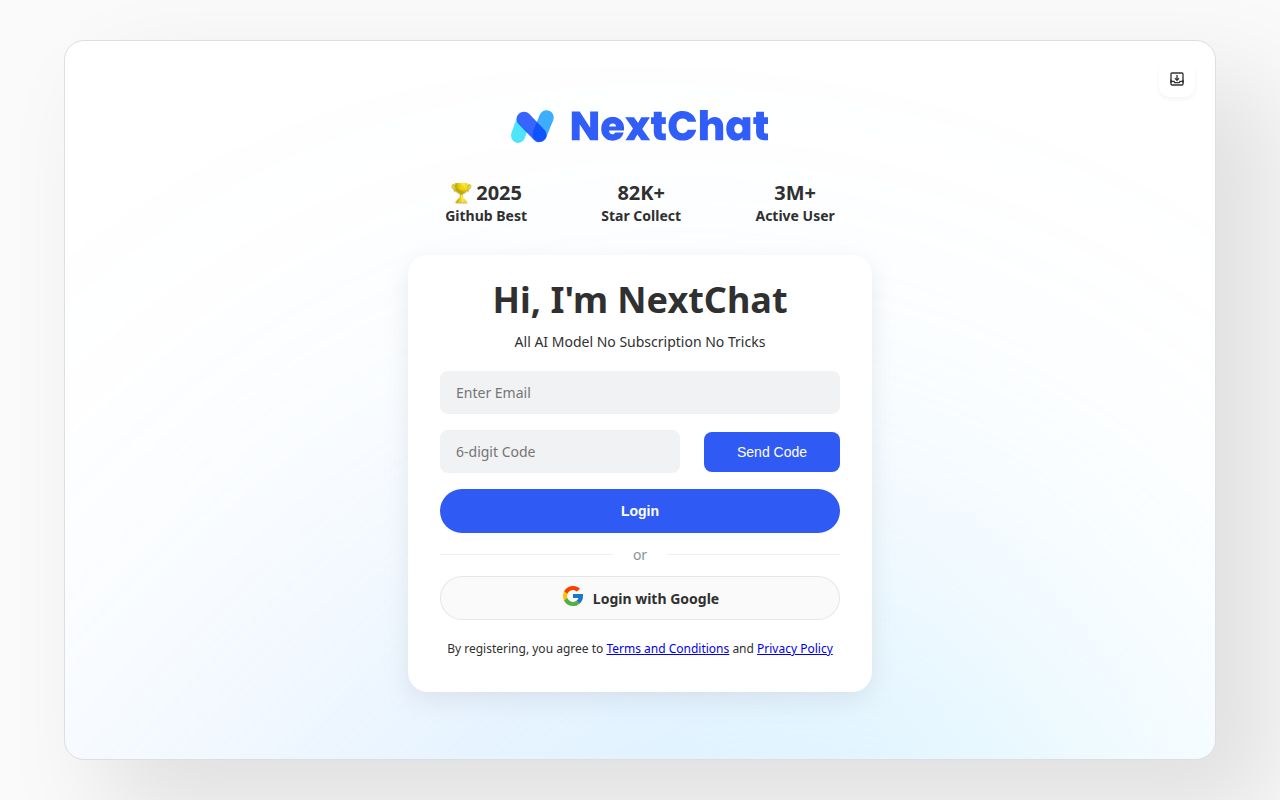
Lab card: what happened when we ran NextChatScreenshot of NextChat (nextchat.club)
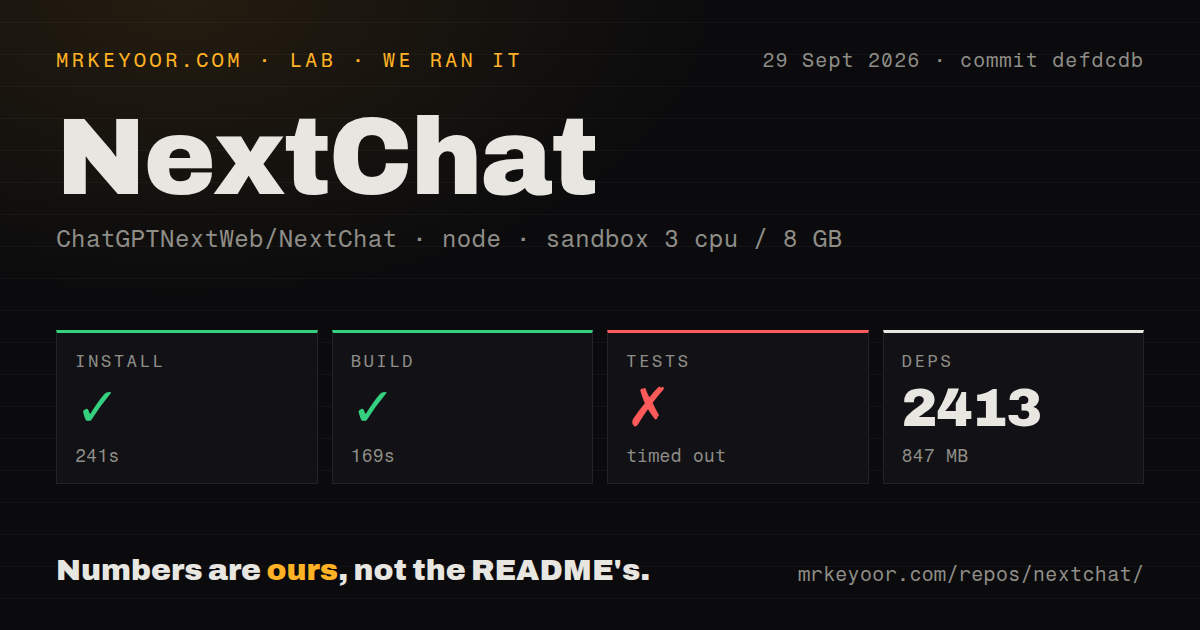
Install✓ · 216s2413 packages · 847 MB
Build✓ · 118s
Tests✗ timed out · 900sran, no count parsed
Repo425 files~43,498 lines of source · 7.8 MB · 7 CI workflows · Dockerfile · tests dir

Answers from our run

Does NextChat build from source?

Dependencies installed in 216 seconds (2413 packages), and the build succeeded in 118 seconds. We cloned commit defdcdb into a clean Debian container with 3 CPUs and no project-specific setup.

Do NextChat's tests pass?

We could not finish them: the suite was still running after 15 minutes in our container.

Who should not use NextChat?

Organizations that need real identity, roles, and audit controls in the open-source edition: the documented CODE setting is a shared page password, while the README reserves administration and security auditing for an enterprise product.

What are the alternatives to NextChat?

Open WebUI, LobeChat, LibreChat. NextChat is a good fit for a personal or small-team model console when browser-local storage, provider choice, and quick deployment matter.

Setup4/5Builds cleanly, but provider keys and test invocation need care
Docs4/5Broad setup coverage, with some important guides only in Chinese
Community4/5Large user base and current issue activity, with a crowded queue
Maturity3/5Established client, held back by unresolved security reports

Who it’s for

Developers who want a polished private front end for several commercial or self-hosted model APIs.
Small teams that can manage API keys and want a password-protected chat deployment without building a client.
People who need the same chat interface as a web app, PWA, or desktop application.
MCP users willing to enable the feature at build time and test each tool integration themselves.

Who it’s NOT for

Organizations that need real identity, roles, and audit controls in the open-source edition: the documented CODE setting is a shared page password, while the README reserves administration and security auditing for an enterprise product.
Operators who cannot investigate unresolved proxy security reports: open issues describe server-key exfiltration and unauthenticated SSRF paths in the v2.16.1 proxy handler.
Windows users planning to install outside a dedicated folder: an open report says the official uninstaller removed neighboring applications from D:\Program Files.
Teams that require a clean unattended test command: our run entered Jest watch mode and remained there until the 900-second cutoff.
Anyone expecting all documentation in English: the quick start is translated, but the README labels the Vercel guide and work-in-progress user manual as Chinese-only.

Setup reality

Our clean Node 22 sandbox installed 2,413 packages in 216 seconds and used 847 MB. The production build finished in 118 seconds. Tests timed out after 900 seconds because the invoked Jest command entered watch mode and reported that no tests matched files changed since the last commit.

A usable deployment needs at least one model-provider API key. The one-click Vercel route also asks for CODE, while other providers, Azure endpoints, WebDAV synchronization, plugins, and MCP add their own variables or services. Browser-local chat storage is the default, and Upstash is an optional synchronization path.

The README requires Node 18 or newer and recommends Docker for server deployment. MCP must be enabled before the build with ENABLE_MCP=true. The project spans web, PWA, and desktop clients, so upgrades deserve platform-specific checks rather than assuming a successful Next.js build covers every package.

A chat client you can place almost anywhere

NextChat packages a familiar model-chat experience as a browser app, PWA, and desktop client. It speaks to OpenAI, Anthropic, Google, DeepSeek, Azure, several Chinese providers, and endpoints that follow the expected API shapes. Conversation rendering covers Markdown, LaTeX, Mermaid diagrams, and highlighted code. Prompt templates, shareable artifacts, image generation settings, plugins, and optional MCP support move it beyond a bare chat box.

The attraction is control without having to design another chat interface. A developer can connect a paid API, point BASE_URL at a compatible local or hosted model, and keep ordinary conversation data in browser storage. The interface is translated into many languages, and the repository supplies one-click hosted deployment buttons plus Docker and local-development instructions. For a personal model console or a small internal trial, that is a practical package.

Its limits become clearer when several people share the same deployment. The open-source access mechanism documented in the README is CODE, a comma-separated list of page passwords. That can keep a casual visitor out, but it is not individual identity, role assignment, or an audit trail. Those controls appear in the separately described enterprise edition. Treat the community version as a client application with a simple gate, not as a finished company chat service.

Provider choice comes with configuration work

The shortest setup needs one model API key. From there, the environment list gets long because each provider can bring a key, base URL, API version, deployment name, or model mapping. CUSTOM_MODELS can add, remove, and rename models, including Azure deployment aliases. This flexibility is useful when an organization has a proxy or a mixed model fleet, though it also creates more configuration to test after an update.

Privacy claims need the same careful reading. Chat history is local in the browser by default, which avoids placing every conversation in NextChat's own database. Requests still go to the model provider or custom endpoint selected by the operator. Optional Upstash synchronization moves records to another service. A privacy review therefore has to cover the chosen endpoint, browser access, synchronization settings, and any plugins, rather than stopping at the phrase "stored locally."

MCP is available, but it is a build-time choice. The README requires ENABLE_MCP=true before building or when launching the Docker image. That detail matters for teams expecting to toggle tools after deployment. MCP clients can expose actions beyond ordinary text generation, so enable only the servers users need and check their permission boundaries separately.

What happened when we ran it

We cloned commit defdcdb into a clean, unprivileged Node 22 container with three CPUs, 8 GB of RAM, and no secrets. The repository contained 425 files and about 43,498 lines of source, with a 7.8 MB checkout. Yarn installed 2,413 packages in 216 seconds, occupying 847 MB. The build then completed successfully in 118 seconds.

The test step did not finish within the 900-second limit. Its command launched Jest with --watch, printed the standalone Next build settings, and said no tests were found for files changed since the last commit. We stopped it at the limit. That result does not show a test failure, and it does not prove the suite passes. It shows that the invoked default test path is unsuitable for an unattended clean-checkout run. The repository does have a test directory and seven CI workflow files, so operators should identify and pin the non-watch CI command.

Security reports change the deployment advice

Two open issues filed against v2.16.1 describe risky proxy behavior. One reports an unauthenticated server-side request path through a caller-controlled x-base-url header. Another reports that a substring check could attach the server's OpenAI key to a hostile URL containing the expected domain text. These are reports, not findings from our sandbox run, but their subject directly affects any public deployment that stores provider secrets. Review the current proxy code and mitigations before exposing it.

Desktop users have a separate warning. A July 2026 Windows issue says uninstalling NextChat from D:\Program Files\NextChat began deleting sibling applications in D:\Program Files. The reporter stopped it after losing several programs. Until that report is resolved and the affected installer is identified, install into a dedicated directory and back up anything nearby before uninstalling.

The repository was pushed on August 11, 2026, while issue discussion continued later in August. That combination shows ongoing activity even though the latest tagged release, v2.16.1, dates to July 2025. GitHub listed 851 open issues and pull requests, a large mixed queue that includes support requests, feature proposals, and code contributions. A stale tag alone does not make the project abandoned, but it does mean release-only users may be far behind repository changes.

Who should choose it

NextChat works best when one technically capable owner controls deployment, provider keys, and upgrades. It offers more polish and provider breadth than a home-built chat screen, while remaining lighter than a full multi-user AI platform. Browser-local history is a genuine advantage for that use case.

A company needing named users, retention policy, central audit records, or dependable tool permissions should start with Open WebUI, LibreChat, or a commercial deployment built for those controls. NextChat can still serve as an individual client in that environment, but the shared-password community edition should not be mistaken for an identity layer. The current security reports also make a public, secret-bearing proxy deployment hard to recommend without a code-level review.

Alternatives

ProjectWhat it isPick it when
Open WebUI gh↗A self-hosted AI interface with user accounts, model connections, retrieval, and an administrator-facing feature set.pick this instead when multi-user administration and a server-managed workspace matter more than NextChat's light client-first setup.
LobeChat gh↗A polished multi-provider chat application with plugins, knowledge features, and richer deployment options.pick this instead when you want a larger product surface and are prepared for more infrastructure.
LibreChat gh↗A self-hosted multi-provider chat platform built around accounts, agents, tools, and shared server storage.pick this instead when authentication and a centralized multi-user service are core requirements.

Sources

  1. NextChat README
  2. NextChat repository facts
  3. NextChat v2.16.1 release
  4. Proxy SSRF report
  5. API key exfiltration report
  6. Windows uninstaller report

More ai tools reviews

rowboat · skills · superpowers-zh · yolov5 · eve · MemOS · the whole board →