
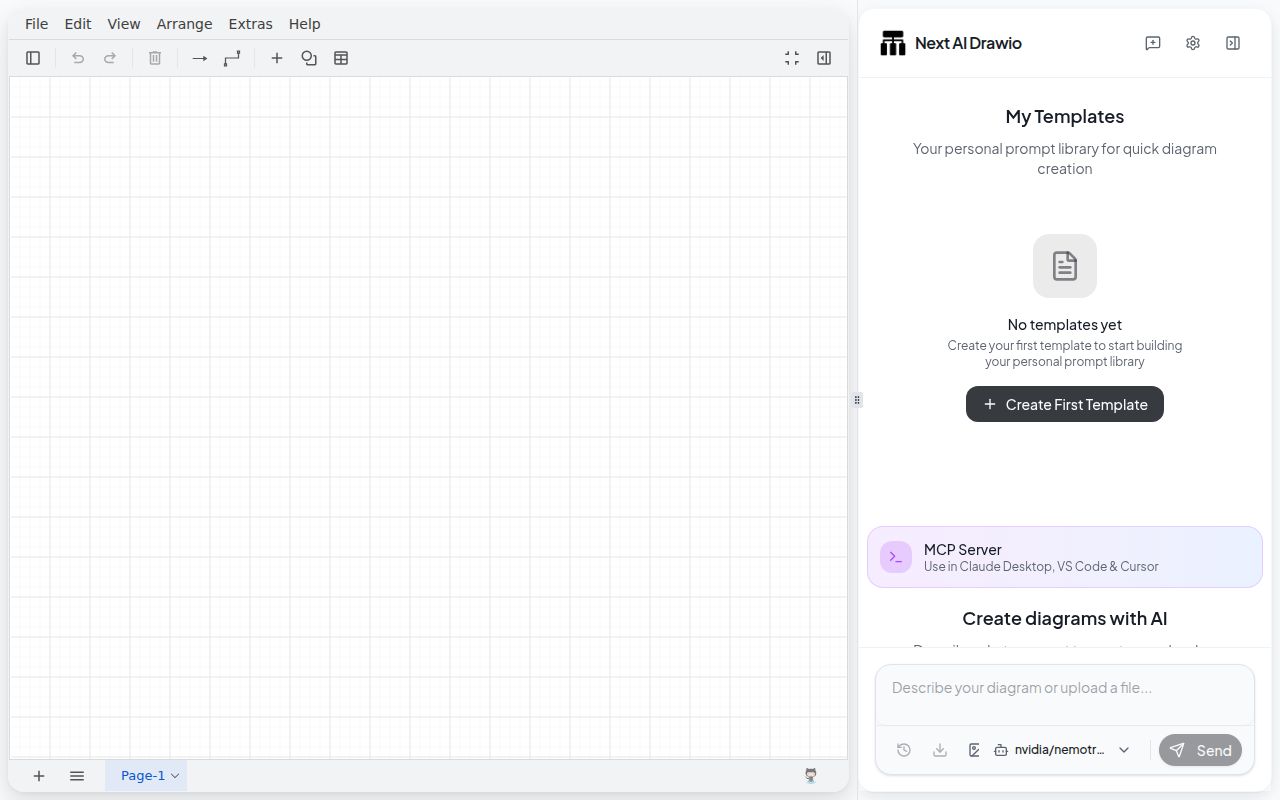
It produces editable draw.io files, not flat pictures
Next AI Draw.io asks a language model to create or modify draw.io XML, then presents the result in an embedded editor. That makes the output more useful than a generated PNG when a diagram needs hand corrections, labels, connectors, or later revisions. Inputs can include a prompt, an existing image, a PDF, or text. History lets a user return to earlier diagram states after an AI edit goes wrong.
The repository was modest at 306 files and about 40,702 source lines, yet installation pulled 1,552 packages. Much of the appeal comes from combining existing systems: Next.js provides the application, the Vercel AI SDK handles model calls, and react-drawio handles the canvas. The project adds the chat workflow, provider configuration, document input, diagram history, and the instructions that persuade a model to emit valid XML.
Model quality decides whether a prompt becomes a diagram
The provider list covers hosted services including OpenAI, Anthropic, Gemini, Bedrock, DeepSeek, Qwen, and several compatible gateways. Ollama is the local option. Administrators can expose several configured models to users through an environment variable or JSON file, and the admin panel controls models, access codes, features, observability, and quota when ADMIN_PASSWORD is set.
Our 48-second build says the application compiles cleanly at commit 155ef4f; it says nothing about diagram quality from a given provider. The README directly warns that the task needs a strong model capable of long output under strict draw.io XML constraints. An open issue from a user of DS V4 Flash reports that longer prompts complete their reasoning without producing a diagram. Treat model selection as part of setup, not an interchangeable last step.
MCP makes the tool useful inside coding work
The separate MCP server allows Claude Desktop, Claude Code, Cursor, and VS Code to open diagram sessions. A Claude Code user can add it through an npx command and request a flowchart without leaving the terminal workflow. The result appears in a browser for inspection and editing. That is a better fit for software design work than copying a model's XML out of a chat window.
MCP also expands the part that needs protection. Our checkout had a tests directory and 6 CI workflow files, but an open security report for MCP server 0.2.1 describes an unauthenticated history endpoint accepting raw SVG text that later reaches innerHTML. The reporter links it with session-ID disclosure and says the chain can run script when a victim opens History. That report covers versions bundled through application 0.4.16 and was still open during research.
What happened when we ran it
Our npm install succeeded in 55 seconds. It added 1,552 packages and left 2,041 MB on disk, unusually large for a diagram application with a 4.8 MB checkout. The production build completed successfully in 48 seconds. The provided tests also passed, taking 9 seconds in the same unprivileged Debian container.
The security audit is the result that changes our recommendation. npm reported 35 known vulnerabilities: 1 critical, 25 high, 6 moderate, and 3 low. We did not invent a risk from package count or infer that every advisory is reachable in normal use. The measured audit is still too serious to wave away, particularly beside current reports about server-side URL fetching and the MCP history interface.
This was a clean run in a 3-CPU container with 8 GB of RAM and no secrets. It verifies that dependency installation, compilation, and the available test command can finish from scratch. It does not exercise a paid model, judge generated diagrams, or prove that public deployment is safe. Those would be different checks, and the supplied measurement block contains no quality benchmark.
URL import creates a dangerous public-server boundary
The application can fetch a URL and turn its contents into material for a diagram. Issue 921 says the /api/parse-url guard compares hostname strings without resolving DNS before the server fetches the address. The report demonstrates a hostname resolving to loopback and says redirects are not rechecked, allowing an unauthenticated caller to read responses from internal HTTP services. It identifies versions through 0.4.16 and links advisory GHSA-wqcv-5qvx-vx75.
That matters more than the easy Docker command. A container can start on port 3000 with a provider key, but placing it behind a public route may expose both expensive model access and server-side network reach. Keep a trial bound to a trusted machine. If a team must deploy it, review the current code or patched release, add authentication outside the app, restrict egress, protect the admin panel, and avoid assuming a reverse proxy fixes an application-level fetch flaw.
Active maintenance has not yet closed the risk
GitHub showed 35,286 stars, a push on 2026-08-25, and 184 open issues and pull requests combined. The latest release was v0.4.16 from 2026-05-21. A release date alone would be a weak health signal, but current dependency pull requests and feature work show ongoing activity. The unresolved security reports remain relevant precisely because the repository is active enough to address them.
For a private workstation, Next AI Draw.io offers a genuinely handy loop: describe a system, inspect an editable result, and ask for changes through chat or MCP. The 9-second passing test run is encouraging. The 35 audit findings and two concrete security reports rule out casual public hosting. Use draw.io alone for maximum control, or Mermaid when text diffs and deterministic rendering matter more than conversational generation.