It accelerates the VAE stage, not the whole MiniMax-H3 workflow
ComfyUI-H3VAE_TRT replaces MiniMax-H3's normal VAE encoder and decoder path with TensorRT engines. The README claims speed can improve by up to 1.7 times, but it provides no benchmark method, GPU model, clip size, or before-and-after table. We did not reproduce that claim in our CPU-only sandbox. Treat 1.7 times as the project's ceiling claim, then measure the encode and decode stages in your own graph before deciding whether this node saves enough time to keep.
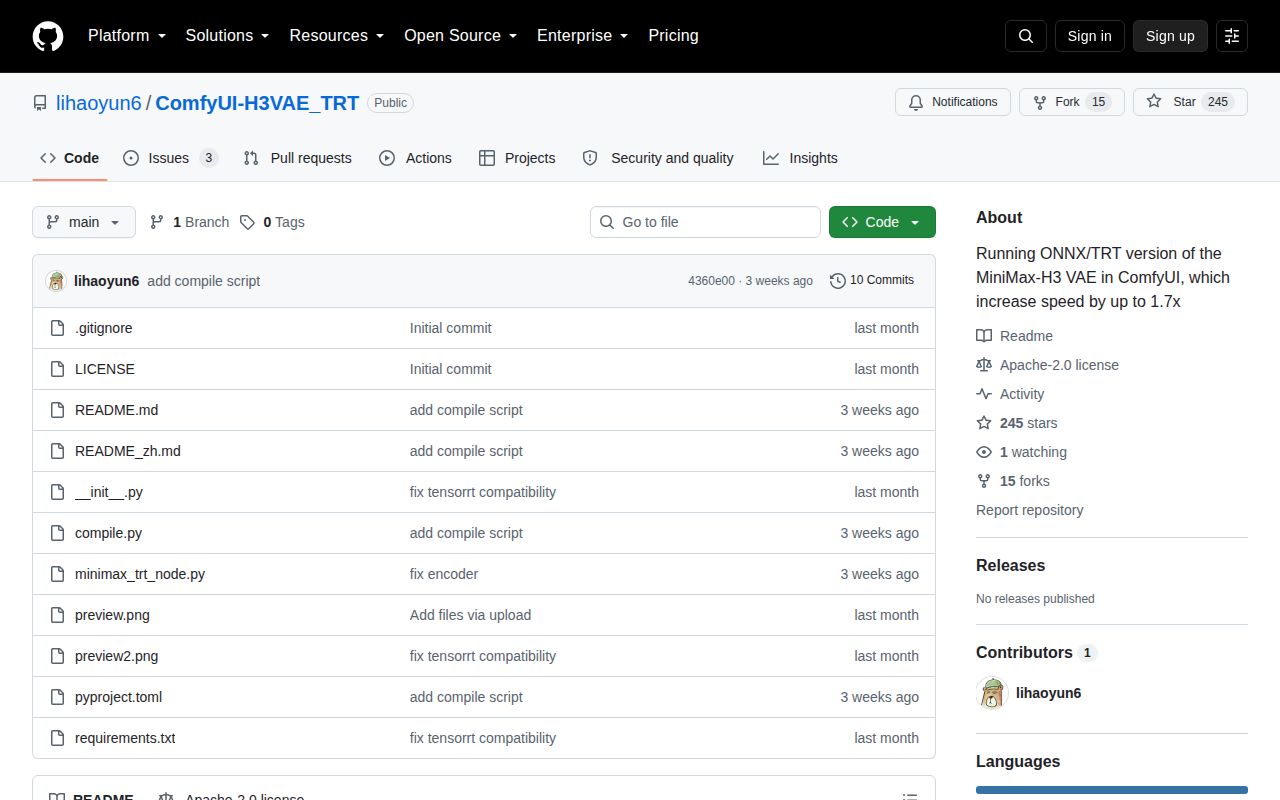
The repository is unusually small for a GPU extension: our checkout at commit 4360e00 held 11 files, about 1,291 source lines, and occupied 0.2 MB. Its user-facing flow consists of a compiler node and a loader node. You download the MiniMax-H3 encoder and decoder as ONNX files, compile them into .engine files, refresh ComfyUI's model list, and select the results in the loader. A standalone compile.py script handles compilation outside the interface.
Three install commands lead to a much larger runtime contract
The README's installation block is short: clone the repository under ComfyUI/custom_nodes, then install requirements.txt. That file contains only tensorrt, but the working environment also relies on ComfyUI, PyTorch, ONNX model assets, CUDA, and NVIDIA's runtime. The encoder, decoder, and any companion .data files must be placed under ComfyUI/models/vae. None of those model files are part of the 0.2 MB repository checkout.
Memory determines which decoder you should download. The README tells users without at least 12 GB of VRAM to choose the w4a16_awq decoder. Engines are also tied closely enough to the machine that the loader's own error message tells users to recompile locally after a deserialization failure. This is reasonable TensorRT behavior, but it rules out treating a copied engine as a portable model artifact across unlike systems.
What happened when we ran it
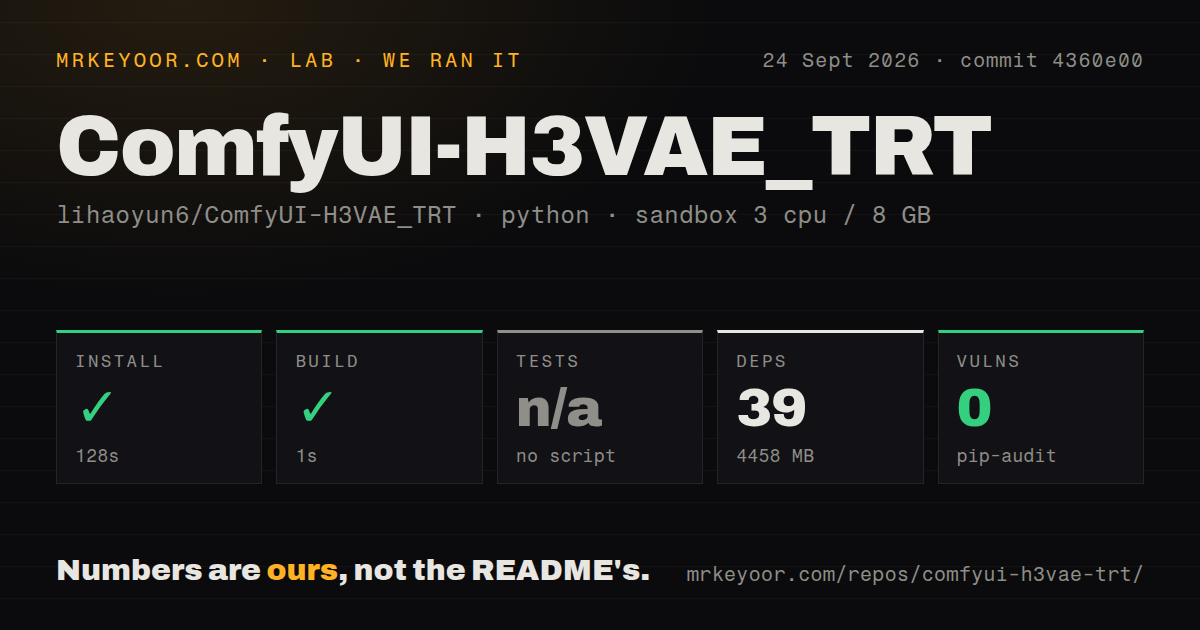
Our sandbox installed ComfyUI-H3VAE_TRT in 128 seconds, adding 39 packages and consuming 4,458 MB on disk. The build completed successfully in 1 second. That 4.4 GB result matters more than the tiny checkout if you are preparing a container image or working on a nearly full system drive. Pip-audit reported 0 known vulnerabilities in the installed Python dependency set.
There was no test script or target, so the test step was skipped. The repository also had 0 CI workflow files, no Dockerfile, and no tests directory. Those absences do not prove the node is broken. They mean commit 4360e00 provides no automated regression evidence for engine compilation, tensor shapes, or decoded output. Our unprivileged Debian container had 3 CPUs and 8 GB of RAM but no NVIDIA GPU or model assets, so it did not compile an engine or run inference.
Three open issues put engine compilation at the center of the risk
Issue 8 reports that compilation on a 16 GB RTX 5070 Ti exceeded 5 hours. A commenter suggested using the standalone script or clearing VRAM, but the issue remained open when we checked. Issue 10 records a segmentation fault while compiling on an NVIDIA A800 with TensorRT 11.2 and CUDA 13.0. These are user reports, not failures from our sandbox, and neither establishes one universal cause. They do show why a successful pip install is only the first checkpoint.
Issue 9 is more instructive for daily use. Its log shows the decoder compiling in about 22 seconds before the encoder step failed because the same decoder file had been selected twice. The maintainer replied that the encoder and decoder weights must not be exchanged. A clearer node-level validation message could prevent that mistake. Until then, record exact filenames and confirm both fields before starting a potentially expensive compile.
Ten commits and no release tag make this an early project
The repository was created on September 1, 2026, and its tenth commit landed on September 6. GitHub showed 245 stars, 15 forks, and 3 open issues and pull requests on September 27. There is no tagged release. The short history includes fixes for memory management, TensorRT compatibility, single-frame encoding, out-of-bounds errors, and an encoder artifact report, followed by the standalone compiler. That is responsive early work, though it also shows how quickly the execution path changed in its first 6 days.
One closed report described a grid pattern in encoded images. The maintainer said the September 6 code fix resolved it without requiring a new engine. That response is useful, but a visual regression suite is still absent. If output matters downstream, compare representative first frames, last frames, reference images, and longer clips against the native VAE before switching a production workflow. Speed has little value if a tile boundary or shape error reaches the final render.
Use it after a native baseline proves the VAE is your bottleneck
ComfyUI-H3VAE_TRT is worth a controlled trial for an NVIDIA user who already has MiniMax-H3 working and can afford the extra 4,458 MB environment measured in our run. Keep the original VAE available, compile through compile.py if the node stalls, and compare identical inputs. Users below 12 GB of VRAM have a documented quantized decoder option, while other GPU stacks should stay with ComfyUI's native path.
There is no direct drop-in rival with the same narrow promise. Upstream ComfyUI is the safer baseline because it removes the TensorRT compilation step. ComfyUI Spectrum MiniMax H3 targets selected transformer evaluations instead and retains a native fallback, so it addresses another part of generation. Pick the component that matches the measured slow stage. If you have not timed that stage yet, adding this node only gives you another engine to maintain.