mrkeyoor.com_
Sat 03 Oct 07:16 UTC
AI Toolsevaluationupdated 03 Oct 2026

NeuralScreen review

NeuralScreen is a Windows overlay that applies NVIDIA neural rendering and optional frame generation to an entire desktop or one chosen window. It can sharpen games, video, and photos, record the processed output, and expose before-and-after controls without requiring each application to support DLSS itself.

Verdict

Our NeuralScreen run installed 35 packages and built in 18 seconds combined, but pytest stopped with 176 collection or setup errors on Debian because the Windows-facing suite could not collect cleanly there. Try v2.1.9 only as a noncommercial Windows experiment on hardware the README marks supported, with a real game-by-game visual check. Skip it for competitive play, commercial deployment, or any setup that needs ordinary open-source licensing.

We ran it

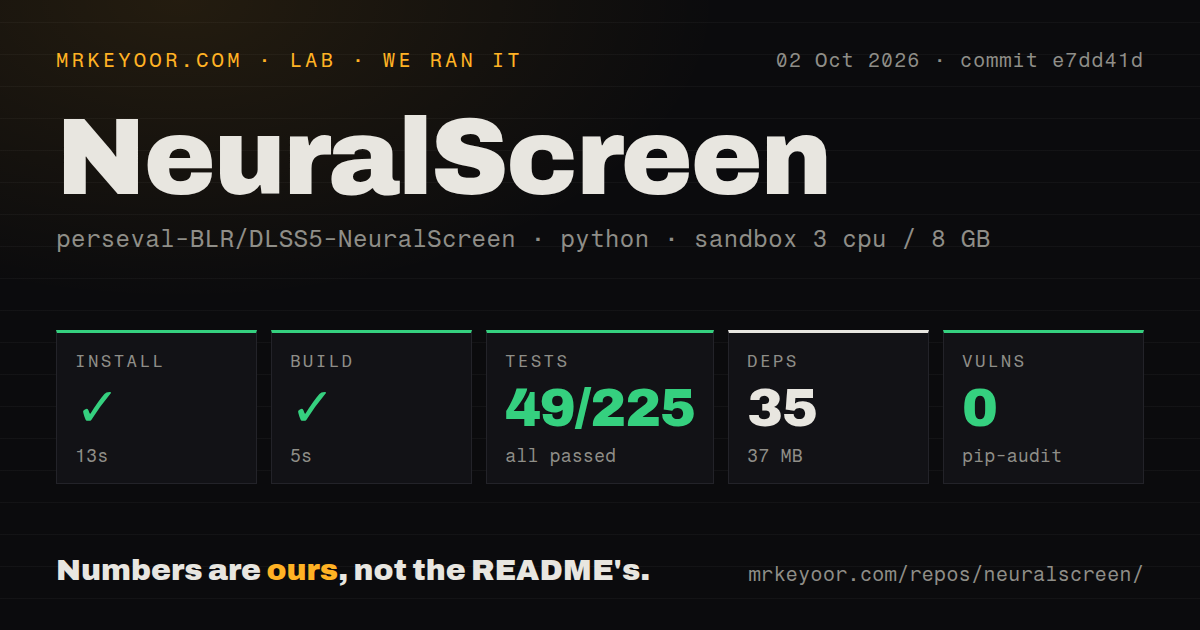
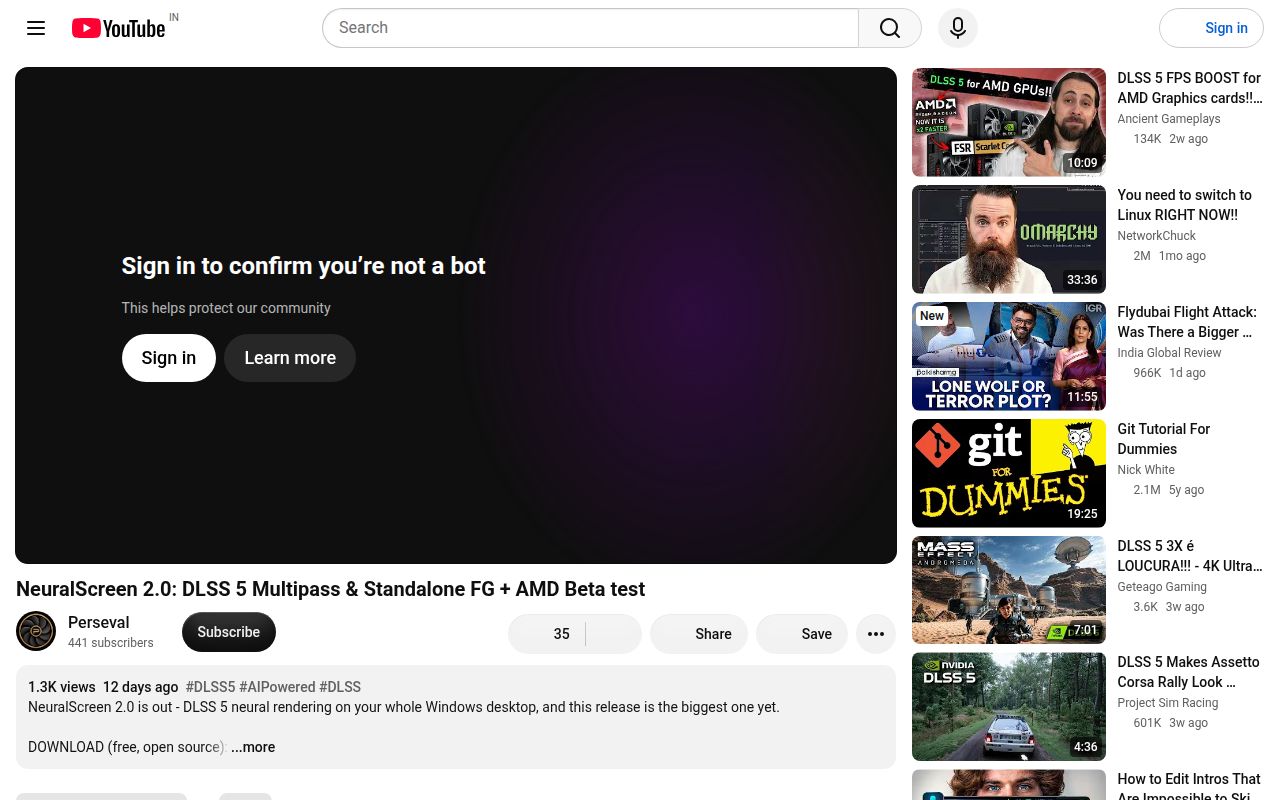
Lab card: what happened when we ran NeuralScreenScreenshot of NeuralScreen (youtu.be/TNDkG8KPf5w)
Install✓ · 13s35 packages · 37 MB
Build✓ · 5s
Tests✗ · 19s49 passed · 0 failed · 176 errors of 225 (pytest)
Known vulns0(pip-audit)
Repo380 files~97,905 lines of source · 12.5 MB · 0 CI workflows · tests dir

Answers from our run

Does NeuralScreen build from source?

Dependencies installed in 13 seconds (35 packages), and the build succeeded in 5 seconds. We cloned commit e7dd41d into a clean Debian container with 3 CPUs and no project-specific setup.

Do NeuralScreen's tests pass?

Yes: 49 of 225 passed when we ran the project's own test command (pytest), with 176 collection errors. Some failures need services or credentials a bare container does not have.

Does NeuralScreen have known vulnerabilities in its dependencies?

pip-audit found none in the dependency tree at the time of our run.

Who should not use NeuralScreen?

Competitive online players: the README warns that fullscreen overlays can trigger anti-cheat scrutiny.

What are the alternatives to NeuralScreen?

Magpie, OptiScaler. Our NeuralScreen run installed 35 packages and built in 18 seconds combined, but pytest stopped with 176 collection or setup errors on Debian because the Windows-facing suite could not collect cleanly there.

Setup2/5Simple release archive, but unsigned and tied to Windows plus RTX
Docs5/5Detailed setup, hardware matrix, internals, limits, and diagnostics
Community4/51,005 stars, five current issues, and a September 29 release
Maturity2/5v2.1.9 ships, while compatibility and licensing remain narrow

Who it’s for

Windows users with a supported NVIDIA RTX card who want desktop-wide neural rendering.
Tinkerers comfortable testing unsigned software and reading GPU diagnostic logs.
Video users who need one-window capture, processed screenshots, or recording through Spout2.
Researchers evaluating desktop overlays outside competitive games and commercial distribution.

Who it’s NOT for

Competitive online players: the README warns that fullscreen overlays can trigger anti-cheat scrutiny.
Commercial use or redistribution: the code uses PolyForm Strict, and bundled NVIDIA runtimes have separate research-use notices.
Linux or macOS users: the program depends on Windows capture, D3D11, D3D12, NVAPI, and NVIDIA NGX.
RTX 20 or 30 owners expecting frame generation: the README marks it as a known failure below Ada, and RTX 30 neural rendering remains unverified.
Buyers who need stable frame pacing across games: open issues report stutter, a 30 FPS cap in v2.1.9, and a foreground-game slowdown.
Cross-platform CI teams requiring a clean suite: our Debian run ended with 176 collection or setup errors.

Setup reality

Our fresh Debian sandbox installed commit e7dd41d in 13 seconds, adding 35 packages and using 37 MB. The build passed in 5 seconds. Tests failed after 19 seconds: pytest reported 49 passed, 176 collection or setup errors, and 32 passing subtests. Pip-audit found 0 known vulnerabilities.

End users do not need Python or an account because the Windows release archive includes its runtime. They do need Windows 10 or 11, a current NVIDIA driver, and compatible RTX hardware. The unsigned executable triggers an unknown-publisher warning, and the overlay depends on borderless or windowed mode rather than true fullscreen.

The failing log repeatedly ends with AttributeError: module 'ctypes' has no attribute 'windll'. That is the result from our Debian environment; the project is explicitly built around Windows APIs, so platform-native verification still has to happen on Windows hardware.

NeuralScreen puts one NVIDIA pass over the desktop

NeuralScreen captures the whole Windows desktop or one selected window, sends the image through NVIDIA's neural rendering runtime, and displays the result in an overlay. Games do not need built-in DLSS support because the program works on captured pixels. It also offers optional frame generation, before-and-after comparison, screenshots, processed recording, presets, and a 12-language interface.

The approach has an obvious appeal: one switch can affect a browser video, an older game, or a photo viewer. It also loses information that a game normally provides to DLSS. The README says desktop frame generation uses flat depth and estimated motion, so moving UI and text can distort. True fullscreen cannot host the overlay; a game must run borderless or windowed.

A 13-second install does not represent the Windows experience

Our checkout held 380 files, about 97,905 lines of source, and occupied 12.5 MB. Installing commit e7dd41d took 13 seconds, added 35 packages, and used 37 MB on disk. The build succeeded in 5 seconds. Those results cover the Python environment and repository build in Debian, not the packaged Windows overlay or an NVIDIA rendering session.

The user-facing setup is different. Release v2.1.9 is a portable Windows archive with its own Python, so you unpack it and run NeuralScreen.exe. Windows may show an unknown-publisher warning because the executable lacks a paid signing certificate. The machine still needs a current NVIDIA driver and appropriate RTX hardware. No API key, cloud account, or model download is part of the documented path.

What happened when we ran it

Our unprivileged Debian sandbox used 3 CPUs, 8 GB of RAM, Python 3.12, and no secrets. Installation completed in 13 seconds, the build passed in 5 seconds, and pip-audit found 0 known vulnerabilities. The test command ran for 19 seconds and exited with code 1.

Pytest reported 49 passed, 176 collection or setup errors, and 32 passing subtests in the supplied 225-test run. The final errors include window labels, menu behavior, worker scenes, and z-order tests. The log tail repeatedly reports AttributeError: module 'ctypes' has no attribute 'windll'. It does not show 176 failed assertions; most tests never reached that stage.

This result establishes that the complete suite is not portable to our fresh Debian container. It does not establish that v2.1.9 fails on Windows or that the neural renderer works on any RTX card. A meaningful acceptance run needs Windows, the target NVIDIA driver, the intended display topology, and real capture. Keep those platform checks separate from the 49 tests that passed in our sandbox.

RTX support depends on the feature and card generation

The README marks RTX 50 neural rendering and frame generation as locally validated on a 5070 Ti. RTX 40 support is based on user reports with unresolved 4060 cases. RTX 30 neural rendering is unverified, while frame generation is a known failure below Ada. RTX 20 is marked as a known failure for both paths. That matrix is more useful than a blanket claim of RTX support.

Hybrid laptops and multi-GPU systems remain experimental. A display connected to an integrated GPU may force a slower capture fallback, and the technical notes say the architecture hook used on older cards changes what NVAPI reports inside the process. Test the green status indicator, then inspect motion, text, dark scenes, and window transitions. A successful launch only proves that the pipeline started.

v2.1.9 still has live frame-pacing reports

Five issues were open after the September 29, 2026 release, with no open pull requests in the API response. Issue 143 reports neural rendering and frame generation capped at 30 FPS on an RTX 5060 Ti after upgrading to v2.1.9. Issue 123 reports stutter despite a higher displayed rate, and issue 142 documents a severe slowdown while a GPU-heavy game holds foreground focus.

These are user reports, not results from our Debian run. They still change the buying advice because the product sits between a game, capture system, GPU queue, and compositor. Validate every game and display mode you care about. Keep frame generation off until ordinary neural rendering is stable, and retain the diagnostic package from any bad session rather than judging only the on-screen counter.

The license keeps this in noncommercial territory

The source uses PolyForm Strict 1.0.0, which permits noncommercial use but requires permission for distributing, modifying, or copying beyond its terms. That is source-available software, not an OSI-approved open-source license. The archive also bundles NVIDIA runtime files under separate notices, including a leaked neural-rendering build described as research or educational use only.

That combination is a hard stop for many companies and distributors, even if the software runs well. NeuralScreen makes more sense as a personal experiment on a spare Windows setup. Magpie is the cleaner starting point for a generally licensed window upscaler. OptiScaler fits users who want to bridge upscalers inside games. NeuralScreen is the specialist choice when whole-desktop NVIDIA processing is exactly the experiment you want.

Alternatives

ProjectWhat it isPick it when
MagpieA GPL-licensed Windows window upscaler with multiple scaling algorithms.pick this instead when you want a general window upscaler under an OSI-approved license and do not need NeuralScreen's NVIDIA NR path.
OptiScalerA game-focused compatibility layer that bridges upscalers and frame-generation technologies across GPU vendors.pick this instead when you want to replace or bridge a game's native upscaler rather than process the whole desktop.

What people are saying

  1. [velocity-scout] perseval-BLR/NeuralScreen
  2. [velocity-scout] perseval-BLR/DLSS5-NeuralScreen

Sources

  1. NeuralScreen repository
  2. NeuralScreen README
  3. NeuralScreen technical notes
  4. NeuralScreen v2.1.9 release
  5. NeuralScreen open issues

More ai tools reviews

GPT-as-Policy · mural · recurrent-looped-tranformer · gpu-time · OpenWAM · xialingguo-ip · the whole board →