mrkeyoor.com_
Thu 13 Aug 15:39 UTC
Self-Hostedevaluationupdated 13 Aug 2026

neko

Neko runs a browser or Linux desktop on your server and streams it to ordinary web browsers through WebRTC. Several people can watch the same room, chat, and take control, which makes it useful for co-browsing, support, presentations, watch parties, and persistent remote workspaces.

Verdict

Neko is the best fit when the product is the shared room itself: one remote browser, smooth media, several participants, and controlled handoffs. It is mature enough for serious self-hosting and unusually flexible about which Linux application it streams, but it is not an enterprise identity platform or a zero-networking appliance. Use it if you can own the WebRTC path and its security boundaries; choose Webtop or Guacamole when individual desktops and established remote-access patterns matter more than collaboration.

Setup3/5Fast Compose start, with real WebRTC and TLS networking work
Docs4/5Strong v3 guides for images, auth, networking, and migration
Community4/5Large user base and active development, with a sizable queue
Maturity4/5Years of releases and broad images, short of enterprise identity

Who it’s for

Friends or teams who want a shared browser with synchronized audio, video, and control.
Self-hosters comfortable with Docker, firewalls, DNS, TLS, and WebRTC networking.
Support and teaching teams that need to hand control of one controlled desktop between participants.
Developers embedding shared browser rooms through the separate Neko Rooms management API.
Users who want a persistent or throwaway remote browser without moving its cookies to the local device.

Who it’s NOT for

Organizations requiring LDAP or OIDC now: the authentication documentation says neither is implemented, and the current system accepts only one member provider at a time.
Networks that expose only HTTPS and cannot run TURN or open WebRTC ports: the docs say nginx cannot forward the media traffic as normal HTTP.
Users expecting a dynamically resizing remote desktop: issue #595 identifies fixed resolution as a drawback compared with Webtop.
iPad-heavy deployments that cannot tolerate client crashes: issue #626 reports repeatable Safari and WebKit GPU-process failures, although it is labeled as a client-side bug.
Services that need one isolated desktop per user from a single container: Neko's core model is one shared room, while multiple-room management is a separate Neko Rooms project.
Tiny servers: the quick start rates 2 cores and 2 GB as not recommended and suggests 6 cores with 4 GB for 720p at 30 fps.

Setup reality

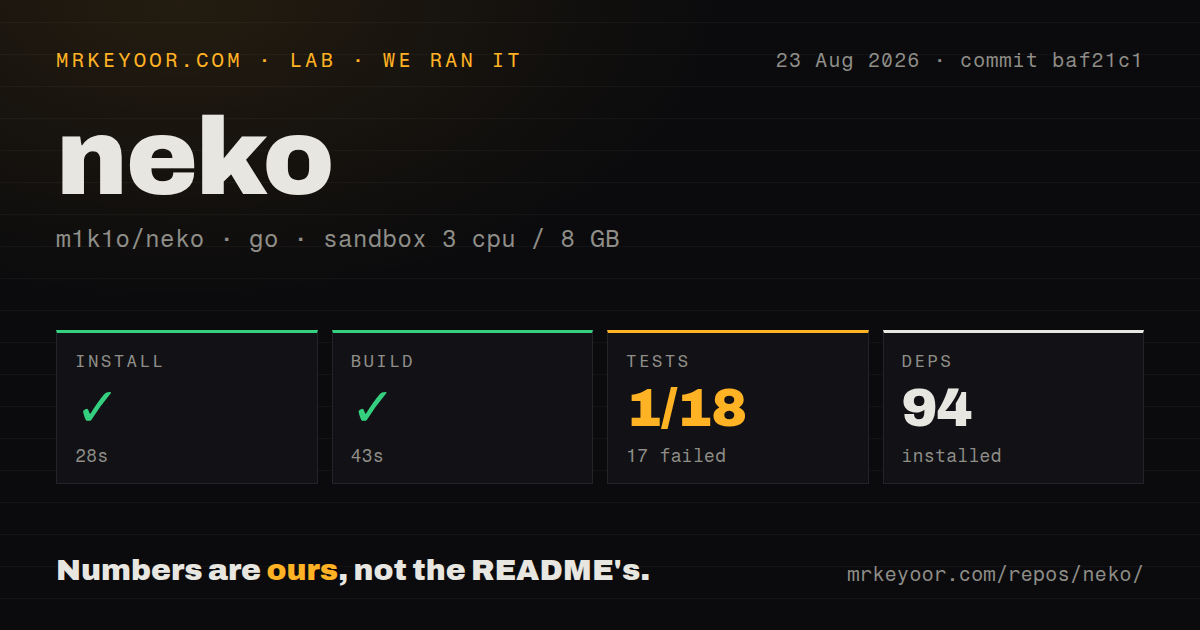
The first room is genuinely quick on a public Linux server: install Docker and Compose, download the supplied file, start it, and open port 8080 plus the configured UDP range. Before exposing it, replace the example neko and admin passwords and put the web endpoint behind HTTPS. Reliable remote access is the hard part. WebRTC ports must be reachable without remapping; a server behind NAT needs the advertised address configured, restrictive networks may need a UDP and TCP multiplexed port or a TURN relay, and an HTTP reverse proxy does not carry the media path. Production use also means choosing an image, sizing CPU and memory for encoding, deciding on local-file or shared-password authentication, persisting browser data if desired, and deploying Neko Rooms separately if users need multiple isolated rooms.

A shared computer delivered as a web page

Neko is often described as a virtual browser, but that undersells it. The server runs a Linux desktop or application, captures its display and audio, and streams the result over WebRTC. Participants open a normal browser, join the same room, chat, watch, and pass control of the mouse and keyboard. The remote application holds the cookies and local state, so a user can reach the same persistent browser from several devices without copying its profile onto each one.

The supplied images cover Firefox, Chromium, Chrome, Edge, Brave, Tor Browser, Waterfox, Vivaldi, and Opera, plus XFCE, KDE, VLC, and Remmina. Because Neko captures an X display, it is not fundamentally limited to browsers. A team can use it for interactive support, a shared internal tool, a presentation, a disposable browsing environment, or a remotely controlled application. RTMP output can feed recording or broadcast workflows, and automation tools such as Playwright can run inside the environment while a person observes or intervenes.

The defining feature is collaboration. Webtop and a conventional remote desktop mostly give one person a desktop. Neko treats several viewers, chat, visible cursors, and control permissions as first-class room behavior. Neko Rooms, a separate project, adds creation and lifecycle management when an application needs many rooms rather than one shared instance.

WebRTC makes the experience and the setup

WebRTC is why Neko can carry smooth video and audio with lower latency than a VNC screen sent as repeated images. It is also why deployment requires more understanding than mapping one web port. The included Compose file exposes port 8080 and UDP ports 52000 through 52100. Each connection takes a port from that range. The firewall must allow the same ports, and Docker must not remap them to different numbers because those addresses are advertised to clients as ICE candidates.

A reverse proxy can terminate HTTPS and forward Neko's web and WebSocket traffic, but it does not turn WebRTC media into HTTP. The documentation is explicit: if a server exposes only 443, operators must open a media port or use TURN. Neko can replace the range with a single multiplexed UDP port and optionally the same TCP port, which helps on restrictive networks. A TURN relay is the fallback when clients cannot establish a direct route, but it becomes another service to secure, monitor, and pay bandwidth for.

NAT adds another decision. A public server can often advertise its address automatically. A local deployment or a host behind translation may need NEKO_WEBRTC_NAT1TO1 set to the address clients can reach. Open discussion #629 shows how a previously working Tailscale and local-network setup can become stuck at connecting despite experimenting with ICE Lite and advertised addresses. That report is not a universal defect, but it is representative of the troubleshooting domain.

The quick start needs immediate hardening

On a public VPS, the documented start is concise: install Docker and the Compose plugin, download the project file, and launch it. The quick-start hardware table calls 4 cores and 3 GB good for 720p at 30 fps, recommends 6 cores and 4 GB, and labels 2 cores with 2 GB not recommended. A full browser, desktop, live encoder, and multiple outgoing streams consume real resources. Hardware encoding can help on supported GPUs, but it introduces device mapping and driver compatibility.

The example configuration uses neko for normal users and admin for administrators. Those are teaching defaults, not deployable secrets. Change both before opening the firewall, add HTTPS, restrict administration, and decide whether shared passwords are acceptable. The default multiuser provider creates users on demand based on which password they supply. A file provider supports named users and permission profiles, with optional SHA-256 password storage.

Authentication is capable enough for friends and small teams but not enterprise-ready. The v3 documentation says LDAP, OIDC, and other external systems are not implemented, and only one member provider can be active. Pull request #686 is adding OIDC-only member authentication, but an open PR is not a shipped feature. Organizations that require central revocation, conditional access, or an existing identity provider should wait, contribute, or put a carefully designed access layer in front.

Good streaming still has client limits

Neko gives administrators detailed control over screen size, frame rate, codecs, and media paths. Release v3.1.5 added H.265 encoding, updated NVIDIA support for newer drivers, reduced audio jitter-buffer latency, improved XInput keyboard compatibility, and made clipboard synchronization happen when the browser window gains focus. It also disabled permissive CORS by default and warns about wildcard configuration. These are useful signs of a project working through operational details rather than only adding browser images.

Resolution behavior may disappoint users coming from Webtop. Issue #595 praises Neko's multiuser interface but asks for a more responsive stream and dynamic resizing, noting that the current desktop resolution is fixed. Administrators can change resolution through the interface, but the stream does not simply reshape itself to every client window.

Mobile compatibility also deserves a trial on the actual fleet. Issue #626 reports repeatable Safari crashes on certain iPads and iPhones when opening a live URL, with WebKit GPU-process failures. Maintainers labeled it not our bug, which may be accurate, but a client-side browser crash still affects the deployment decision. Test codecs, resolution, and connection paths on managed iOS devices before promising support.

Healthy, flexible, and clear about its niche

The repository was pushed on August 13, 2026, eight days after v3.1.5, and current pull requests cover authentication, images, hardware acceleration, and examples. The open count of 144 combines issues and PRs. That is a meaningful support queue, but updates across old questions and new pull requests show an active project rather than an abandoned backlog. Releases span several years, and v3 has a migration guide rather than pretending major changes are invisible.

Documentation is a strength. The site covers images, configuration, authentication profiles, networking, reverse proxies, migration, troubleshooting, and customization. Apache 2.0 licensing keeps both personal and commercial deployment straightforward.

Choose Neko when several people must inhabit the same remote browser or desktop. Choose LinuxServer Webtop for a personal web desktop, Guacamole for brokering access to existing machines, noVNC for a smaller VNC building block, or Screego for sharing a participant's own screen. Neko's collaborative room is distinctive and works well, provided the operator treats WebRTC routing, default credentials, identity limits, and client testing as core infrastructure work.

Alternatives

ProjectWhat it isPick it when
LinuxServer WebtopContainer images that expose several Linux desktop environments through a browser.pick this instead when a responsive personal web desktop matters more than Neko's shared-room control and chat.
Apache GuacamoleA clientless gateway for accessing existing RDP, VNC, and SSH systems from a browser.pick this instead when you need centralized access to many existing machines and standard remote-desktop protocols.
noVNCA browser VNC client for connecting to desktops that already run a VNC server.pick this instead when you want a lightweight browser client and can supply the desktop, VNC server, audio strategy, and access controls yourself.
ScreegoA self-hosted WebRTC screen-sharing server aimed at low-latency viewing.pick this instead when users should share their own screens rather than collaboratively control a server-hosted browser.

What people are saying

  1. [github-trending] m1k1o/neko

Sources

  1. Neko README
  2. Neko v3 quick start
  3. Neko WebRTC configuration
  4. Neko authentication documentation
  5. Neko v3.1.5 release notes
  6. Streaming improvement request
  7. iOS and iPadOS Safari crash report