Stored traffic history is the reason to choose Neko Master
Neko Master collects connection data from Clash, Mihomo, OpenClash, and Surge, then groups it by domain, destination IP, source device, proxy chain, rule, and geographic region. The dashboard adds trend charts and a PWA interface instead of showing only the gateway's current connection list. Multiple backends can feed one panel, which is the main advantage over a small dashboard attached to one proxy core.
Collection differs by gateway. Clash and Mihomo provide connection updates over WebSocket, while Surge v5 or newer is polled through its HTTP API about every 2 seconds. The collector calculates traffic deltas, buffers writes, enriches destination IP data, and sends current summaries to browsers. SQLite stores the baseline data. ClickHouse is optional for larger histories and long-range aggregation.
Docker needs 2 ports for real-time updates and 1 for basic use
The minimal Compose example exposes port 3000 and mounts /app/data. The web app proxies its API internally, so port 3001 normally stays private. Real-time browser updates use port 3002, usually routed through /_cm_ws on the same public hostname. If that path is unavailable, the client falls back to HTTP polling at roughly 5-second intervals.
A production deployment also needs a fixed COOKIE_SECRET of at least 32 random bytes. Without it, sessions may be invalidated after a restart, especially when the data directory is not persisted. Access control is configured in the dashboard, and FORCE_ACCESS_CONTROL_OFF is an emergency recovery switch that should be removed immediately after resetting a lost token. Public demo mode can block sensitive write operations, but a private panel remains the safer default.
What happened when we ran it
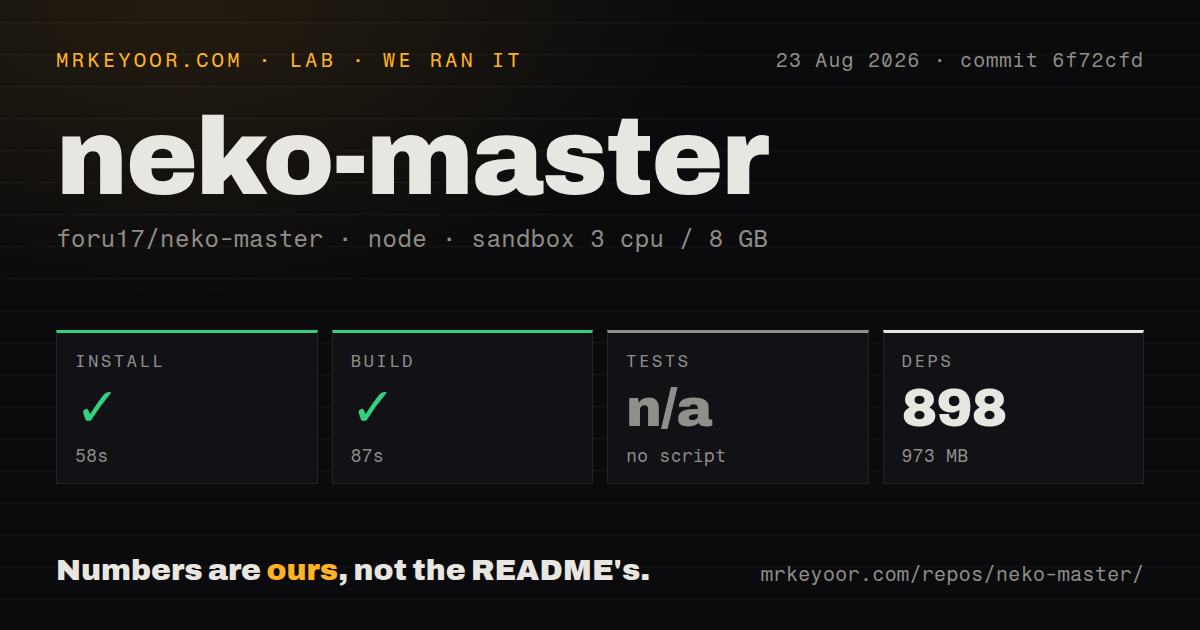
Our sandbox installed commit 6f72cfd in 58 seconds, adding 898 pnpm packages and consuming 973 MB. The monorepo build finished successfully in 87 seconds. The checkout itself contained 356 files, roughly 53,736 lines of source, and used 19.1 MB before dependencies. It had 5 CI workflow files, a Dockerfile, a Compose file, and workspace configuration.
The root package did not expose a test script or target, so our harness skipped tests. There is no top-level tests directory, although the collector package contains a nested Vitest command and test files. That distinction matters: we have a passing build, not a passing repository-wide suite. The supplied measurement block included no dependency vulnerability audit, so this review makes no claim about advisories.
We also did not launch the Docker stack, connect a gateway, feed traffic, test a browser session, or measure query performance. The 58-second install and 87-second build establish that the code assembled in a 3-CPU, 8 GB Debian container. They do not validate packet accounting, multi-day aggregation, agent delivery, or data recovery on the hardware where you intend to keep the history.
Remote agents remove inbound access to home gateways
Agent mode is useful when one central panel covers several private networks. A small daemon runs near each gateway, pulls local connection data, and sends batched deltas to the panel over HTTP. Clash or Mihomo stays on WebSocket, while Surge retains its 2-second polling model. The central collector never needs a route back into the remote LAN.
Each agent backend receives a generated token, and the server derives a stable agent ID from that token. Rotation invalidates old agents. One host can run multiple named instances with separate environment and PID files. Issue 71 reports an OpenWrt init script missing a pidfile setting, causing status to say stopped while the process remained alive. OpenWrt users should verify both the manager's status and the actual process after installation.
Online GeoIP is the default unless MMDB files are mounted
The deployment table sets GEOIP_LOOKUP_PROVIDER to online. Local lookup requires mounting a geoip directory and supplying fixed filenames for City and ASN databases, with Country optional. Those files are not included in the image. Traffic analytics can reveal sensitive destinations, so sending IPs to an external lookup endpoint is a real privacy decision rather than a cosmetic preference.
For a home or company network, local MMDB is the easier policy to defend. Download the databases from a trusted source, record their update process, mount them read-only, and confirm the preference in the dashboard. The database still contains browsing-derived domain and device information, so protect backups and limit who can read the SQLite or ClickHouse volumes.
ClickHouse adds scale and another consistency problem
SQLite is always available and is the documented choice for most users. ClickHouse targets histories with hundreds of thousands of domain or IP entries and queries spanning at least 7 days. Enabling it introduces dual writes, another data directory, database credentials, health thresholds, source-selection flags, and an optional migration from older SQLite history.
The migration guide sensibly starts with ClickHouse writes while reads remain on SQLite, then offers comparison and a later source switch. Automatic fallback resumes SQLite writes after repeated ClickHouse failures, even in ClickHouse-only mode. That protects collection continuity but also means operators must understand which store answered a query and whether older data was migrated. Stay with SQLite until real query or retention limits justify the extra service.
Gateway support is active but still narrow
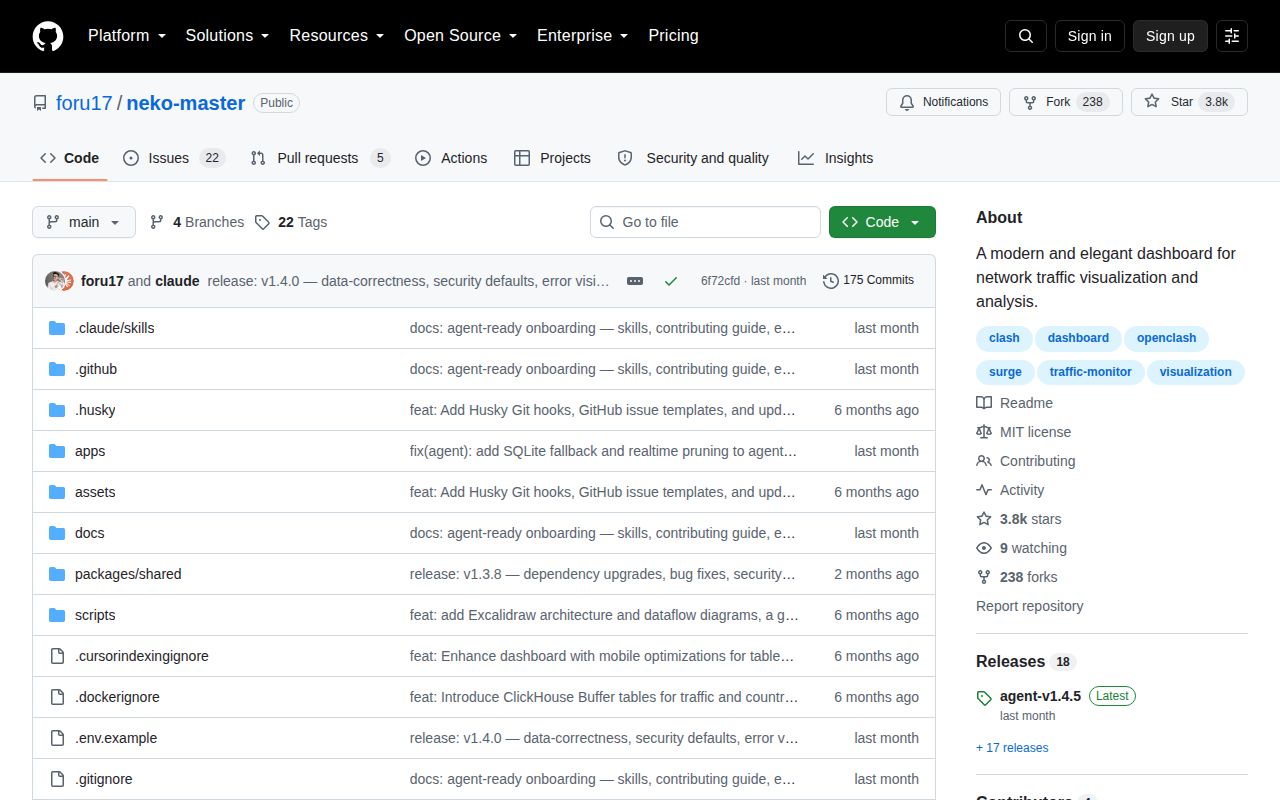
GitHub recorded the last code push on August 3, 2026. The latest release, agent-v1.4.5, was published July 19, while the repository had 3,819 stars and 27 combined issues and pull requests when fetched. Issue activity continued on August 23 with an ARMv7 request, so the later push date and issue activity show maintenance even though the newest release tag belongs to the agent.
Current gaps are specific. Issues request sing-box and dae backends, ARMv7 binaries, and better log-level control. Issue 88 reports Surge collection failing when http-api-tls is enabled, while issue 82 describes inaccurate tooltips for ranges over 24 hours. Neko Master is a credible historical dashboard for its documented gateways, but operators should test the exact protocol, architecture, and time range they depend on before replacing simpler live dashboards.