The Go binary combines a TUI with JavaScript expressions
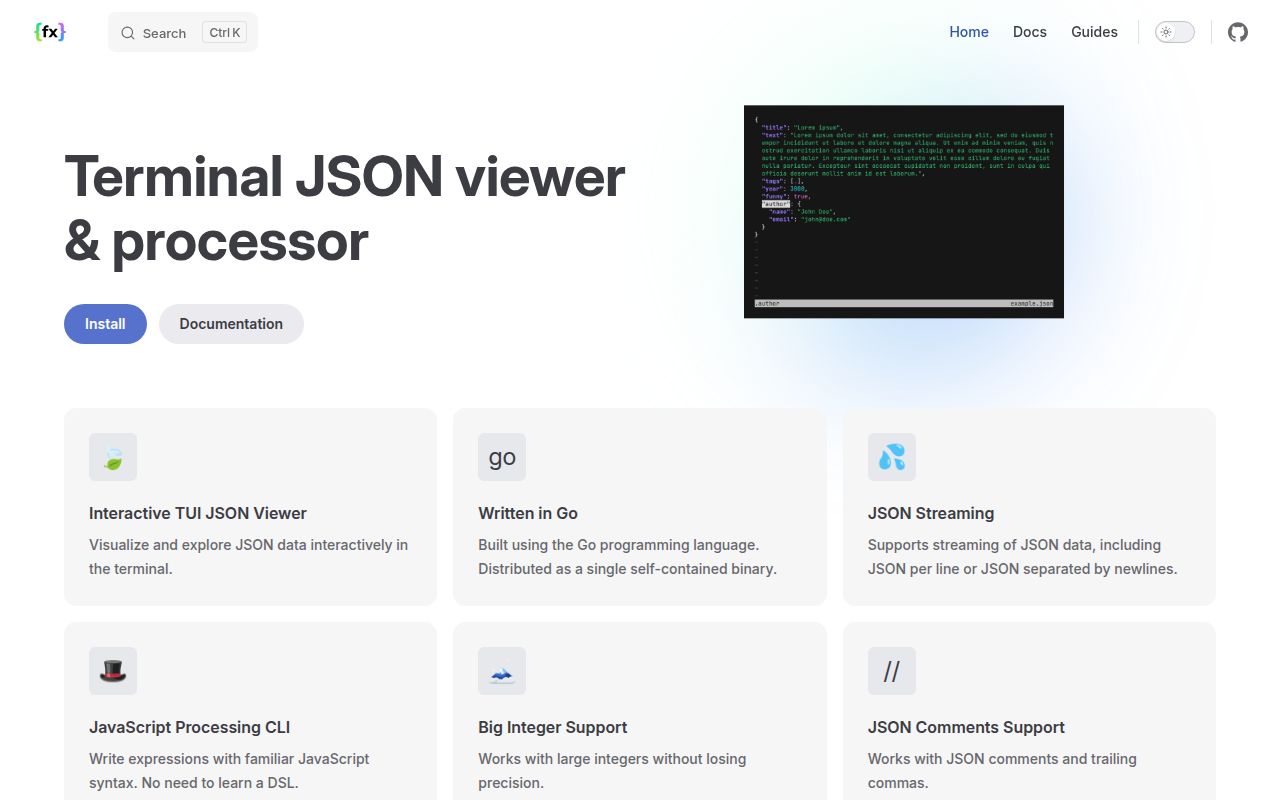
fx 39.2.0 has two useful personalities. Give the Go binary a file or pipe it data without an expression, and it opens an interactive terminal viewer. Add expressions, and it becomes a processor. The viewer folds nested objects, searches with regular expressions, jumps through matching paths, wraps long strings, copies values, and prints a selected value to stdout. That makes it closer to a data browser than a colorized pretty-printer.
The processor uses JavaScript through the embedded goja engine. Input moves through each expression in order, so .name, Object.keys, map, filter, groupBy, and ordinary arrow functions feel familiar to a web developer. Fx adds shortcuts such as @ for mapping and ? for filtering. This is its sharpest advantage over jq for occasional users, and the main incompatibility for teams that already share jq programs.
Three data formats share one browsing and processing tool
Fx reads JSON, YAML, and TOML, while its streaming mode handles concatenated JSON and line-delimited records. The --slurp option collects a stream into an array when a transformation needs the whole set. Large integers beyond JavaScript's safe integer range become BigInt values, and the docs show arithmetic with the n suffix. Those choices cover many API responses, configuration files, and structured logs without a conversion command first.
Default parsing is intentionally forgiving. Comments, trailing commas, Infinity, and NaN can pass even though they fall outside strict JSON. The --strict flag rejects those values. That flexibility is pleasant during inspection and risky when a shell script is supposed to validate an artifact. Open issue 399 also asks fx to return a nonzero status for an empty or whitespace-only file, so strict pipelines should test the exact invalid inputs they care about.
What happened when we ran it
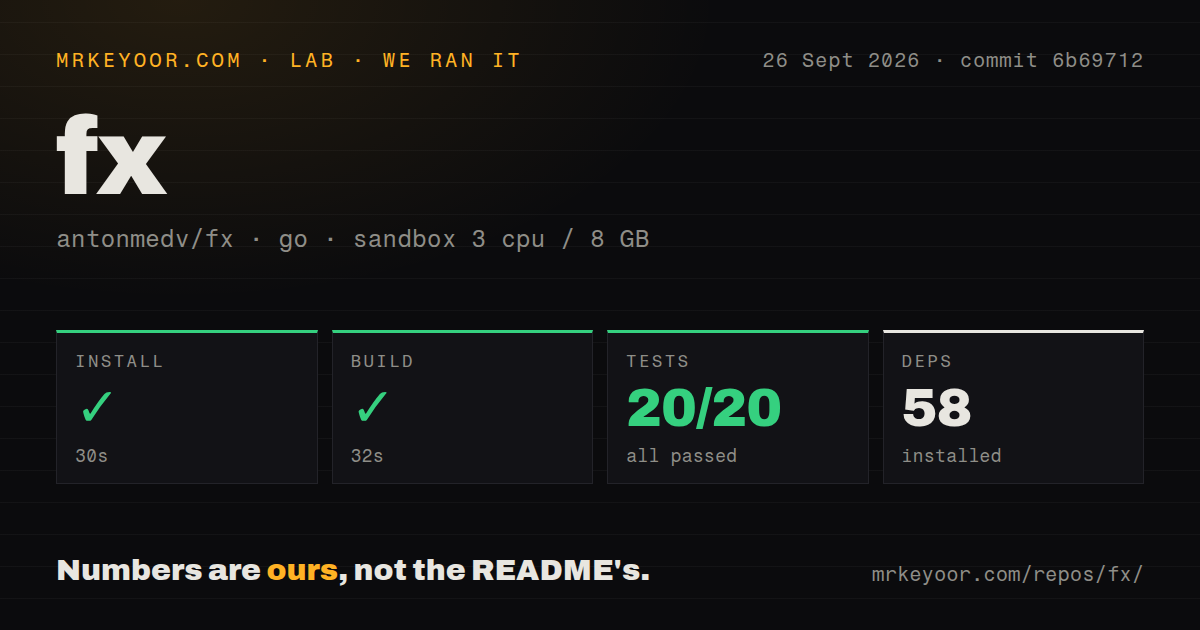
Our sandbox installed fx in 30 seconds and brought in 58 Go packages. The build completed in 32 seconds. The full Go test command then passed 20 tests with 0 failures in 7 seconds. The project occupied 3.1 MB at checkout, with 110 files and roughly 17,845 lines of source. Nothing in those three steps required credentials, a network service, or platform setup beyond the supplied Go environment.
Our test method used commit 6b69712 in a fresh unprivileged Debian container with 3 CPUs and 8 GB of RAM. The repository scan found 4 CI workflow files and a Dockerfile. It did not find a directory literally named tests, because the Go test files sit with the packages they exercise. The clean 20-of-20 result covers the available command we ran; it is not a performance claim about browsing very large documents.
The small codebase is part of the appeal. A 7-second green test step is easy to place in a contributor loop, and a 32-second build is manageable on the modest box we used. Fx still relies on terminal behavior that unit tests cannot settle for every shell, OS, and upstream command. Current issue reports are most useful when they describe those boundaries rather than the parser core.
The npm edition drops the interactive interface
The installation page lists Homebrew, Snap, Scoop, Pacman, pkg, Go, Docker, Nix, release binaries, and a shell installer for the Go program. Windows users are directed to go install. Bash, zsh, and fish completion are available through fx --comp. None of these routes needs an account or daemon, so trying the native tool is a low-commitment change to a terminal setup.
Npm and Deno are a different build. The docs state that the JavaScript edition works only in noninteractive mode and provides JSON processing. That distinction matters in GitHub Actions, where npx fx is convenient, but it cannot demonstrate the TUI that defines the native program. If the goal is folding a large response and jumping through paths, install the Go binary rather than judging fx through its npm package.
Two open terminal cases can interrupt real workflows
Issue 415 reports that piping direct Node.js stdout into fx v39.2.0 displayed the JSON but left keyboard input writing over the interface on macOS and Ubuntu 22. The reporter's file-then-cat workaround behaved correctly. We did not reproduce that UI path in our noninteractive sandbox, so it remains a specific open report, not a blanket claim that Node pipes fail everywhere. A Node CLI team should try its real pipe before adopting fx for support work.
Issue 432 describes another concrete limit: reaching the final item or a chosen index in an array with millions of entries. The current key list has top, bottom, paging, siblings, search, and history controls, while the request asks for direct array-index navigation. Search may solve many cases, but an operator who knows only 500000 and needs that item should test the experience before relying on the viewer.
A recent push matters more than the older release date
GitHub recorded the last push on September 26, 2026, even though 39.2.0 was released on November 12, 2025. The repository had 20,640 stars, 18 open issues, and 11 open pull requests when checked. Issue 432 was updated on September 26, and the latest commit landed that day. The release tag is older than the current code, but the push and issue activity show ongoing maintenance.
Fx is easiest to recommend as a personal inspection tool. It passed all 20 tests in our run, installs without a service, and turns a nested response into something you can search with both eyes and keys. Shared production scripts need a different test: does the team want JavaScript expressions, relaxed parsing unless flagged strict, and fx-specific shortcuts? If the answer is no, jq's established language or yq's wider format handling is the cleaner standard.