mrkeyoor.com_
Thu 17 Sept 02:09 UTC
AI Toolsevaluationupdated 26 Aug 2026

nacos review

Nacos is a control-plane service for dynamic configuration, service discovery, health checks, DNS-based routing, and service metadata. Its 3.x line also manages AI resources such as MCP servers, agent specifications, A2A entries, prompts, and skill packages, giving AI platforms a registry beside the older microservice features.

+11stars / 7d
Verdict

Our Nacos console build completed in 48 seconds, but it installed 1,399 packages and npm audit found 99 vulnerabilities, including 40 critical or high. Existing Nacos shops should evaluate the 3.x AI registry because it can keep MCP, A2A, skills, and ordinary service metadata in one control plane. New teams should adopt it only when that consolidation outweighs a large Java service, stateful cluster operations, and a frontend dependency backlog.

We ran it

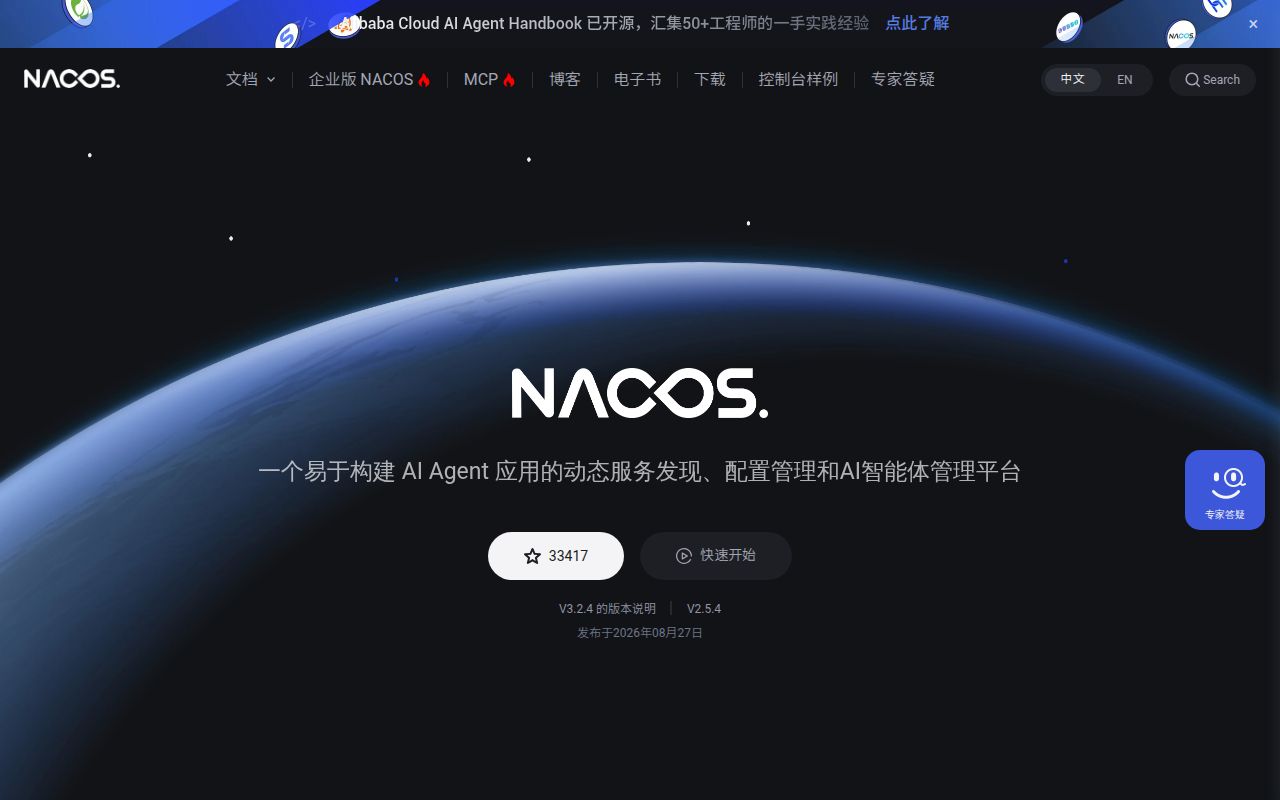
Lab card: what happened when we ran nacosScreenshot of nacos (nacos.io)
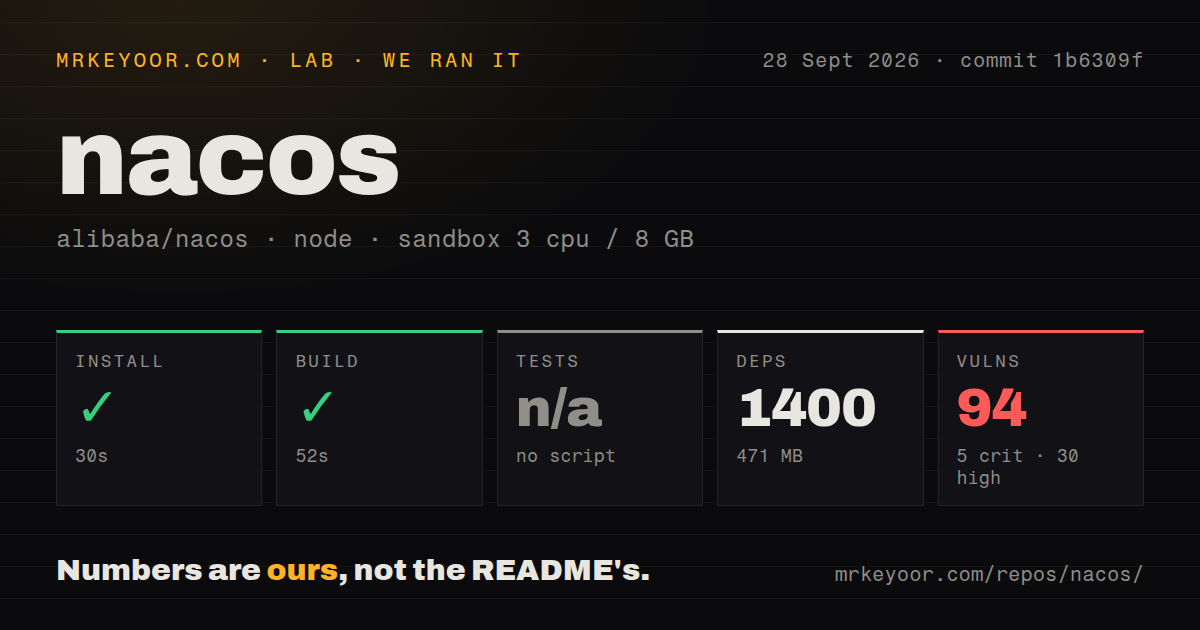
Install✓ · 40s1399 packages · 470 MB
Build✓ · 48s
Testsn/ano test script
Known vulns996 critical · 34 high · 51 moderate · 8 low (npm audit)
Repo6491 files~827,424 lines of source · 95.8 MB · 10 CI workflows · tests dir

Answers from our run

Does nacos build from source?

Dependencies installed in 40 seconds (1399 packages), and the build succeeded in 48 seconds. We cloned commit 812f49f into a clean Debian container with 3 CPUs and no project-specific setup.

Does nacos have tests you can run?

Not through a standard command: the project exposes no test script or target that our harness could run.

Does nacos have known vulnerabilities in its dependencies?

npm audit flagged 99 known advisories in the dependency tree, including 6 critical at the time of our run.

Who should not use nacos?

Small AI projects that only need an MCP server list: Nacos brings a 6,491-file service-management platform and a large console dependency tree.

What are the alternatives to nacos?

Consul, etcd, Apache ZooKeeper. Our Nacos console build completed in 48 seconds, but it installed 1,399 packages and npm audit found 99 vulnerabilities, including 40 critical or high.

Setup2/5Standalone start exists, but real use needs Java, state, and policy
Docs3/5Broad English site, weakened by an obsolete 1.0 package example
Community5/5Pushed August 26 with active releases and issue triage
Maturity4/5Long-lived service core, with newer AI workflows still changing

Who it’s for

Java and cloud-platform teams already using Nacos for configuration or service discovery.
Organizations that want one registry for ordinary services plus MCP, A2A, agent, prompt, and skill metadata.
Spring Cloud, Dubbo, gRPC, or Kubernetes environments that can operate a shared Java control plane.
Teams prepared to test namespace isolation, persistence, cluster membership, and upgrades before rollout.

Who it’s NOT for

Small AI projects that only need an MCP server list: Nacos brings a 6,491-file service-management platform and a large console dependency tree.
Teams expecting a polished npm application to represent the whole product: our lab built only ./console-ui/, while the server is Java 17.
Security policies that reject known frontend advisories at build time: our npm audit reported 99 vulnerabilities, including 6 critical and 34 high.
Operators wanting one current copy-paste guide: the main README's startup-package example still names nacos-server-1.0.0.zip, while the latest release is 3.2.3.
Clusters that cannot absorb careful state testing: an open discussion reports concurrent cluster.conf writes corrupting Raft membership during Kubernetes pod restarts.

Setup reality

Our sandbox installed the npm project under ./console-ui/ in 40 seconds: 1,399 packages using 470 MB. Its build completed in 48 seconds. There was no test script or target, so tests were skipped. npm audit found 99 known vulnerabilities: 6 critical, 34 high, 51 moderate, and 8 low.

That run covered the older console UI, not a Nacos server. The README tells users to download a server package and start standalone mode; release 3.2.3 requires Java 17 for the server and console, while its clients require Java 8. A durable deployment also needs a supported database, cluster or standalone choice, network controls, authentication, namespaces, and client configuration.

The checkout measured 95.8 MB with 6,491 files and about 827,424 source lines. It had 10 CI workflow files and a tests directory, but the measured npm target exposed no test command and no Dockerfile. Treat the 48-second build as console evidence only; server startup, cluster behavior, persistence, and AI registry workflows were not exercised in our sandbox.

Nacos now registers AI resources beside microservices

Nacos began as naming and configuration infrastructure. Services register instances, clients discover healthy endpoints, and operators change configuration without rebuilding each application. It also provides dynamic DNS, weighted routing, service metadata, and a management console. The 3.x codebase adds modules and controllers for MCP servers, A2A agents, agent specifications, prompts, skills, and an AI resource registry.

This combined role makes sense inside a platform already using Nacos. An MCP endpoint is still a service with versions, metadata, health, access rules, and lifecycle changes. Release 3.2.3 improved nested skill-package uploads, preserved nested SKILL.md resources, refined AI version diffs, and fixed cases where deleting a registry version broke A2A or MCP queries. It also repaired query parameters and transport protocols that were lost when MCP endpoints were published.

The quick start hides a large stateful control plane

The README downloads a binary package and starts standalone mode with startup.sh -m standalone or the Windows command file. Its example still uses nacos-server-1.0.0.zip, though the current release is 3.2.3. The release notes supply a more useful compatibility fact: server and console require Java 17, while the standard and maintainer clients require Java 8.

Standalone mode is suitable for learning the console and APIs. Production means choosing database storage, cluster members, namespaces, credentials, network exposure, and client rollout behavior. Configuration and discovery sit on the startup path of every dependent service, so backup and upgrade mistakes spread widely. Teams should test losing a node, restarting pods, rotating credentials, restoring state, and serving clients during a rolling upgrade.

What happened when we ran it

Our sandbox targeted the npm application under ./console-ui/. Installing 1,399 packages took 40 seconds and consumed 470 MB. The build then succeeded in 48 seconds. The entire checkout at commit 812f49f was 95.8 MB, with 6,491 files and about 827,424 source lines. These figures describe a large repository and a heavy frontend dependency graph, even before the Java server is considered.

There was no test script or target in the measured npm project, so our tests were skipped. The repository did contain a tests directory and 10 CI workflow files, but the harness could not invoke those through the console package. npm audit reported 99 known vulnerabilities: 6 critical, 34 high, 51 moderate, and 8 low. The supplied measurement does not identify affected packages, so we cannot say which console paths are exploitable.

Our 48-second success only establishes that console-ui built in a fresh Node 22 Debian container. We did not start the Java 17 server, connect a database, form a cluster, register services, publish configuration, or exercise MCP and A2A operations. Passing the frontend build does not validate persistence or client compatibility, and the missing npm test target leaves the measured UI without an executed suite.

The 99 audit findings need named owners

Ninety-nine audit findings are too many to wave through, particularly the 40 rated critical or high. Some may sit in build tooling or have no reachable path in the shipped static assets; the measurement does not answer that. Produce the dependency paths, determine what ships, update or replace reachable packages, and document any accepted exception. A successful build says only that bundling worked.

AI registry value depends on using the older core

The AI features are management features, not a model runtime. Nacos does not replace an MCP server, an agent, or a language model. It stores and exposes their descriptions and endpoints, applies lifecycle operations, and brings them into the console. That can reduce duplicated registries when a company already trusts Nacos namespaces, discovery, and configuration. For a team with 3 MCP servers and no existing Nacos cluster, the control plane may be larger than the problem.

A current issue asks whether the console copilot can use a local model or an OpenAI-compatible endpoint instead of only Alibaba's Bailian key. Another active report concerns an SSE HTTP-to-MCP server remaining unhealthy in a 3.2.2 cluster. The 3.2.3 release fixes several adjacent MCP publishing problems, but it does not claim to resolve every registry or console issue.

August activity is high, while the README needs upkeep

The repository was pushed on August 26, 2026, and release 3.2.3 arrived July 14. GitHub reports 183 open issues and pull requests combined; a search excluding pull requests found 169 open issues. Recent discussions span Java clients, MCP health, skill metrics, IPv6 validation, dependencies, and Kubernetes membership. That combination shows active users and regular triage.

The Nacos website covers standalone operation, Kubernetes, Spring Cloud, and Dubbo. The English README is weaker as a versioned quick start because its package example is from 1.0.0. New adopters should use the 3.2.3 requirements and current website, then pin server and client versions in an upgrade plan.

Adopt the AI layer only with a platform owner

Consul is the closer alternative for service discovery with a service-network emphasis. etcd provides a smaller coordination substrate, leaving the application to build its own configuration and registry experience. ZooKeeper suits systems already designed around its coordination model. None is a direct replacement for Nacos's combination of console, dynamic configuration, naming, and newer AI resource types.

Our measurements favor a conditional recommendation. The console built, the repository is current, and release work covers real AI registry failure modes. The 99 npm findings and absent console test target need resolution before exposing that UI. Choose Nacos when a platform team will own it and the same organization benefits from both service management and MCP or agent metadata. Otherwise, use a smaller registry and avoid adding a central dependency.

Alternatives

ProjectWhat it isPick it when
Consul gh↗A service-network platform with discovery, health checks, configuration, and service-mesh features.pick this instead when multi-datacenter service discovery and HashiCorp's networking model matter more than Nacos AI resources.
etcd gh↗A distributed, consistent key-value store used as a foundation for control-plane state.pick this instead when applications need a smaller low-level coordination store and can build discovery or configuration UX themselves.
Apache ZooKeeperA mature coordination service for naming, configuration, synchronization, and group membership.pick this instead when an existing JVM stack depends on ZooKeeper semantics and does not need Nacos's console or AI registry.

Sources

  1. Nacos README
  2. Nacos 3.2.3 release
  3. Nacos documentation
  4. Nacos open issues

More ai tools reviews

eve · MemOS · LongCat-Video · Concat · DLSS5-Feeder · Concat · the whole board →